Doing Mini Sumo robot competition is really fun, and there is yet another one coming to end the current university semester. For several years we have used our own sumo robot, and this is the one used in the course this year too. But for future and extended events we are exploring a new robot. I proudly present the concept of the next generation sumo robot for the year 2018:
Category Archives: Processor Expert
New FreeRTOS V10.0.0: Amazon, Segger SystemView and Percepio Tracealyzer
“Amazon FreeRTOS – IoT operating system for microcontrollers”: The announcement of FreeRTOS V10.0.0 was one of the biggest news last week for me. Not only is there now a Version 10, the bigger news is that FreeRTOS is now part of Amazon. Wow! Now this explains why Richard Barry (the founder behind FreeRTOS) was kind of hiding away for about a year: he joined Amazon as a principal engineer about a year ago. I think we all have to wait and see what it means for FreeRTOS.
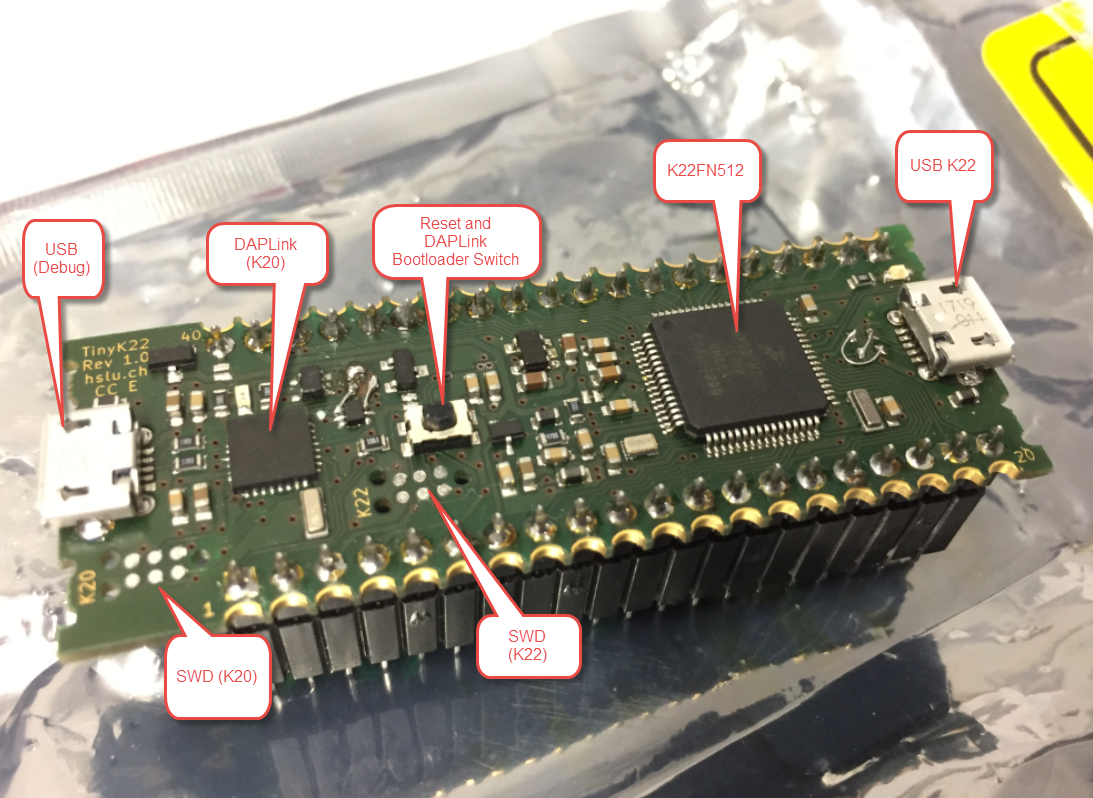
First tinyK22 Board with NXP K22FN512 ARM Cortex-M4F
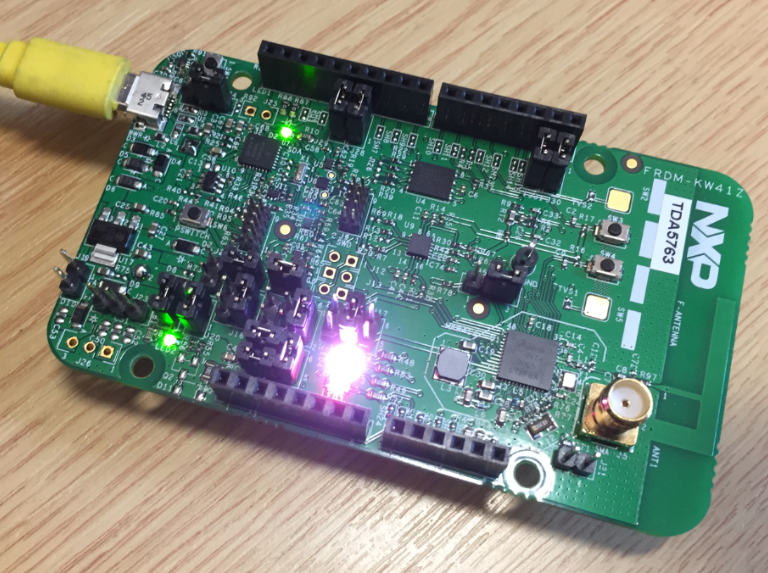
The NXP Freedom boards are very popular. Many of them are inexpensive (less than $20), include a debug interface and can be easily extended with extra shields or boards. Especially the FRDM-KL25Z is very popular: I’m getting told because of Processor Expert and tutorials available on web sites like this one ;-).
Unfortunately there are no small or breadboard friendly Kinetis boards available. There is the NXP LPC800-DIP but with no onboard debugger and without Processor Expert support. We have the tinyK20, but projects tend to use more CPU power, FLASH and RAM space than what the tinyK20 board (50 MHz, 128 KByte FLASH, 16 KByte RAM) can provide. So we ended up designing the big brother of the first tinyK20: the tinyK22 with 120 MHz, 512 KByte of FLASH and 128 KByte of RAM.
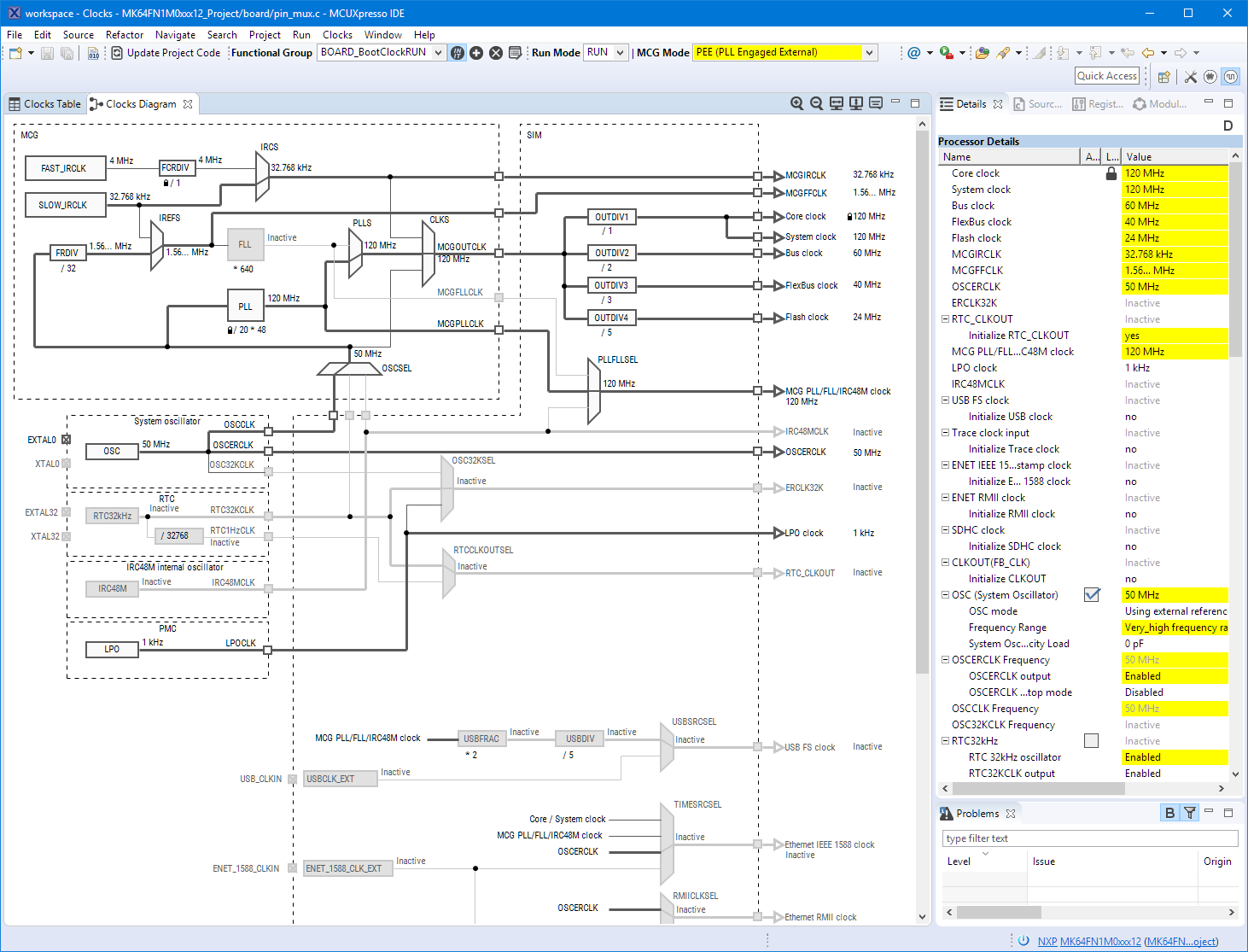
Eclipse MCUXpresso IDE 10.1 with integrated MCUXpresso Configuration Tools
Back in March 2017, NXP had rolled the MCUXpresso IDE starting with Version 10.0.0. With the intent to unify the SDK, LPCXpresso, CodeWarrior, Kinetis Design Studio and Processor Expert into one unified and integrated set of tools. V10.0.0 was a good start. The MCUXpresso IDE V10.0.2 in July was more of a smaller update, and the Pin and Clock configuration tools were not integrated, no added tool for peripheral configuration.
A week ago the MCUXpresso V10.1.0 has been released which shows where the journey is going: an free-of-charge and code size unlimited Eclipse based integrated set of tools to configure, build and debug Cortex-M (Kinetis, LPC and i.MX RT) microcontroller/processor based applications.
I have used it for a week, and although many things are still new, I thought I’m able to give an overview about what is new.
Exploring a Microcontroller and Software and Tools for the next Project
I’m using many microcontroller in my projects. And a lot more are available out there in the ecosystem. Like many others, I tend to select what I am familiar with. But is this the correct approach to select the hardware and tools for a next project?
McuOnEclipse Components: 25-Sept-2017 Release
I’m pleased to announce that a new release of the McuOnEclipse components is available in SourceForge. In this release more ARM Cortex devices/vendors are supported with different SDKs, plus it comes with several FreeRTOS enhancements for debugging highly optimized code.
Using Multiple Memory Regions with the FreeRTOS Heap
ARM Cortex-M microcontrollers can have multiple memory controllers. This is a good thing as it allows the hardware to do multiple parallel memory read/writes. However this makes the memory map more complicated for the software: it divides the memory into different regions and memory segments. This article is about how to enable FreeRTOS to use multiple memory blocks for a virtual combined memory heap:
Tutorial: Porting BLE+NRF Kinetis Design Studio Project to MCUXpresso IDE
The tools and IDE market is constantly changing. Not only there is every year at least one new major Eclipse IDE release, the commercial tool chain and IDE vendors are constantly changing the environment too. For any ARM Cortex-M development, the combination of Eclipse with the GNU tool chain provided by ARM Inc. is the golden standard. But this does not mean that things can be easily moved from one IDE package to another.
While moving between Eclipse versions and GNU versions is usually not a big deal at all, moving between the Eclipse build tool integration is usually not simple. While the GNU MCU Eclipse plugins are widely used (see Breathing with Oxygen: DIY ARM Cortex-M C/C++ IDE and Toolchain with Eclipse Oxygen), the Eclipse based IDEs from the silicon vendors or commercial Eclipse toolchain vendors are using their own GNU toolchain integration. Which means the project files are not compatible :-(.
Troubleshooting Tips for FreeRTOS Thread Aware Debugging in Eclipse
FreeRTOS seems to get more and more popular, and I think as well because more and more debugger and Eclipse IDE vendors add dedicated debugging support for it.
McuOnEclipse Components: 09-July-2017 Release
I’m pleased to announce that a new release of the McuOnEclipse components is available in SourceForge, with the following major changes and updates:
- Complete refactoring for 1-Wire stack and DS18B20 temperature sensor components
- Added HID Joystick device class to the FSL_USB_Stack
- New SDK_Timer component to work with Kinetis SDK
- New ST756P LCD driver component
- New TSL2561 digitial temperature sensor driver
- Added ReadByte() and WriteByte() GenericI2C functions
- Added 64bit mapping functions to Utility
- added configUSE_NEWLIB_REENTRANT and newlib reentrancy support to FreeRTOS
- Pull resistor support for SDK_BitIO
- Many smaller bug fixes and enhancements