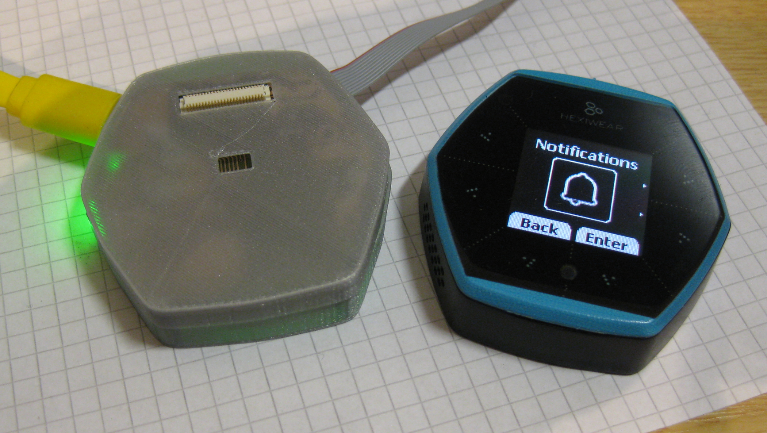
Prototype of tiny Hexiwear Docking Station

For a research project we are using Hexiwear to measure the effectiveness of teaching and learning. The Hexiwear is used as a networking sensor device in that project. For that project we needed a docking station with wireless capabilities:

Mini Docking Station for Hexiwear

Mini Docking Station for Hexiwear

Continue reading

Tutorial: STMicroelectronics VL6180X Time-of-Flight LIDAR Sensor

For many of my applications I need to measure a distance. I have used ultrasonic sensors, but there view angle (beam) is not able to detect smaller objects, it very much depends on the object surface and angle, it is slow and not very precise. I have used infrared sensors, but here again it depends on the infrared reflection of the object in range, it depends the amount of reflected light is not really telling much about the distance, and yet IR reflection is subject of material and object targeted.

But there is yet another sensor type to consider: ToF! ToF (or Time-of-Flight) sensors have a built-in LIDAR: The sensor is sending out light pulses and measures how much time it takes for the light to come back. Similar to ultrasonic sensors (see “Tutorial: Ultrasonic Ranging with the Freedom Board“), but instead of ultrasonic it uses an infrared laser light. Or think about a radar system using an infrared laser light.

Vl6180x Breakout Board with tinyK20 Microcontroller-board

Vl6180x Breakout Board with tinyK20 (NXP Kinetis K20) Microcontroller-board

Continue reading

NXP MCUXpresso Software and Tools with Clocks Tool

About a year ago, on December 7th 2015, Freescale and NXP have announced the completion of their merger.  Now it is Qualcomm which wants to acquire NXP? It looks like these mergers are happening faster and faster. The reality is that merging products take more time than anticipated, and nearly one year later I can see the outcome of what comes out of the marriage between Freescale and NXP or between Kinetis and LPC: NXP has announced the MCUXpresso software and tools for Kinetis and LPC microcontroller:

Introducing MCUXpresso

Introducing MCUXpresso (Source: NXP video)

Continue reading

Making-Of Sea Shell Sand Clock

The year is coming to an end, the Holiday season is approaching. In case you are looking for a nice present: I have completed my version of a sand clock: a clock writing the time into sand:

Sandclock

Sandclock

If you are interested to build your own version, I have documented the different steps with tips and tricks…

Continue reading

Failure with Solder Points and Mechanical Pressure

The good thing with failure is: it is an opportunity to learn :-).

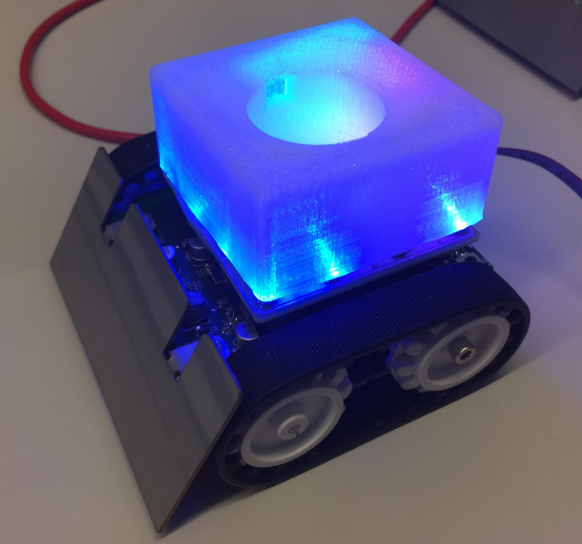
So here is a case: For a STEM roadshow (see “MINTomat: World’s Most Complicated Bubble Gum Automata?“), we have produced in a rush an autonomous robot with a shiny printed 3D cover:

LED effect in blue

Prototyp with LED Effects

Continue reading

MINTomat: World’s Most Complicated Bubble Gum Automata?

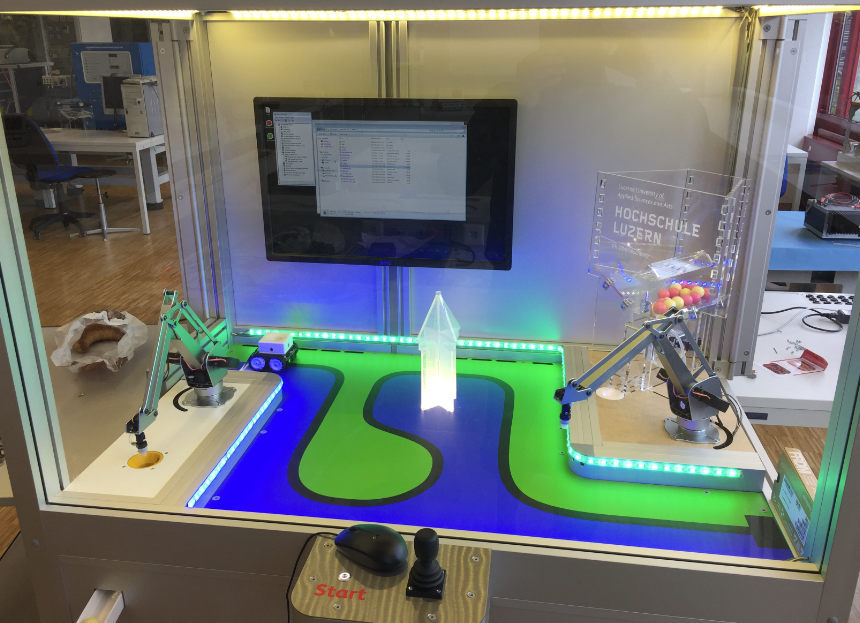
How to fascinate kids for technology? Show them that engineering is fun :-). At the Lucerne University of Applied Sciences and Arts we have created the ‘MINTomat’: a robotics system for STEM activities rewarding interaction with bubble gums:

MINTomat

MINTomat

Yes, pretty over engineered compared to a normal bubble gum automata, but that’s part of the fun :-).

Continue reading

Tutorial: Getting ETM Instruction Trace with NXP Kinetis ARM Cortex-M4F

It seems to me that not many developers use hardware trace? ARM indicates that maybe only <5% of developers are using trace. Too bad! Why are all the ARM Cortex microcontroller vendors putting a powerful hardware (and complicated!) trace engine into their devices, if only few developers are using it? Seems like a waste of silicon and an unnecessary price adder? Well, hardware trace can be a life saver: Because only with hardware trace the most complicated bugs and problems can be solved. And maybe because only the best are using it ;-).

In this article I proudly present my research how to get instruction trace out of the ARM Cortex-M4 microcontroller on a NXP TWR-K64F120M board with a Segger J-Trace for ARM:

J-TRACE tracing NXP TWR-K64F Board

J-TRACE tracing NXP TWR-K64F Board

Continue reading

McuOnEclipse Components: 30-Oct-2016 Release

A new McuOnEclipse components release was long overdue, so I’m pleased to announce that a new drop is available with the following major changes:

  • Segger SystemView library with kernel time reporting
  • GenericTimeDate supports different hardware RTC devices
  • Utility with little endian packet handling functions
  • Shell Standard I/O handlers for USB CDC, Segger RTT and Bluetooth
  • FreeRTOS and stack size reporting
  • printf() support in Shell component
  • Various small bug fixes and improvements
SourceForge

SourceForge

Continue reading

Tutorial: Using Single Wire Output SWO with ARM Cortex-M and Eclipse

As a standard procedure, I add some console functionality to my embedded applications. That way I have a command line interface and can inspect and influence the target system. One interesting hardware feature of ARM Cortex-M is Single Wire Output (SWO): it allows to send out data (e.g. strings) over up to 32 different stimulus ports, over a single wire.

swo-pin-on-arm-debug-header

swo-pin-on-arm-debug-header

Continue reading