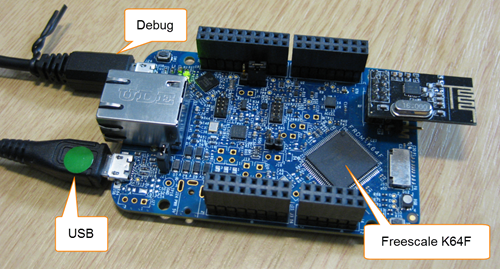
Newer microcontroller have increase RAM areas, making it suitable to run the application from RAM instead of FLASH. For the FRDM-K64F board and the Kinetis Design Studio (V1.1.1), I have explored how to run the application out of RAM instead of FLASH memory, both for P&E and Segger connections.
Category Archives: Boards
Illustrated Step-by-Step Instructions: Updating the Freescale Freedom Board Firmware
I have received a bunch of Freescale FRDM boards to be used in an Embedded Systems programming crash course. There are multiple issues with the boards coming from the factory:
- They come with an old bootloader which is not compatible with Windows 8.x
- They have an old and outdated firmware on the board only supports a MSD bootloader
This post is a step-by-step instruction how to update Freescale FRDM boards (e.g. FRDM-KL25Z) to the latest firmware.
New Sumo Robot Assembled, and looking good!
Finally, the new Sumo robot is assembled, and up and moving :-):
Export and Import Processor Expert Component Settings
When I create a new Processor Expert project for a board I already have the components configured, then an easy way to transfer components from one project to another is to copy-paste the components. In the ‘source’ project I select the components I want to use, choose Copy (or CTRL+C shortcut on Windows):
USB CDC with the FRDM-K64F, finally!
Sometimes I think that a problem should be solvable in a few minutes, and then it turns out that it lingers around for months. Very, very frustrating! Such a thing is getting the USB 4.1.1 stack running on the FRDM-K64F board. I have that board since April 2014, and it took me 7 months to get the FSL USB stack running on it :-(.
New Sumo Robot PCBs Arrived!
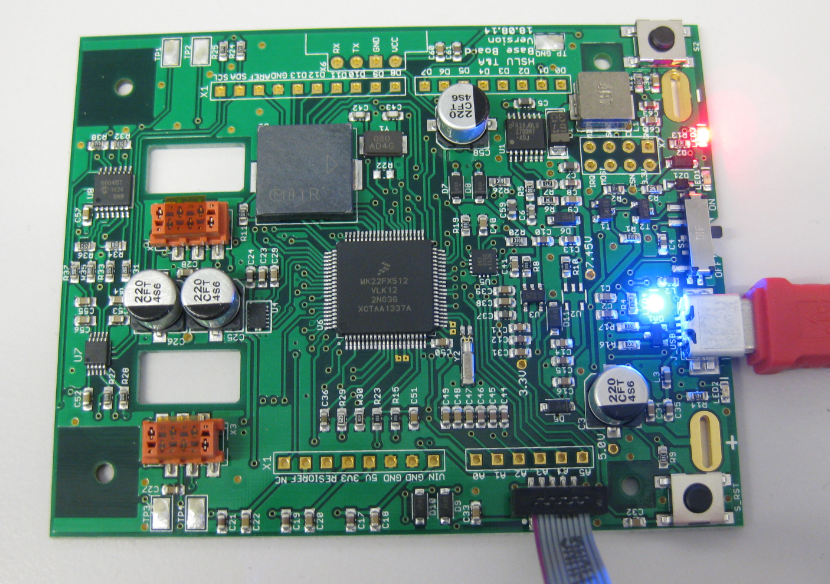
Finally, after several weeks delay, the new PCBs for the Mini Sumo Robots (see “Zumo Robot with WiFi and GPS”) arrived, and best of all: first test are all running fine :-).
Cheap and Simple WiFi with ESP8266 for the FRDM Board
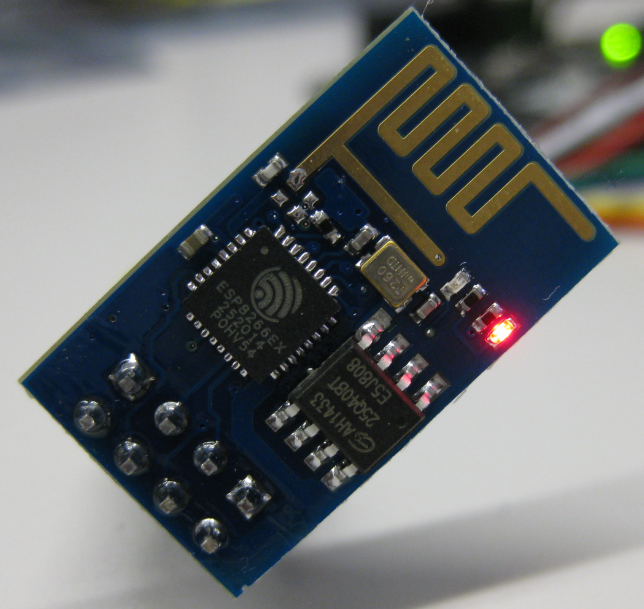
How cool would it be to add WiFi support to any projects or IoT? Why not using WiFi with a microcontroller which has only few KBytes of RAM and FLASH. For less than US$5? Dreams came true, and intrigued by an article at Hack-A-Day, I searched a supplier for that ESP8266 module. And this evening I have found the four ESP8266 modules I have ordered for $4.50 each from ElectroDragon in my mailbox. Of course I did not want to wait for the week-end, so I hooked it up to my FRDM-KL25Z board.
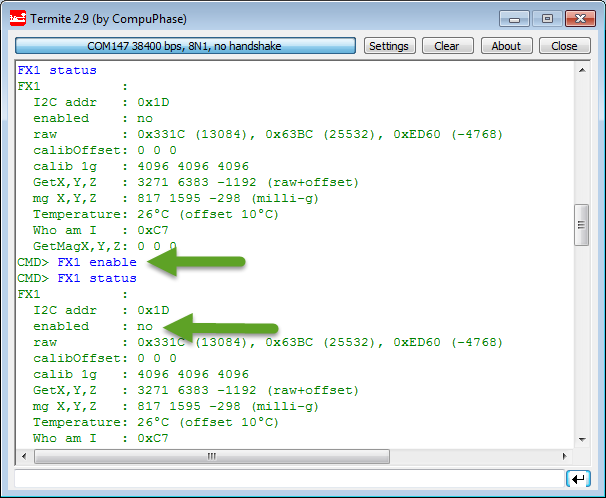
Enabling/Disabling FXOS8700CQ Device Needs a Delay
Found an interesting behaviour with the Freescale FXOS8700CQ on the new Sumo Robots (see “Sensor and Communication Shield for Sumo Robot“): when enabling the accelerometer/magnetometer, it actually did not work:
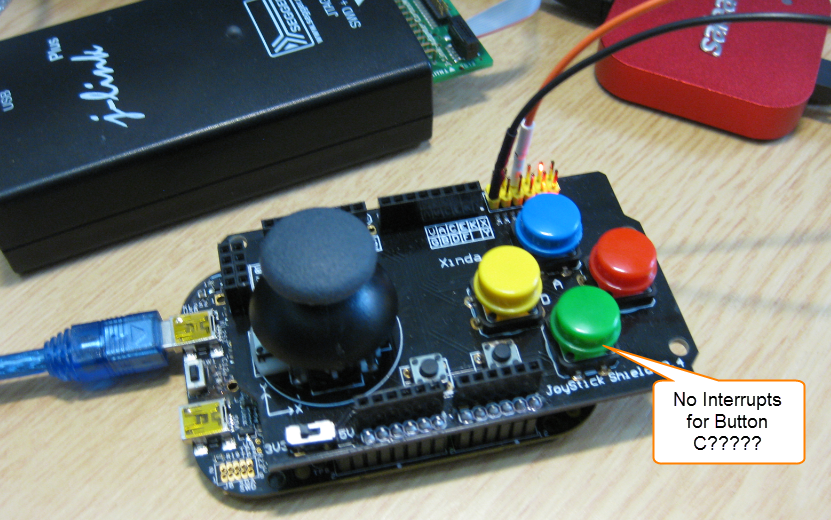
User Interrupt on NMI Pin with Kinetis and ExtInt Component
While my beef brisket (see “My First DIY Smoked Beef Brisket: Day 1“) is smoking on ;-), I have time to investigate a problem I was running on in my lecture on Friday: For the Joystick shield (see “JoyStick Shield with the FRDM Board“) on the FRDM-KL25Z board, I wanted to use an interrupt if I press the green button:
However, that did not work :-(.
BBQ Smoker Monitoring Robot
I have to admit: I’m not a vegetarian. I love BBQ, and no offense to vegetarians! Today is perfect day for another BBQ session, and this time I plan to enhance it with electronics. No, not eating electronics, but doing BBQ with a little DIY electronic helper. There are different ways to cook meat on an open fire pit, and each region of the world has its own way to do it. Traditionally, in my area we are ‘grilling’ the meat: high temperature, for a few minutes, done! I like that ‘fast food way’ too, but there is an even better version: Slow food smoking!
I’m gifted that I had the opportunity to experience the Texas BBQ culture: slowly cooking the meat, at low temperature, and ‘smoking’ it: Cooking the meat around 80°C prevents that it gets dry (because the water does not vaporize, see this article on Wikipedia). There are different ways how to do this, but I love the way how it is done at the Salt Lick in Austin/TX with an open fire pit: