Lasercut Plywood Board for Raspberry Pi

Need a quick way how to attach a LED, a push button and two resistors to the Raspberry Pi header? One way is to use some ‘flying’ wires. Or to use three pieces of lasercut plywood for a nice looking Raspy extension board:

Wood Board on Raspberry Pi

Wood Circuit Board on Raspberry Pi

Continue reading

Tutorial: Git with Eclipse

There are things which are game changer in the world of software development: one such event was when I started using a VCS (Version Control System): it changed for me how I keep and store my projects and settings. It even changed the way how I deal with non-software related items like documents or other valuable things: I started storing them in to a VCS too.

EGit with Eclipse
EGit with Eclipse
Continue reading

Tutorial: μCUnit, a Unit Test Framework for Microcontrollers

Unit testing is a common practice for host development. But for embedded development this still seems mostly a ‘blank’ area. Mostly because embedded engineers are not used to unit testing, or because the usual framework for unit testing requires too many resources on an embedded target?

What I have used is the μCUnit framework which is a small and easy to use framework, targeting small microcontroller applications.

uCUnit

uCUnit

Continue reading

Tutorial: Catching Rogue Memory Accesses with ARM Watchpoint Comparators and Instruction Trace

In my “Tutorial: Catching Rogue Memory Accesses with Eclipse and GDB Watchpoints” I have used Eclipse/CDT and GDB watchpoints.  I used a conditional watchpoint, but this comes with a performance hit. In this article I show how to use the ARM Cortex trace hardware to catch specific writes to a memory location. Without severe performance degradation. But for this I need a little helper: the DEADBEEF catcher!

0xdeadbeef catcher

0xdeadbeef catcher

Continue reading

Tutorial: Catching Rogue Memory Accesses with Eclipse and GDB Watchpoints

Eclipse is great: it gives me the tools and capabilities to solve the really hard bugs to find. An example of that ‘hard’ category are ‘rogue’ memory accesses: something in the application is accessing an unwanted memory location and corrupts the data. This might be very sporadic, or takes a long while until it happens. With normal ‘stop-mode’ debugging (setting a normal breakpoint) and stepping usually won’t let me find that bug, as it might be coming from a pointer somewhere. Maybe from an interrupt routine. Or maybe an unitialized or corrupted pointer corrupts to my memory. Usually all what I know is the memory adddress of the data, maybe what is written, but not what or who is writing to that location.

In this article I’m using one of the ‘less-known’ debugging techniques available in Eclipse and CDT and how it works: watchpoints!

Watchpoint with Condition

Watchpoint with Condition

In this article I’m using one of the ‘less-known’ debugging techniques available in Eclipse and CDT and how it works: watchpoints!

Continue reading

Display Library Function Help Text in Eclipse C/C++ Projects

In this short article I show you how to enable one of the hidden gems in Eclipse: how to get a description of the library function used in the code

Library Hover

snprintf() help text

Continue reading

Tutorial: Using Runtime Statistics with Amazon FreeRTOS V10

FreeRTOS includes a nice feature to give me information about how much time every task is spending running on the system:

FreeRTOS Runtime Information

FreeRTOS Runtime Information

This tutorial explains that FreeRTOS Runtime Statistics feature and how it can be turned on and used.

Continue reading

Debug the Last Launched Application with Eclipse and other Debug Tricks

My usual workflow is: edit – build – debug and repeat. And this for the same project again and again. So here are a few tips how to make these iterations faster with Eclipse. One thing is to use the F11 shortcut to debug the last launched/debugged application:

Debug Last Launched

Debug Last Launched

Continue reading

Porting Processor Expert Projects to MCUXpresso IDE

The McuOnEclipse GitHub repository hosts many Processor Expert projects and is very popular (cloned more than 1000 times, thank you!). Processor Expert is a powerful framework which generates driver and configuration code, simplifying application development for a wide range of microcontroller and families. But Processor Expert won’t be developed further by NXP and is not part of MCUXpresso IDE. While it is possible to install Processor Expert into MCUXpresso IDE 10.2, how can these projects used ini an IDE *without* Processor Expert? This article describes how to port an existing Processor Expert project into the NXP MCUXpresso IDE.

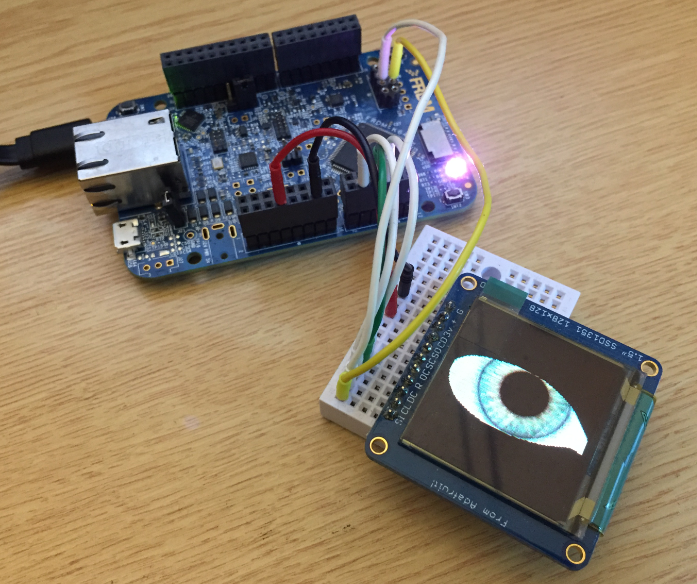
Adafruit SSD1351 with FRDM-K64F

Ported Project with FRDM-K64F using Adafruit SSD1351 and Processor Expert

Continue reading

Adding a Rocktech Capacitive Touch LCD to the NXP i.MX RT1052 EVK

It is never too early to start thinking about Halloween projects :-).

rended Eyes with i.MX RT

rendered Eyes with i.MX RT

When I ordered originally the MIMXRT1050-EVK from Mouser, it was without the LCD display (see “MCUXpresso IDE V10.1.0 with i.MX RT1052 Crossover Processor“. I ordered the LCD for the board soon after writing that article, but I was too busy with the university lectures and exams to get a hand on it. Finally I have spent a few hours at night and I proudly can say: the display is working 🙂

Continue reading