Getting Bluetooth Working with JY-MCU BT_BOARD V1.06

For my embedded course at the University of Lucerne of Applied Sciences and Arts I needed more Bluetooth modules for the Zumo/Sumo robots. I run out of stock as the modules are getting popular and are used in many student projects. So I ordered a handful more from DX/DealExtreme of the same HC-06 type/part number I already ordered a while back. I expected that they will work as the modules I had ordered from DX half a year ago. Was that naïve? Probably. Because they did *not* work, and caused me to reverse engineer the modules and to apply a hardware fix to get them working….

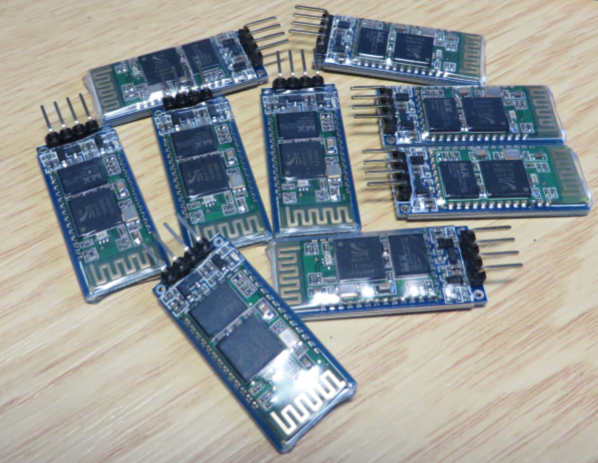
Set of JY-MCU Bluetooth Modules

Set of JY-MCU Bluetooth Modules

Continue reading →

Serial Terminal View with Eclipse Kepler

Nearly all of my projects have built-in command line support: using a serial connection, I can send commands or inspect the system status. For this I have my command line Shell which works over serial-to-Bluetooth, serial-to-USB, USB CDC or with a physical serial (COM) port. But what I need on the host system is a Terminal program: I can use either an external program. There are many ones available (Tera Term,  PuTTY, …) where Termite is my favorite one. But it is possible to extend Eclipse so it has its own Terminal view too :-).

Eclipse Terminal View

Eclipse Terminal View

Continue reading →

Starting Point for Kinetis Low Power LLS Mode

In “IoT: FreeRTOS Down to the Micro Amps” I’m using an application with FreeRTOS to get down in micro amps low power mode. Well, nearly all or my applications are using FreeRTOS because it makes the application scalable and extensible. Still, for anyone not used to an RTOS, that might be a hard start. So here we go: how to get into the Kinetis Low Power LLS Mode *without* an RTOS.

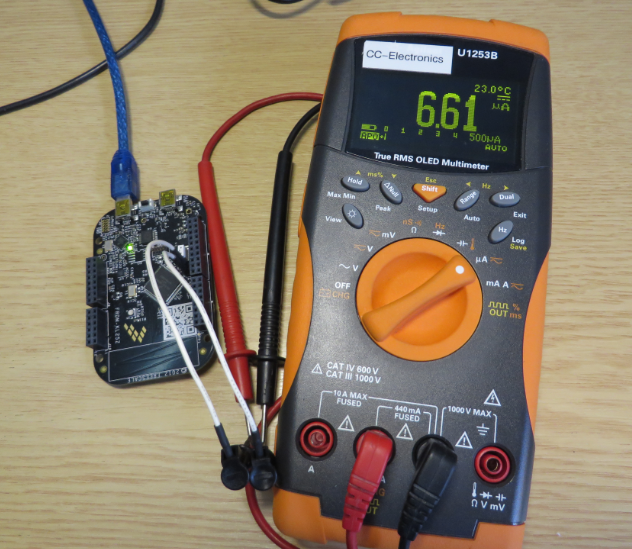
Power Measurement

Power Measurement

Continue reading →

Variable Debugging with Eclipse Kepler

The current Eclipse Kepler version comes with changes for debugging variables. I have students coming from the earlier Eclipse versions, so here are a few tips for dealing with variables in Eclipse Kepler.

Variables View in Eclipse

Variables View in Eclipse

Continue reading →

Sharing Debug Configuration with Eclipse

Maybe you had this problem too: you shared a project with somebody, only to realize that your carefully crafted debug configuration was not shared?

Eclipse has the concept to store settings in the ‘framework’. The ‘framework’ is the Eclipse internal data, basically what is inside the .metadata folder of the workspace.

metadata folder in workspace

metadata folder in workspace

Continue reading →

Tutorial: Thermal Printer, Part 1: Hardware Setup with FRDM Board

One of my embedded projects is to measure the running time in a sports event (see “Sports Timing System in a Lunch Box“). The recorded time is stored in an EEPROM plus sent over USB or wireless connection to the host. It would be great if I could print out the time and ranking directly, so if there is no PC, the system can be small and tiny. So here is my next project and tutorial: Printing with the Freedom board!

Hello World on the Printer with FRDM-KL25Z

Hello World on the Printer with FRDM-KL25Z

Continue reading →

Generating Static FreeRTOS Source Code

Using Processor Expert is an awesome tool: it generates source code for me, and I can can ‘dynamically’ tune my projects to my needs. Still, sometimes it is better or desirable to have a ‘normal’ or ‘static’ project. This is very well possible with Processor Expert (see “Sneaking from Processor Expert” or “Disable my Code Generation“): I can generate the code one time, and then use it without Processor Expert.

To make this even easier, I have added an option to the FreeRTOS Processor Expert component to generate ‘static’ code I can copy-paste to projects and tool chains which are either not supported by Processor Expert, or just for ‘static’ projects.
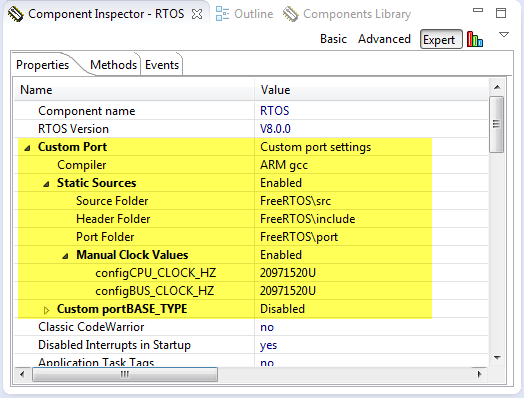
FreeRTOS Custom Port Settings

FreeRTOS Custom Port Settings

Continue reading →

Processing the Pololu Motor Shaft Encoders

For the first generation of the INTRO Zumo robots, I have Pololu optical wheel encoders (see “Adding Quadrature Encoder to the Zumo Chassis“) which were available last year. It seems that Pololu heard my feedback, and are offering new encoders. Time to move things to the next level, using an optical encoder attached to the motor shaft:

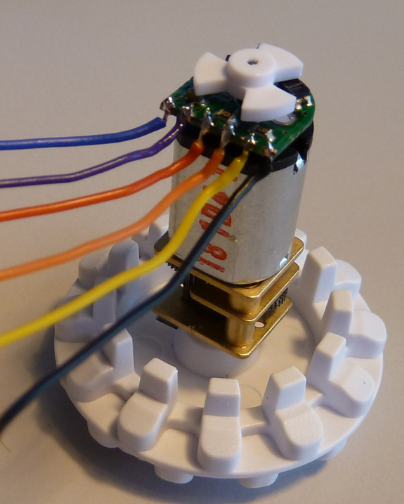
Optical Motor Shaft Encoder

Optical Motor Shaft Encoder

Continue reading →