Question: How to build a low-cost logic open source logic analyzer for less than $15?
Answer: combine the Freedom KL25Z board with OLS!
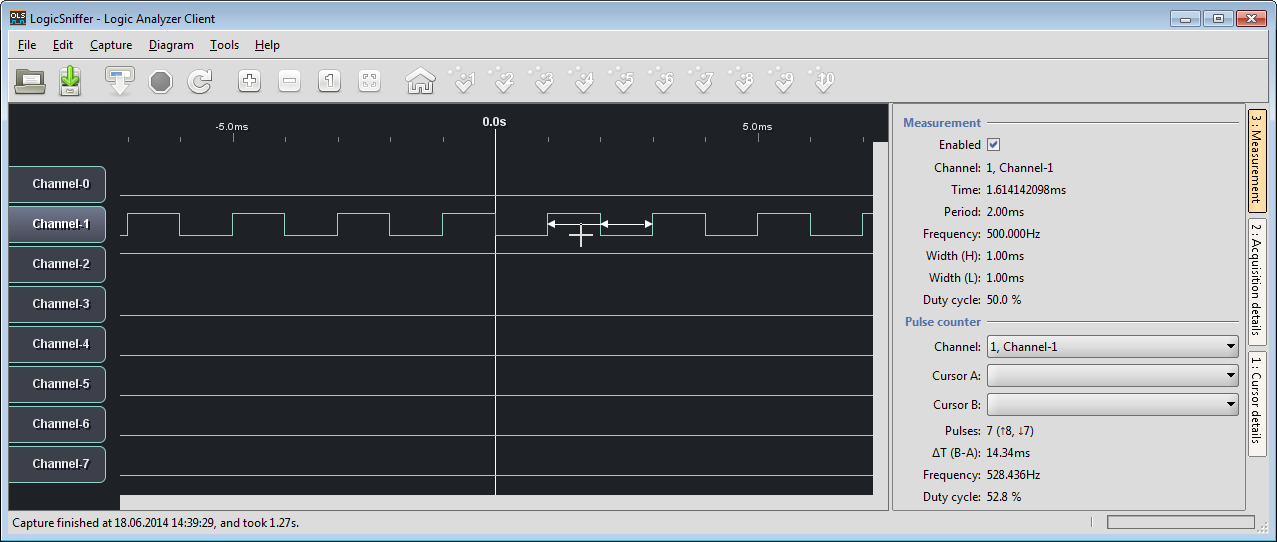
500 Hz signal with 50% duty cycle in LogicSniffer

Question: How to build a low-cost logic open source logic analyzer for less than $15?
Answer: combine the Freedom KL25Z board with OLS!
500 Hz signal with 50% duty cycle in LogicSniffer
This is the start of a multi-post tutorial about the Freescale Kinetis SDK, released back in April as beta version. The SDK a set of peripheral drivers, and will become the standard software foundation and drivers provided by Freescale for their ARM Cortex based devices. Similar what other vendors already do. While this is a good step, it is the same time very disruptive for my university projects with new Freescale Cortex-M devices. And with everything new (and beta), it needs time to learn. So this post is about creating a Do-It-Yourself Kinetis SDK project from scratch for Eclipse. This part is about the startup code: about everything to get the application started.

FRDM-K64F with SD, nRF24L01+ and HC-06 Bluetooth
As outlined in “How to Add Register Details View in Eclipse“, I have a nice register detail level viewer for Eclipse and GDB. But one problem showed up: there were entries showing with %s:

PCR Register with %s
The reason is that the parser is not handling the dimElementGroup of CMSIS-SVD.
So I have now a portable GPS data logger (see “Tutorial: Freedom Board with Adafruit Ultimate GPS Data Logger Shield“). What to do with it? It would be cool to see the data and tracks in Google Earth? Yes, that’s doable in a few steps…
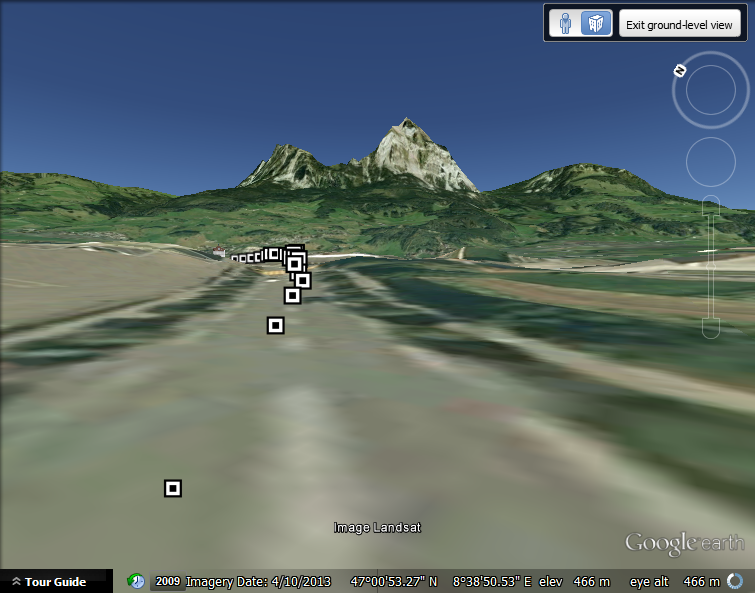
GPS Logger Waypoint Data with Google Earth Street View: Riding through Schwyz towards the Mythen Mountain peaks
For a project I need to change the PWM duty cycle after a PWM period is over. One way to do this is to have an interrupt at the end of the PWM period, and then set the new PWM duty (compare) register value in the interrupt. That works fine for ‘slow’ PWM frequencies, but if the PWM frequency is high, the CPU load is massively increasing. A better way is to use DMA (Direct Memory Access).
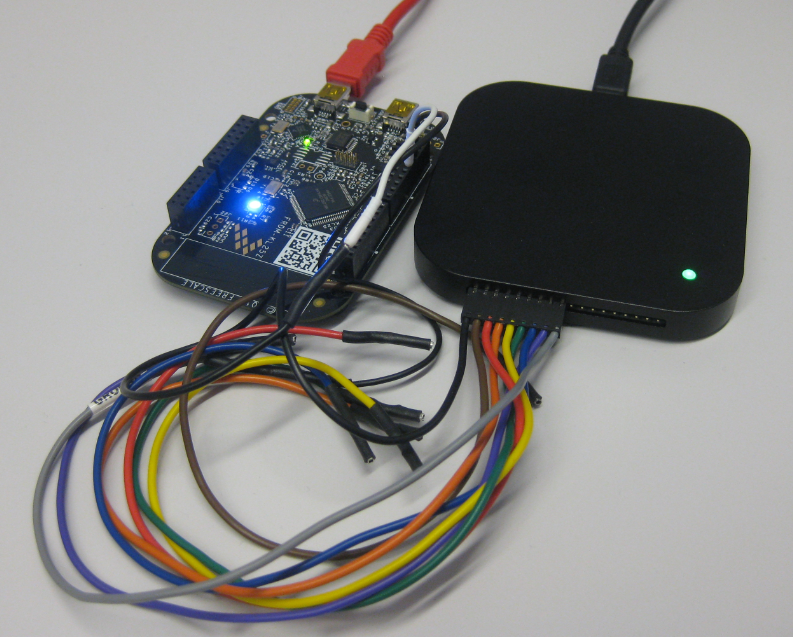
FRDM-KL25Z with DMA PWM and Logic Analyzer
Semihosting is a technique to do printf() debugging through an active debug connection. So instead using a physical connection like RS-232 or USB CDC, the connection to the host machine is through the debugger. This post is about enabling and using semihosting with gcc and newlib/newlib-nano in Freescale Eclipse based Kinetis Design Studio (KDS) using the GNU ARM Eclipse plugins.

Semihosting Console View with output
Many applications need to store persistent (non-volatile) data at runtime: configuration data, error logs, sensor data, calibration values, etc. The question is: where to store that data? If it is only a few kBytes, an SD card or similar is an overkill. Adding an external EEPROM? Sure, that works, but adds an extra part to the design. Some microcontroller have internal EEPROM. But what if not? Why not using the microprocessor internal flash memory?

Internal FLASH vs. external EEPROM
Many times I start with a project and tutorial, only to get interrupted for emergency tasks and assignments. For a long time I wanted to add GPS (Global Positioning System) functionality to one of my projects. While I started a few months ago on this, it took me until this week-end to finish the at least the first part: a SD card data logger with GPS :-): I calculate global positioning and time information, can use it in Google maps and store it on a SD card:

Adafruit GPS Data Logger Shield on a FRDM-KL25Z Board
The standard Eclipse registers view only shows the core registers:

Standard Registers View in Eclipse
I think it would be great to have a view to see all the device peripheral registers too?
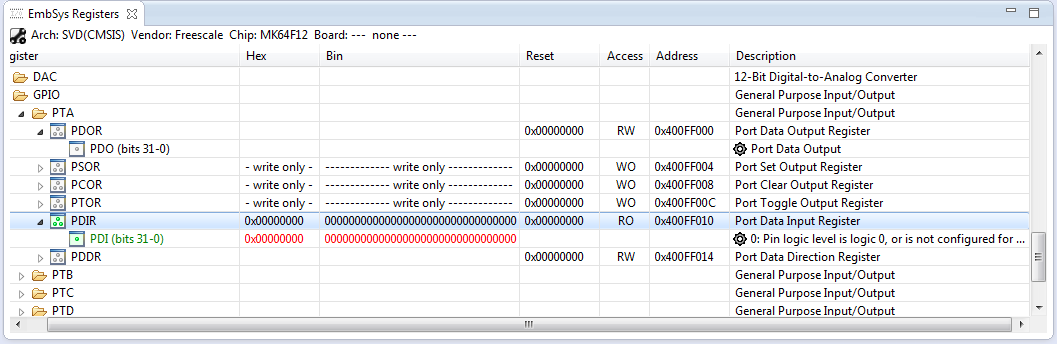
Embedded System Registers View
If you want the same, then this article is for you. It works both for stock Eclipse and Freescale Kinetis Design Studion (KDS) 🙂
In “Watchpoints: Data Breakpoints” I used the Eclipse based CodeWarrior to set breakpoints so the debugger stops when my application is writing or reading a certain memory location. That CodeWarrior is based on an earlier Eclipse version, and things are different in Eclipse Kepler and not so easy to find. So here is how I can use watchpoints in Eclipse Kepler:

Watchpoints in Breakpoint View

