By default, when debugging an embedded application, the target usually stops at main():

stopped in main
That’s usually fine, but what if I want to debug the code out of reset?

By default, when debugging an embedded application, the target usually stops at main():
stopped in main
That’s usually fine, but what if I want to debug the code out of reset?
The NXP LPC845-BRK board is a sub-$6 breadboard friendly development board with an ARM Cortex-M0+ on it. This tutorial is about developing a ‘blinky’ on it using MCUXpresso.

Binky on NXP LPC845-BRK Board
The NXP LPC845-BRK board is a tiny an inexpensive (sub $6) breakout board. The board includes a CMSIS-DAP (LPC11U35) on-board debug probe which can be used as a debug probe to debug any NXP LPC, Kinetis or i.MX RT device 🙂

LPC845-BRK used to debug a Sumo Battle Robot
It is a common thing to boot a Linux system (see the Raspberry Pi) from a micro SD card. It is not that common for a microcontroller. The NXP i.MX RT ARM Cortex-M7 fills that gap between these two worlds. No surprise that it features a ROM bootloader which can boot from a micro SD card.

SD Card with i.MX RT1052
Modern microcontroller come with plenty of internal FLASH memory. On the other side, many high performance MCUs as the NXP i.MX RT are ‘flashless’, because the silicon process for high performance cores is not matching the FLASH memory technology, so they are using external serial SPI or Quad-SPI (QSPI) memory instead.

Winbond w25q128 Serial Flash Breakout Board
Why not using an external SPI FLASH for a ‘normal’ microcontroller too?
As noticed in “First Steps with the NXP i.MX RT1064-EVK Board” there is a new LPC4322 based debug interface on the RT1064-EVK board.

LPC4322JET100 based Debug Interface
I always reserve time between Christmas and New Year to get my hands on technology pieces which I might not have any time otherwise. Among different things I ordered the NXP i.MX RT1064-EVK board from Mouser.com, and it arrived right before Christmas. Time to have it unboxed and started….

i.MX RT1064 Processor
With Eclipse as IDE it is very easy to debug an application on a board. Still sometimes it is useful to get one level down and control the GDB server directly.

Monitor Flash Download
Not ready for the complexity of a full blown Embedded Linux, but need that extra compute performance? Need an ARM Cortex-M7 running at 600 MHz module on a half-sized business card, ready to be integrated? Here we go: the Embedded Artists i.MX RT1052 OEM module:

Embedded Artists NXP i.MX RT1052 OEM Module
Compute modules are very common in the Embedded Linux space, for example see this Toradex module. The reason is simple: these high-performance boards simplify the design, as I don’t have to care about the BGA packages and the external SDRAM and FLASH devices: everything is on a module I can easily integrate into my base board.
It is never too early to start thinking about Halloween projects :-).
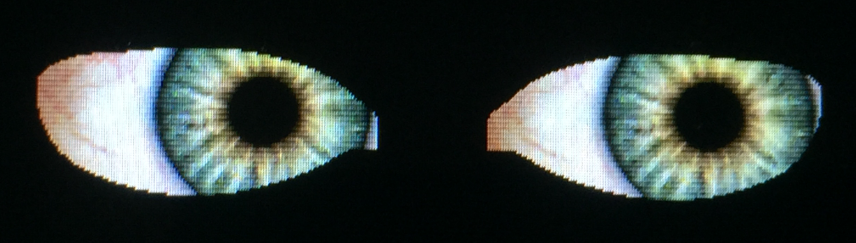
rendered Eyes with i.MX RT
When I ordered originally the MIMXRT1050-EVK from Mouser, it was without the LCD display (see “MCUXpresso IDE V10.1.0 with i.MX RT1052 Crossover Processor“. I ordered the LCD for the board soon after writing that article, but I was too busy with the university lectures and exams to get a hand on it. Finally I have spent a few hours at night and I proudly can say: the display is working 🙂
 MCU on Eclipse