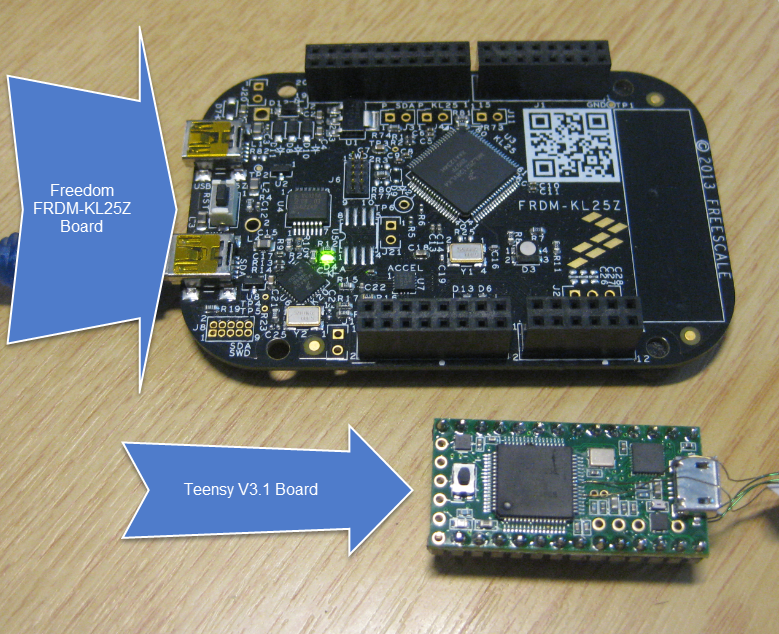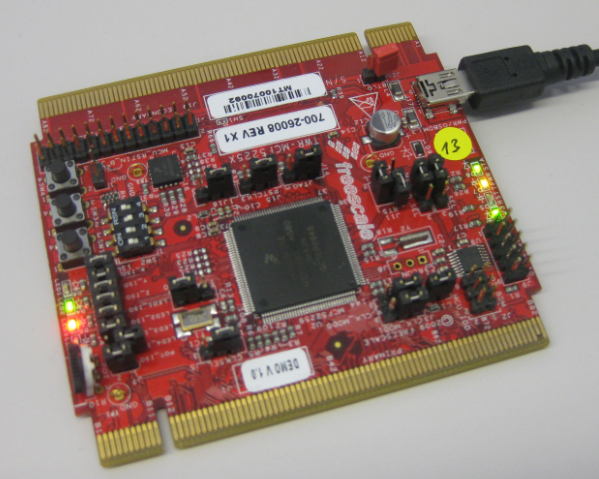
I *love* the Freescale Freedom boards, and you probably recognized that with all my projects using them. The Freedom boards are small, inexpensive and can be easily extended with Arduino shields which makes them a great platform for prototyping. But sometimes I just need an ARM microcontroller with some headers, and then the 85mm x 55mm size of the Freedom board is not ideal. That’s nothing new, but I realized that yet again when I did my Adafruit NeoPixel clock: the FRDM board was rather bulky, even if hidden behind that clock. I need something much smaller: the Teensy board!
Tag Archives: Debugging
Terminal Connection to the RIoT Board
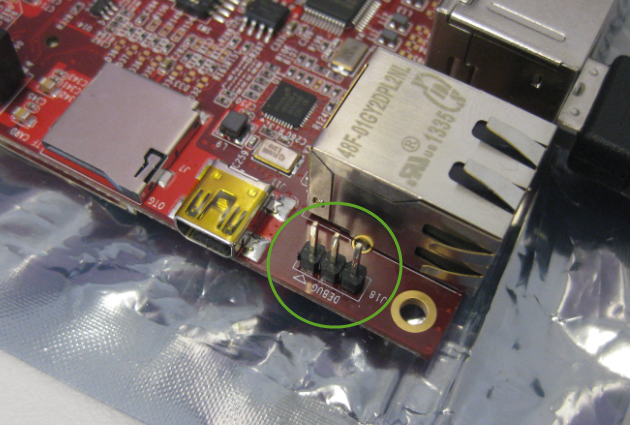
I admit: I love command line interfaces. Because that gives me usually much more control than any GUI (Graphical User Interface). I like the fact that they have put a UART interface on the RIoT board:
Preserving Memory Ranges with Eclipse and P&E GDB Server
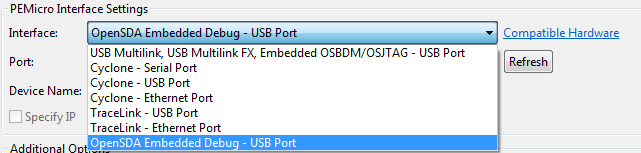
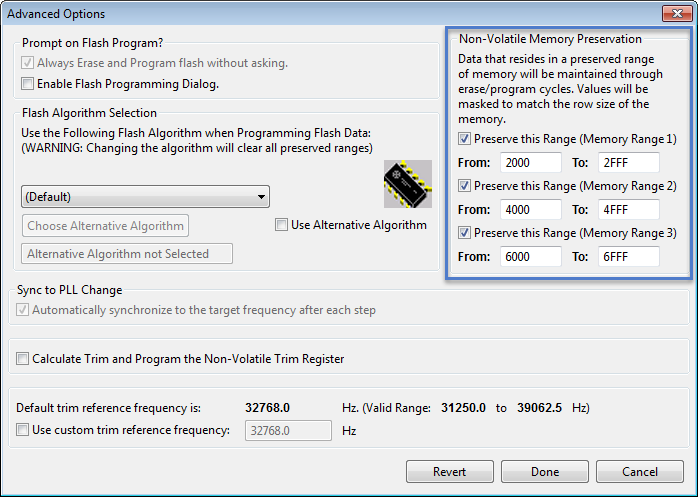
For my boot loaders I need the functionality that I can keep memory ranges from being erased while downloading the rest of the application. P&E provides a GDB server which interfaces with their probes (P&E Universal Multilinks, Tracelinks, …) and as well with the OpenSDA present on many of the Freescale evaluation boards. In CodeWarrior there is an option for ‘Advanced Programming Options’ which allows to preserve memory of the microcontroller FLASH (see “Programming part of flash“). However, that option or button is not present in the Eclipse version of the P&E GDB server (e.g. in Kinetis Design Studio). So how can I preserve some areas of FLASH in Eclipse with GDB?
UART printf() for the FRDM-K64F Board and Kinetis Design Studio
I had great plans for this Saturday: to work on really cool project. But as so many times, things turned out to be different. Maybe you have read my recent posts about printf()? A colleague wanted to use that article to the same thing with the Kinetis Design Studio on the FRDM-K64F board. I used the FRDM-KL25Z board, so I expected this to work out of the box for him too. Well, turned out that I was wrong about this, and my Saturday was used for debugging and googling about a printf() problem 😦
While things work as expected for the FRDM-KL25Z (ARM Cortex-M0+) and using the standard GNU GCC ARM Embedded from the launchpad, the application traps on the K64F (ARM Cortex-M4F) in initialise_monitor_handles() with KDS:
Step-by-Step: Updating OSBDM/OSJTAG Debug Firmware
While new Freescale boards come with the OpenSDA debug firmware, I still students using boards with the OSBDM/OSJTAG. And with new CodeWarrior tools, it might be that there is a new OSBDM/OSJTAG firmware, and when I download to a board with an older firmware, the tool will prompt me to update the firmware. To me, after doing this several times, not a big deal. But for someone who sees this the first time, it might not be that easy. So to avoid any further questions, here we go with a step-by-step tutorial how to update the OSBDM/OSJTAG firmware.
Slow 32 kHz Oscillator Startup
In an IoT (Internet of Things, see “IoT: FreeRTOS Down to the Micro Amps“) project I’m using the Freescale KL15Z microcontroller. The nodes are moving around, and the board is using a special inductive charging ‘on the fly’ when nearby the charging station. The energy is stored in capacitors, so no batteries are needed. That worked very well, but some system failed: they need to quickly check sensor signals after power-up. Tracking down the problem, it was obvious that most of the systems failed because it took them too long to boot from the power-on reset. So I instrumented the application to toggle an LED so I can monitor what happens: It was over 400 ms after power-on! Yikes!
Preventing Reverse Engineering: Enabling Flash Security
Now I have invested a lot of time into my application, ready to be flashed on the devices and shipped. But wait: I don’t want that someone can read out the code from my device and have it reverse engineered. For this, I can ‘secure’ the device.
Semihosting with Kinetis Design Studio
Semihosting is a technique to do printf() debugging through an active debug connection. So instead using a physical connection like RS-232 or USB CDC, the connection to the host machine is through the debugger. This post is about enabling and using semihosting with gcc and newlib/newlib-nano in Freescale Eclipse based Kinetis Design Studio (KDS) using the GNU ARM Eclipse plugins.
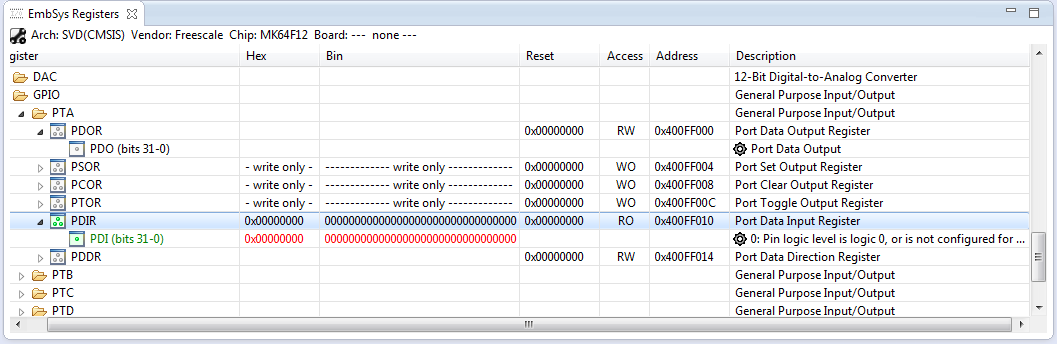
How to Add Register Details View in Eclipse
The standard Eclipse registers view only shows the core registers:
I think it would be great to have a view to see all the device peripheral registers too?
If you want the same, then this article is for you. It works both for stock Eclipse and Freescale Kinetis Design Studion (KDS) 🙂
Tutorial: Data Logger with the FRDM-K64F Board
The Freescale FRDM-K64F is a great board for data logger applications: it has a powerful ARM Cortex M4F with 120 MHz, 1 MB Flash and 256 KByte RAM. Best of all: it already has a micro SD card socket on the board :-).