Poor Man’s Trace: Free-of-Charge Function Entry/Exit Trace with GNU Tools

There are cases where my application runs find for days, weeks or even months, but then from time to time there is an application crash. Yes, the watchdog will recover it, but still it would be good to know what happened? One solution would be to hook up a trace probe (like the one I have described in this post: “First Steps with the P&E Tracelink“). But having such a trace probe attached all the time is first not cheap and second not always possible. So what if the application would leave ‘breadcrumbs’ behind which would tell me the flow of the program leading to the problem? I have found a functionality in the GNU tools which seems not be widely known or use, but is incredibly helpful in such cases.

So what if I could get a log like this telling me which functions get called by whom?

{ 00000E88->00000DA0 ???->DEMO_Init
} 00000E88<-00000DA0 ???<-DEMO_Init
{ 00000E8C->00000D40 ???->DEMO_Run
 { 00000D62->00000CE8  DEMO_Run:0x0022->decide
  { 00000D0E->00000C60  decide:0x0026->calcValue
  } 00000D0E<-00000C60  decide:0x0026<-calcValue
  { 00000D16->00000CA0  decide:0x002E->getValue
   { 00000CC6->00000C60  getValue:0x0026->calcValue
   } 00000CC6<-00000C60  getValue:0x0026<-calcValue
  } 00000D16<-00000CA0  decide:0x002E<-getValue
 } 00000D62<-00000CE8  DEMO_Run:0x0022<-decide
 { 00000D62->00000CE8  DEMO_Run:0x0022->decide

Continue reading

Command Line Programming and Debugging with GDB

Eclipse with GDB is great: it comes with a graphical front end for debugging. But sometimes it is all about to download a program. Is it really necessary to launch an IDE like Eclipse to program or quickly debug a board? With the GNU Debugger (GDB), the answer is ‘no’: GDB comes with a command line debugger which is designed exactly for this: providing a command line interface for programming/downloading and debugging, bypassing any GUI (Graphical User Interface).

Combination of GDB Debugging Probes and Boards

Combination of GDB Debugging Probes and Boards (P&E, Segger and FRDM-KL25Z)

Continue reading

OpenOCD/CMSIS-DAP Debugging with Eclipse and without an IDE

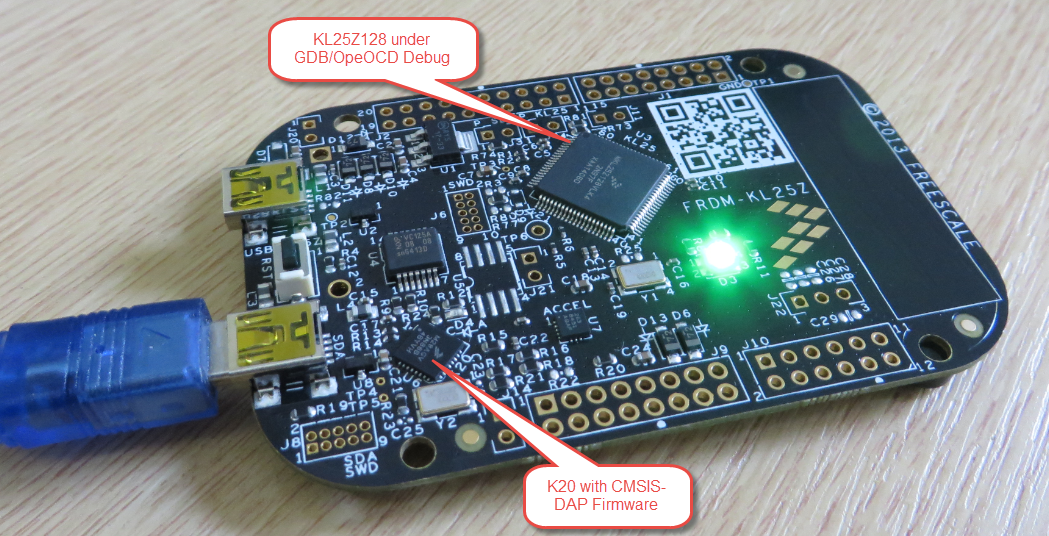
OpenOCD is an open source and free-of-charge debugging solution, which is a great option here at the University of Lucerne, as students do not need to buy an expensive debugging probe. Still, I recommend to buy professional probes like the P&E or Segger ones, as they are worth every (Euro) cent. But for a ‘zero’ budget, OpenOCD with CMSIS-DAP is something to consider. And with Kinetis Design Studio using the GNU ARM Eclipse Plugins, OpenOCD is not that hard to be used. And because both Freescale and GNU ARM Eclipse offer OpenOCD Windows binaries, that connection method is in the reach of Windows users too.

FRDM-KL25Z with OpenOCD Debug

FRDM-KL25Z with OpenOCD Debug

Continue reading

Attaching to a Running Target with Segger J-Link, GDB and Eclipse

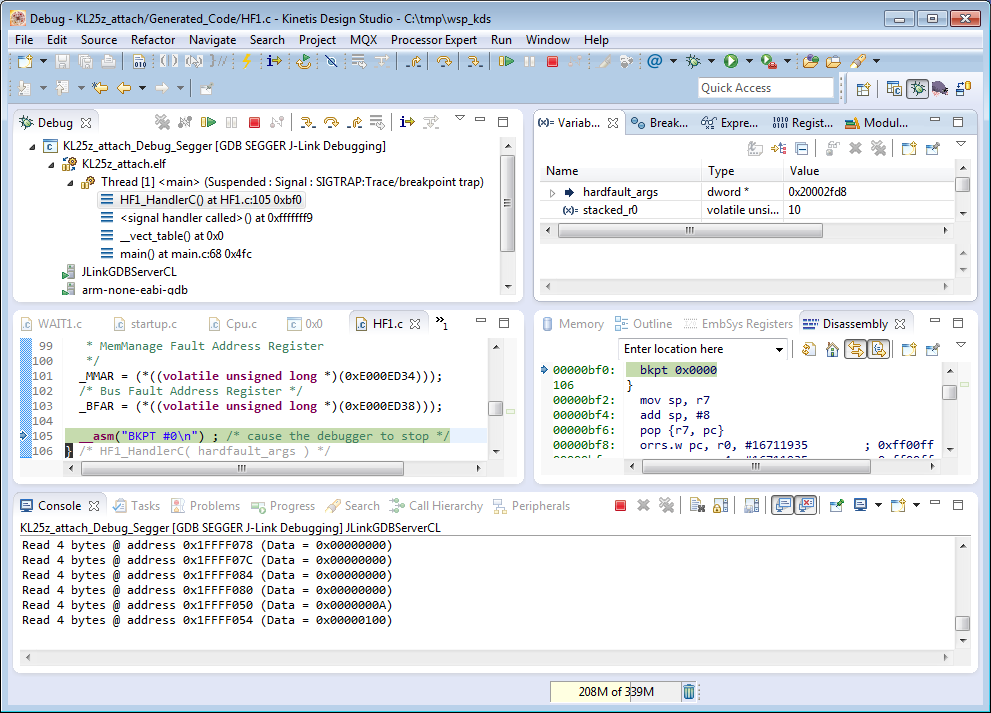
This happens several times for me: I have a board running for a while (even for days), and then it crashes or is stuck somewhere. Yes, I usually use a watchdog do recover from that situation. But it would be good to know and debug the problem. With CodeWarrior I had the functionality in the debugger to ‘attach’ or ‘connect’ to a running (stuck/crashed) board. However, with Eclipse/Kinetis Design Studio/GDB this is a different debugger, and not possible. At connection time with the debugger the target does a reset, so I don’t know any more where the application crashed. But now I have a solution, at least with the Segger GDB :-).

Debug Hard Fault Attached Target

Debug Hard Fault Attached Target

Continue reading

Using Kinetis Design Studio with IAR Embedded Workbench IDE

For everyone who wants to combine the power of Eclipse and Processor Expert with the IAR Embedded Workbench IDE, here is how to get them working side by side:KDS with IAR Continue reading

Updated Percepio Tracealyzer and Trace Library to Version V2.7.0

Percepio has recently released the v2.7 version of Tracealyzer. This is a major upgrade from the v2.6 version which I have used so far: time to upgrade my Trace component for FreeRTOS to the latest and greatest v2.7!

FreeRTOS Plus Trace View

FreeRTOS+Trace View (V2.7)

Continue reading

Tutorial: How to Erase the FLASH with the GNU GDB debugger

I have several applications where I store application specific information in the microcontroller FLASH memory (see “Configuration Data: Using the Internal FLASH instead of an external EEPROM“). I have run into issues recently with the Segger J-Link GDB server as by default it does *not* erase all the FLASH memory. So the question is: How can I erase all (or part) of the FLASH memory with GDB (e.g. in Kinetis Design Studio or in Eclipse)?

Memory Monitor with Erased Flash

Memory Monitor with Erased Flash

Continue reading

Recovering the FRDM-K64F Bootloader, or: Cloning the Program of a Microcontroller

The Freescale FRDM-K64F and FRDM-K22F have a different OpenSDA (v2) firmware on it: unlike the earlier (v1), that firmware is open and not protected which is a great thing. However, it has the disadvantage if you use the wrong SWD/JTAG header on your board, the bootloader on the K20 OpenSDA microcontroller is gone 😦

Two SWD Headers on FRDM-K64F Board

Two SWD Headers on FRDM-K64F Board

Continue reading

NeoShield: WS2812 RGB LED Shield with DMA and nRF24L01+

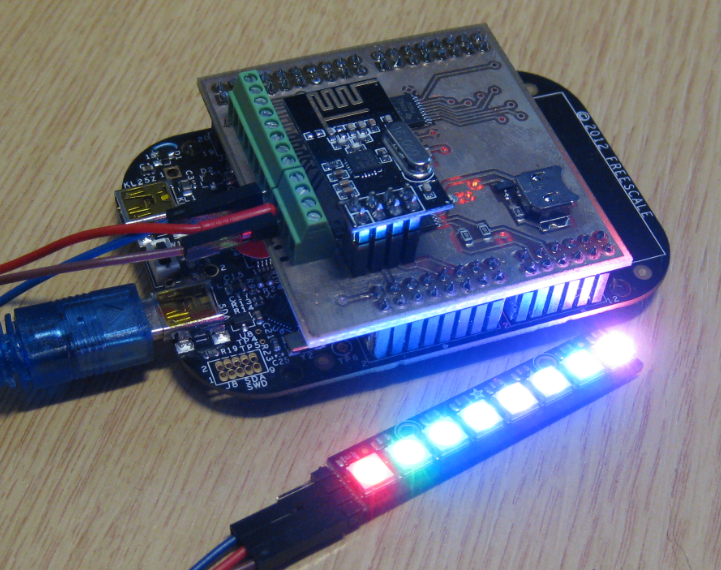
In my earlier post I used a hacked together shield for building a clock based on Adafruit’s NeoPixel/WS2812 (“LED Clock with Kitchen Hot Pan Protector“). The new design supports now 8 parallel data streams, integrated realtime clock and wireless connectivity with the nRF24L01+ module.

NeoPixel Shield for FRDM Boards

NeoPixel Shield for FRDM Boards

Continue reading

Tutorial: FreeRTOS with the Kinetis SDK and Processor Expert

Freescale had announced at FTF back in April this year that they will use Kinetis Design Studio  and the Kinetis SDK for all new Kinetis devices. The switch from CodeWarrior to Kinetis Design Studio (see “Comparing CodeWarrior with Kinetis Design Studio“) was not much of big deal for my projects (although CodeWarrior still has better features), and projects are rather easily portable. However, the move to the Kinetis SDK has been massively disruptive: Before it was easy to move projects from one device to another with Processor Expert, even from S08 to ColdFire to Kinetis. Now with the Kinetis SDK everything is very different. At least Freescale now officially supports FreeRTOS, and for myself as a big fan of that open source RTOS, that was some good news.

Blinking Red LED with FreeRTOS Task using Kinetis SDK, FreeRTOS and Processor Expert

Blinking Red LED with FreeRTOS Task using Kinetis SDK, FreeRTOS and Processor Expert

So in this tutorial I’m showing how FreeRTOS can be used with the Kinetis Design Studio. That makes at least using the Kinetis SDK bit more familiar to me :-).

Continue reading