Tutorial: First Steps with Embedded Artists NXP i.MX RT1052 OEM Module

Not ready for the complexity of a full blown Embedded Linux, but need that extra compute performance? Need an ARM Cortex-M7 running at 600 MHz module on a half-sized business card, ready to be integrated? Here we go: the Embedded Artists i.MX RT1052 OEM module:

Embedded Artists NXP i.MX RT1052 OEM Module

Embedded Artists NXP i.MX RT1052 OEM Module

Compute modules are very common in the Embedded Linux space, for example see this Toradex module. The reason is simple: these high-performance boards simplify the design, as I don’t have to care about the BGA packages and the external SDRAM and FLASH devices: everything is on a module I can easily integrate into my base board.

Continue reading

Tutorial: Open-Source Embedded GUI Library LittlevGL with i.MX RT1050-EVK

Most embedded projects need an user input device. For the NXP i.MX RT1050-EVK board I have recently added a 480×272 full color touch LCD (see “Adding a Rocktech Capacitive Touch LCD to the NXP i.MX RT1052 EVK“). I have looked at different commercially available GUI libraries, but none of them really were matching my expectations: either very expensive or closed source, or an overkill for small LCDs and projects. But then I have found LittlevGL: free-of-charge, open source, easy to use, well documented and has everything I need. And it really looks gorgeous 🙂

Hello from LittlevGL

Hello from LittlevGL

Continue reading

Tutorial: Catching Rogue Memory Accesses with ARM Watchpoint Comparators and Instruction Trace

In my “Tutorial: Catching Rogue Memory Accesses with Eclipse and GDB Watchpoints” I have used Eclipse/CDT and GDB watchpoints.  I used a conditional watchpoint, but this comes with a performance hit. In this article I show how to use the ARM Cortex trace hardware to catch specific writes to a memory location. Without severe performance degradation. But for this I need a little helper: the DEADBEEF catcher!

0xdeadbeef catcher

0xdeadbeef catcher

Continue reading

Tutorial: Catching Rogue Memory Accesses with Eclipse and GDB Watchpoints

Eclipse is great: it gives me the tools and capabilities to solve the really hard bugs to find. An example of that ‘hard’ category are ‘rogue’ memory accesses: something in the application is accessing an unwanted memory location and corrupts the data. This might be very sporadic, or takes a long while until it happens. With normal ‘stop-mode’ debugging (setting a normal breakpoint) and stepping usually won’t let me find that bug, as it might be coming from a pointer somewhere. Maybe from an interrupt routine. Or maybe an unitialized or corrupted pointer corrupts to my memory. Usually all what I know is the memory adddress of the data, maybe what is written, but not what or who is writing to that location.

In this article I’m using one of the ‘less-known’ debugging techniques available in Eclipse and CDT and how it works: watchpoints!

Watchpoint with Condition

Watchpoint with Condition

In this article I’m using one of the ‘less-known’ debugging techniques available in Eclipse and CDT and how it works: watchpoints!

Continue reading

Tutorial: Using Runtime Statistics with Amazon FreeRTOS V10

FreeRTOS includes a nice feature to give me information about how much time every task is spending running on the system:

FreeRTOS Runtime Information

FreeRTOS Runtime Information

This tutorial explains that FreeRTOS Runtime Statistics feature and how it can be turned on and used.

Continue reading

Porting Processor Expert Projects to MCUXpresso IDE

The McuOnEclipse GitHub repository hosts many Processor Expert projects and is very popular (cloned more than 1000 times, thank you!). Processor Expert is a powerful framework which generates driver and configuration code, simplifying application development for a wide range of microcontroller and families. But Processor Expert won’t be developed further by NXP and is not part of MCUXpresso IDE. While it is possible to install Processor Expert into MCUXpresso IDE 10.2, how can these projects used ini an IDE *without* Processor Expert? This article describes how to port an existing Processor Expert project into the NXP MCUXpresso IDE.

Adafruit SSD1351 with FRDM-K64F

Ported Project with FRDM-K64F using Adafruit SSD1351 and Processor Expert

Continue reading

Adding a Rocktech Capacitive Touch LCD to the NXP i.MX RT1052 EVK

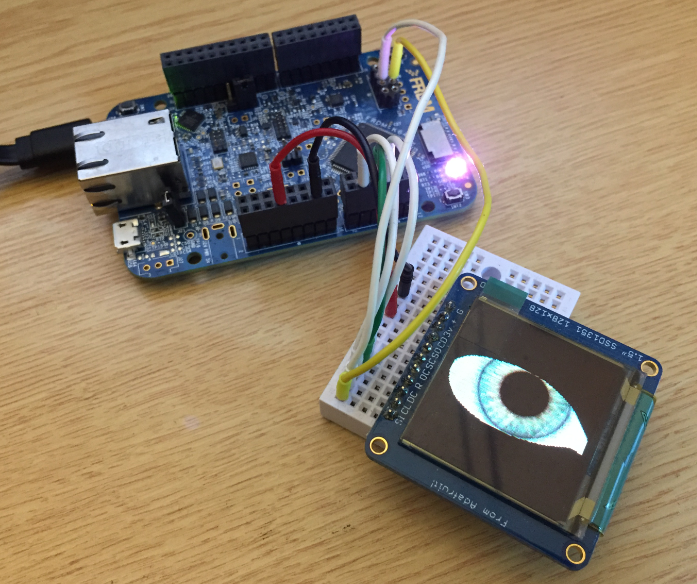
It is never too early to start thinking about Halloween projects :-).

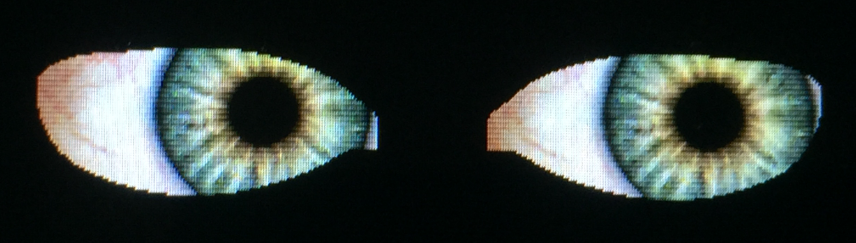
rended Eyes with i.MX RT

rendered Eyes with i.MX RT

When I ordered originally the MIMXRT1050-EVK from Mouser, it was without the LCD display (see “MCUXpresso IDE V10.1.0 with i.MX RT1052 Crossover Processor“. I ordered the LCD for the board soon after writing that article, but I was too busy with the university lectures and exams to get a hand on it. Finally I have spent a few hours at night and I proudly can say: the display is working 🙂

Continue reading

Using custom FreeRTOS with S32K SDK and OSIF for ARM

In “Tutorial: FreeRTOS 10.0.1 with NXP S32 Design Studio 2018.R1” I showed how to use a custom FreeRTOS with the S32 Design Studio (ARM). The OSIF (OS Interface) provides an operating system and services abstraction for the application which is used by other S32K SDK components:

OSIF in S32K for ARM Eclipse Project

OSIF in S32K for ARM Eclipse Project

Continue reading

Creating Disassembly Listings with GNU Tools and Eclipse

In many cases it is very useful to see the generated assembly code produced by the compiler. One obvious way to see the assembly code is to use the Disassembly view in Eclipse:

Disassembly View

Disassembly View

But this requires a debug session. An easier way is to use command line options to generate the listing file(s).

Continue reading

Tutorial: FreeRTOS 10.0.1 with NXP S32 Design Studio 2018.R1

NXP not only sells general purpose microcontroller, but as well a portfolio of automotive devices which includes the S32K which is ARM Cortex based. For this device family, they offer the S32 Design Studio (or S32DS) with its own Eclipse distribution and SDK. The interesting part is that the S32DS includes Processor Expert (which is a bit different from the ‘mainstream’ Processor Expert). It comes with its own components for the S32K SDK which includes a component for FreeRTOS. But that component in S32DS 2018.R1 comes with an old V8.2.1 FreeRTOS component:

FreeRTOS 8.2.1 in S32DS 2018.R1

FreeRTOS 8.2.1 in S32DS 2018.R1

So what to do if I want to use the latest FreeRTOS (currently 10.0.1) with all the bells and whistles?

Continue reading