NXP has released an update of the Eclipse based V11 IDE. This is right on time for the new semester starting mid of September where this IDE will be used in several labs.

MCUXpresso IDE V11.0.1

NXP has released an update of the Eclipse based V11 IDE. This is right on time for the new semester starting mid of September where this IDE will be used in several labs.
MCUXpresso IDE V11.0.1
This project is about building a stepper motor clock around the NXP LPC845-BRK board. The design is using a combination of 3D printed and laser cut parts and costs below $15.

Stepper Clock Acrylic Face White Hands
It is great if vendors provide a starting point for my own projects. A working ‘blinky’ is always a great starter. Convenience always has a price, and with a ‘blinky’ it is that the code size for just ‘toggling a GPIO pin’ is exaggerated. For a device with a tiny amount of RAM and FLASH this can be concerning: will my application ever fit to that device if a ‘blinky’ takes that much? Don’t worry: a blinky (or any other project) can be easily trimmed down.

Binky on NXP LPC845-BRK Board
I use a ‘blinky’ project here just as an example: the trimming tips can apply to any other kind of projects too.
Many of you are aware of that DIY Pick&Place machine build documented in “Building a DIY SMT Pick&Place Machine with OpenPnP and Smoothieboard (NXP LPC1769)“.
That machine has now been modified to dispense solder paste. I did not had time yet to describe the build, but as I have received recently many questions: here are some pre-information about the build:
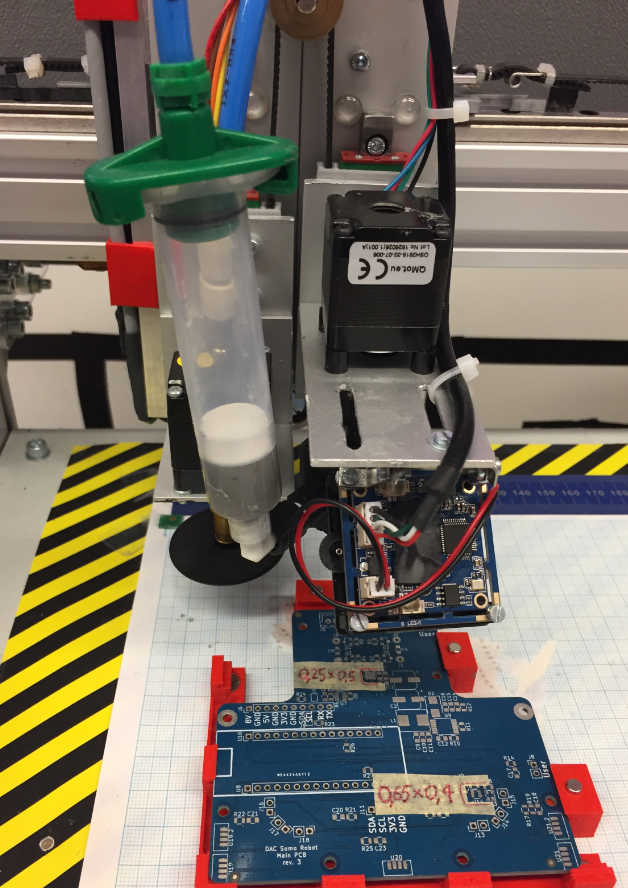
Solder Paste Dispenser
In my previous article “Debug and Execute Code from FLASH on the Seeed Arch Mix NXP i.MX RT1052 Board” I explained how to take complete control over the board and flash and debug a firmware. Of course this overwrites the one which comes by default shipped on the board. This article is about how to restore or update the original firmware.

Restored Seeed Firmware
In my previous article “Seeed Studio Arch Mix NXP i.MX RT1052 Board” I described how I can use and debug the Seeed Arch Mix Board. But so far I only had things running in RAM. Ultimately I want to use the QSPI FLASH memory on the device with my firmware and running code on it. This article shows how to get from RAM execution to SPI FLASH in-place execution (XiP).

Seeed Arch Mix NXP i.MX RT1052 Board
The Seeed Studio ‘Arch Mix’ board is a small and versatile development board with an NXP i.MX RT1052 on it, and it costs only $29.90. So I was not able to resist and just have ordered one so I can explore it.

Seeed Arch Mix Top Side
By default, Eclipse provides ‘stop-mode-debugging’: in order to inspect the target code and data, I have to stop the target. But with the right extensions as present in the Eclipse based MCUXpresso IDE, it is possible to inspect the target even while it is running.

Graphing Variables
The ‘Black Magic Probe’ (or in short: BMP) is a very small and open source JTAG/SWD debug probe with a build-in GDB Server. I saw that probe referenced in different places, so I thought I try it out with a few of my NXP LPC and Kinetis boards:

BMP with LPC and Kinetis Boards
A few days ago NXP has released a new version of their Eclipse IDE flagship: the MCUXpresso IDE v11.0.
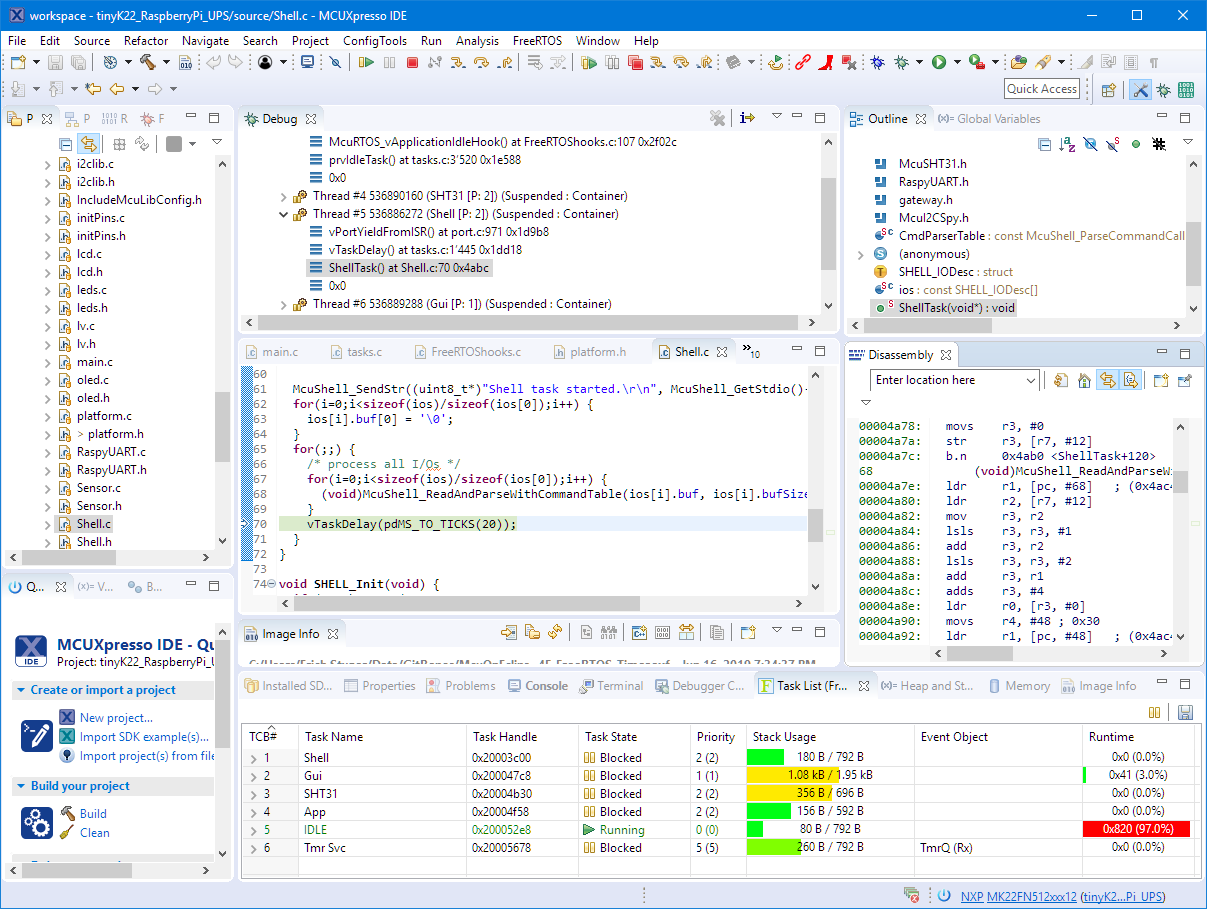
NXP MCUXpresso IDE V11.0.0
The previous v10.3.1 was released back in Feb 2019, and the 11.0 now in June this year matches up with the Fall university semester. I appreciate that the releases are about every 6 months, so this gives me time to use it in my university lecture material and lab work. I had the weekend for trying it out, and I’m very pleased.
 MCU on Eclipse