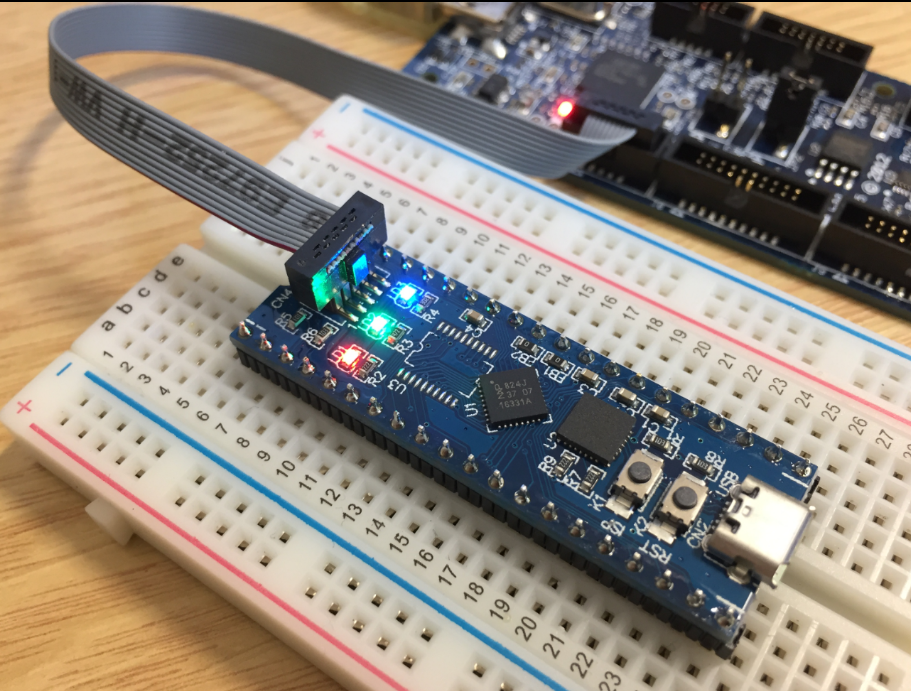
For a research project, we are going to send a satellite with an embedded ARM Cortex microcontroller into space early next year. Naturally, it has to work the first time. As part of all the ESA paperwork, we have to prove that we tested the hardware and software thoroughly. One piece of the that is to collect and give test coverage evidence. And there is no need for expensive tools: Free-of-charge Eclipse and GNU tools can do the job for a space mission 🙂
Category Archives: Debugging
Adding GNU Coverage Tools to Eclipse
The GNU tools include powerful utilities to collect coverage information. With coverage I know which lines of my code have been executed, which is a very useful test metric. The GNU coverage tools are commonly used for Linux applications. But to my surprise not much for embedded application development, mostly because it requires a few extra steps to have it available? Why not using free and powerful tools for improving software quality? This article explains how to install the GNU gcov tools into the Eclipse IDE.
ARM SWO Performance Counters
In “Cycle Counting on ARM Cortex-M with DWT” I have used the ARM DWT register to count the executed cycles. With the MCUXpresso IDE comes with a very useful feature: it can capture the ARM SWO (Single Wire Output) trace data. One special kind of trace data is the ‘cycle counter’ information which is sent through SWO.
MCUXpresso IDE: Blinky the NXP LPC800-DIP Board
During Embedded World 2017 in Nürnberg I was lucky to get a handful LPC800-DIP boards. To get all students who were lucky to get one, here is a tutorial to make that very exciting ‘blinky’ application on that board:
MCUXpresso IDE: Terminate and Disconnect a Debug Session
Eclipse for C/C++ (CDT) offers two different ways to get out of a debug session: Terminate and Disconnect:
The terminate and disconnect behaviour is not standardized, and varies between Eclipse distributions and debug connection. This article is about how things are handled in MCUXpresso IDE, and how I can influence the behaviour.
McuOnEclipse Components: 06-May-2017 Release
I’m pleased to announce that a new release of the McuOnEclipse components is available in SourceForge, with the following changes and updates:
- SEGGER SystemView updated to V2.42
- More components to work with MCUXpresso SDK: GenericSWSPI, FXO8500 and SimpleEvents
- SSD1351 display driver supports 128×128 pixel resolution and Adafruit 1.5″ breakout module
- Extended FreeRTOS debug helper settings
- GenericI2C: added ReadWordAddress8() and ReadWordAddress8() functions
- RingBuffer with new Getn() and Update() functions
- Utility with map(), constrain(), random() and randomSetSeed()
- XFormat: new xsnprintf(), contributed by Engin Lee
- OneWire protocol component with Maxim DS18B20 temperature sensor
- Many smaller bug fixes and enhancements
Using Eclipse to Program Binary Files to an Embedded Target
I’m using Eclipse based IDE’s to develop and debug my embedded applications. This works great, as Eclipse has all the necessary tools to edit, build and debug it. But when it comes just to download/flash a binary to the board, then things are pretty much specific to the tools used. With the advent of the new MCUXpresso IDE, here is how that Eclipse IDE can be used for this.
Using the LPCXpresso V2/V3 Boards to Debug an external Board
The MCUXpresso IDE (see “MCUXpresso IDE: Unified Eclipse IDE for NXPs ARM Cortex-M Microcontrollers“) has one great feature: it includes debug support for the popular LPC-Link2 debug probes. That way I have yet another powerful debug probe with extra features for ARM based boards. That LPC-Link2 circuit is present on many LPCXpresso boards from NXP. So why not using it to debug it my custom hardware?
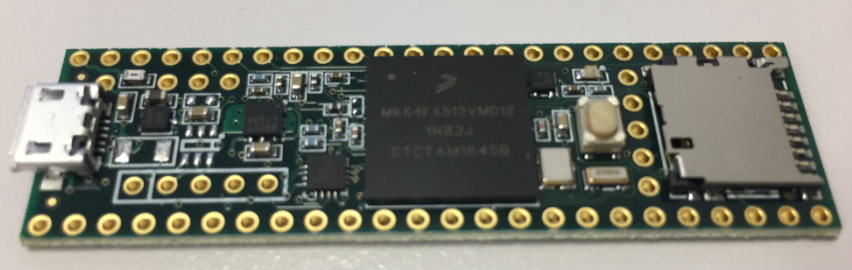
Modifying the Teensy 3.5 and 3.6 for ARM SWD Debugging
Looking for a small, inexpensive ($25-30) ARM development board (say 120-180 MHz ARM Cortex-M4 with FPU, 512kB-1MB of FLASH and 256 KByte of RAM? Then have a look at the Teensy 3.5 and Teensy 3.6 by PJRC/Paul Stoffregen:
The only problem? it is not possible to debug it :-(. At least not in the traditional sense. This article is about how to change the board to use it with any normal SWD debugging tool e.g. Eclipse and the Segger J-Link :-).
MCUXpresso IDE: Importing Kinetis Design Studio Projects
Many of my currently active projects are using Kinetis Design Studio (KDS) V3.2.0 from NXP (I have published many of my projects on GitHub). Now with the advent of the MCUXpresso IDE (see “MCUXpresso IDE: Unified Eclipse IDE for NXPs ARM Cortex-M Microcontrollers“), I have migrated several projects from KDS to MCUXpresso. This post is about how to easily get KDS projects ported and running in MCUXpresso IDE.