Debug Multiple Boards with GDB at the Same Time

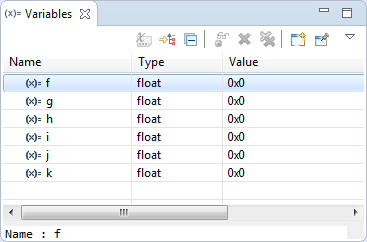
Many times it is very useful to debug multiple boards at the same time. For example if I’m debugging a communication stack between two boards: that way I can debug the protocol on both sides. Eclipse is a great framework which allows that. This post shows how to debug multiple boards (e.g. the NXP Freedom boards) in parallel from the same Eclipse IDE using GDB and the Segger J-Link:

Two NXP Freedom Boards debugged at the same time

Two NXP Freedom Boards debugged at the same time

Continue reading

Hardware Reset for ARM Cortex-M with Segger J-Link and Kinetis Design Studio

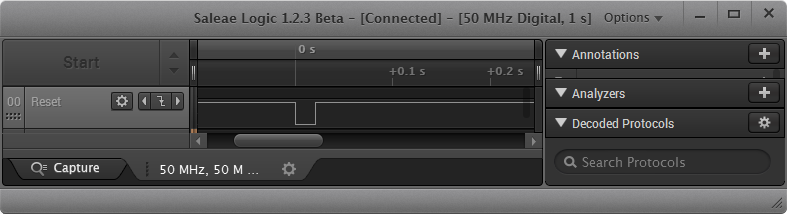
The reset and signal line of a microcontroller is probably the most important signal to a microcontroller. And if things go wrong, then a first thing to check is the reset line. So having control over reset is an important aspect for embedded development. You would think that if you download a program to a microcontroller, the debug probe would put the device into reset at the start with a short pulse like this:

Reset Signal in Logic Analyzer

Reset Signal in Logic Analyzer

Continue reading

How to Add Bluetooth Low Energy (BLE) Connection to ARM Cortex-M

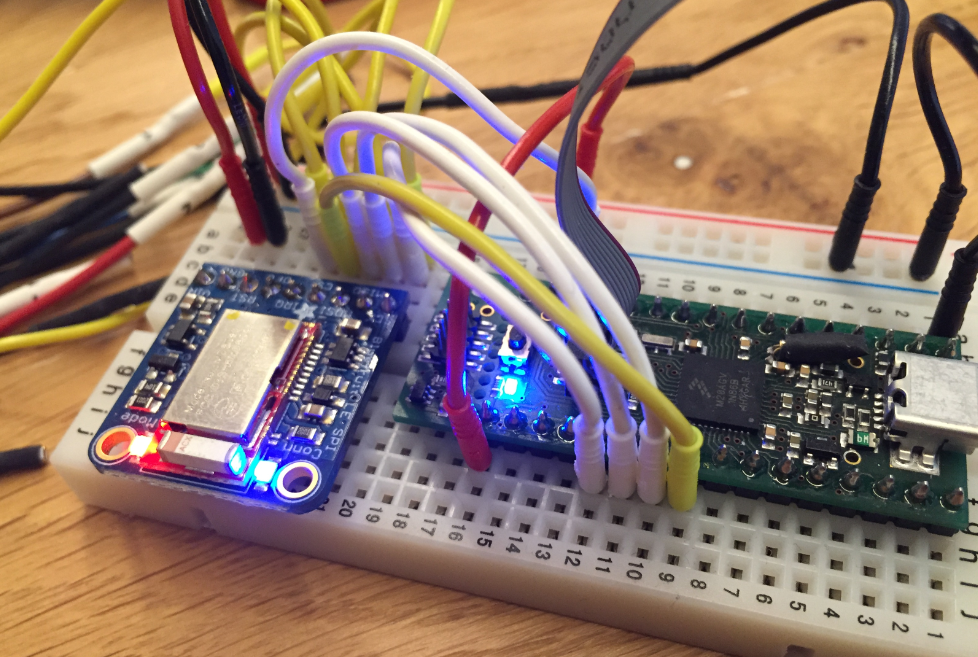
In many of my embedded projects I’m using successfully the Nordic Semiconductor nRF24L01+ (see “Tutorial: Nordic Semiconductor nRF24L01+ with the Freescale FRDM-K64F Board“) and the HC-06 Bluetooth transceivers (see “Getting Bluetooth Working with JY-MCU BT_BOARD V1.06“) for wireless communication. However, the nRF24L01+ is using a proprietary protocol, and the HC-06 does not work with Apple products (it does very well with Android devices). To close that gap I decided to add Bluetooth Low Energy (BLE, or Bluetooth 4.x). So this post is about how to add Bluetooth Low Energy (BLE) to NXP (formerly Freescale) Kinetis devices:

BLE Enabled Kinetis

BLE Enabled Kinetis

Continue reading

Renaming Eclipse CDT Projects

When I create a project in Eclipse (e.g. in Kinetis Design Studio with the GNU ARM Eclipse plugins), I have to specify the name of the project during creation time:

Project Name in Eclipse

Project Name in Eclipse

But what if I change my mind later on and want to use a different name? How to rename the project?

Continue reading

Blinky LED with openHAB on Raspberry Pi

In my earlier post I showed how I have installed the open source openHAB home automation system (see “Installing openHAB Home Automation on Raspberry Pi“). In this post I show how to control a local LED on the Raspberry Pi with openHAB home automation system: how to control any GPIO pin on the Raspberry Pi from remote:

Controlling the LED with openHAB

Controlling the LED with openHAB

Continue reading

Autostarting openHAB on Raspberry Pi

In “Installing openHAB Home Automation on Raspberry Pi” I have set up openHAB on a Raspberry Pi 2. But when I reboot it, I need to start openHAB manually. This post is about how to start openHAB automatically after a reboot.

openHAB running

openHAB running

Continue reading