Unlocking and Erasing FLASH with Segger J-Link

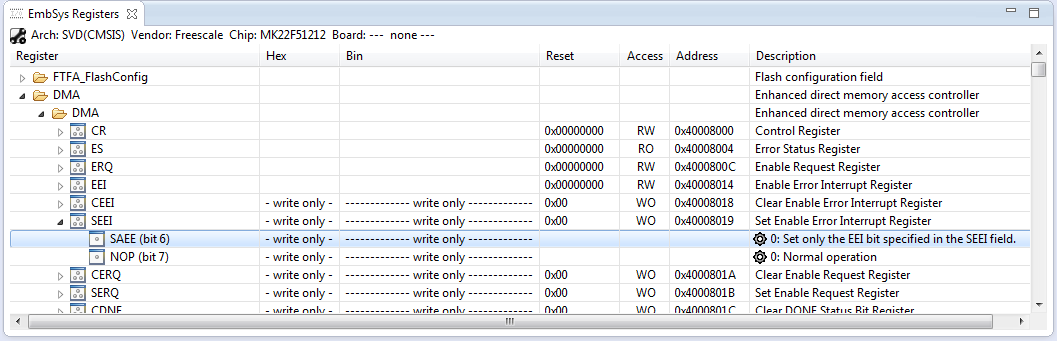
When using a bootloader (see “Serial Bootloader for the Freedom Board with Processor Expert“), then I usually protect the bootloader FLASH areas, so it does not get accidentally erased by the application ;-). When programming my boards with the P&E Multilink, then the P&E firmware will automatically unlock and erase the chip. That’s not the same if working with the Segger J-Link, as it but requires extra steps.

Protected FLASH Pages with Processor Expert

Protected FLASH Pages with Processor Expert
Continue reading →

Comparing CodeWarrior with Kinetis Design Studio

At FTF 2014, Freescale made the announcement that CodeWarrior won’t support all the new ARM Kinetis devices coming out in the future: they will be supported with the free-of-charge Kinetis Design Studio (KDS) instead. As for myself, this is a big shift from a well established CodeWarrior toolchain to something new. A question which came up recently several times in the forums and in other posts is: how do CodeWarrior and KDS compare with each other?

CW vs KDS

CW vs KDS

Continue reading →

RingBuffer Component with Put/Get/Clear Events

Sometimes I have a good idea how to extend one of my Processor Expert components with an extra feature, but then I step back because why implementing more than I need at the moment? Until another user of the component simply asks for the same thing, and here we go: if one or more can take advantage of a feature, that’s definitely a strong argument to add it :-). This happened with the RingBuffer Processor Expert component I’m using in many projects. And a reader of this blog asked to add some extra event methods: when an item is added or removed to the buffer.

RingBuffer used in USB Component with Extra Events

RingBuffer used in USB Component with Extra Events

Continue reading →

Executing Multiple Commands as Post-Build Steps in Eclipse

The GNU ARM Eclipse plugins from Liviu already offer several built-in actions which can be performed at the end of a build: creating flash image, create listing file and printing the code and data size:

GNU ARM Eclipse Extra Post Build Steps

GNU ARM Eclipse Extra Post Build Steps

But what if I need different things, or even more things?

Continue reading →

Building Projects with Eclipse from the Command Line

Eclipse has a great user interface (UI). But what if I want to do things from the command line, without the GUI? For example to build one or more projects in the workspace without using the Eclipse UI? With this, I can do automated check-outs and do automated builds.

Performed a command line project build with Eclipse

Performed a command line project build with Eclipse

Continue reading →

Semihosting with GNU ARM Embedded (LaunchPad) and GNU ARM Eclipse Debug Plugins

In “Semihosting with Kinetis Design Studio” I used printf() to exchange text and data between the target board and the host using the debug connection. Kinetis Design Studio (KDS) has that semihosting baked into its libraries. What about if using the GNU ARM Embedded (launchpad) tools and libraries (see “Switching ARM GNU Tool Chain and Libraries in Kinetis Design Studio“)? Actually it requires two more steps, but is very easy too.

Semihosting Output

Semihosting Output

Continue reading →

Automatic Documentation Generation: Doxygen with Processor Expert

One really cool thing with Processor Expert is: it does not only generate the source code for me, it generates as well documentation :-). I’m a believer of the ‘single source’ approach: if I have to document a software project, then the software itself shall be the source of the documentation. And for this I love Doxygen: see “5 Best Eclipse Plugins: #1 (Eclox with Doxygen, Graphviz and Mscgen)“. Doxygen is a compiler which compiles my source files, and instead of object files it creates documentation files for me :-).

Pin Allocation Report

Pin Allocation Report

Continue reading →

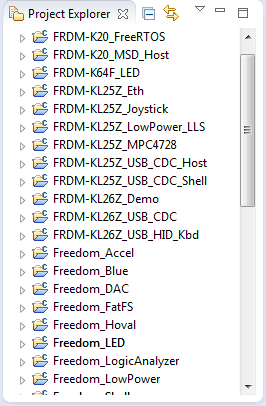
Eclipse Performance Improvement Tip: Close Unused Projects

Eclipse is not the fastest and snappiest IDE of the world, but in my view the most versatile and open one. And as with any tool: using it the wrong way does not make it better. Sometimes I have students in my classes which complain that Eclipse is slow, even on a decent machine. Looking at their notebook screens and Eclipse workspace usually tells me right away what they are doing ‘wrong’: there are many, many projects open in the workspace, the most I have seen was more than 50 projects (yikes!!!)!

Many many projects open

Many many projects open

Continue reading →

Link to Files and Folders in Eclipse

Eclipse projects have the nice features that they can link to files and folders: so instead of having the physical file, it is just a pointer to a file. This is very cool as that way I can point to shared files, or keep files in a common place referenced from projects, and so on.

Linked Folder and File in Eclipse

Linked Folder and File in Eclipse

As with most things in Eclipse, there is not a single way how to do things. So I’m showing in this post several ways how to link to files and folders.

Continue reading →