Blaze: Miniature, Powerful, Hackable Display with Touch

I’m not much monitoring what is happening on Kickstarter or Indiegogo, only for time reasons, but maybe I should? For a while I’m looking for the next level for the tinyK20 project: better and more powerful microcontroller with touch display/graphic LCD. And when I see a Freescale/NXP Kinetis microcontroller on a crowd funding platform like this one, I hardly can resist šŸ˜‰ :

Blaze Board (Source: http://kck.st/1S0HyUp)
Blaze Board (Source: http://kck.st/1S0HyUp)

Continue reading →

How to Add Bluetooth Low Energy (BLE) Connection to ARM Cortex-M

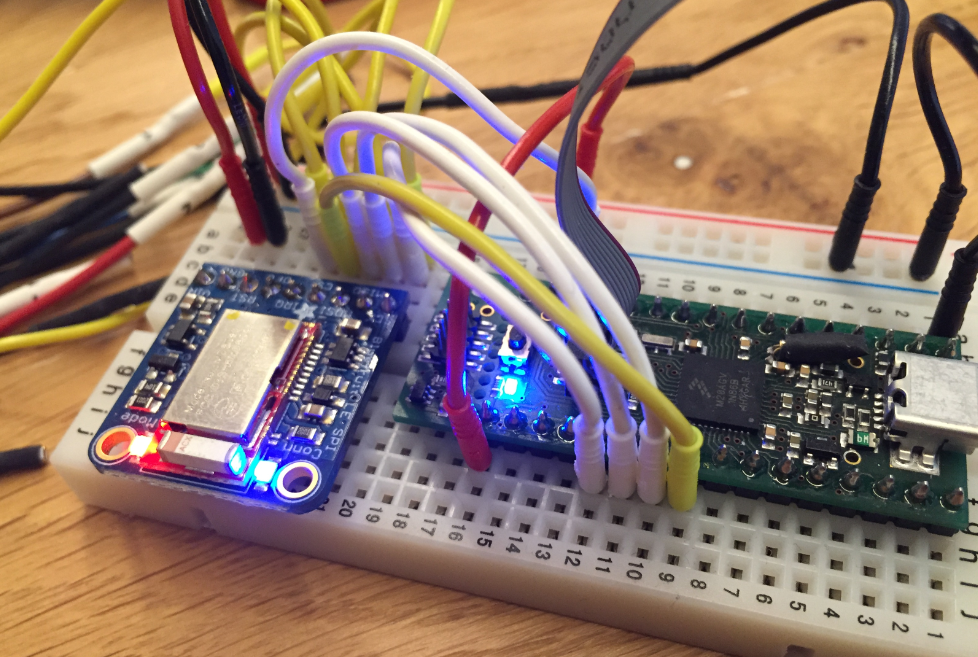
In many of my embedded projects I’m using successfully the Nordic Semiconductor nRF24L01+ (see “Tutorial: Nordic Semiconductor nRF24L01+ with the Freescale FRDM-K64F Board“) and the HC-06 Bluetooth transceivers (see “Getting Bluetooth Working with JY-MCU BT_BOARD V1.06“) for wireless communication. However, the nRF24L01+ is using a proprietary protocol, and the HC-06 does not work with Apple products (it does very well with Android devices). To close that gap I decided to add Bluetooth Low Energy (BLE, or Bluetooth 4.x). So this post is about how to add Bluetooth Low Energy (BLE) to NXP (formerly Freescale) Kinetis devices:

BLE Enabled Kinetis

BLE Enabled Kinetis

Continue reading →

Renaming Eclipse CDT Projects

When I create a project in Eclipse (e.g. in Kinetis Design Studio with the GNU ARM Eclipse plugins), I have to specify the name of the project during creation time:

Project Name in Eclipse

Project Name in Eclipse

But what if I change my mind later on and want to use a different name? How to rename the project?

Continue reading →

Blinky LED with openHAB on Raspberry Pi

In my earlier post I showed how I have installed the open source openHAB home automation system (see “Installing openHAB Home Automation on Raspberry Pi“). In this post I show how to control a local LED on the Raspberry Pi with openHAB home automation system: how to control any GPIO pin on the Raspberry Pi from remote:

Controlling the LED with openHAB

Controlling the LED with openHAB

Continue reading →

Autostarting openHAB on Raspberry Pi

In “Installing openHAB Home Automation on Raspberry Pi” I have set up openHAB on a Raspberry Pi 2. But when I reboot it, I need to start openHAB manually. This post is about how to start openHAB automatically after a reboot.

openHAB running

openHAB running

Continue reading →

Installing openHAB Home Automation on Raspberry Pi

I’m currently building a home automation project around Raspberry Pi: I want to be able to monitor and control things like the lights, garage doors and the heating system both at home and from remote. I already have added a touch screen to one of my Raspberry Pi 2 computers (see “Adding a Touch LCD to the Raspberry Pi 2“). This article is about how to install the openHAB on that Raspberry so it can be the brain of the automation system.

openHAB Demo House on Pi

openHAB Demo House on Pi

Continue reading →

Linting with Eclipse and the GNU ARM Embedded Launchpad Compiler

For a space project we have to make sure that things are not failing while our hardware orbits around the Mother Earth. Therefore we are using different static and dynamic analysis tools, and one of it is using PC-lint from Gimpel to catch as many errors and bugs as possible. For that project, we are using Eclipse with the GNU ARM Embedded (launchpad) ARM compiler and Eclipse as IDE with the GNU ARM Eclipse plugins. There are commercial plugins available for linting with Eclipse (e.g. Linticator), but with a few tweaks it is possible to lint with Eclipse free-of-charge. So this article is about how to lint an Eclipse (Freescale/NXP Kinetis Design Studio) project with PC-Lint.

Lint messages in Eclipse

Lint messages in Eclipse

Continue reading →

From Zero to NOOBS: Starting with Raspberry Pi Zero

My Raspberry Pi Zero arrived last week (see “A Raspberry Pi for $5! What are your decision factors?“), and finally I have found an hour to try it out. Because the ‘bare board’ $5 version was sold out at that time, I ordered a package with 8GB SD card, micro USB cable and mini HDMI adapter. That way I had all the needed cables, including the mini HDMI adapter cable:

Raspberry Pi Zero

Raspberry Pi Zero

Continue reading →

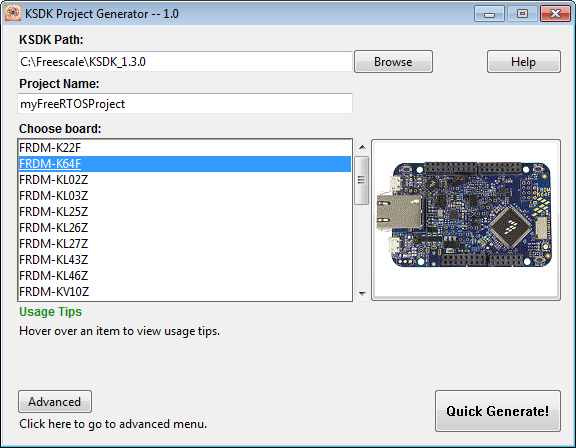
Tutorial: FreeRTOS Projects with Kinetis SDK V1.3 and the SDK Project Generator

This tutorial describes how to create a Kinetis SDK V1.3 project using the Freescale project generator in Kinetis Design Studio.

project generator

project generator

Continue reading →