Unfortunately, now the NXP Kinetis SDK V2.0 does not include Processor Expert support (see “First NXP Kinetis SDK Release: SDK V2.0 with Online On-Demand Package Builder“). But at the Lucerne University we are using more than 150 different custom Processor Expert components we would like to use with that new SDK. So how to make them working with the Kinetis SDK V2.0? Using a Processor Expert as “the mother of all components”:
Tag Archives: software
Changing Heap and Stack Size for NXP Kinetis SDK V2.0 gcc Projects
With Processor Expert projects it is very easy to change the heap and stack size: There is a setting for this in the Cpu component settings, under the ‘Build options’ tab:
As there is no Processor Expert in the NXP Kinetis SDK V2.0 (see “First NXP Kinetis SDK Release: SDK V2.0 with Online On-Demand Package Builder“), how to do the same in a SDK V2.0 project?
Fix for GDB and “The system tried to join a drive to a directory on a joined drive”
The bad thing with Eclipse and GDB is: if something is failing, then all what I get is a very cryptic error message when I launch the debugger:
FreeRTOS Thread Debugging with Eclipse and OpenOCD
FreeRTOS is probably the number one RTOS used, and Eclipse is likely the most popular IDE I can think of. But debugging FreeRTOS applications with Eclipse and GDB is somewhat limited? What I would like to get at the minimum is this: ability to see all the different threads in the Eclipse debug view like this:
As you might guess from that screenshot: this post is about how to make FreeRTOS tread debugging possible with Eclipse and GDB :-).
nRF24L01+ 2.4 GHz Wireless Connectivity with the tinyK20 Board
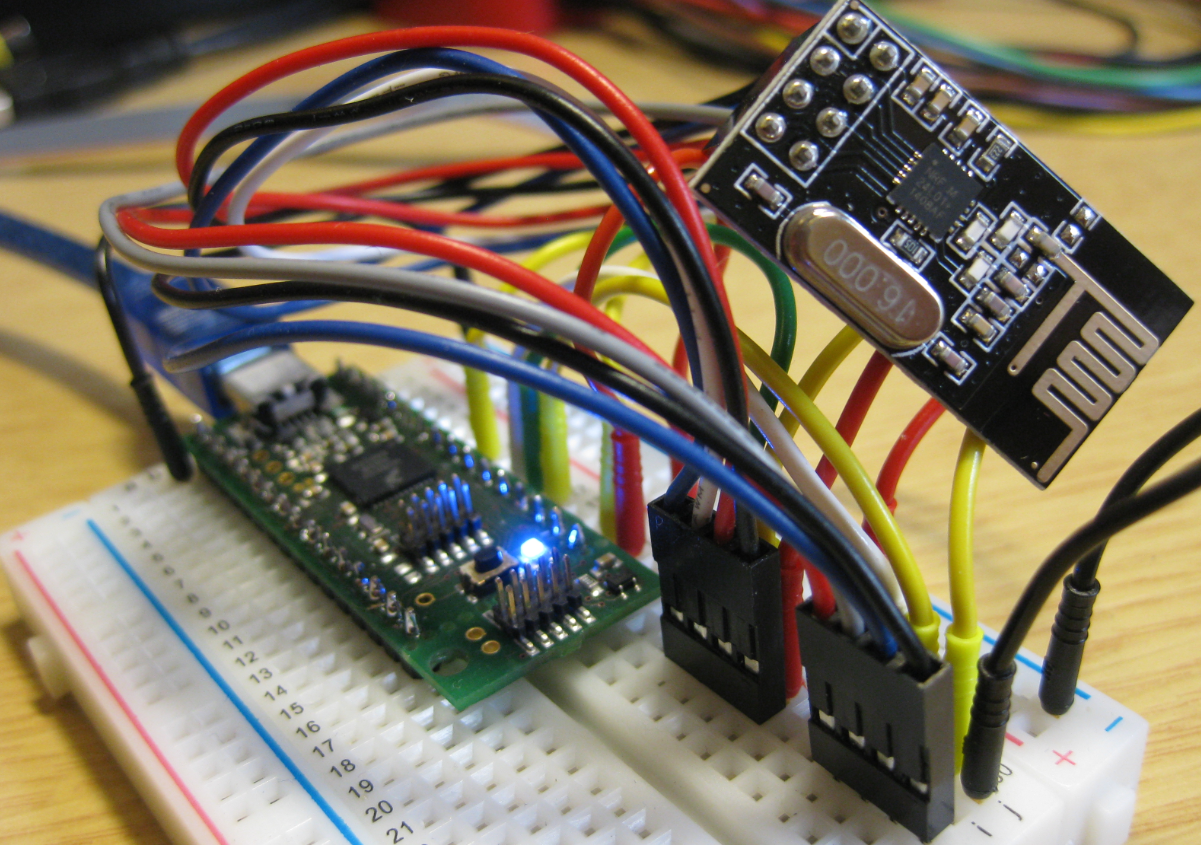
I’m using the tiny and inexpensive Nordic Semiconductor nRF24L01+ transceiver (see “Tutorial: Nordic Semiconductor nRF24L01+ with the Freescale FRDM-K64F Board“) in many projects: it costs less than $3 and allows me to communicate with a proprietary 2.4GHz protocol in a low power way (see “IoT: FreeRTOS Down to the Micro Amps“). I have that transceiver now running with the tinyK20 board too:
Dealing with Code Size in Kinetis SDK v2.x Projects
I’m exploring the Kinetis SDK v2.0 (see “First NXP Kinetis SDK Release: SDK V2.0 with Online On-Demand Package Builder“). For this, I’m using the ‘standard’ way: blinking the LED on the board 🙂
Merging S19 Files
If using a bootloader with an application, one thing is to to merge the bootloader with the application into a single file. I do this with the ‘SRecord’ tool like this:
srec_cat bootloader.s19 application.s19 -o merged.s19
XML Editor & Checker for CMSIS-Pack in Eclipse
So far, the XML files I had to work on were very simple ones, so a normal text editor was fine. Now I’m tapping into the world of CMSIS-Packs (see “Are ARM CMSIS-Pack the Future of Software Components?“). And definitely this adds a complexity for which I better use some XML editing and checking tools. The ARM tutorial for CMSIS recommends either Notepad++ or Visual C++. But hey, Eclipse should be able to do that maybe even better right? So this is about adding an XML editor and XML checker to Eclipse.
McuOnEclipse Components: 7-Feb-2016 Release
New in this release:
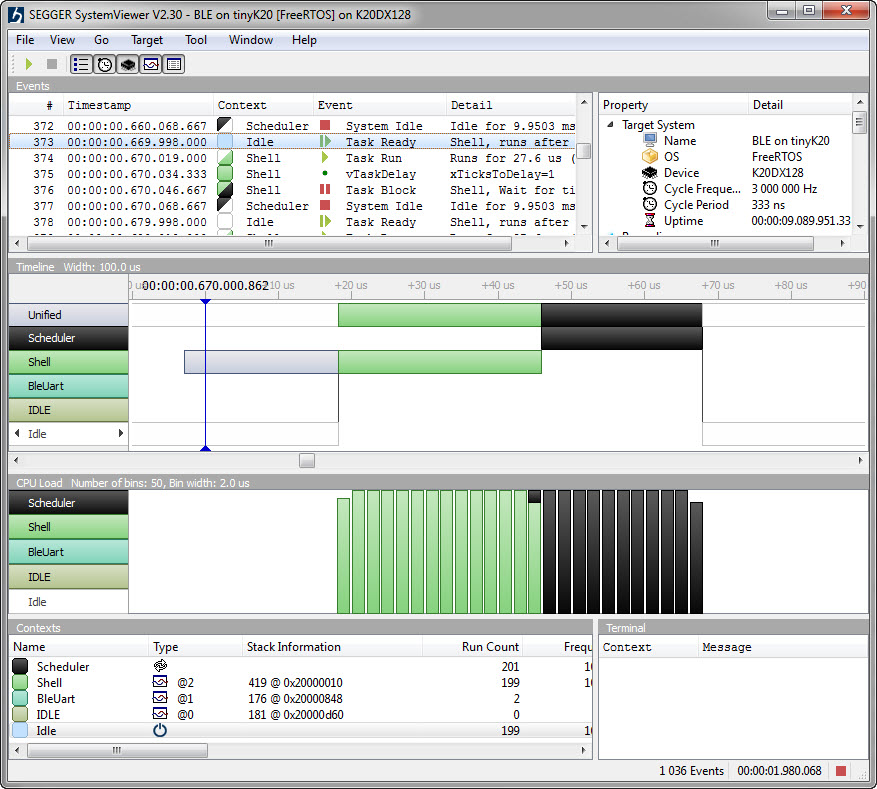
- Segger SystemViewer: Upgraded to V2.30, added stack high-water mark
- Segger RTT: fixed BASEPRI issue on Cortex M4 for critical sections
- Utility: Fixed issue with Utility module and Kinetis SDK (usage of ‘byte’)
- USB CDC: property to specify USB device current usage, new status getter functions.
openHAB RGB LED Light Cube with WS2812B and NXP Kinetis
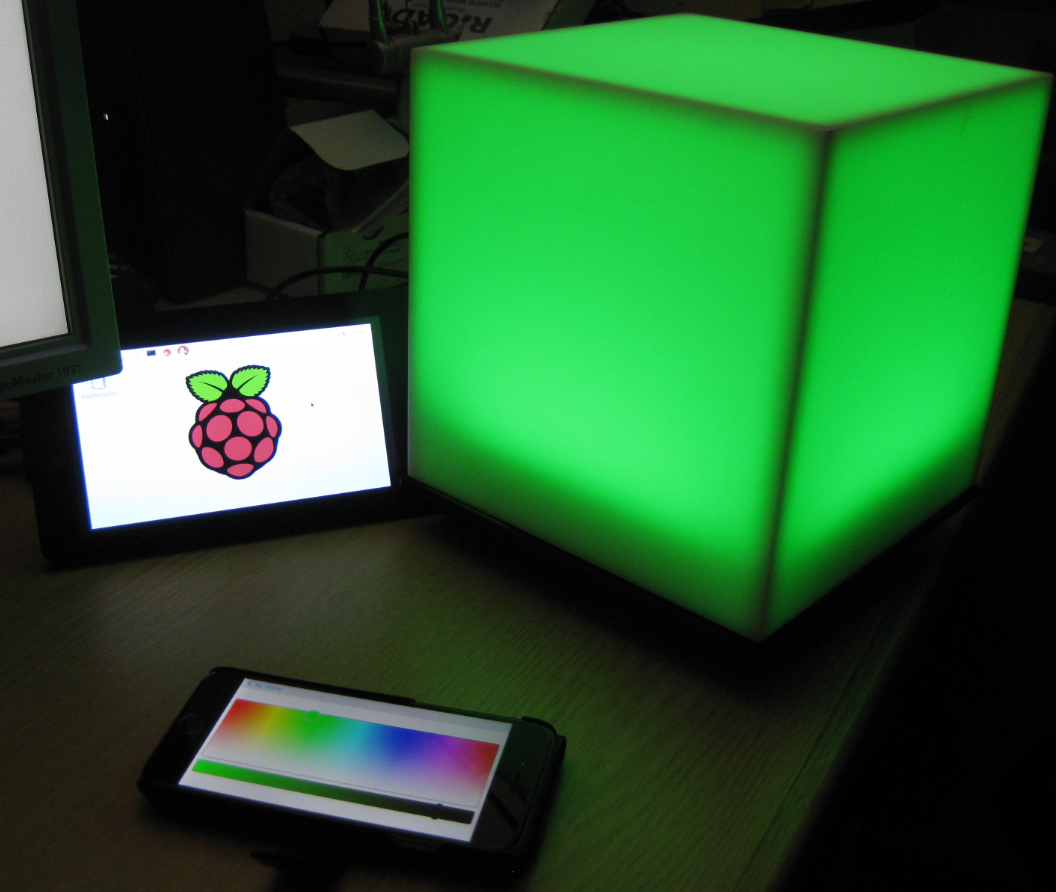
From my earlier work to use the NXP Kinetis with openHAB (see “Controlling NXP Freedom Board RGB LED with openHAB and Raspberry Pi“) it was only a small step to control a 20x20x20 cm light cube with 256 Adafruit WS2812 NeoPixels: