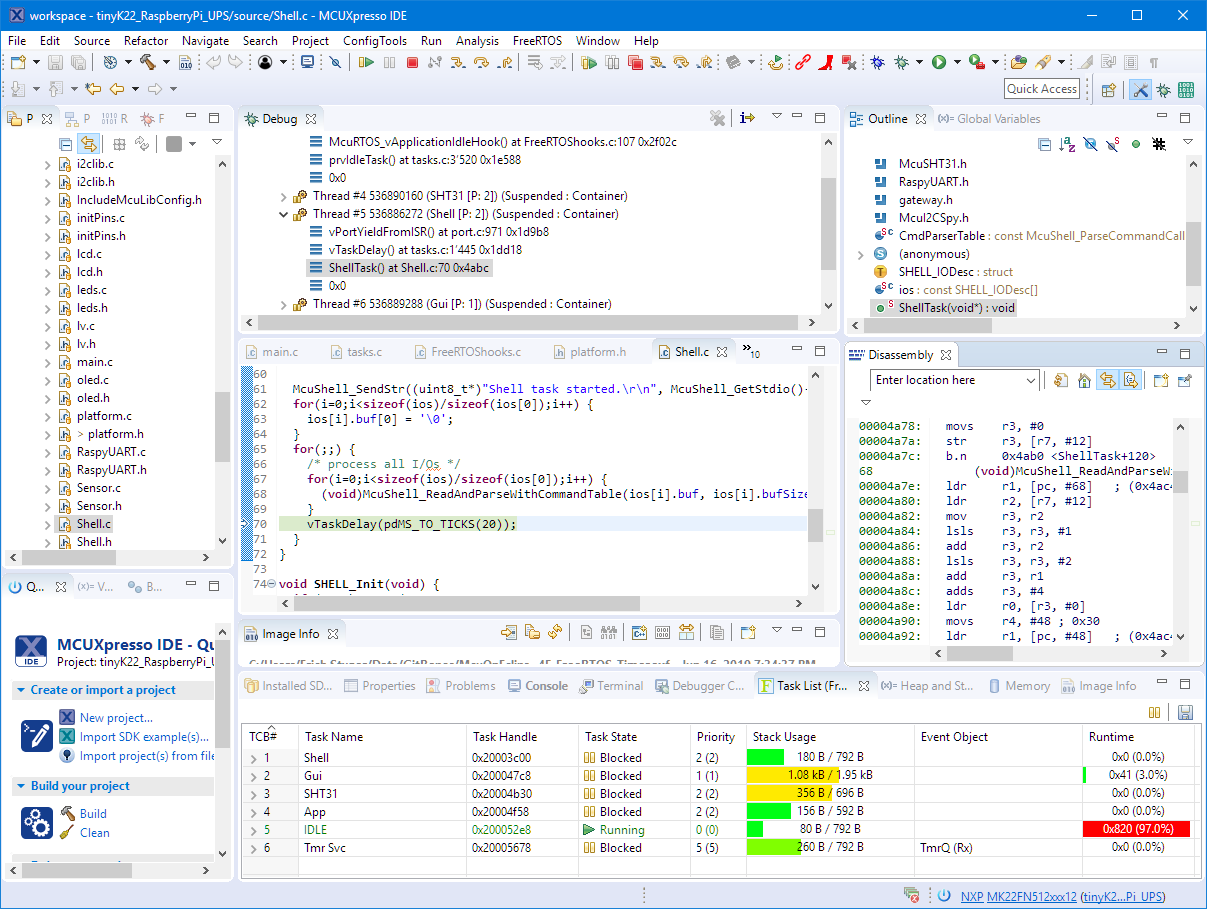
In my previous article “Seeed Studio Arch Mix NXP i.MX RT1052 Board” I described how I can use and debug the Seeed Arch Mix Board. But so far I only had things running in RAM. Ultimately I want to use the QSPI FLASH memory on the device with my firmware and running code on it. This article shows how to get from RAM execution to SPI FLASH in-place execution (XiP).
Tag Archives: Flashing
Black Magic Open Source Debug Probe for ARM with Eclipse and GDB
The ‘Black Magic Probe’ (or in short: BMP) is a very small and open source JTAG/SWD debug probe with a build-in GDB Server. I saw that probe referenced in different places, so I thought I try it out with a few of my NXP LPC and Kinetis boards:
New NXP MCUXpresso Eclipse IDE v11.0
A few days ago NXP has released a new version of their Eclipse IDE flagship: the MCUXpresso IDE v11.0.
The previous v10.3.1 was released back in Feb 2019, and the 11.0 now in June this year matches up with the Fall university semester. I appreciate that the releases are about every 6 months, so this gives me time to use it in my university lecture material and lab work. I had the weekend for trying it out, and I’m very pleased.
MCUXpresso Eclipse IDE Mouse Tips & Tricks
In a modern development workflow both command-line and a graphical user interface has its place. On the GUI side, Eclipse is famous that it offers many different ways to accomplish something which is great. But sometimes I continue to use an old habit or way because I have missed that there is a newer and better way, and the MCUXpresso Eclipse IDE is no exception to that. In this article I show a few ways how to use the mouse even more productive.
Tutorial: MCUXpresso SDK with Linux, Part 3: RAM and XiP Code on i.MX RT1064
In my previous articles I have used the command line on Linux to build and debug NXP MCUXpresso SDK applications. In this article I’m running code on NXP i.MX RT1064 in RAM or FLASH.
Internal and External Debug Options for the NXP LPC55S69-EVK Board
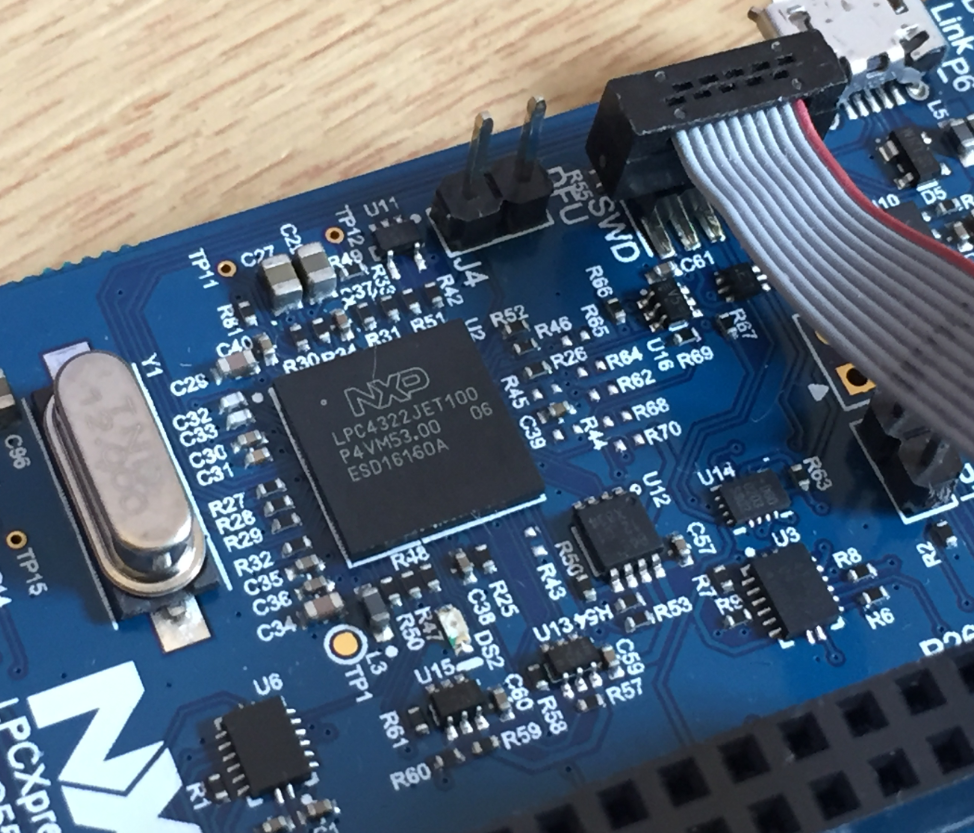
The LPC55S69-EVK board comes on-board debug probe. The board includes the LPC4322JET100 device which acts like NXP LPC-Link2 debug probe:
But it is easily possible to use the board with an external debug probe or re-program the onboard one as a SEGGER J-Link debug probe.
First Steps with the LPC55S69-EVK (Dual-Core ARM Cortex-M33 with Trustzone)
For the long Easter weekend I have organized a new toy: the NXP LPC55S69-EVK board: a dual ARM Cortex-M33 running at 100 MHz with ARM TrustZone:
Tutorial: MCUXpresso SDK with Linux, Part 2: Commandline Debugging with GDB
In “Tutorial: MCUXpresso SDK with Linux, Part 1: Installation and Build with Maked” I used cmake and make to build the SDK application. In this part I’m going to use the command line gdb to debug the application on the board.
Log2Ram: Extending SD Card Lifetime for Raspberry Pi LoRaWAN Gateway
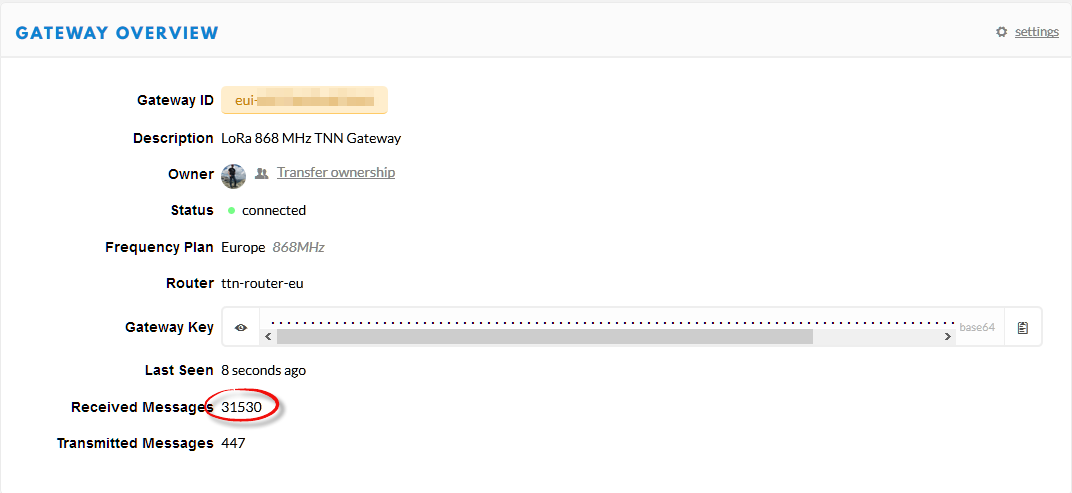
My LoRaWAN gateway (“Contributing an IoT LoRaWAN Raspberry Pi RAK831 Gateway to The Things Network” is running and working great now for more than a month and it already has transmitted more than 30k messages:
This creates a lot of log entries on the micro SD card of the Raspberry Pi. To avoid writing too many times log data, I have installed Log2Ram.
Remote Debugging with USB based JTAG/SWD Debug Probes
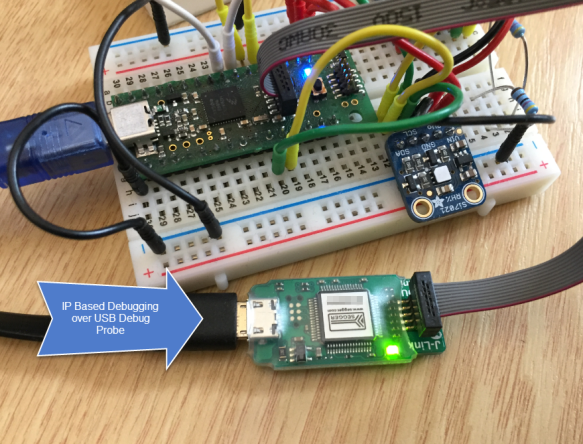
For some projects it is not possible to have the device under debug available on my desk: the board might be in another room, on another site or in a place where physical access is not possible or even dangerous. In that case an IP-based debug probe (see Debugging ARM Cores with IP based Debug Probes and Eclipse) is very useful: as long as I can access its IP address, that works fine. It is an excellent solution even if the board is moving or rotating: hook it up to a WLAN access point and I still can use it as it would be on my desk.
But what if I have a debug probe only connected to USB? This article shows how to turn a USB debug probe into a IP-based debug solution: that way I can easily debug a board from remote, connected to the network: