Right before the start of the new semester, the new tinyK22 boards (see “First tinyK22 Board with NXP K22FN512 ARM Cortex-M4F“) arrived, and they are looking great 🙂
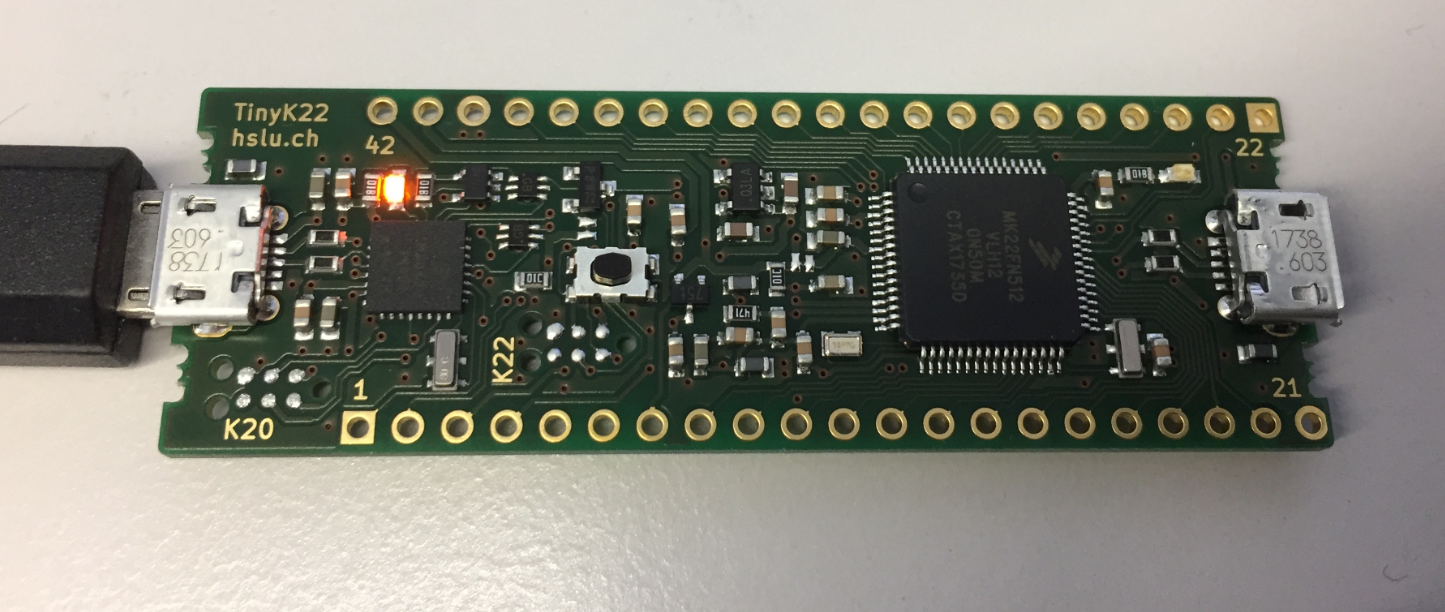
tinyK22 Board

Right before the start of the new semester, the new tinyK22 boards (see “First tinyK22 Board with NXP K22FN512 ARM Cortex-M4F“) arrived, and they are looking great 🙂
tinyK22 Board
In “Eclipse MCUXpresso IDE 10.1 with integrated MCUXpresso Configuration Tools” I mentioned that I wanted to try the i.MX RT1050 processor. Well, finally my ordered board from Mouser arrived, right on time for the week-end, so I had a chance to use that ARM Cortex-M7 running at 600 MHz :-).

i.MX RT1050 EVK
“Amazon FreeRTOS – IoT operating system for microcontrollers”: The announcement of FreeRTOS V10.0.0 was one of the biggest news last week for me. Not only is there now a Version 10, the bigger news is that FreeRTOS is now part of Amazon. Wow! Now this explains why Richard Barry (the founder behind FreeRTOS) was kind of hiding away for about a year: he joined Amazon as a principal engineer about a year ago. I think we all have to wait and see what it means for FreeRTOS.

Amazon FreeRTOS (Source: Amazon Web Site)
The NXP Freedom boards are very popular. Many of them are inexpensive (less than $20), include a debug interface and can be easily extended with extra shields or boards. Especially the FRDM-KL25Z is very popular: I’m getting told because of Processor Expert and tutorials available on web sites like this one ;-).
Unfortunately there are no small or breadboard friendly Kinetis boards available. There is the NXP LPC800-DIP but with no onboard debugger and without Processor Expert support. We have the tinyK20, but projects tend to use more CPU power, FLASH and RAM space than what the tinyK20 board (50 MHz, 128 KByte FLASH, 16 KByte RAM) can provide. So we ended up designing the big brother of the first tinyK20: the tinyK22 with 120 MHz, 512 KByte of FLASH and 128 KByte of RAM.
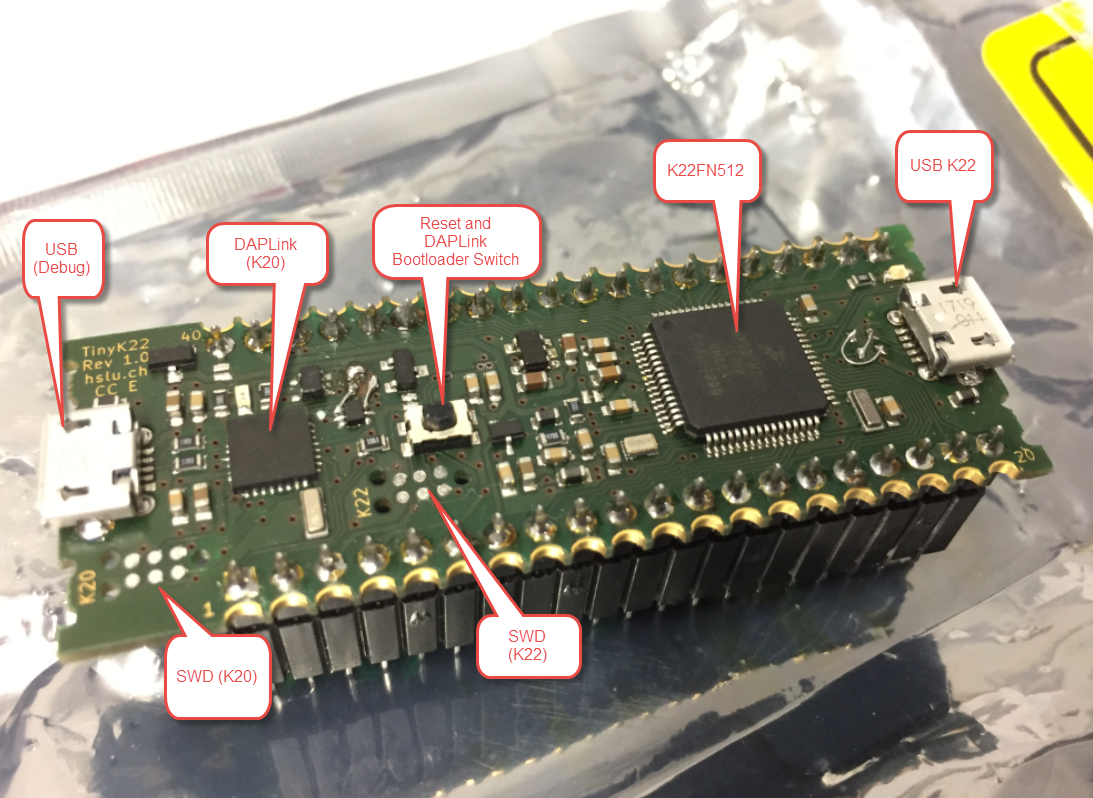
tinyK22 Overview
The ARM mbed USB MSD bootloader which is used on many silicon vendor boards has a big problem: it is vulnerable to operating systems like Windows 10 which can brick your board (see “Bricking and Recovering OpenSDA Boards in Windows 8 and 10“). To recover the board, typically a JTAG/SWD programmer has to be used. I have described in articles (see links section) how to recover from that situation, including using an inofficial new bootloader which (mostly) solves the problem. The good news is that ARM (mbed) has released an official and fixed bootloader. The bad news is that this bootloader does not work on every board because of a timing issue: the bootloader mostly enters bootloader mode instated executing the application.

DAPLink in Bootloader Mode
ARM Cortex-M microcontrollers can have multiple memory controllers. This is a good thing as it allows the hardware to do multiple parallel memory read/writes. However this makes the memory map more complicated for the software: it divides the memory into different regions and memory segments. This article is about how to enable FreeRTOS to use multiple memory blocks for a virtual combined memory heap:

FreeRTOS with Segmented Heap Memory
The tools and IDE market is constantly changing. Not only there is every year at least one new major Eclipse IDE release, the commercial tool chain and IDE vendors are constantly changing the environment too. For any ARM Cortex-M development, the combination of Eclipse with the GNU tool chain provided by ARM Inc. is the golden standard. But this does not mean that things can be easily moved from one IDE package to another.
While moving between Eclipse versions and GNU versions is usually not a big deal at all, moving between the Eclipse build tool integration is usually not simple. While the GNU MCU Eclipse plugins are widely used (see Breathing with Oxygen: DIY ARM Cortex-M C/C++ IDE and Toolchain with Eclipse Oxygen), the Eclipse based IDEs from the silicon vendors or commercial Eclipse toolchain vendors are using their own GNU toolchain integration. Which means the project files are not compatible :-(.
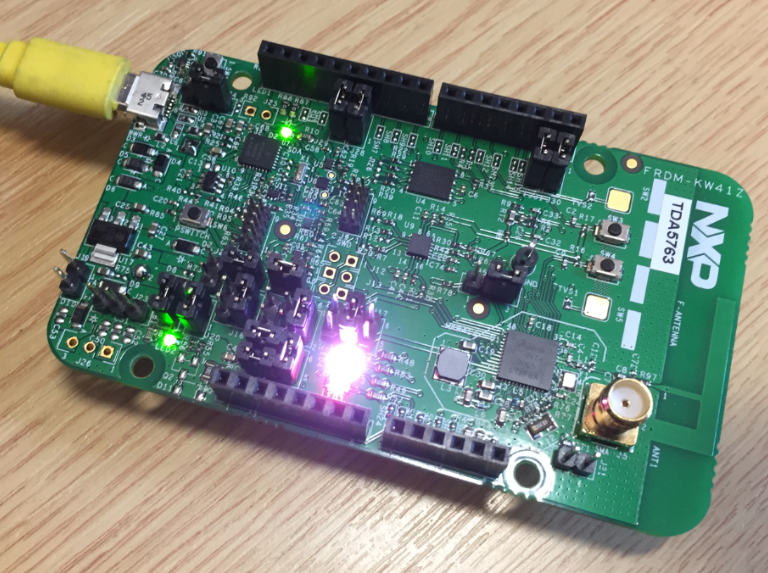
NXP FRDM-KW41Z Board
Eclipse as IDE takes care about compiling and building all my source files. But in an automated build system I would like to build it from the command line too. While using make files (see “Tutorial: Makefile Projects with Eclipse“) is an option, there is another easy way to build Eclipse projects from the command line:

Building MCUXpresso IDE from Command Line
Last month (June 2017), the latest version of Eclipse “Oxygen” has been released, and I have successfully used it in several embedded projects. Time to write a tutorial how to use it to build a custom Do-It-Yourself IDE for ARM Cortex-M development: simple, easy, unlimited and free of charge. While the DIY approach takes a few minutes more to install, it has the advantage that I have full control and I actually know what I have.

Eclipse Oxygen
Sometimes it happens that arm-none-eabi-gdb complains about “no source file named” in the GDB console view in Eclipse when I debug a project with GDB:

No Source File Named in GDB Console
 MCU on Eclipse