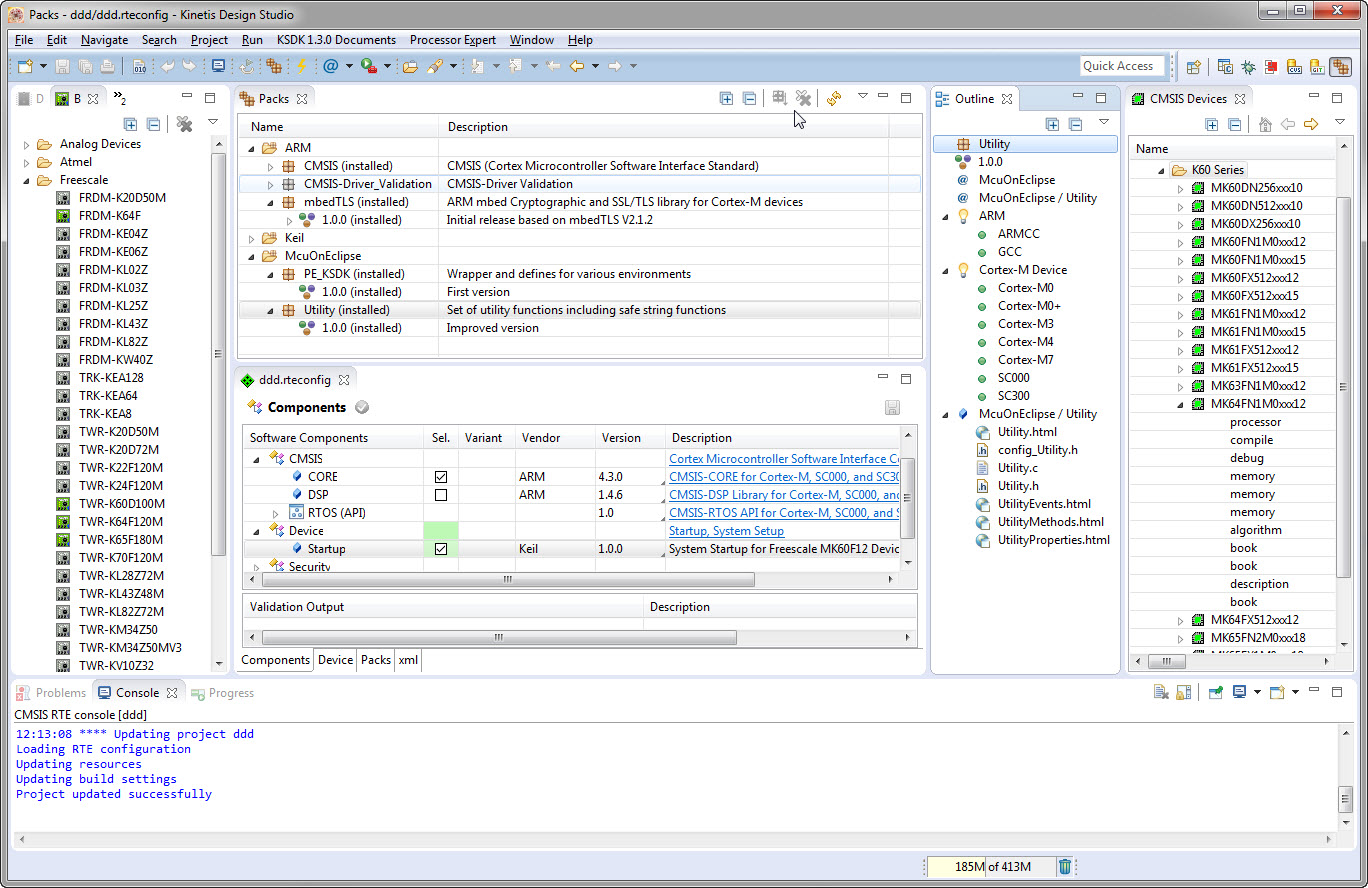
I’m using Processor Expert components for nearly every Freescale (now NXP) projects: for S08, S12, ColdFire, DSC and especially all the different NXP Kinetis devices. Not only because it makes software development fast and easy and allows re-use of software, but as well because Processor Expert has a good way to pack and distribute software components. Unfortunately Processor Expert is not any more included for the new Kinetis devices (see “First NXP Kinetis SDK Release: SDK V2.0 with Online On-Demand Package Builder“). So I have looked into an alternative and hopefully vendor neutral way to build and distribute software packages using CMSIS-Pack.
Tag Archives: arm gcc
McuOnEclipse Components: 7-Feb-2016 Release
New in this release:
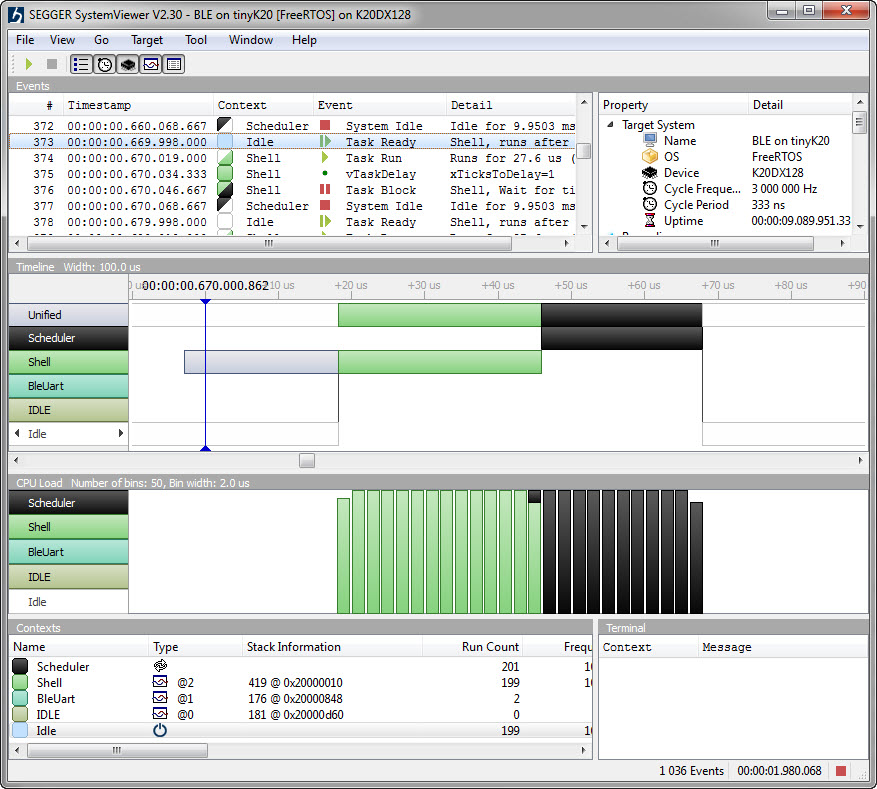
- Segger SystemViewer: Upgraded to V2.30, added stack high-water mark
- Segger RTT: fixed BASEPRI issue on Cortex M4 for critical sections
- Utility: Fixed issue with Utility module and Kinetis SDK (usage of ‘byte’)
- USB CDC: property to specify USB device current usage, new status getter functions.
Tutorial: Bare-Metal Shell for Kinetis
I have been asked to provide a command line shell example for a bare-metal (no RTOS) application, so here we go!
Having a way to communicate to the firmware on a board is essential for most of my projects: it is simply, incredibly helpful and easy to do (see “A Shell for the Freedom KL25Z Board“). This tutorial shows how to add a simple command line shell to the NXP Freedom board which then can be extended as necessary.
Blaze: Miniature, Powerful, Hackable Display with Touch
I’m not much monitoring what is happening on Kickstarter or Indiegogo, only for time reasons, but maybe I should? For a while I’m looking for the next level for the tinyK20 project: better and more powerful microcontroller with touch display/graphic LCD. And when I see a Freescale/NXP Kinetis microcontroller on a crowd funding platform like this one, I hardly can resist 😉 :

Blaze Board (Source: http://kck.st/1S0HyUp)
Renaming Eclipse CDT Projects
When I create a project in Eclipse (e.g. in Kinetis Design Studio with the GNU ARM Eclipse plugins), I have to specify the name of the project during creation time:
But what if I change my mind later on and want to use a different name? How to rename the project?
Linting with Eclipse and the GNU ARM Embedded Launchpad Compiler
For a space project we have to make sure that things are not failing while our hardware orbits around the Mother Earth. Therefore we are using different static and dynamic analysis tools, and one of it is using PC-lint from Gimpel to catch as many errors and bugs as possible. For that project, we are using Eclipse with the GNU ARM Embedded (launchpad) ARM compiler and Eclipse as IDE with the GNU ARM Eclipse plugins. There are commercial plugins available for linting with Eclipse (e.g. Linticator), but with a few tweaks it is possible to lint with Eclipse free-of-charge. So this article is about how to lint an Eclipse (Freescale/NXP Kinetis Design Studio) project with PC-Lint.
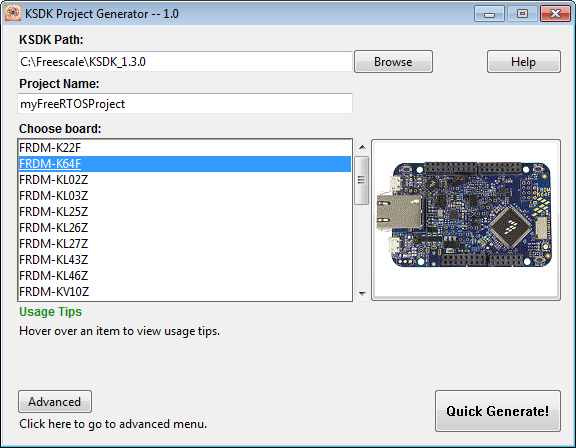
Tutorial: FreeRTOS Projects with Kinetis SDK V1.3 and the SDK Project Generator
This tutorial describes how to create a Kinetis SDK V1.3 project using the Freescale project generator in Kinetis Design Studio.
Preprocessor Listing for GNU gcc with GNU ARM Eclipse Plugins
In case there are problems with the C/C++ preprocessor, it is useful to generate the compiler preprocessor listing. Here is how to create a preprocessor listing with GNU gcc compiler and the GNU ARM Eclipse plugins in Eclipse:
GNU gcc printf() and BuiltIn Optimizations
Readers of my blog know: I’m not a fan of printf(), and I think for many good reasons. Still printf() is widely used, and the GNU gcc tries to optimize things. This is observed with a simple example: If I’m writing
printf("a");
Then the code produced (ARM Cortex-M0+ with GNU ARM Embedded 4.9 2015q2 gives:
movs r0, #97 ; 0x61 bl 0xa98
Instead of calling printf(), it is calling putchar()! Why is that?
Segger SystemView: Realtime Analysis and Visualization for FreeRTOS
One of the most important aspects for developing complex realtime applications is get insights into what is going on the target. Segger just has released a free tool which gives an incredible useful insight view and visualization: