Winter is tough in Switzerland. What could be better than to escape the ground fog and go up the sunny side?

View from Obhäg (Click to enlarge)
View from the Obhäg towards the central Switzerland Alps.
Happy Escaping 🙂
Winter is tough in Switzerland. What could be better than to escape the ground fog and go up the sunny side?
View from Obhäg (Click to enlarge)
View from the Obhäg towards the central Switzerland Alps.
Happy Escaping 🙂
Now I can use the data on the Hexiwear over BLE with the gatttool (see “Tutorial: Hexiwear Bluetooth Low Energy Packet Sniffing with Wireshark” and “Tutorial: BLE Pairing the Raspberry Pi 3 Model B with Hexiwear“). This article is taking things a step further and uses a Python script on Linux to access the sensor data on the BLE device:

Accessing Hexiwear Sensor Data with Python
The Achilles Heel of the Mikroelektronika Hexiwear is its charging: the charging and USB connector are only designed for a limited number of plug-unplug cycles, and it does not have a wireless charging capability like the Apple iWatch. Until now! I have built a DIY wireless charging system for the Hexiwear 🙂 :
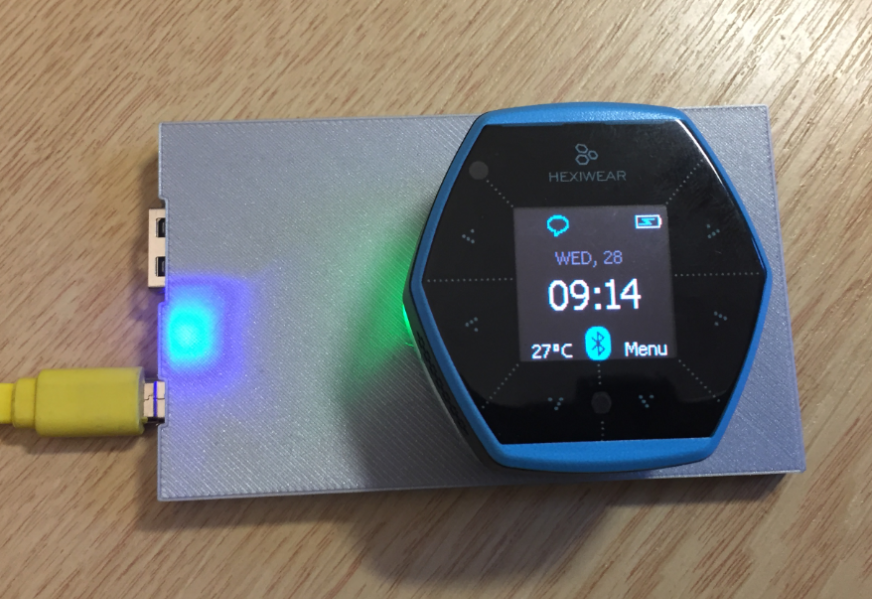
Wireless Qi Charging the Hexiwear
The Raspberry Pi is a versatile mini computer: as such I can use it with USB keyboard, mouse and HDMI LCD monitor. But having multiple keyboards and mouse on my desktop is not my thing: somehow I always grab the wrong one. So what I prefer is to run the Raspberry with VNC (Virtual Network Computing). That way I have the Linux GUI as a window on my normal desktop, and no messing up with keyboards and mouse 🙂 :

Raspberry Pi on my Dekstop
This is yet another milestone on my journey to combine the Hexiwear with the Raspberry Pi: now I can send take over control of the Hexiwear with openHAB running on the Raspberry Pi:

Controlling Hexiwear with openHAB
For a university reasearch project I try to pair the Raspberry Pi 3 with a Mikroelektronika Hexiwear using BLE (Bluetooth Low Energy). Most of things worked after a lot of trial and error, but at a certain point I was stuck trying to write to send data from the Raspy to the BLE device.The Hexiwear BLE protocol description is very thin, so I ended up using a BLE sniffer to reverse engineer the protocol with Wireshark.
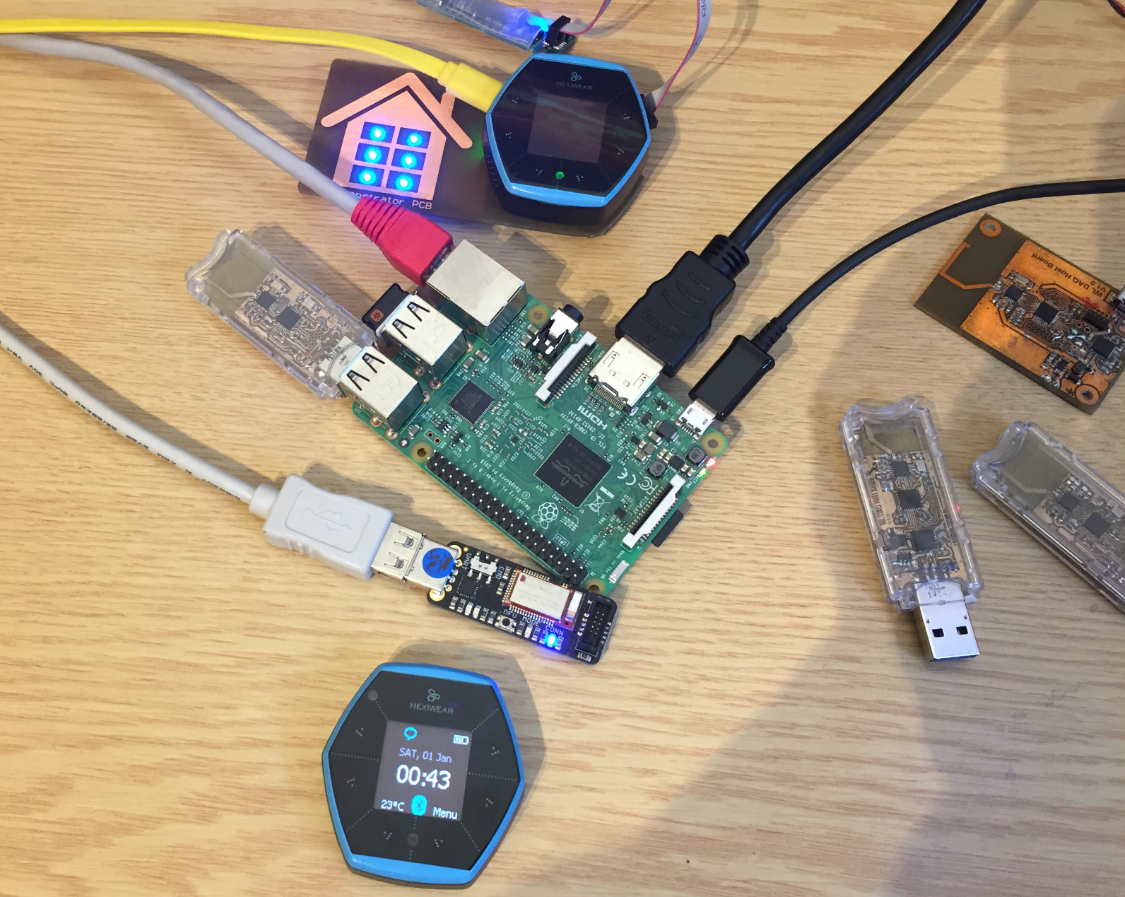
Hardware setup between Raspy and Hexiwear
I’m using the NXP FRDM-K64F board in several projects: it is reasonably prices, has USB, Ethernet, micro SD card socket and connectors for Bluetooth classic and Nordic Semiconductor nRF24L01+ 2.4 GHz transceiver:
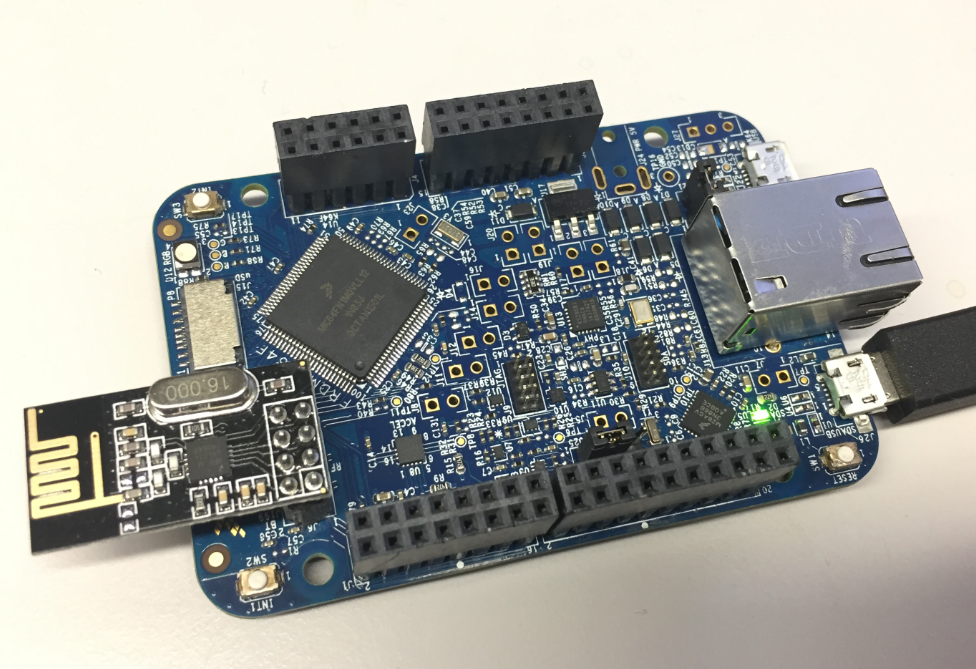
NXP FRDM-K64F Board
But one issue I have faced several times is that the board works fine while debugging and connected and powered by a host machine, but does not startup sometimes if powered by a battery or started without a debugger attached. I have found that the EzPort on the microcontroller is causing startup issues.
The Hexiwear (see “Hexiwear: Teardown of the Hackable ‘Do-Anything’ Device“) is a small and portable sensor node with built-in BLE (Bluetooth Low Energy) transceiver. In a research project we try to use multiple Hexiwear in a classroom environment and to collect sensor data on a Raspberry Pi. The Raspberry Pi 3 Model B running Linux has an on-board BLE transceiver too, so why not binding them (wirelessly) together?

Raspberry Pi 3 connected with Hexiwear over BLE
Well, things seemed easy at the beginning, and as always, there are many things to learn on a journey like this…
Many projects benefit from a small display as a user interface. For very low power applications this is usually a no-go as the display needs too much energy. I have used e-paper displays from Kent: while these e-paper displays do not need any power to keep the image, changing the display content is not for free, plus is very slow (around 1 second needed to update the display). So I was looking for something low power and fast for a long time, until Christian (thanks!) pointed me to a display from Sharp: both very low power and fast:

Font Test with Sharp Memory Display
Cold and humid air are forming beautiful sculptures these days. The image shows the leaves of a Japanese Umbrella-Pine (Sciadopitys):

Frosted Sciadopitys Leaves
Happy Frosting 🙂
 MCU on Eclipse