“Amazon FreeRTOS – IoT operating system for microcontrollers”: The announcement of FreeRTOS V10.0.0 was one of the biggest news last week for me. Not only is there now a Version 10, the bigger news is that FreeRTOS is now part of Amazon. Wow! Now this explains why Richard Barry (the founder behind FreeRTOS) was kind of hiding away for about a year: he joined Amazon as a principal engineer about a year ago. I think we all have to wait and see what it means for FreeRTOS.
Tag Archives: open source projects
SQUIX ESP8266 based E-Paper WiFi Weather Station
I’m a fan of all kind of weather stations. When Daniel Eichhorn twittered about his new version using an E-Paper display module, I immediately preordered one. I decided to build a station with a custom enclosure, so here is my version of a 3D printed version, featuring magnets so it can be attached to the fridge:
McuOnEclipse Components: 25-Sept-2017 Release
I’m pleased to announce that a new release of the McuOnEclipse components is available in SourceForge. In this release more ARM Cortex devices/vendors are supported with different SDKs, plus it comes with several FreeRTOS enhancements for debugging highly optimized code.
WiFi TFT Touch LCD Weather Station with ESP8266
After the “WiFi OLED Mini Weather Station with ESP8266“, here is another one: this time with Touch LCD :-):
Tutorial: Makefile Projects with Eclipse
The benefit of an IDE like Eclipse is: it makes working with projects very easy, as generates make files and it takes and automatically manages the make file(s). But sometimes this might not be what I want because I need greater flexibility and control, or I want to use the same make files for my continues integration and automated testing system. In that case a hand crafted make file is the way to go.
One thing does not exclude the other: This article explains how to use make files with Eclipse with similar comfort as the managed build system in Eclipse, but with the unlimited power of make files:
McuOnEclipse Components: 09-July-2017 Release
I’m pleased to announce that a new release of the McuOnEclipse components is available in SourceForge, with the following major changes and updates:
- Complete refactoring for 1-Wire stack and DS18B20 temperature sensor components
- Added HID Joystick device class to the FSL_USB_Stack
- New SDK_Timer component to work with Kinetis SDK
- New ST756P LCD driver component
- New TSL2561 digitial temperature sensor driver
- Added ReadByte() and WriteByte() GenericI2C functions
- Added 64bit mapping functions to Utility
- added configUSE_NEWLIB_REENTRANT and newlib reentrancy support to FreeRTOS
- Pull resistor support for SDK_BitIO
- Many smaller bug fixes and enhancements
GNU Code Coverage on Embedded Target with Eclipse Neon and ARM gcc 5
For a research project, we are going to send a satellite with an embedded ARM Cortex microcontroller into space early next year. Naturally, it has to work the first time. As part of all the ESA paperwork, we have to prove that we tested the hardware and software thoroughly. One piece of the that is to collect and give test coverage evidence. And there is no need for expensive tools: Free-of-charge Eclipse and GNU tools can do the job for a space mission 🙂
Adding GNU Coverage Tools to Eclipse
The GNU tools include powerful utilities to collect coverage information. With coverage I know which lines of my code have been executed, which is a very useful test metric. The GNU coverage tools are commonly used for Linux applications. But to my surprise not much for embedded application development, mostly because it requires a few extra steps to have it available? Why not using free and powerful tools for improving software quality? This article explains how to install the GNU gcov tools into the Eclipse IDE.
DIY USB HID Joystick Device and Game Controller
For many projects it would be cool to build a custom USB Joystick device, either as custom game controller for Windows or any USB host which can be used with a USB Joystick. Instead buying one, why not build my version? All what I need is a USB capable board, some kind of input (potentiometer, push buttons) and some software, and I have my USB Joystick:
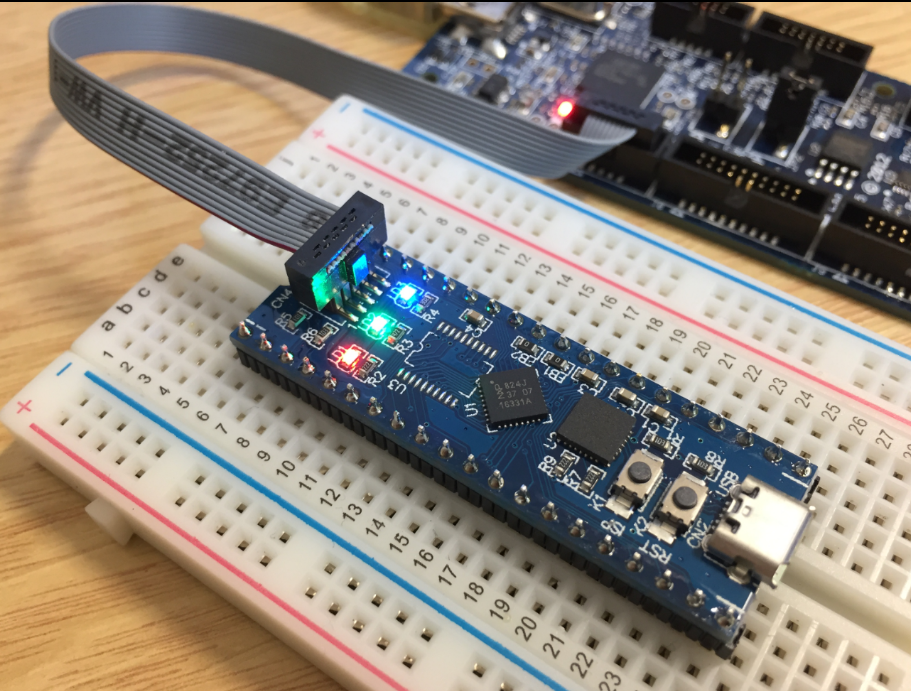
MCUXpresso IDE: Blinky the NXP LPC800-DIP Board
During Embedded World 2017 in Nürnberg I was lucky to get a handful LPC800-DIP boards. To get all students who were lucky to get one, here is a tutorial to make that very exciting ‘blinky’ application on that board: