In “Tutorial: DIY Kinetis SDK Project with Eclipse – Startup” I showed how to create a Kinetis SDK project from scratch. In this post it is about adding the board initialization files. With the board initialization the peripheral clocks and pin muxing is configured.
Tag Archives: open source projects
Updated Freedom Board Logic Analyzer with DMA
Question: How to build a low-cost logic open source logic analyzer for less than $15?
Answer: combine the Freedom KL25Z board with OLS!
Tutorial: DIY Kinetis SDK Project with Eclipse – Startup
This is the start of a multi-post tutorial about the Freescale Kinetis SDK, released back in April as beta version. The SDK a set of peripheral drivers, and will become the standard software foundation and drivers provided by Freescale for their ARM Cortex based devices. Similar what other vendors already do. While this is a good step, it is the same time very disruptive for my university projects with new Freescale Cortex-M devices. And with everything new (and beta), it needs time to learn. So this post is about creating a Do-It-Yourself Kinetis SDK project from scratch for Eclipse. This part is about the startup code: about everything to get the application started.
Semihosting with Kinetis Design Studio
Semihosting is a technique to do printf() debugging through an active debug connection. So instead using a physical connection like RS-232 or USB CDC, the connection to the host machine is through the debugger. This post is about enabling and using semihosting with gcc and newlib/newlib-nano in Freescale Eclipse based Kinetis Design Studio (KDS) using the GNU ARM Eclipse plugins.
Tutorial: Data Logger with the FRDM-K64F Board
The Freescale FRDM-K64F is a great board for data logger applications: it has a powerful ARM Cortex M4F with 120 MHz, 1 MB Flash and 256 KByte RAM. Best of all: it already has a micro SD card socket on the board :-).
Enhanced RNet Wireless Components and Communication Stack
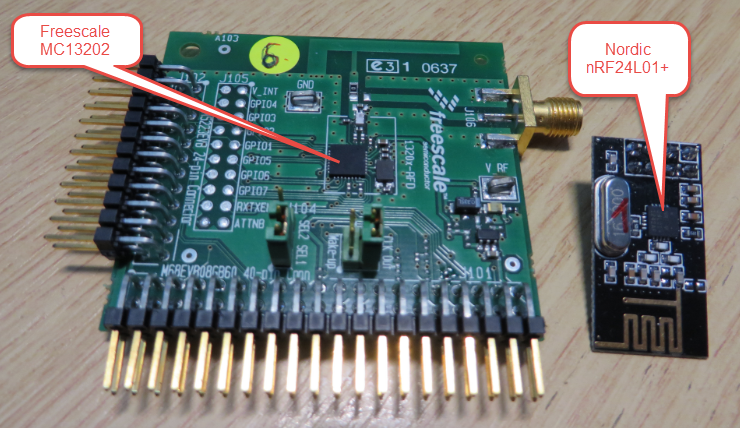
I’m using both the Freescale MC1320x and Nordic Semiconductor nRF24L01+ 2.4GHz in many projects. To make it even easier to use these transceivers in the RNet stack, I have updated it with several new functions.
Segger J-Link Firmware for OpenSDAv2
Segger just has released their OpenSDAv2 firmware. The OpenSDAv2 firmware is different from the OpenSDAv1 as it is using a different memory map and bootloader. The OpenSDAv2 e.g. is present on the new FRDM-K64F board. The availability of the Segger firmware is definitely good news for any owner of the FRDM-K64F board: so far only the CMSIS-DAP firmware was available (on top of the mbed bootloader). With this, it was not possible to use the board with CodeWarrior, except with using an external P&E Multilink or Segger J-Link. With that new Segger J-Link OpenSDAv2 firmware, I can now use the FRDM-K64F with any IDE which supports the Segger J-Link :-).
FRDM with Arduino Ethernet Shield R3, Part 4: MinIni
I admit: my Ethernet Shield project got stuck because of too many urgent other priorities. I was not happy with the way the project was using configuration data from FLASH memory: I have now multiple ethernet shields in use, and configuring the IP address for each shield is a pain. I have not got DHCP working (yet), so why not using the SD card on the shield for configuration data? And right on time I received a tip from Marc about MinIni: perfect, exactly what I need!
Getting Bluetooth Working with JY-MCU BT_BOARD V1.06
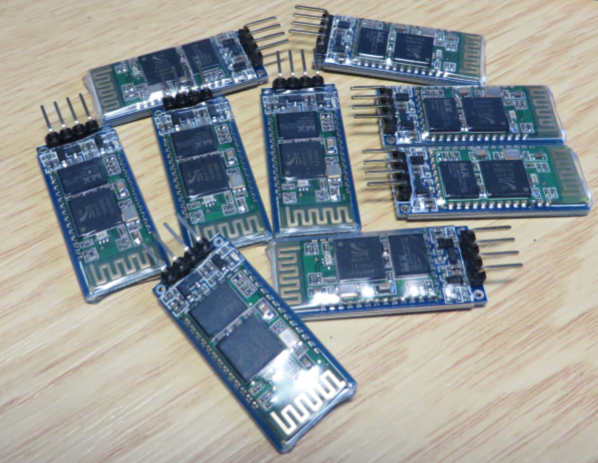
For my embedded course at the University of Lucerne of Applied Sciences and Arts I needed more Bluetooth modules for the Zumo/Sumo robots. I run out of stock as the modules are getting popular and are used in many student projects. So I ordered a handful more from DX/DealExtreme of the same HC-06 type/part number I already ordered a while back. I expected that they will work as the modules I had ordered from DX half a year ago. Was that naïve? Probably. Because they did *not* work, and caused me to reverse engineer the modules and to apply a hardware fix to get them working….
Serial Terminal View with Eclipse Kepler
Nearly all of my projects have built-in command line support: using a serial connection, I can send commands or inspect the system status. For this I have my command line Shell which works over serial-to-Bluetooth, serial-to-USB, USB CDC or with a physical serial (COM) port. But what I need on the host system is a Terminal program: I can use either an external program. There are many ones available (Tera Term, PuTTY, …) where Termite is my favorite one. But it is possible to extend Eclipse so it has its own Terminal view too :-).