Cycle Counting on ARM Cortex-M with DWT

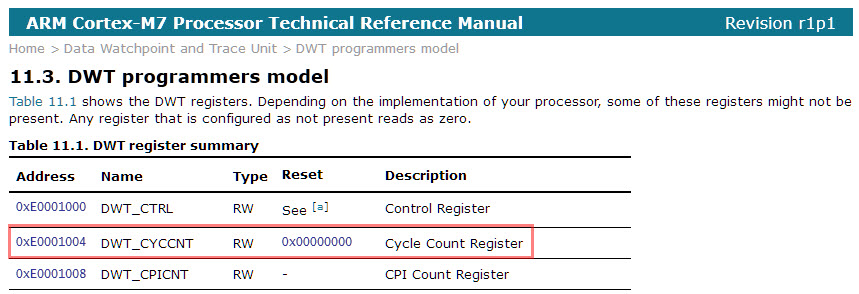
Some ARM Cortex-M have a DWT (Data Watchpoint and Trace) unit implemented, and it has a nice feature in that unit which counts the execution cycles. The DWT is usually implemented on most Cortex-M3, M4 and M7 devices, including e.g. the NXP Kinetis or LPC devices.
Continue reading

McuOnEclipse Components: 28-Jan-2017 Release

I’m pleased to announce that a new release of the McuOnEclipse components is available in SourceForge, with the following main features and changes:

  • New Sharp Memory Display Driver supporting 96×96 and 128×128 pixel ultra low power display
  • PID_Int can be used without hardware
  • GenericTimeData has added functions to convert date/time into strings
  • HardFault can now disable write buffers on ARM Cortex to simplify debugging faults
  • Folder support for SEGGER SystemView and Percepio FreeRTOS+Trace
  • Component usage without Processor Expert
  • NXP MCUXpresso SDK support for FreeRTOS using tickless idle mode and low power timer
  • Many other smaller bug fixes and enhancements
SourceForge

SourceForge

Continue reading

“No source available”, or how to Debug Multiple Binaries with GDB and Eclipse

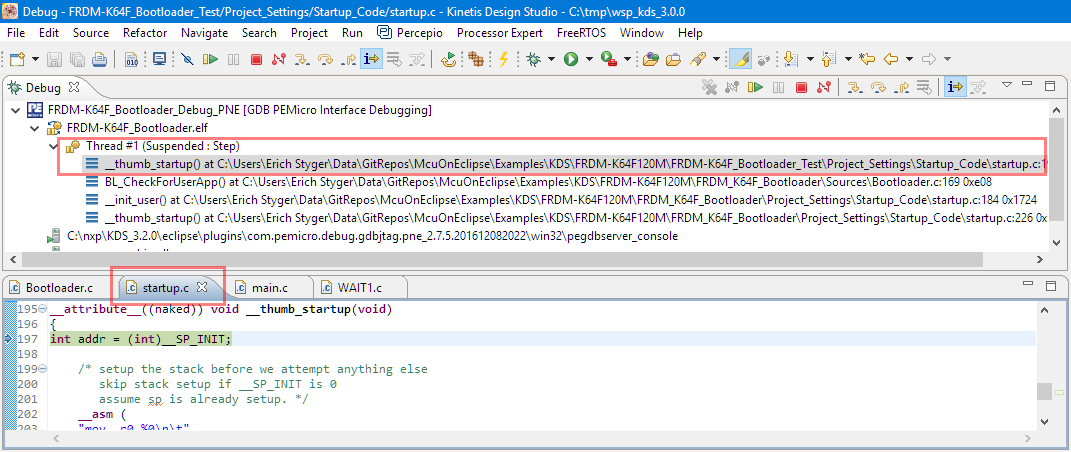
When working and debugging a bootloader, debugging can be a challenge: During debugging the bootloader, a new binary gets loaded into the microcontroller address space which is unknown to the debugger. As soon as I step into the newly loaded binary, I only see assembly code, with that ugly “No source available” in Eclipse:

No Source Available, debugging in assembly

No Source Available, debugging in assembly

But wait: GDB is able to do pretty much everything you can imagine, so here is how to debug multiple binaries with GDB and Eclipse, and to turn the above into something which is easy to debug:

Debugging with Symbolics

Debugging with Symbolics

Continue reading

Debugging ARM Cortex-M0+ HardFaults

To me, one of the most frustrating things working with ARM Cortex-M cores are the hard fault exceptions. I have lost several hours this week debugging and tracking an instance of a hard fault on an ARM Cortex-M0+ device.

Next assembly step will cause a hard fault
Continue reading

Upgrading to Sharp 128×128 Pixel Memory Display

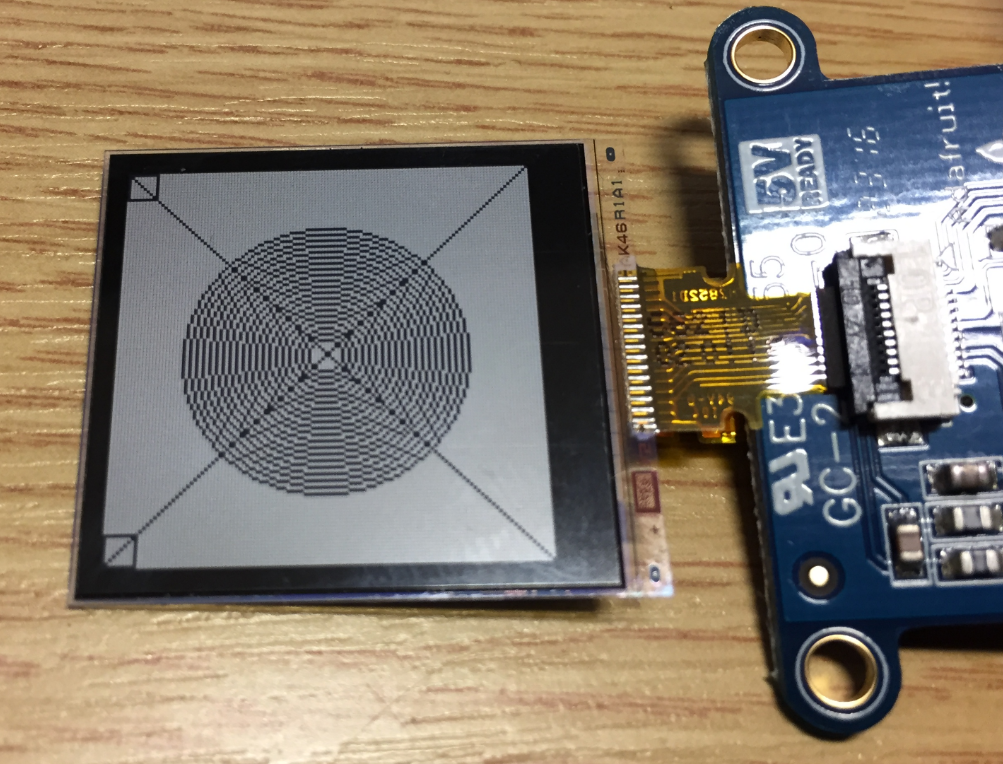
In “Low Power LCD: Adafruit Breakout Board with Sharp Memory Display” I used a 96×96 Sharp Display (LS013B4DN04) with the Adafruit breakout board, but because that one seems to be EOL (End Of Life), I searched for a replacement. I have found the 128×128 pixel version (Sharp LS013B7DH03), and best of all, it is pin compatible :-). With a small tweak of the driver, it works :-):

Sharp Memory Display 128x128

Sharp Memory Display 128×128

Continue reading

Building the NXP BLE Stack with Open Source GNU and Eclipse Tools

One of the biggest road blocks (beside of closed source) using the BLE (Bluetooth Low Energy) stack from NXP is that it requires expensive tools to compile and build the stack. The good news is that I have now the NXP BLE stack for the Mikroelektronika Hexiwear ported to Eclipse and GNU gcc build tools for ARM 🙂

NXP BLE Stack in Eclipse

NXP BLE Stack in Eclipse

Continue reading

DIY IKEA Wireless Qi Charging for the Hexiwear

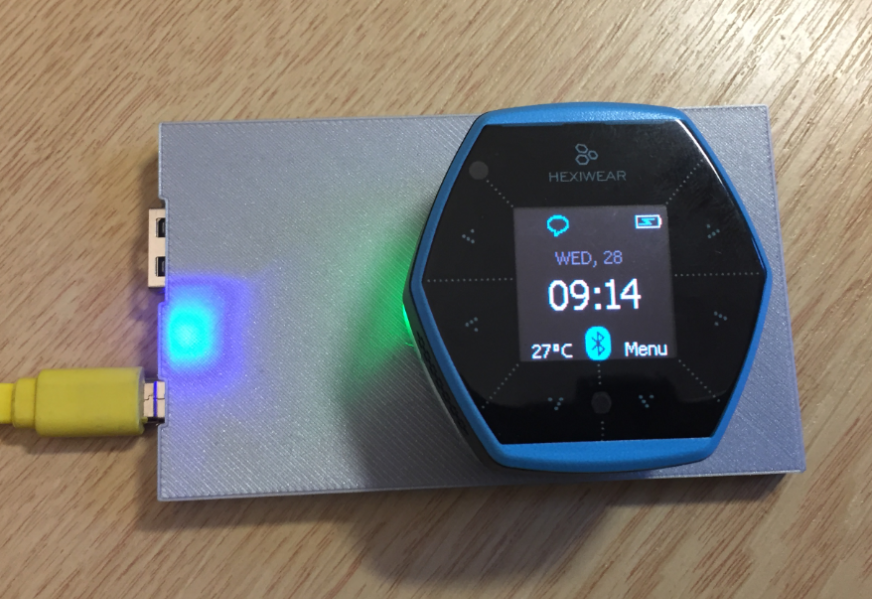
The Achilles Heel of the Mikroelektronika Hexiwear is its charging: the charging and USB connector are only designed for a limited number of plug-unplug cycles, and it does not have a wireless charging capability like the Apple iWatch. Until now! I have built a DIY wireless charging system for the Hexiwear 🙂 :

Wireless Qi Charging the Hexiwear

Wireless Qi Charging the Hexiwear

Continue reading

Hexiwear with Raspberry Pi and OpenHAB Home Automation

This is yet another milestone on my journey to combine the Hexiwear with the Raspberry Pi: now I can send take over control of the Hexiwear with openHAB running on the Raspberry Pi:

Controlling Hexiwear with OpenHAB

Controlling Hexiwear with openHAB

Continue reading

Disabling EzPort on NXP Kinetis to Solve Power-On Issues

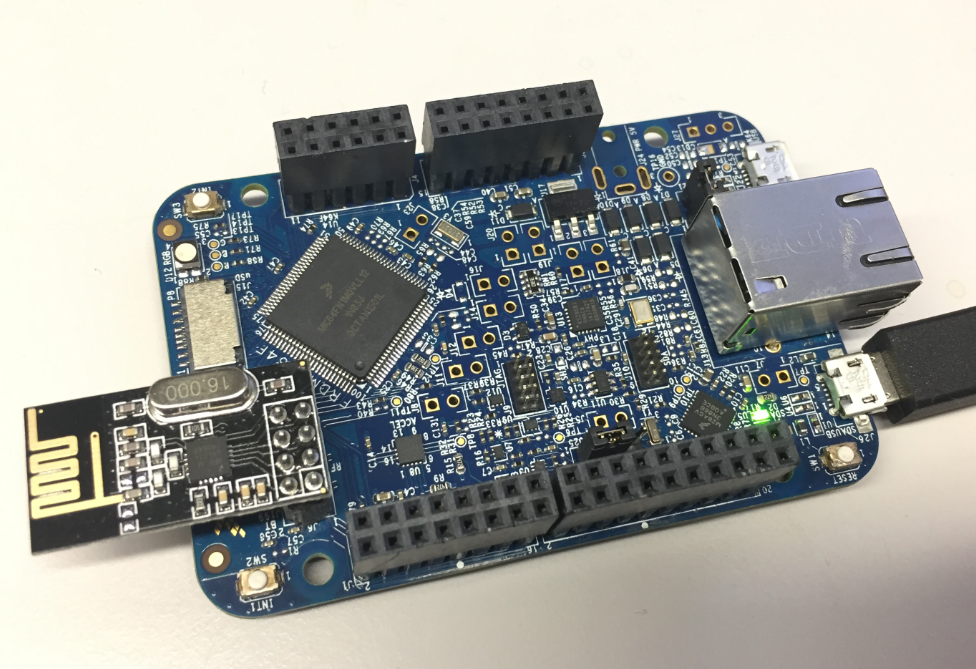
I’m using the NXP FRDM-K64F board in several projects: it is reasonably prices, has USB, Ethernet, micro SD card socket and connectors for Bluetooth classic and Nordic Semiconductor nRF24L01+ 2.4 GHz transceiver:

NXP FRDM-K64F Board

NXP FRDM-K64F Board

But one issue I have faced several times is that the board works fine while debugging and connected and powered by a host machine, but does not startup sometimes if powered by a battery or started without a debugger attached. I have found that the EzPort on the microcontroller is causing startup issues.

Continue reading

Tutorial: BLE Pairing the Raspberry Pi 3 Model B with Hexiwear

The Hexiwear (see “Hexiwear: Teardown of the Hackable ‘Do-Anything’ Device“) is a small and portable sensor node with built-in BLE (Bluetooth Low Energy) transceiver. In a research project we try to use multiple Hexiwear in a classroom environment and to collect sensor data on a Raspberry Pi. The Raspberry Pi 3 Model B running Linux has an on-board BLE transceiver too, so why not binding them (wirelessly) together?

Raspberry Pi 3 connected with Hexiwear over BLE

Raspberry Pi 3 connected with Hexiwear over BLE

Well, things seemed easy at the beginning, and as always, there are many things to learn on a journey like this…

Continue reading