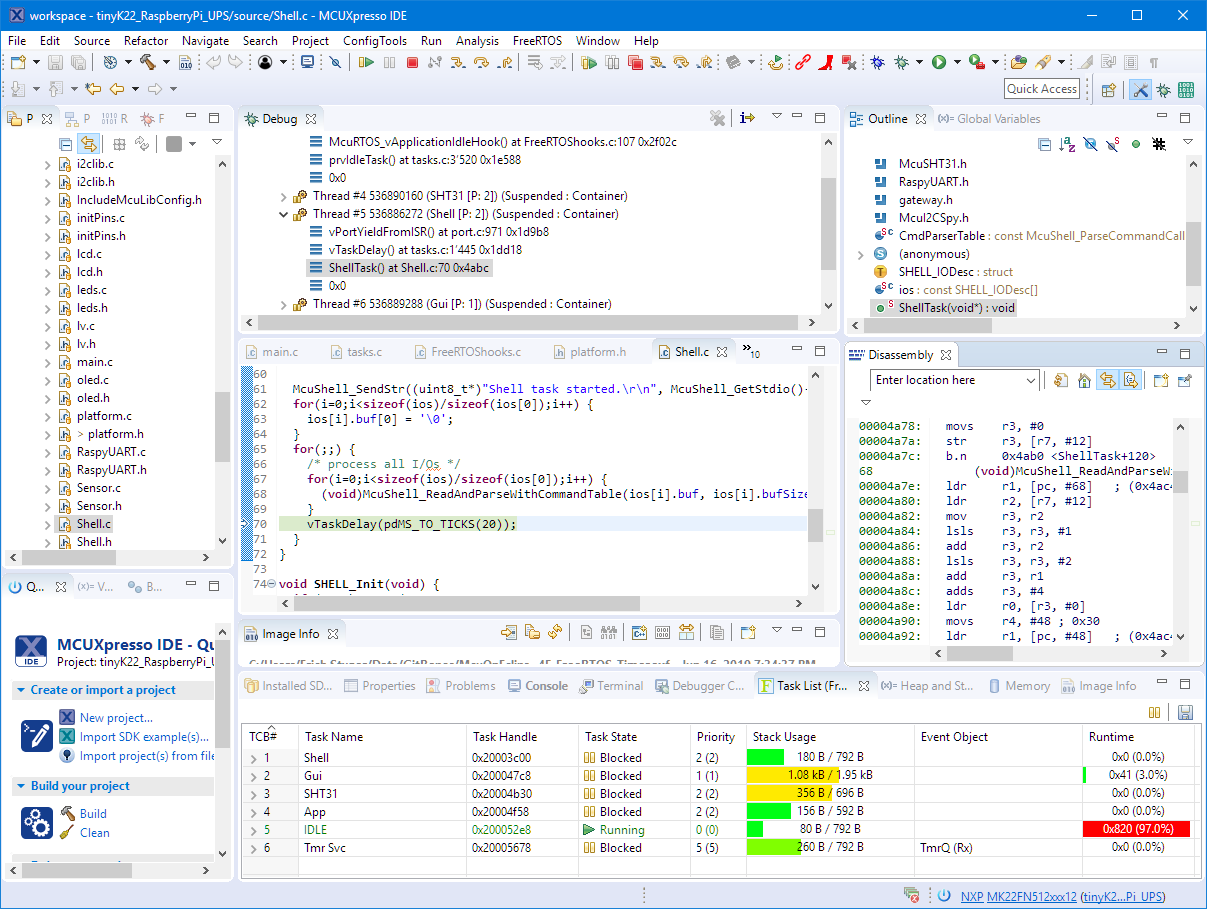
By default, Eclipse provides ‘stop-mode-debugging’: in order to inspect the target code and data, I have to stop the target. But with the right extensions as present in the Eclipse based MCUXpresso IDE, it is possible to inspect the target even while it is running.
Tag Archives: NXP
Black Magic Open Source Debug Probe for ARM with Eclipse and GDB
The ‘Black Magic Probe’ (or in short: BMP) is a very small and open source JTAG/SWD debug probe with a build-in GDB Server. I saw that probe referenced in different places, so I thought I try it out with a few of my NXP LPC and Kinetis boards:
New NXP MCUXpresso Eclipse IDE v11.0
A few days ago NXP has released a new version of their Eclipse IDE flagship: the MCUXpresso IDE v11.0.
The previous v10.3.1 was released back in Feb 2019, and the 11.0 now in June this year matches up with the Fall university semester. I appreciate that the releases are about every 6 months, so this gives me time to use it in my university lecture material and lab work. I had the weekend for trying it out, and I’m very pleased.
SWO with NXP i.MX RT1064-EVK Board
With the cost of an single pin, many ARM Cortex-M boards including the NXP i.MX RT1064 can produde SWO data: think about a pin able to stream data out of the chip in realtime. For example interrupt activity which otherwise might be hard to capture:
MCUXpresso Eclipse IDE Mouse Tips & Tricks
In a modern development workflow both command-line and a graphical user interface has its place. On the GUI side, Eclipse is famous that it offers many different ways to accomplish something which is great. But sometimes I continue to use an old habit or way because I have missed that there is a newer and better way, and the MCUXpresso Eclipse IDE is no exception to that. In this article I show a few ways how to use the mouse even more productive.
Tutorial: MCUXpresso SDK with Linux, Part 3: RAM and XiP Code on i.MX RT1064
In my previous articles I have used the command line on Linux to build and debug NXP MCUXpresso SDK applications. In this article I’m running code on NXP i.MX RT1064 in RAM or FLASH.
Internal and External Debug Options for the NXP LPC55S69-EVK Board
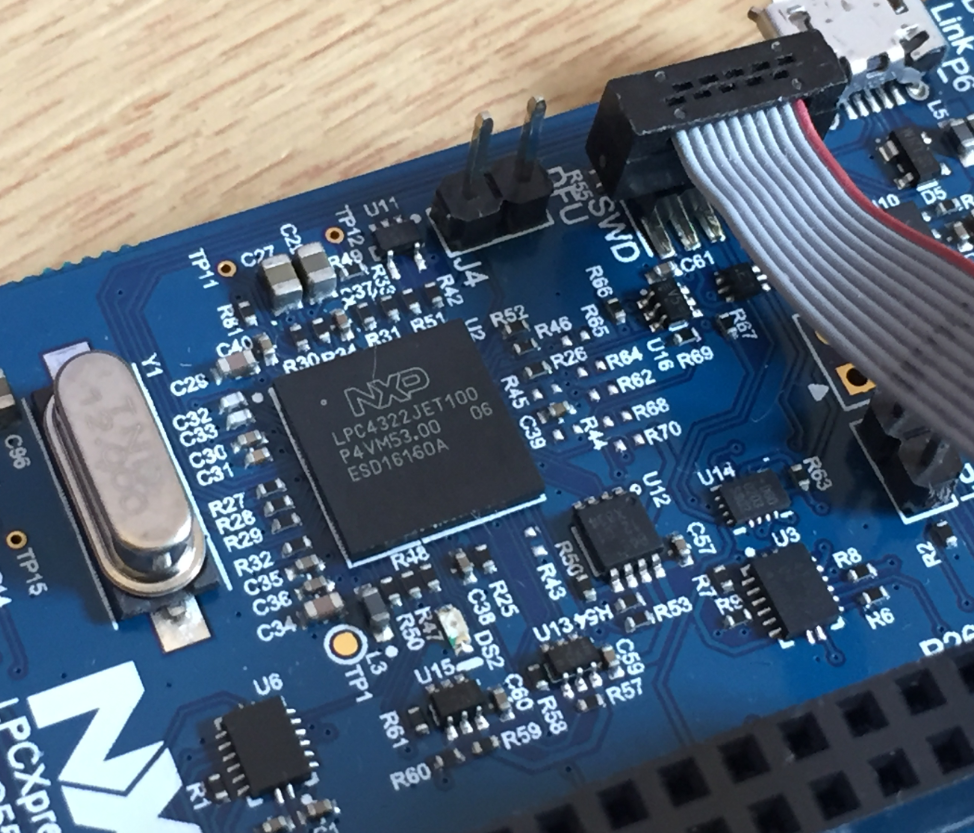
The LPC55S69-EVK board comes on-board debug probe. The board includes the LPC4322JET100 device which acts like NXP LPC-Link2 debug probe:
But it is easily possible to use the board with an external debug probe or re-program the onboard one as a SEGGER J-Link debug probe.
Building a Raspberry Pi UPS and Serial Login Console with tinyK22 (NXP K22FN512)
There are different ways to ruin a Linux system. For the Raspberry Pi which uses a micro SD card as the storage device by default, it comes with two challenges:
- Excessive writes to the SD card can wear it out
- Sudden power failure during a SD card write can corrupt the file system
For problem one I do I have a mitigation strategy (see “Log2Ram: Extending SD Card Lifetime for Raspberry Pi LoRaWAN Gateway“). Problem two can occur by user error (“you shall not turn it off without a sudo poweroff!”) or with the event of a power outage or black out. So for that problem I wanted to build a UPS for the Raspberry Pi.
TrustZone with ARMv8-M and the NXP LPC55S69-EVK
The ARM TrustZone is an optional security feature for Cortex-M33 which shall improve the security for embedded applications running on microcontroller as the NXP LPC55S69 (dual-core M33) on the LPC55S69-EVK.
First Steps with the LPC55S69-EVK (Dual-Core ARM Cortex-M33 with Trustzone)
For the long Easter weekend I have organized a new toy: the NXP LPC55S69-EVK board: a dual ARM Cortex-M33 running at 100 MHz with ARM TrustZone: