The NXP SDK is git based which is great. If I create a project with VS code, it references the SDK cloned locally.
Standard NXP SDK Project in VS Code
A standalone project structure is needed if you want to easily share a project with your team. It’s also necessary for sharing inside a classroom environment. This article shows how to use an NXP SDK project in standalone mode.
You might never heard about ROM Libraries, and you are probably not alone. Some might thing that this refers to the boot ROM modern MCUs have built in, which is kinda close. But the thing here is about to build your own (possibly constant) ROM library, program it to your device of choice, and then use it from the application running on the device.
So the concept is to have a (fixed, stable) part with code and data on your device, which can be used by a (possibly changing) application: Think about a stable LoRaWAN network stack in the ROM, with a changing application using it: Would that not be cool?
ROM Library Concept
This not only adds flexibility, but as well allows smaller updates, as only a part of the program has to be changed or updated.
The question is: how to create and use such a ROM Library with the normal GNU build tools?
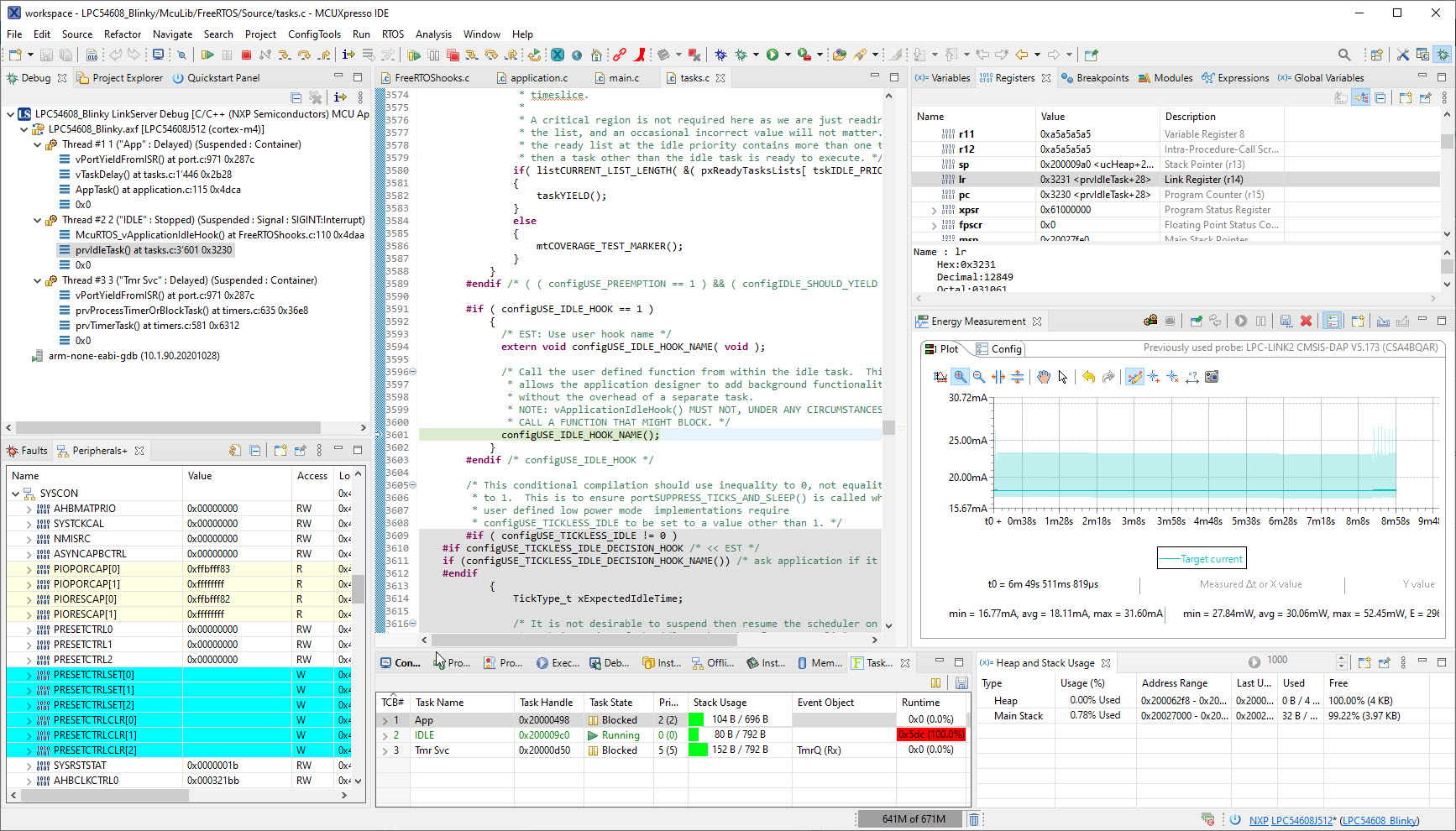
I’m now in the middle of the university fall semester exam season with writing exams and grading student work, and the same time the new semester courses need to be prepared. With the global silicon and board shortage, this will be again a challenge to equip all the labs with the needed infrastructure. The good thing is that there is no shortage on software and tools side of the infrastructure: NXP released last week their new flagship Eclipse based IDE: the MCUXpresso IDE 11.5.0. Time to check it out for the upcoming lectures and classes….
NXP MCUXpresso IDE Version 11.5.0
Spoiler Alert: It has a new view for FreeRTOS lovers, plus new features for energy/power measurements!
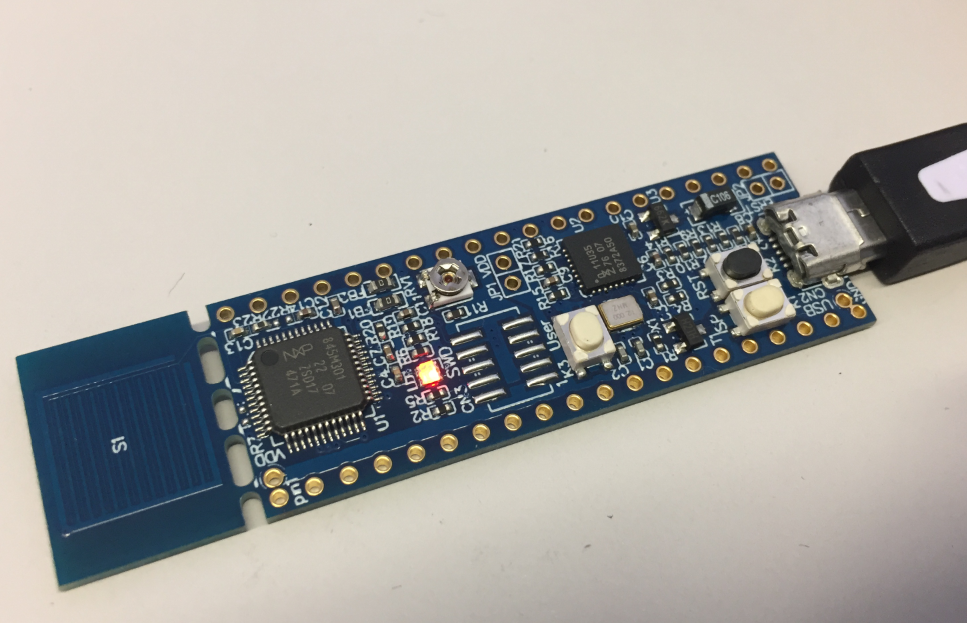
LoRaWAN is getting more an more popular, both for terrestrial and increasingly with low-orbit satellite systems. The ‘Long Range’ in ‘LoRa’ makes it an ideal solution for low-power and low data rate applications. For a university research project we selected the Semtech SX1261/62 transceiver together with the NXP LPC55S16 mikrocontroller. Because the board used for that project is not available for the public (yet), I share here how you can run the LoRaWAN stack with the NXP LPC55S16-EVK.
University exam grading are all done now and results are in the system, and it is already time to prepare for the fall semester. I always try to use the latest and greatest tools in my courses, and the NXP MCUXpresso IDE 11.4.0 just came out. So time to have a look and explore the changes and features.
Managed linker scripts are great on one side: the simplify the otherwise complex GNU linker script handling. On the other side it requires knowledge how to tweak them in case ‘non-standard’ behavior is needed.
It is very valuable to have a date and time information in the binary. That way for example using a shell I can check the version of the firmware running on a device, or it can be printed on a console or UART as needed.
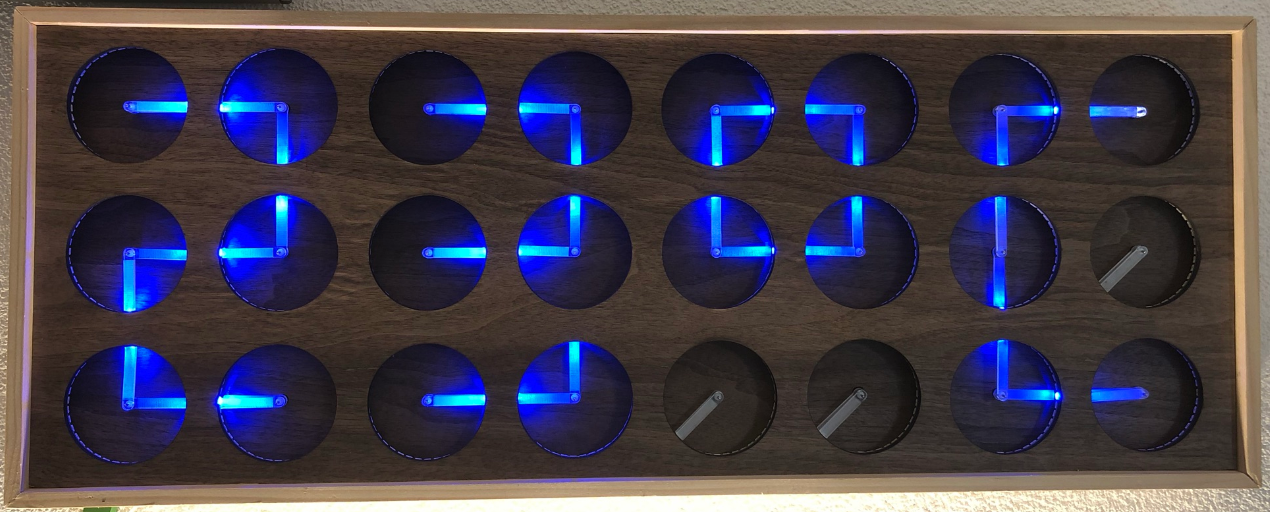
If you are not aware (yet?): it looks like the COVID pandemic caused a global silicon and microcontroller shortage with lead times >50 weeks in some cases. The microcontroller I have used for the MetaClockClock build (see “New MetaClockClock V3 finished with 60 Clocks” and “MetaClockClock V4 for the Year 2021“) is affected by this too, but I had luck and still enough microcontrollers to build a few more boards.
So I still have enough for building a new variant with it (not finished yet). While everyone else is waiting for the devices to arrive, here are more details and instructions for your own build.
One of the most frustrating part developing embedded applications is if the debug connection fails somehow: with all the different factors like operating system, virtual machines, USB ports and hubs, debug probe and firmware a ‘connection failed’ is my nightmare. And this is probably the most frustrating parts for my students (and myself!)




 MCU on Eclipse