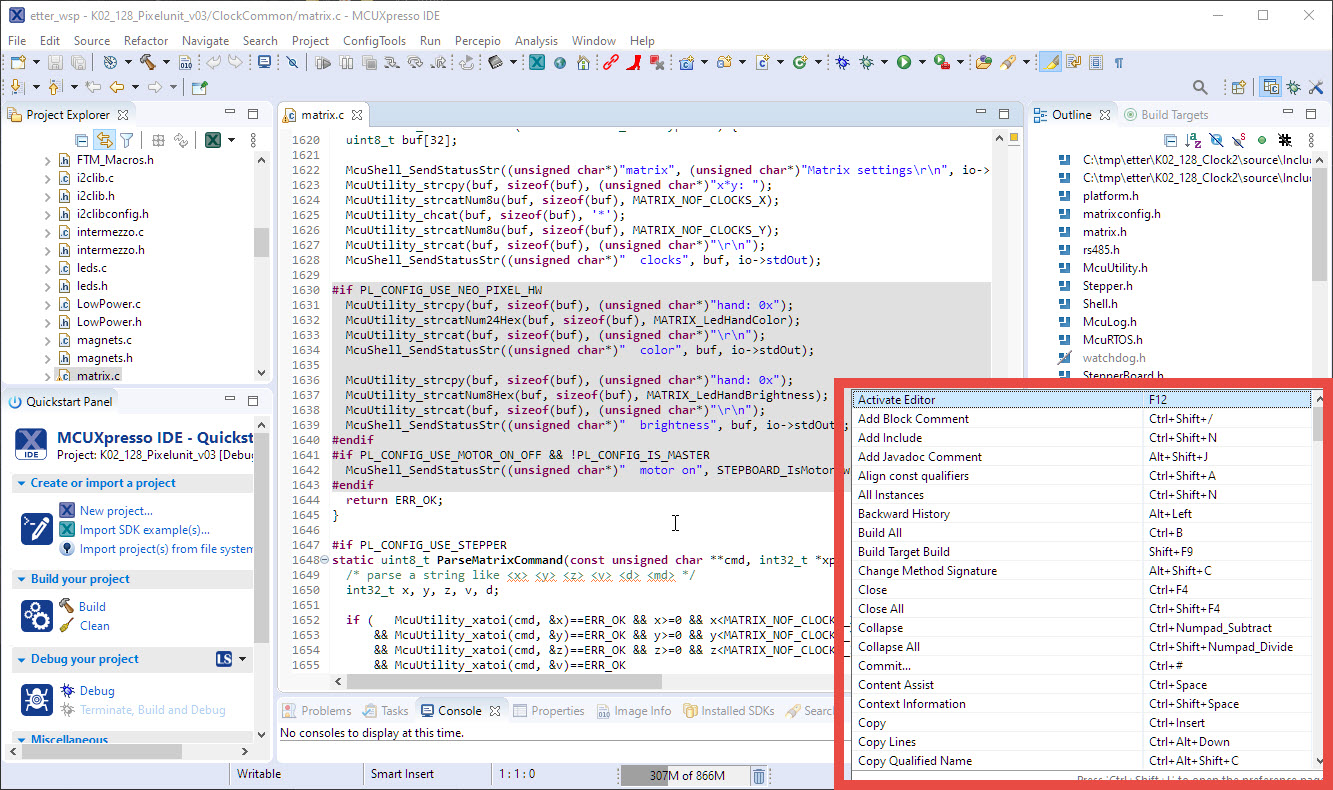
A very useful feature in Eclipse is Ctrl+Shift+L which lists all the available shortcuts:
Pressing Ctrl+Shift-L again will open up a dialog where I can configure them. But what if the shortcut or action is not listed there?
A very useful feature in Eclipse is Ctrl+Shift+L which lists all the available shortcuts:
Pressing Ctrl+Shift-L again will open up a dialog where I can configure them. But what if the shortcut or action is not listed there?
The NXP MCUXpressso IDE Release V11.2.1 gave a hint about a coming new debug probe, the MCU-Link which is available now:
If you are a regular reader of my articles, you probably know that I’m using FreeRTOS in most of my applications, for obvious reasons. But clearly this is not the only RTOS out there. After Microsoft had acquired Express Logic back in April 2019 things kept quite for a while. To me the crown jewel of Express Logic is the ThreadX RTOS. But recently Microsoft is pushing more and more the ‘Azure Sphere’ and trying to monetize the ‘IoT’ (I apologize for mentioning that overused acronym) application space and providing it now free for devices from selected partners which includes NXP now.
If having a boot loader running on a micro-controller, it is very useful if both the boot loader and the loaded application can be debugged together:
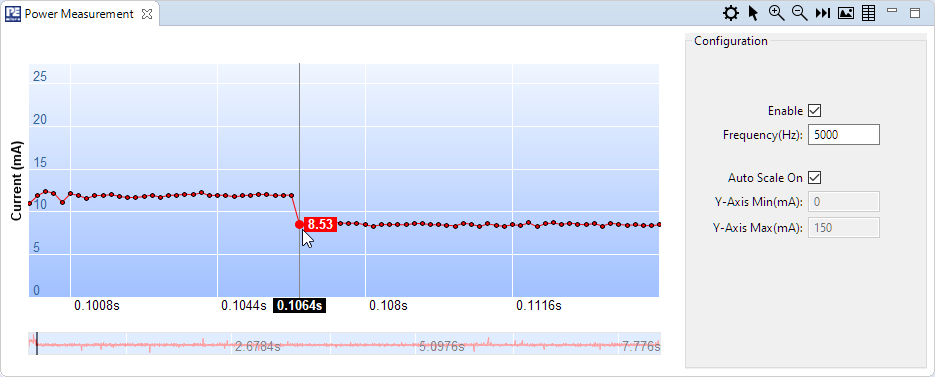
Implementing low power in embedded applications implemented can be challenging. Measuring current consumption is a first step to see if the software changes indeed have an effect on the current consumed. The PEmicro Universal Multilink FX debug probe comes with a useful feature to provide power to the target and the same time to measure the current consumption and to show the current used in the Eclipse IDE:
‘Dark’ or ‘Black’ themes are on vogue: some love it, some do not care. The good thing is that we all have a choice. Things are getting improved on the host OS (Windows/Linux) side, but the challenge is still on the application side, but things are getting better. This is true for the Eclipse based IDEs too, with the NXP MCUXpresso IDE V11.2.1 just recently released: it comes with improved Dark Theme support:
I have started the semester and labs using the MCUXpresso IDE V11.2.0 which has been available from July this year. The past week I received the notification that the update V11.2.1 is available: time to check it out….
At the university the end of a semester means that you have to get ready for the next semester. I always tend to use the latest and greatest tools for the labs. This week I received the notification that a new version of the Eclipse based MCUXpresso IDE is available, time to check it out for the next semester.
This article is part of a ‘mini series’ about hidden gems, tips and tricks around Eclipse.
The topic of this one is how to accelerate the start of the debugger.
Creating a new project with Eclipse for a microcontroller these days is fairly easy, and I have the choice if I want to start the project with C or C++:
Still the embedded microcontroller world is dominated by C and not C++. So while it is easy to start with a C++ project, most vendor provided example or tutorial project are C projects. So how can I transform such project to C++?