Listing Code and Data Size for each Source File with GNU and Eclipse

I have used the ‘classic’ CodeWarrior IDE for years, before I moved over to Eclipse some years ago. And as with any IDE or tool switch, things are different in the ‘new world’. In summary, I don’t want to go back anyway, and Eclipse is my development tool of choice now. But from time to time I get challenged about something like “hey, this was possible in the previous tool, so how can I do the same in Eclipse?”. As a fan of Eclipse, this then gets my attention as I feel that Eclipse can do it, and it can do it better. 😉

So what about this one: In CodeWarrior the project view lists code and data size for each source file:

Code And Data Size in CodeWarrior

Code And Data Size in CodeWarrior
Continue reading

Multi-Drive Support with FatFS

I admit: I’m sometimes a lazy person. In my projects, I only needed one ‘disk drive’ with the FatFS Processor Expert component: either a SD card or a USB MSD drive. But a reader of this blog wanted to use FatFS with multiple drives: using it with an SD card and a USB MSD drive. And actually FatFS does support this, I just had no need for it, thus I did not add anything special for it. But that reader let me think that I better add Multi-Drive support. Even if I do not need it now, that could be very handy in the future 🙂

FatFS Drive System (Source http://elm-chan.org/fsw/ff/en/appnote.html)

FatFS Drive System (Source http://elm-chan.org/fsw/ff/en/appnote.html)

Continue reading

UART printf() for the FRDM-K64F Board and Kinetis Design Studio

I had great plans for this Saturday: to work on really cool project. But as so many times, things turned out to be different. Maybe you have read my recent posts about printf()? A colleague wanted to use that article to the same thing with the Kinetis Design Studio on the FRDM-K64F board. I used the FRDM-KL25Z board, so I expected this to work out of the box for him too. Well, turned out that I was wrong about this, and my Saturday was used for debugging and googling about a printf() problem 😦

While things work as expected for the FRDM-KL25Z (ARM Cortex-M0+) and using the standard GNU GCC ARM Embedded from the launchpad, the application traps on the K64F (ARM Cortex-M4F) in initialise_monitor_handles() with KDS:

Trap in initialize_monitor_handles()

Trap in initialize_monitor_handles()

Continue reading

Girls for Science!

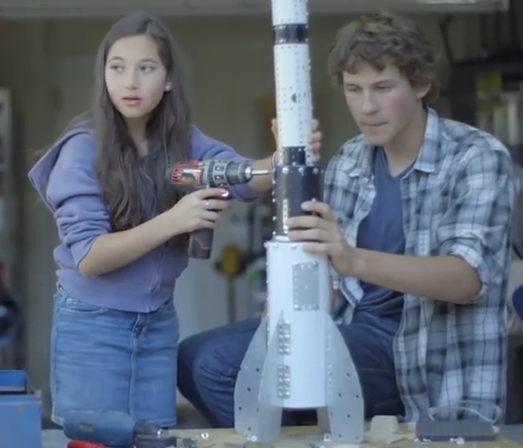
Working in an engineering domain of electrical engineering and computer science, female engineers are clearly the minority, at least in my country. For example the ETH Zurich has less than 30% female students. The US National Science Foundation had published articles on that subject: Interestingly, 70% of young girls are interested in math and science, but they lose that interest afterwards.

Verizon Commercial 2014 (Source: Youtube)

Verizon Commercial 2014 (Source: Youtube)

Continue reading

Switching ARM GNU Tool Chain and Libraries in Kinetis Design Studio

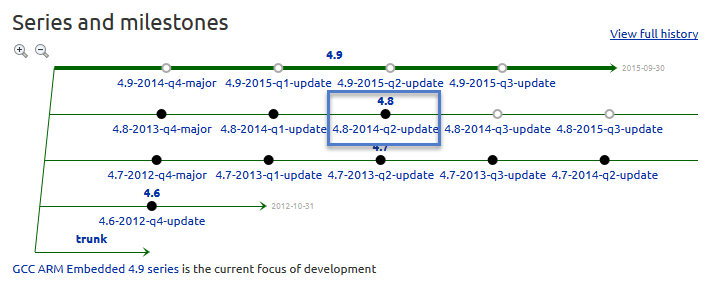
The Freescale Kinetis Design Studio (KDS) V1.0.1 beta is using a different GNU ARM toolchain than the ARM Inc. supported one on launchpad (GCC ARM Embedded). Additionally, KDS is using newlib 1.19 and newlib-nano 1.0, while there just has been a new release of the GCC ARM Embedded a month ago with the 4.8.4 update 2 release in June this year. So how to upgrade KDS to the latest and greatest GCC ARM Embedded?

Continue reading

printf() and scanf() with GNU ARM Libraries

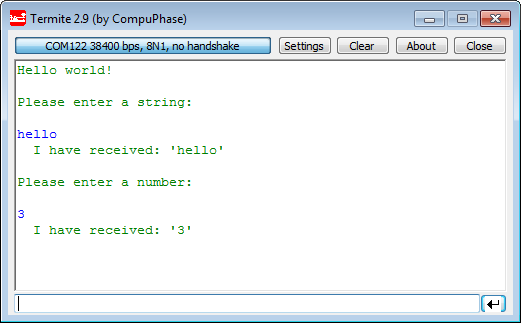
In “Semihosting with Kinetis Design Studio” I’m using the debugger with semihosting to output text with printf(). But how to use a physical serial connection instead?

printf() and scanf() in action

printf() and scanf() in action

This post is about how to enable and use printf() and scanf() with GNU ARM libraries. I show it both for the Freescale Kinetis Design Studio (KDS) and for stock Eclipse Kepler with the GNU GCC ARM Embedded (launchpad) toolchain and libraries. The principles are the same, just the details are different ;-).

Continue reading

Step-by-Step: Updating OSBDM/OSJTAG Debug Firmware

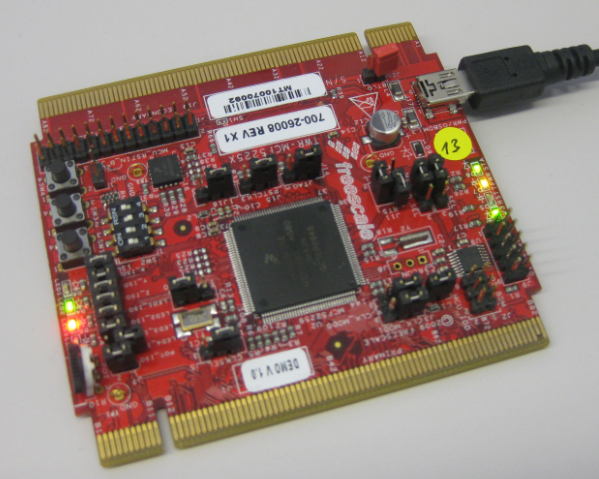
While new Freescale boards come with the OpenSDA debug firmware, I still students using boards with the OSBDM/OSJTAG. And with new CodeWarrior tools, it might be that there is a new OSBDM/OSJTAG firmware, and when I download to a board with an older firmware, the tool will prompt me to update the firmware. To me, after doing this several times, not a big deal. But for someone who sees this the first time, it might not be that easy. So to avoid any further questions, here we go with a step-by-step tutorial how to update the OSBDM/OSJTAG firmware.

MCF52259 Tower Board with OSBDM Firmware

MCF52259 Tower Board with OSBDM Firmware

Continue reading

Showcase of Student Project Exhibition 2014 in Horw

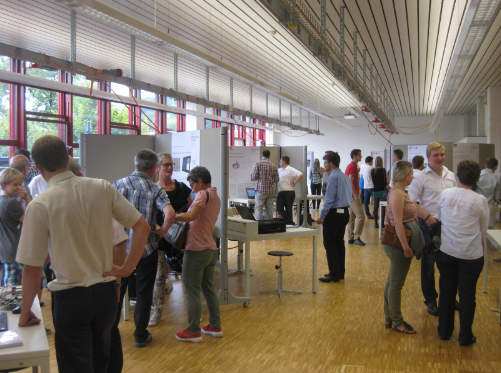
Yesterday Friday afternoon, the students at the Lucerne University of Applied Sciences and Arts in Horw showcased their last semester project work to the public at the university. There were many, many interesting projects, so here are a few to give an idea what has been accomplished …

Part of the Exhibition Area

Part of the Exhibition Area

Continue reading

Snake Game on the FRDM-KL25Z with Nokia 5110 Display

So I have a graphics driver for a Nokia display (see “Zero Cost 84×48 Graphical LCD for the Freedom Board“), I have a joystick shield (see “JoyStick Shield with the FRDM Board“) and I do have a Freescale Freedom board: why not creating a simple game for it? Snake!

Snake Game with FRDM-KL25Z Board

Snake Game with FRDM-KL25Z Board

Continue reading