VS Code: Data Breakpoints and Watchpoints

There are many cases where setting a breakpoint on a line of code does not help much. Cases like data or variables get modified from somewhere. That can be data in a linked list somewhere, and all what I have found out so far that it gets changed or corrupted. But I do not know what piece of code is responsible for it.

The solution for such problems are ‘data breakpoints’ or ‘watchpoints‘. Still, not many developers seem to be aware of watchpoints? They are incredibly helpful. And VS Code has at least some basic support for it.

Data Breakpoints in VS Code
Continue reading

VS Code: Telemetry-free VSCodium

“There is no such thing as a free lunch.”

https://en.wikipedia.org/wiki/No_such_thing_as_a_free_lunch

And this applies to VS Code and many of its extensions. You agree to the licensing conditions, and you pay with your data.

VS Code source code is MIT licensed, but the binaries you can download and install have telemetry built in: you are giving Microsoft your usage data in return for using VS Code.

If you are concerned about this, and looking for free and libre open source binaries of VS Code, then have a look at MIT-Licensed VSCodium.

https://vscodium.com
Continue reading

Ride on the World Record Funicular

With travel much restricted during these COVID-19 times, it is always good to explore adventures nearby. Something we just did recently was a hike on the nearby Stoos. The weather during the hike was not that good with rain showers, but the ride back down to the valley with the funicular railway was really spectacular:

Stoosbahn

Stoosbahn

Continue reading

MCUXpresso tutorial: I2C using the Pins/Clocks/Peripherals Config tools and lpcxpresso55s69 SDK

I selected the Bosch BME280 environmental sensor as the heart of my OKdo E1-based weather station. It is convenient to use, and I can prototype with the Mikroe Weather Click board MIKROE-1978. But the sensor is accessed over I2C, and that is my least favourite of the communication interfaces. In this short tutorial, I show you how the MCUXpresso Config tools (Pins, Clocks, Peripherals) are used to set up the I2C driver from the MCUXpresso lpcxpresso55S69 SDK. And very quickly, I am able to communicate with the BME280 sensor.

Reading BME280 “ID” register via I2C
Continue reading

First experience with OKdo E1 board

This week I’m sharing my experience “getting started” with the OKdo E1 board. This board, featuring the NXP LPC55S69 150 MHz, dual Cortex M33 core microcontroller was a joy to use. OKdo have provided an online Getting Started guide, and I’ve field-tested this for you. My video tutorial recorded as I follow the guide is less than 7 minutes long… it may take you a little longer if you need to download MCUXpresso IDE or the lpcxpresso55s69 Software Development Kit (SDK) but I am confident that you will quickly have the board up-and-running.

Continue reading

Ways to apply Eclipse CDT C/C++ Project Settings

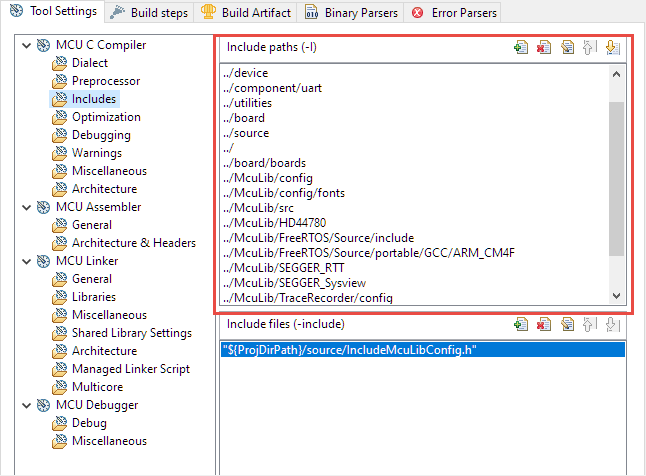
Eclipse with its CDT managed Make system makes it easy to build projects, because it can handle a lot of the background tasks and settings between the project and the build setting. It can get a bit difficult if I want to include a library or other sub-source project for which I have to add extra compiler #define or add extra includes path settings.

Eclipse project settings for incliude paths

Eclipse project settings for include paths

This article show the different ways I have found to make such imports (and exports) easier.

Continue reading

Investigating ARM Cortex® M33 core – WiFi with Mikroe WiFi 10 click board

For this last blog in the series Investigating ARM Cortex® M33 core I decided to explore the expansion features of the LPC55S69-EVK. This board has three expansion ports (PMOD, Arduino Duo, Mikroe click) and I picked the Mikroe expansion port. Why? Only because I had good experience with these boards with the Hexiwear project.

And because I have been doing some work this month with AWS IOT I wanted to get my LPC55S69-EVK onto my office WiFi network for the Christmas holidays. I know that the MCUXpresso SDK for lpcxpresso55s69 version 2.6.3 has a built-in WiFi example named qca_demo, and so that is what I am investigating today.

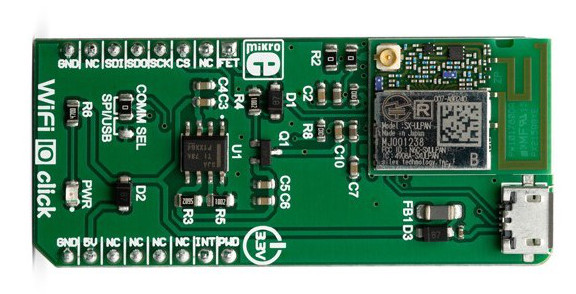
That WiFi example supports three WiFi shield boards, and I picked the Mikroe WiFi 10 click board. It’s part number MIKROE-3432 and available from all of the usual catalogue distributors.

WiFi 10 click board from Mikroelektronika
Continue reading

Investigating ARM Cortex® M33 core – DSP Acceleration 2 (PowerQuad Matrix Engine Tutorial)

Last week I showed you how to use the Coprocessor interface of PowerQuad to calculate (mostly) unary functions. As an example the natural logarithm ln(x) takes just one operand, whilst the floating divide in PowerQuad requires two operands (x1)/(x2). PowerQuad is very efficient accelerating these functions, requiring just 6 clock cycles for the ln(x) and 6 clock cycles for the float (x1)/(x2). In comparison the single-precision floating point unit in Cortex® M4F and M33F requires 13 clock cycles to perform the same float divide.

But there are two ‘sides’ to the PowerQuad:

  • The Coprocessor interface, using ARMv8-M coprocessor instructions;
  • The AHB bus interface, where we address PowerQuad as a peripheral.

So this week… operating the PowerQuad as a peripheral. I’ll show you how to use the PowerQuad SDK driver in MCUXpresso in a new project, and use the Matrix Engine in the PowerQuad to solve simultaneous equations.

Continue reading

Investigating ARM Cortex® M33 core with TrustZone® – Using the Clocks Config Tool

Clocks. I’ve always found the clock setting of a microcontroller one of the hardest things to get right during my embedded career. If I re-use the clocks setup from the development board it is easy. But if the development board runs from a crystal and I want to use the free-running internal clock, or if I change to a different frequency crystal (and keep the same PLL output frequency) it always gets difficult. To be honest I’ve developed some projects early in my career and never been 100% certain at what frequency the core, flash and peripherals are running.

That’s not good.

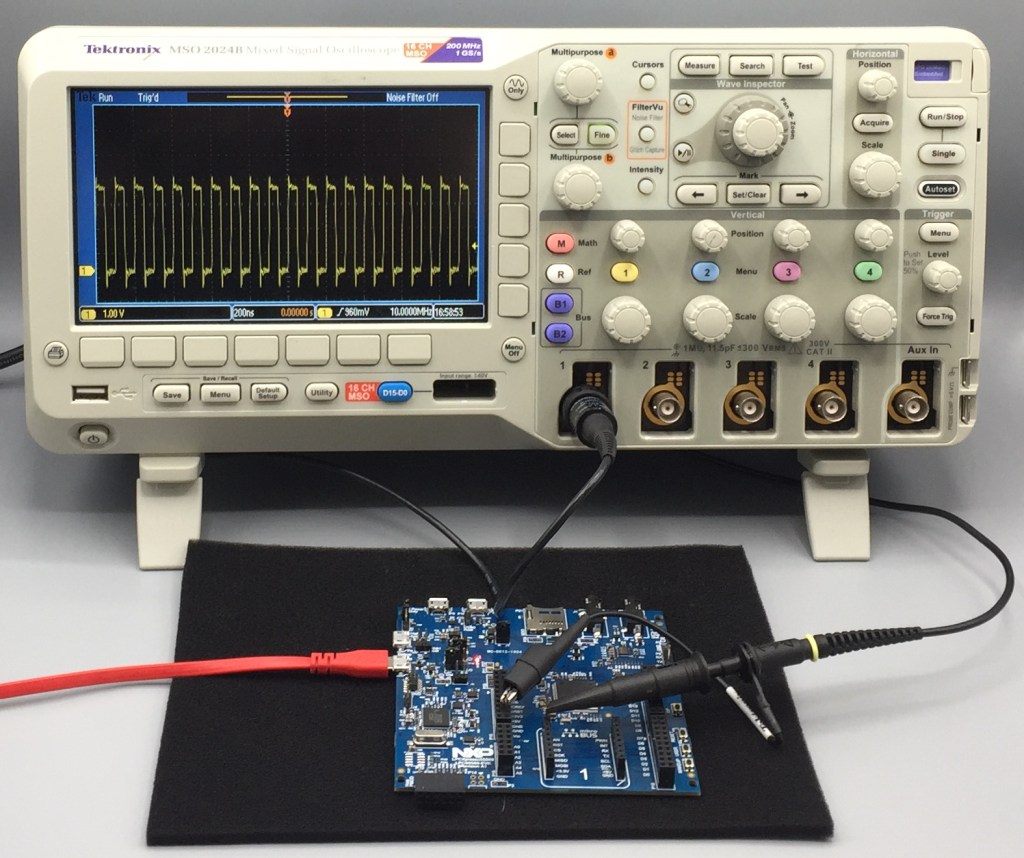
The Config Tools within the MCUXpresso brand have greatly simplified setting up the pins, clocks, peripherals (and next week – Trusted Execution Environment 🙂 ) on NXP microcontrollers. So I’m going to quickly show you how to set up 3 different clock arrangements, and output the main clock to an output pin named CLK_OUT.

Continue reading

Investigating ARM Cortex® M33 core with TrustZone® – Using the Pins Config Tool

Well let’s face it, modern microcontrollers are complicated. The User Manual for the LPC55S69 has 1148 pages (Rev 1.3) and that does not include any of the electrical characteristics – see the Datasheet (129 pages) nor does it include the details around the core or instruction set (see ARM documentation) . So there is a lot of technical information to read, and don’t get me started on the pin multiplexing… Well actually, do get me started on the pin multiplexing because that is my focus this week.

This week I turned my attention to writing a very simple example project in MCUXpresso IDE to run on the ARM Cortex® M33 core inside the LPC55S69. As in previous weeks I am again using the LPC55S69-EVK from NXP. My plan is to use this board every week but I have learned recently a few details about a new ultra-low-cost board. It’s going to be AMAZING and I’ll share more details with you when I can.

Continue reading