Or… MCUXpresso Clocks Configuration tutorial using OKdo E1 board.
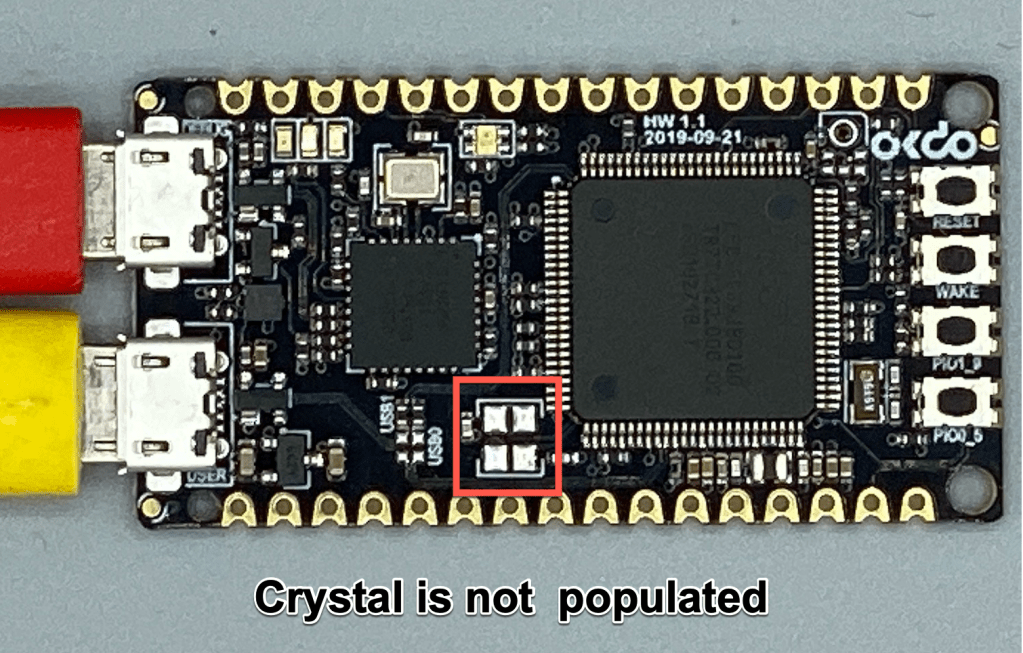

Or… MCUXpresso Clocks Configuration tutorial using OKdo E1 board.
I’m using the NXP Kinetis K22FN512 in many projects, either with the FRDM-K22F or on the tinyK22: with 120 MHz, 512 KByte FLASH and 128 KByte it has plenty of horsepower for many projects. The other positive thing is that it is supported by the NXP MCUXpresso IDE and SDK. I have now created an example which can be used as base for your own project, featuring FreeRTOS, FatFS, MinIni and a command line shell.
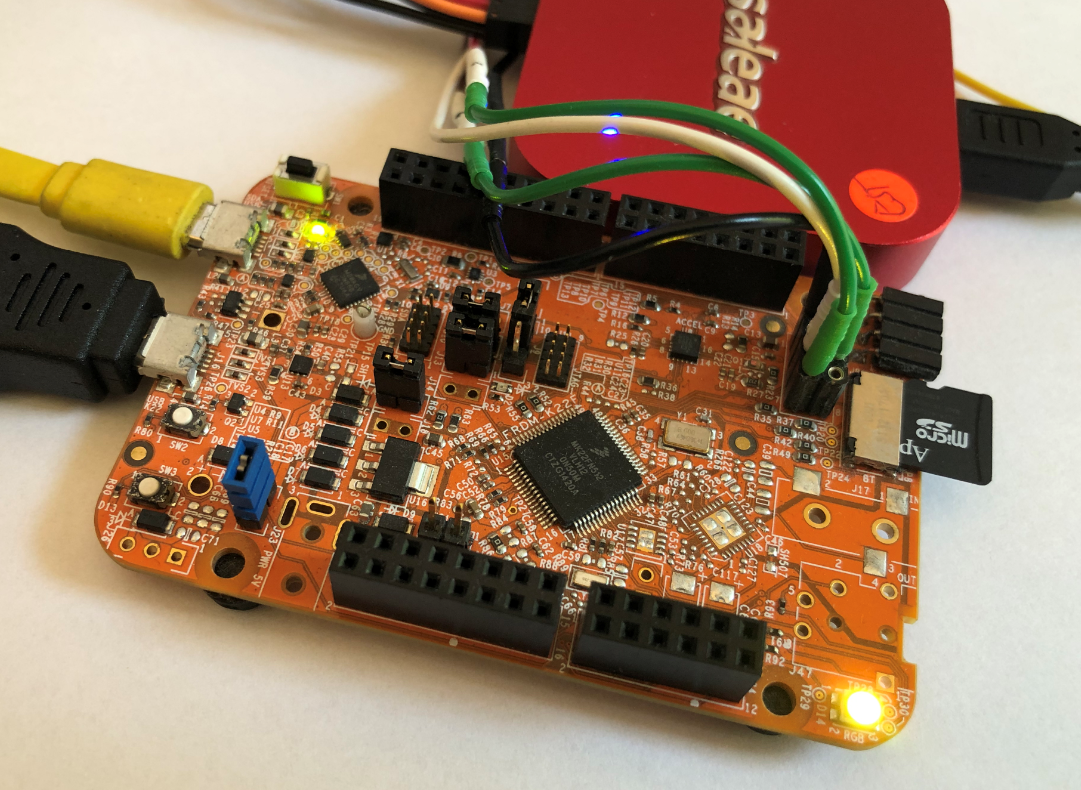
FRDM-K22F with SD Card
This week I’m sharing my experience “getting started” with the OKdo E1 board. This board, featuring the NXP LPC55S69 150 MHz, dual Cortex M33 core microcontroller was a joy to use. OKdo have provided an online Getting Started guide, and I’ve field-tested this for you. My video tutorial recorded as I follow the guide is less than 7 minutes long… it may take you a little longer if you need to download MCUXpresso IDE or the lpcxpresso55s69 Software Development Kit (SDK) but I am confident that you will quickly have the board up-and-running.
Continue readingI will always take the same approach when I receive a new embedded board: firstly I want to see how quickly I can get it up-and-running, then I want to see what it does “out-of-the-box” and finally I want to find out if the board is “useful”. Does it have some features that will inspire me for new projects??
The NXP LPC55S16-EVK has some great features – CAN-FD, dual USB and a high performance Cortex M33 microcontroller, running at 150 MHz. I have an idea to use the LPC55xx series as the basis for a Weather Station. But this is only feasible if the chip has a low power consumption and can run for weeks on a small battery.
Time to run some test code and get my digital multimeter out…
Continue readingFreeRTOS has many cool features, and one is that it can report the CPU percentage spent in each task. The downside is that to get this kind of information some extra work is needed. In this article I show how to do this for the NXP i.MX1064.
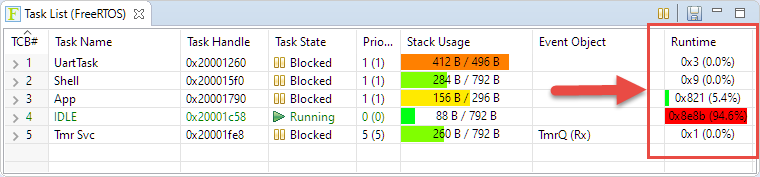
FreeRTOS Runtime Information
Using the debugger to inspect the application data is a very convenient thing. But if the data grows and if the data set is large, it makes more sense to dump the data to the host and process it offline. GDB is the de-facto debugger engine and includes a powerful command line and scripting engine which can be used in Eclipse too.

GDB Debugger Console in Eclipse
Especially in a lab or classroom environment it is convenient to start with a template project, and then explore different ways to shape the project for different needs. As for any IDE of this world, this requires an understanding of the inner workings to get it right. So in this article I show how to copy, clone or rename properly an Eclipse ‘template’ project in the MCUXpresso IDE.
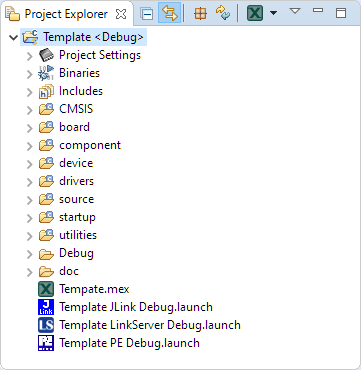
Template Project
I love Eclipse because as an IDE it can do pretty much everything. Up to the point that some call it an ‘Eierlegende Wollmilchsau‘: something which can do anything. But with all the tools, menus and features, it can be daunting for a someone new to Eclipse. But the good news is: Eclipse is very versatile and can be customized to make it easier and simpler to use too. In this article I show how I’m tweaking it the way I want it, with just the menus and buttons I need:

Eclipse Optimized Menus and Toolbars
The tinyK22 board with the NXP K22FN512 is a bread-board-friendly small board with a 8 MHz external oscillator:

tinyK22 Board
This tutorial is about how to use the NXP MCUXpresso Clock configuration and configure the board to the maximum clock frequency of 120 MHz. The same steps apply to many other boards, including the FRDM-K22F one.
The gnuplot is a versatile and powerful tool to plot and visualize all kind of data. I wish there would be a plugin for it in Eclipse. But as this is not (yet?) the case, here is how I’m using it with gdb and Eclipse, using the MCUXpresso IDE as example.
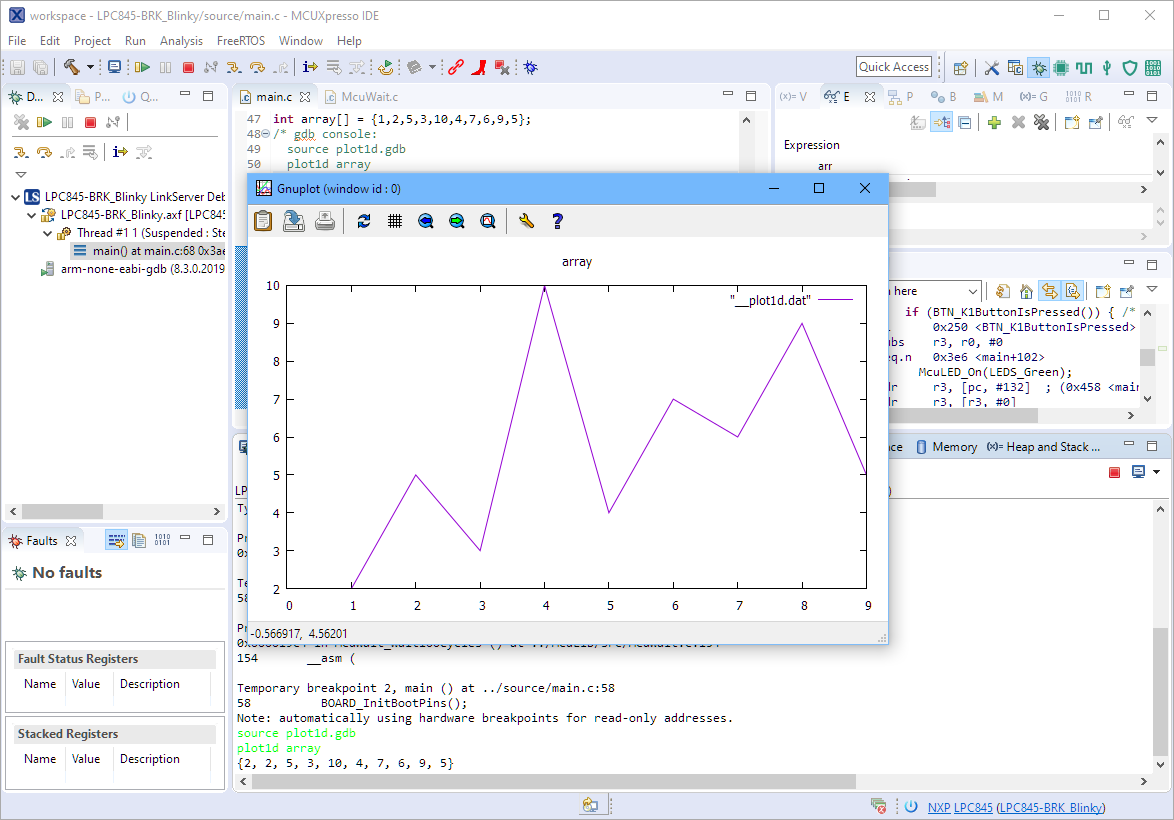
Gnuplot with Eclipse
 MCU on Eclipse