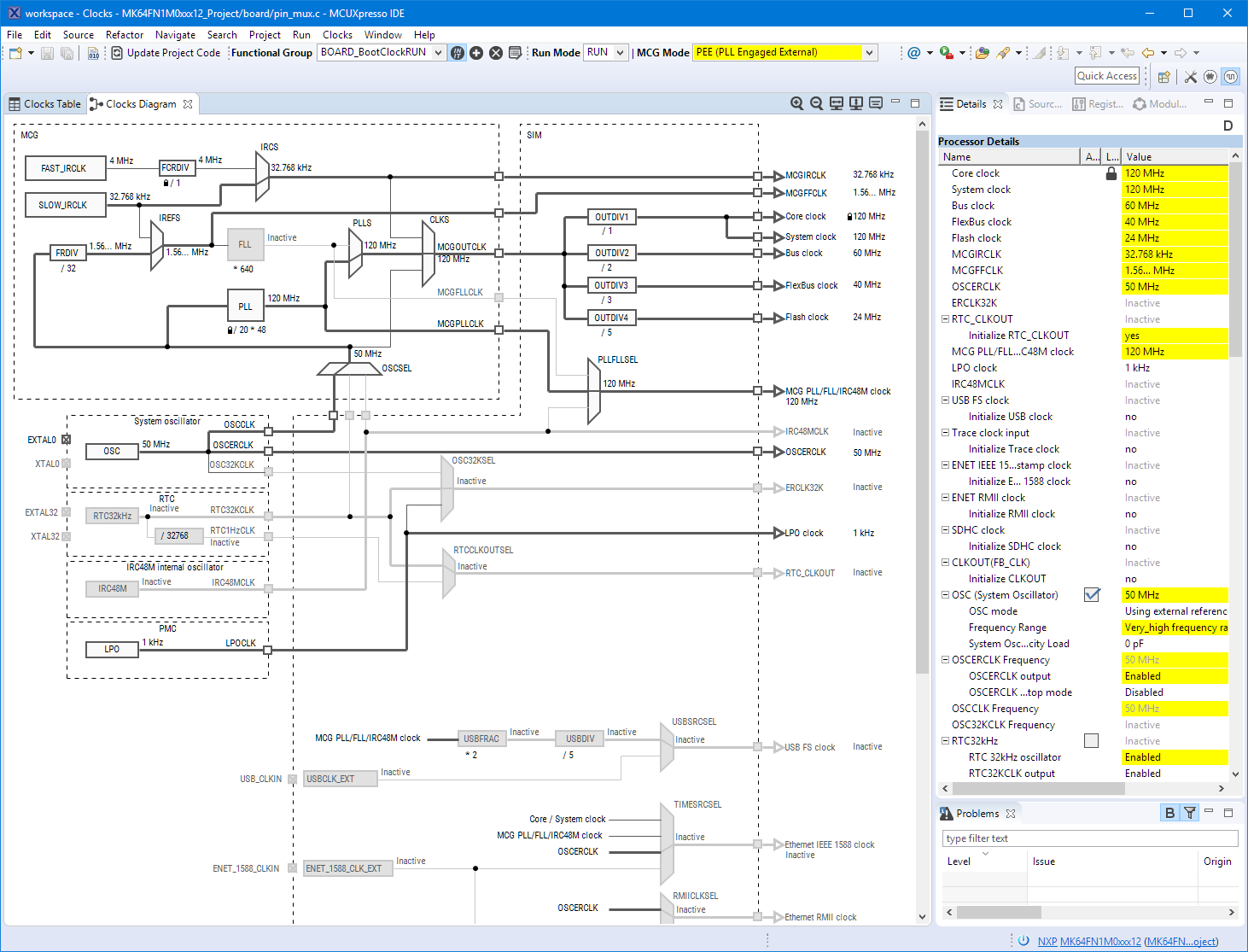
Friday this week NXP has released a new version of their flagship IDE: the MCUXpresso IDE V10.3.0. The version number indicates an incremental update from the earlier V10.2.1, but there are many exciting features and new features which make me switch my lecture material to this new IDE for the next semester.
Category Archives: SDK
McuOnEclipse Components: 30-Sept-2018 Release
I’m pleased to announce a new release of the McuOnEclipse components, available on SourceForge. This release includes several bug fixes, extra support for the NXP S32 Design Studio and SDK and includes FreeRTOS V10.1.1.
Continue reading
Porting Processor Expert Projects to MCUXpresso IDE
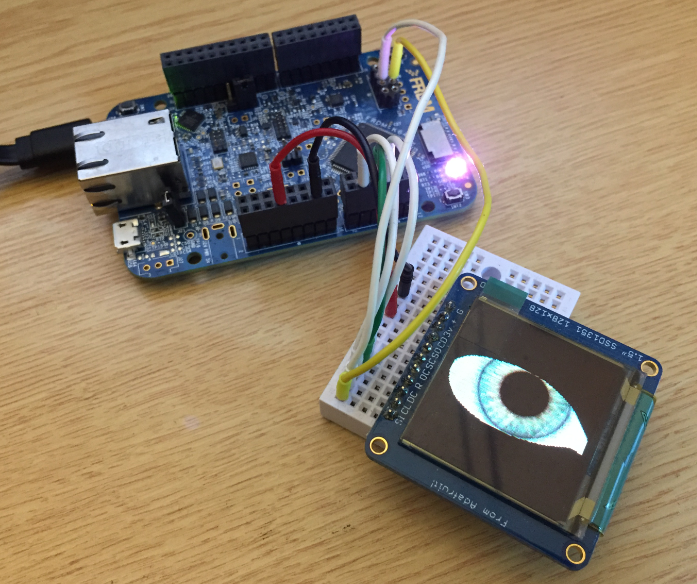
The McuOnEclipse GitHub repository hosts many Processor Expert projects and is very popular (cloned more than 1000 times, thank you!). Processor Expert is a powerful framework which generates driver and configuration code, simplifying application development for a wide range of microcontroller and families. But Processor Expert won’t be developed further by NXP and is not part of MCUXpresso IDE. While it is possible to install Processor Expert into MCUXpresso IDE 10.2, how can these projects used ini an IDE *without* Processor Expert? This article describes how to port an existing Processor Expert project into the NXP MCUXpresso IDE.
Flash-Resident USB-HID Bootloader with the NXP Kinetis K22 Microcontroller
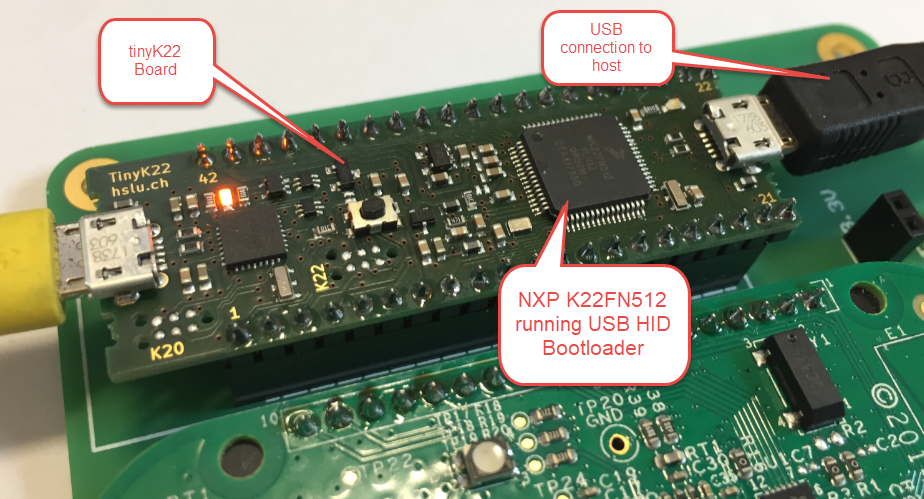
The tinyK22 board (see “tinyK22 Boards arrived“) gets rolled out at the Lucerne University of Applied Sciences and Arts, so I thought I write-up an article this weekend how to use that board with a Flash Resident Bootloader.
Debugging the Teensy 3.6 with Eclipse MCUXpresso IDE and CMSIS-DAP LPC-Link2
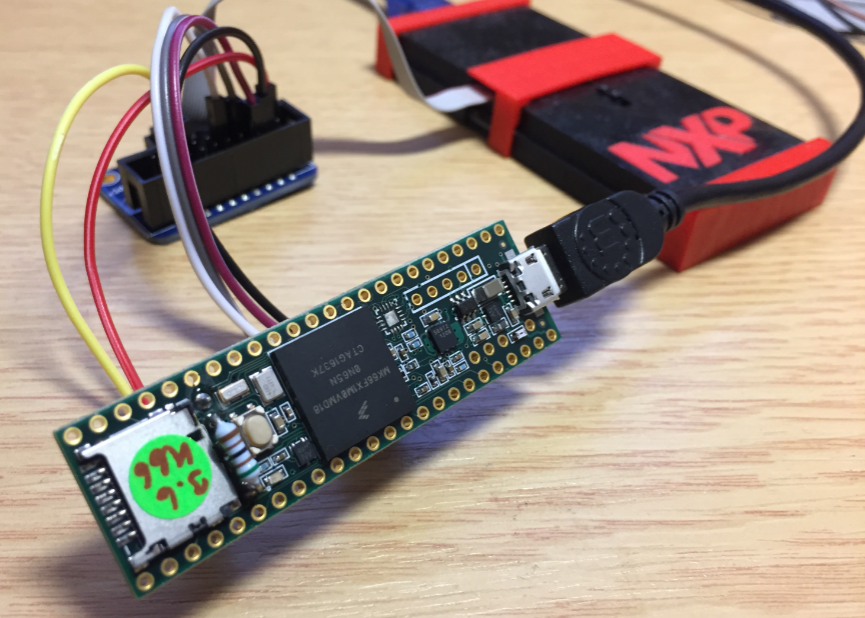
The Teensy boards are great, but as they are they are not really useful for real development, as they lack proper SWD debugging. In “Modifying the Teensy 3.5 and 3.6 for ARM SWD Debugging” I have found a way to get SWD debugging working, at that time with Kinetis Design Studio and the Segger J-Link. This article is about how debug the Teensy with free MCUXpresso IDE and the $20 NXP LPC-Link2 debug probe:
New FreeRTOS V10.0.0: Amazon, Segger SystemView and Percepio Tracealyzer
“Amazon FreeRTOS – IoT operating system for microcontrollers”: The announcement of FreeRTOS V10.0.0 was one of the biggest news last week for me. Not only is there now a Version 10, the bigger news is that FreeRTOS is now part of Amazon. Wow! Now this explains why Richard Barry (the founder behind FreeRTOS) was kind of hiding away for about a year: he joined Amazon as a principal engineer about a year ago. I think we all have to wait and see what it means for FreeRTOS.
Eclipse MCUXpresso IDE 10.1 with integrated MCUXpresso Configuration Tools
Back in March 2017, NXP had rolled the MCUXpresso IDE starting with Version 10.0.0. With the intent to unify the SDK, LPCXpresso, CodeWarrior, Kinetis Design Studio and Processor Expert into one unified and integrated set of tools. V10.0.0 was a good start. The MCUXpresso IDE V10.0.2 in July was more of a smaller update, and the Pin and Clock configuration tools were not integrated, no added tool for peripheral configuration.
A week ago the MCUXpresso V10.1.0 has been released which shows where the journey is going: an free-of-charge and code size unlimited Eclipse based integrated set of tools to configure, build and debug Cortex-M (Kinetis, LPC and i.MX RT) microcontroller/processor based applications.
I have used it for a week, and although many things are still new, I thought I’m able to give an overview about what is new.
Exploring a Microcontroller and Software and Tools for the next Project
I’m using many microcontroller in my projects. And a lot more are available out there in the ecosystem. Like many others, I tend to select what I am familiar with. But is this the correct approach to select the hardware and tools for a next project?
McuOnEclipse Components: 25-Sept-2017 Release
I’m pleased to announce that a new release of the McuOnEclipse components is available in SourceForge. In this release more ARM Cortex devices/vendors are supported with different SDKs, plus it comes with several FreeRTOS enhancements for debugging highly optimized code.
Troubleshooting Tips for FreeRTOS Thread Aware Debugging in Eclipse
FreeRTOS seems to get more and more popular, and I think as well because more and more debugger and Eclipse IDE vendors add dedicated debugging support for it.