Sensirion SHT11 Temperature and Humidity Sensor on a MikroElektronika Click Board

In one of my earlier posts (“Using the DHT11/DHT22 Temperature/Humidity Sensor with a FRDM Board“) I’m using the DHT11/DHT22 temperature/humidity sensors with the FRDM-KL25Z board. These sensors are very inexpensive, but have limited measurement range and accuracy. As pointed out by a reader of that article, Sensirion (a Swiss company :-)) has good sensors too, and I decided I would like to try the SHT11 sensor:

  • 0-100% Relative Humidity
  • +/- 3% Relative Humidity accuracy
  • -40 – +125°C
  • 2.4 – 5.5V supply voltage
SHT11 Sensor
SHT11 Sensor

Continue reading

OpenOCD/CMSIS-DAP Debugging with Eclipse and without an IDE

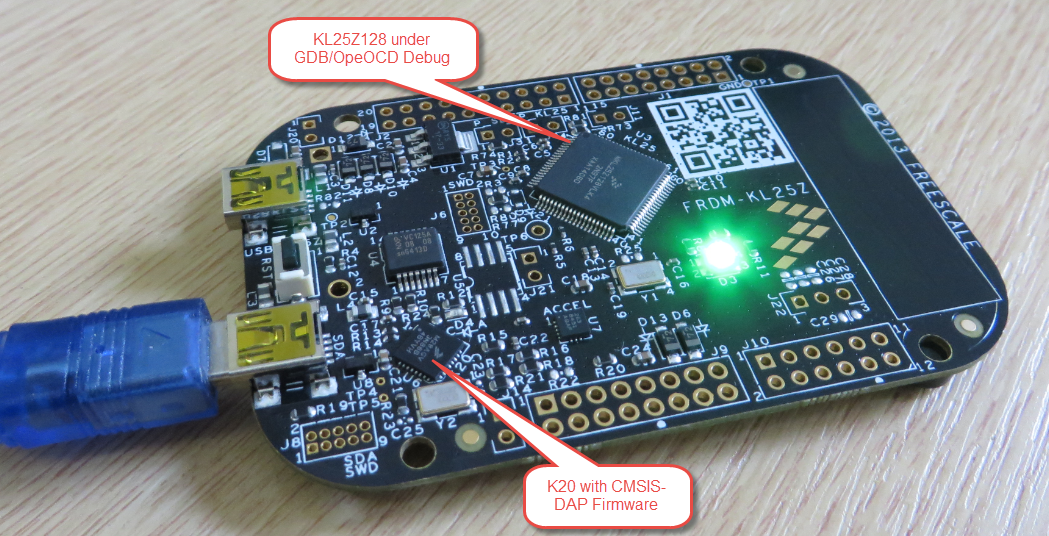
OpenOCD is an open source and free-of-charge debugging solution, which is a great option here at the University of Lucerne, as students do not need to buy an expensive debugging probe. Still, I recommend to buy professional probes like the P&E or Segger ones, as they are worth every (Euro) cent. But for a ‘zero’ budget, OpenOCD with CMSIS-DAP is something to consider. And with Kinetis Design Studio using the GNU ARM Eclipse Plugins, OpenOCD is not that hard to be used. And because both Freescale and GNU ARM Eclipse offer OpenOCD Windows binaries, that connection method is in the reach of Windows users too.

FRDM-KL25Z with OpenOCD Debug

FRDM-KL25Z with OpenOCD Debug

Continue reading

Attaching to a Running Target with Segger J-Link, GDB and Eclipse

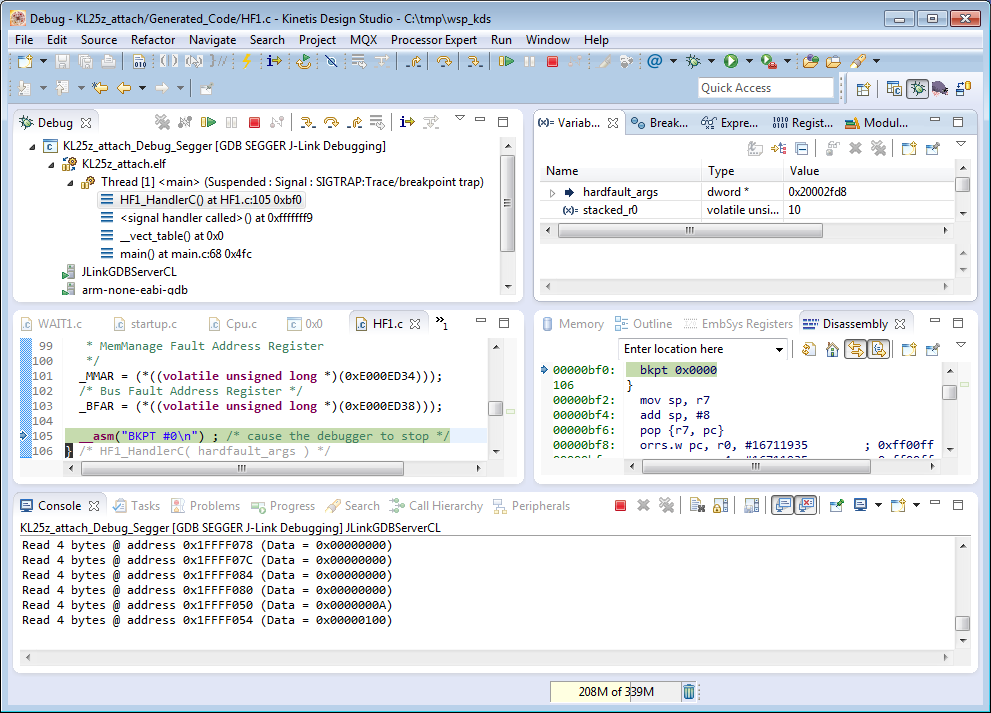
This happens several times for me: I have a board running for a while (even for days), and then it crashes or is stuck somewhere. Yes, I usually use a watchdog do recover from that situation. But it would be good to know and debug the problem. With CodeWarrior I had the functionality in the debugger to ‘attach’ or ‘connect’ to a running (stuck/crashed) board. However, with Eclipse/Kinetis Design Studio/GDB this is a different debugger, and not possible. At connection time with the debugger the target does a reset, so I don’t know any more where the application crashed. But now I have a solution, at least with the Segger GDB :-).

Debug Hard Fault Attached Target

Debug Hard Fault Attached Target

Continue reading

Tutorial: Playing MP3 Files with VS1053B and FRDM Board

I want to make some noise with this post!!! This tutorial is about adding music and sound capabilities to the Freescale Freedom board, and to have a lot of fun with it :-). I need this ability for a larger project working on for a while. But I thought I share that sub-part how to play sound files. So with this tutorial I can turn my Freescale Freedom board into a music or sound player :-). And adding sounds is a cool way for any project, and as the music is stored on an SD card it fits easily hours of music or sounds.

MP3 Player with FRDM-KL25Z

MP3 Player with FRDM-KL25Z and Adafruit Music Maker MP3 Shield

Continue reading

Tutorial: How to Erase the FLASH with the GNU GDB debugger

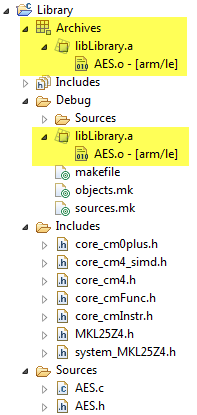
I have several applications where I store application specific information in the microcontroller FLASH memory (see “Configuration Data: Using the Internal FLASH instead of an external EEPROM“). I have run into issues recently with the Segger J-Link GDB server as by default it does *not* erase all the FLASH memory. So the question is: How can I erase all (or part) of the FLASH memory with GDB (e.g. in Kinetis Design Studio or in Eclipse)?

Memory Monitor with Erased Flash

Memory Monitor with Erased Flash

Continue reading

Tutorial: FreeRTOS with the Kinetis SDK and Processor Expert

Freescale had announced at FTF back in April this year that they will use Kinetis Design Studio  and the Kinetis SDK for all new Kinetis devices. The switch from CodeWarrior to Kinetis Design Studio (see “Comparing CodeWarrior with Kinetis Design Studio“) was not much of big deal for my projects (although CodeWarrior still has better features), and projects are rather easily portable. However, the move to the Kinetis SDK has been massively disruptive: Before it was easy to move projects from one device to another with Processor Expert, even from S08 to ColdFire to Kinetis. Now with the Kinetis SDK everything is very different. At least Freescale now officially supports FreeRTOS, and for myself as a big fan of that open source RTOS, that was some good news.

Blinking Red LED with FreeRTOS Task using Kinetis SDK, FreeRTOS and Processor Expert

Blinking Red LED with FreeRTOS Task using Kinetis SDK, FreeRTOS and Processor Expert

So in this tutorial I’m showing how FreeRTOS can be used with the Kinetis Design Studio. That makes at least using the Kinetis SDK bit more familiar to me :-).

Continue reading

C++ with Kinetis Design Studio

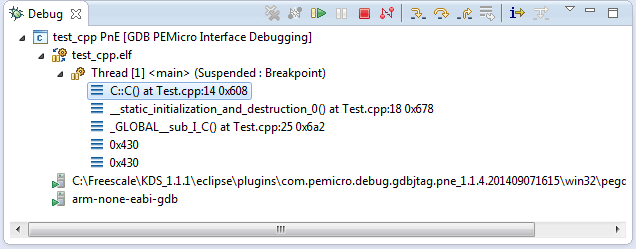
Unlike CodeWarrior, the Kinetis Design Studio (at least in V1.1.1) does not offer a choice between C and C++ projects. That makes sense with the GNU ARM Eclipse plugins, other than the CodeWarrior gcc integration, there is no need for setting up a special tool chain for C++ (see “Compiling C Files with GNU ARM G++“). While this is great, things are not perfect yet, so I’m providing in this post the information needed to properly setup a C++ project with Kinetis Design Studio V1.1.1.

Debug View of Startup Code Calling C++ Constructors

Debug View of Startup Code Calling C++ Constructors

Continue reading