Cycle Counting on ARM Cortex-M with DWT

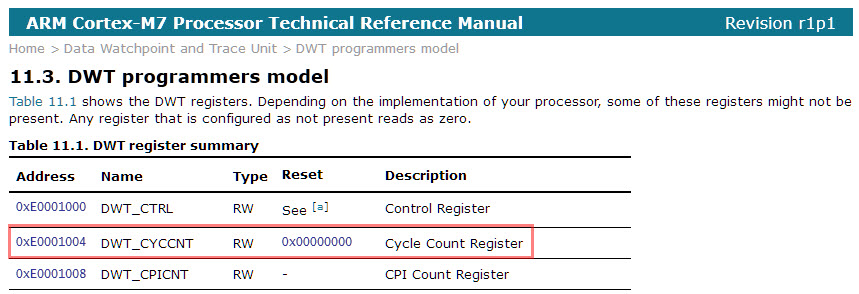
Some ARM Cortex-M have a DWT (Data Watchpoint and Trace) unit implemented, and it has a nice feature in that unit which counts the execution cycles. The DWT is usually implemented on most Cortex-M3, M4 and M7 devices, including e.g. the NXP Kinetis or LPC devices.
Continue reading

McuOnEclipse Components: 28-Jan-2017 Release

I’m pleased to announce that a new release of the McuOnEclipse components is available in SourceForge, with the following main features and changes:

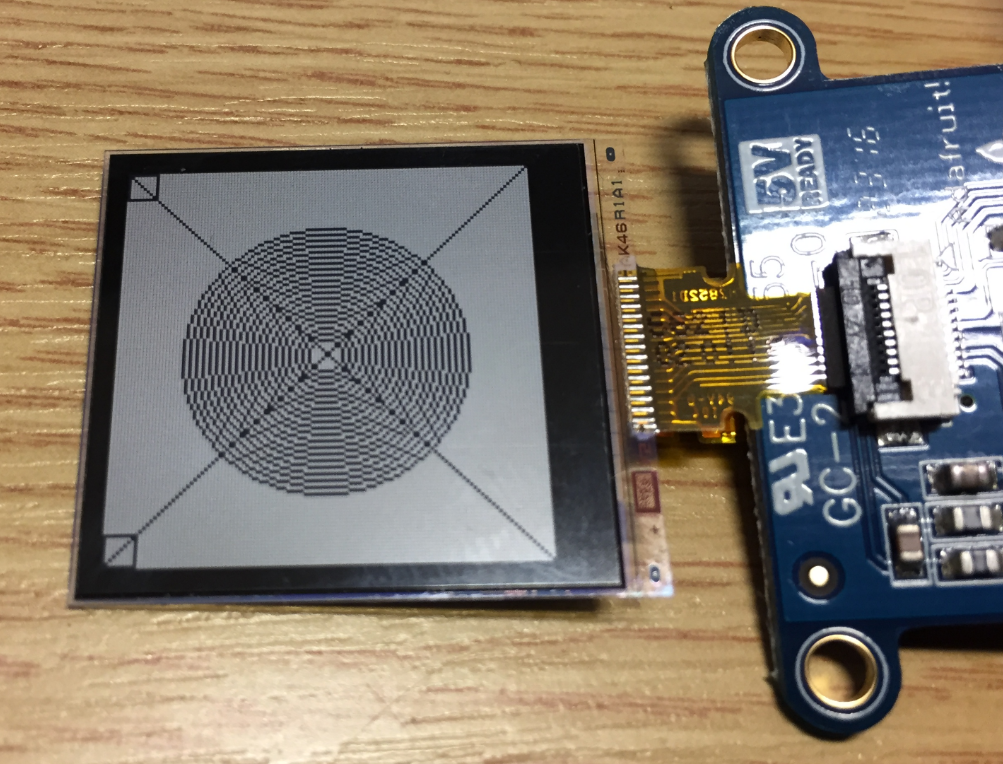
  • New Sharp Memory Display Driver supporting 96×96 and 128×128 pixel ultra low power display
  • PID_Int can be used without hardware
  • GenericTimeData has added functions to convert date/time into strings
  • HardFault can now disable write buffers on ARM Cortex to simplify debugging faults
  • Folder support for SEGGER SystemView and Percepio FreeRTOS+Trace
  • Component usage without Processor Expert
  • NXP MCUXpresso SDK support for FreeRTOS using tickless idle mode and low power timer
  • Many other smaller bug fixes and enhancements
SourceForge

SourceForge

Continue reading

Zephyr: Thoughts and First Steps on the ARM Cortex-M4F with gcc, gdb and Eclipse

The concept of Linux (Open Source, broad developer base and broad usage) is a success story. While there is a lot of diversity (and freedom) in the Linux world, Linux is Linux and again Linux :-). And the world has (mostly) standardized on Linux and its variants on the high embedded system side.

On the other side, the ‘middle and lower end’ Embedded world is fragmented and in many aspects proprietary. So it was no surprise to me when the Linux Foundation announced the ‘Zephyr’ project back in February 2016:

“The Linux Foundation Announces Project to Build Real-Time Operating System for Internet of Things Devices. Open source Zephyr™ Project aims to deliver an RTOS; opens call for developers to help advance project for the smallest footprint IoT devices.

Ζεφυρος (Zephyros) is the Greek good of spring and the west wind. Obviously this inspired the logo for the Zephyr project:

Zephyr logo
Zephyr logo (Source: https://www.zephyrproject.org/)
Continue reading

“No source available”, or how to Debug Multiple Binaries with GDB and Eclipse

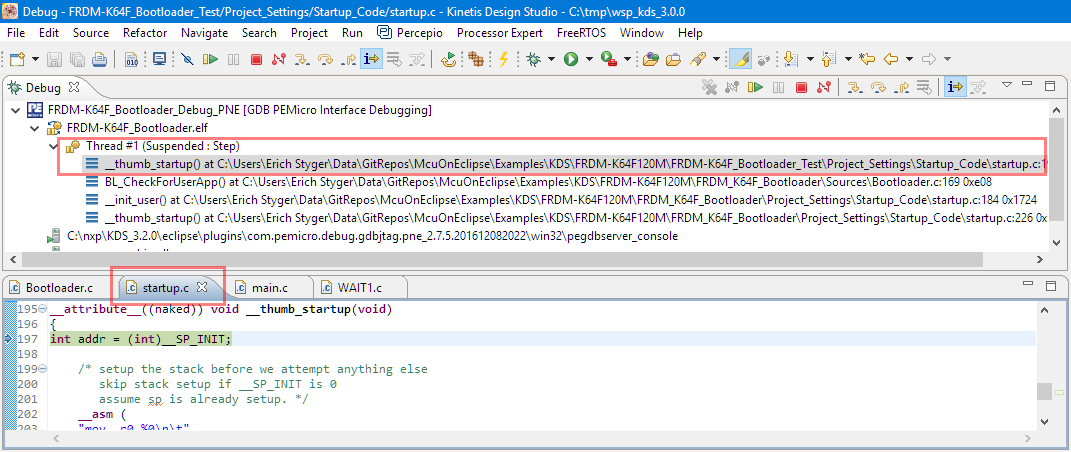
When working and debugging a bootloader, debugging can be a challenge: During debugging the bootloader, a new binary gets loaded into the microcontroller address space which is unknown to the debugger. As soon as I step into the newly loaded binary, I only see assembly code, with that ugly “No source available” in Eclipse:

No Source Available, debugging in assembly

No Source Available, debugging in assembly

But wait: GDB is able to do pretty much everything you can imagine, so here is how to debug multiple binaries with GDB and Eclipse, and to turn the above into something which is easy to debug:

Debugging with Symbolics

Debugging with Symbolics

Continue reading

Reprogramming the Mikroelektronika Hexiwear Dockingstation

The Hexiwear docking station would have a nice feature: it has embedded a debug circuit (OpenSDA). That way I would not need an external debug probe to debug the Hexiwear. However, a debug probe is required to reprogram the docking station itself:

Repgrogramming the Mikroelektronika Docking Station

Repgrogramming the Mikroelektronika Docking Station

Continue reading

Debugging ARM Cortex-M0+ HardFaults

To me, one of the most frustrating things working with ARM Cortex-M cores are the hard fault exceptions. I have lost several hours this week debugging and tracking an instance of a hard fault on an ARM Cortex-M0+ device.

Next assembly step will cause a hard fault
Continue reading

Upgrading to Sharp 128×128 Pixel Memory Display

In “Low Power LCD: Adafruit Breakout Board with Sharp Memory Display” I used a 96×96 Sharp Display (LS013B4DN04) with the Adafruit breakout board, but because that one seems to be EOL (End Of Life), I searched for a replacement. I have found the 128×128 pixel version (Sharp LS013B7DH03), and best of all, it is pin compatible :-). With a small tweak of the driver, it works :-):

Sharp Memory Display 128x128

Sharp Memory Display 128×128

Continue reading

Building the NXP BLE Stack with Open Source GNU and Eclipse Tools

One of the biggest road blocks (beside of closed source) using the BLE (Bluetooth Low Energy) stack from NXP is that it requires expensive tools to compile and build the stack. The good news is that I have now the NXP BLE stack for the Mikroelektronika Hexiwear ported to Eclipse and GNU gcc build tools for ARM 🙂

NXP BLE Stack in Eclipse

NXP BLE Stack in Eclipse

Continue reading

Using Python, Gatttool and Bluetooth Low Energy with Hexiwear

Now I can use the data on the Hexiwear over BLE with the gatttool (see “Tutorial: Hexiwear Bluetooth Low Energy Packet Sniffing with Wireshark” and “Tutorial: BLE Pairing the Raspberry Pi 3 Model B with Hexiwear“). This article is taking things a step further and uses a Python script on Linux to access the sensor data on the BLE device:

Accessing Hexiwear Sensor Data with Python

Accessing Hexiwear Sensor Data with Python

Continue reading

VNC Server on Raspberry Pi with Autostart

The Raspberry Pi is a versatile mini computer: as such I can use it with USB keyboard, mouse and HDMI LCD monitor. But having multiple keyboards and mouse on my desktop is not my thing: somehow I always grab the wrong one. So what I prefer is to run the Raspberry with VNC (Virtual Network Computing). That way I have the Linux GUI as a window on my normal desktop, and no messing up with keyboards and mouse 🙂 :

Raspberry Pi on my Dekstop

Raspberry Pi on my Dekstop

Continue reading