The previous parts were about installation, project setup and building. This one is about debugging an ARM Cortex-M Microcontroller with Visual Studio Code:
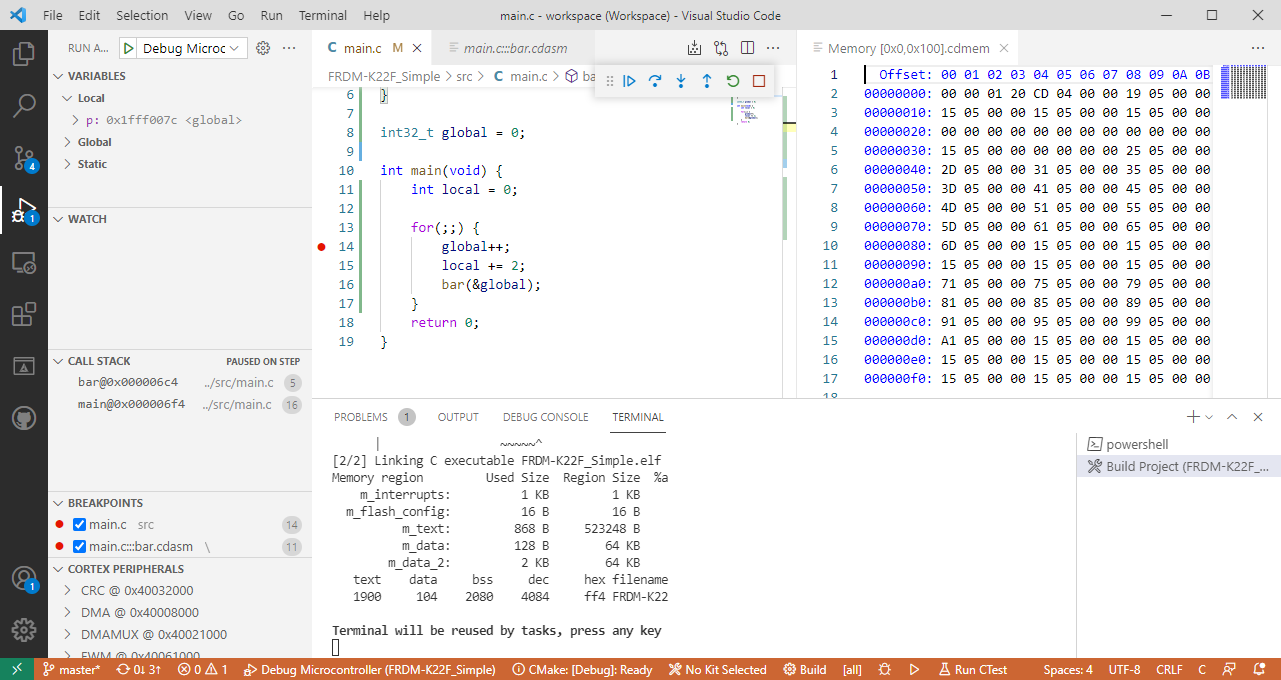

The previous parts were about installation, project setup and building. This one is about debugging an ARM Cortex-M Microcontroller with Visual Studio Code:
This is the third part in a series to get up and running using the Microsoft Visual Studio Code for embedded development on ARM Cortex-M. So far we have installed the needed tools, created a project and are able to build it from the command line. Now it is about how execute directly scripts or the build from the IDE.

This is the second part of series or articles how to use the Microsoft Visual Studio Code for embedded development on ARM Cortex-M. In this part I’m going to show how to create and build a project using CMake running Make or Ninja as build system.

For a few months I’m learning and using Rust. I’m still learning, but I’m very impressed by the powerful and cool programming language, the vibrant ecosystem, the advanced concepts behind it and by the tools. With learning Rust I have been using the Visual Studio Code IDE and it works great for Rust. But I was wondering: could I use it for my ‘usual’ C/C++ development on ARM Cortex-M devices too? The answer is a clear ‘yes’, and this mini series of articles should get you up and running too.

NXP has released an updated version of the Eclipse based MCUXpresso IDE: the V11.3.1 is an update of the v11.3.0 I wrote about it back in January this year.

The release includes new device support, and beside of bug fixes includes a few new things.
Continue readingIn “Freelink LPC4322JET100 based Debug Circuit on NXP i.MX RT1064-EVK Board” I described how to change the factory firmware from OpenSDA to the LPC-Link2 one.

Now it is possible to use a Segger J-Link firmware too, or to switch back to the factory default one.
Continue readingIn “Touch & Build: Auto-Update of Firmware Date and Time” I’m using commands as ‘touch’ in a pre-build script with the NXP Eclipse based MCUXpresso IDE. That ‘touch’ command is not a Windows shell command, but common on Linux: it updates the time/date of a file.

Build Step Dialog in MCUXpresso IDE
As a Windows user you might wonder what is about this ‘Linux compatible shell’?
It is very valuable to have a date and time information in the binary. That way for example using a shell I can check the version of the firmware running on a device, or it can be printed on a console or UART as needed.

Firmware Date and Time
One of the most frustrating part developing embedded applications is if the debug connection fails somehow: with all the different factors like operating system, virtual machines, USB ports and hubs, debug probe and firmware a ‘connection failed’ is my nightmare. And this is probably the most frustrating parts for my students (and myself!)
I do have a growing list of tips & tricks in “Debugging Failure: Check List and Hints“, so check this list. What I just have added is an entry for
java.net.SocketException: Connection reset
It occurred for a few students when they wanted to use the on-board CMSIS-DAP LinkServer debug connection on the NXP LPC845-BRK.
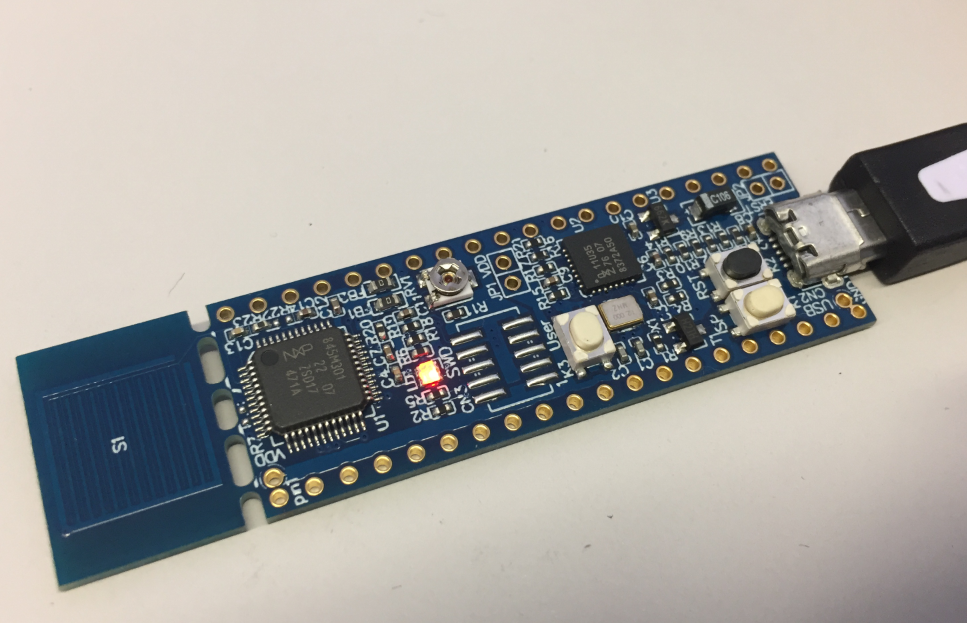
NXP LPC845-BRK Board
“A young man is smoking one cigarette after each other without a pause. An elderly woman observes that and says: “Young man, you are smoking like crazy! Don’t you know that there is a warning on each cigarette package that this can kill you?” The young man finishes his cigarette, looks at the elderly person and says: “Yes, I know. But look, I’m a programmer, and it is only a warning.”
I don’t smoke, and I do pay attention to warnings :-). I always try to keep my source code free of compiler warnings. And I always pay special attention to the following on:
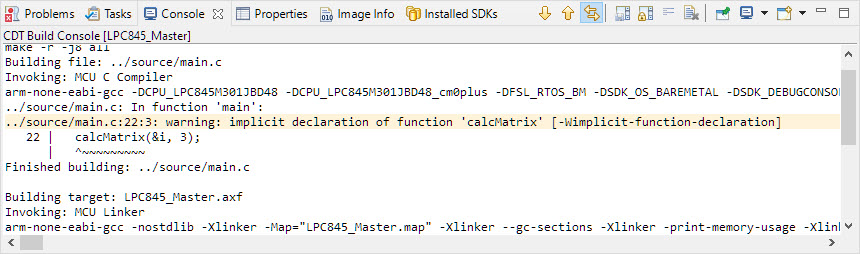
implicit declaration of function
 MCU on Eclipse