Adding a Delay to the ARM DAPLink Bootloader

The ARM mbed USB MSD bootloader which is used on many silicon vendor boards has a big problem: it is vulnerable to operating systems like Windows 10 which can brick your board (see “Bricking and Recovering OpenSDA Boards in Windows 8 and 10“). To recover the board, typically a JTAG/SWD programmer has to be used. I have described in articles (see links section) how to recover from that situation, including using an inofficial new bootloader which (mostly) solves the problem. The good news is that ARM (mbed) has released an official and fixed bootloader. The bad news is that this bootloader does not work on every board because of a timing issue: the bootloader mostly enters bootloader mode instated executing the application.

DAPLink in Bootloader Mode

DAPLink in Bootloader Mode

Continue reading

Dealing with Eclipse and Very Small Icons on Ultra High Density Displays

More and more these very-very-high-resolution (UHD, Ultra-High-Density) notebook displays show up in my class rooms.These displays have 3100×1800 or even more pixels, making it great for watching high-resolution videos or for playing games (maybe?). But such a high-resolution makes many tools including Eclipse very hard to use, because the toolbar icons get so tiny that they are really hard to hit with a mouse cursor on Windows:

Eclipse Icons with UHD Display

Eclipse Icons with UHD Display

Continue reading

Using Serial Terminal and COM Support in Eclipse Oxygen and Neon

Most of the time I’m using a dedicated terminal program like Termite or PuTTY to connect to a board using virtual or non-virtual COM port. Another way is to use the Eclipse built-in Terminal view: that way no extra program is needed to communicate with a real or virtual COM port to my target device:

Terminal Command Output

Terminal Command Output

Continue reading

How to fix an Eclipse Workspace that does not open any more?

It can happen to everyone using Eclipse: launching Eclipse with workspace, and then it is stuck loading it. As a last resort, create a new workspace and go on? Possible, but painful, right? For some time I have a strange issue nagging me: from time to time, I’m not able to switch to a workspace which worked before. The IDE starts loading, but then is stuck:

Eclipse Oxygen Stuck Loading Workspace

Eclipse Oxygen Stuck Loading Workspace

Continue reading

Using the GNU Linker Script to know the FLASH and RAM Areas in the Application

Sometimes it is handy to know in the running application the start address, end address and the size of a linked section, e.g. to know the boundaries of RAM or FLASH areas. This means that from the application code I can get access to knowledge of the GNU linker:

Information about Linker Sections

Information about Linker Sections

Continue reading

Tutorial: Porting BLE+NRF Kinetis Design Studio Project to MCUXpresso IDE

The tools and IDE market is constantly changing. Not only there is every year at least one new major Eclipse IDE release, the commercial tool chain and IDE vendors are constantly changing the environment too. For any ARM Cortex-M development, the combination of Eclipse with the GNU tool chain provided by ARM Inc. is the golden standard. But this does not mean that things can be easily moved from one IDE package to another.

While moving between Eclipse versions and GNU versions is usually not a big deal at all, moving between the Eclipse build tool integration is usually not simple. While the GNU MCU Eclipse plugins are widely used (see Breathing with Oxygen: DIY ARM Cortex-M C/C++ IDE and Toolchain with Eclipse Oxygen), the Eclipse based IDEs from the silicon vendors or commercial Eclipse toolchain vendors are using  their own GNU toolchain integration. Which means the project files are not compatible :-(.

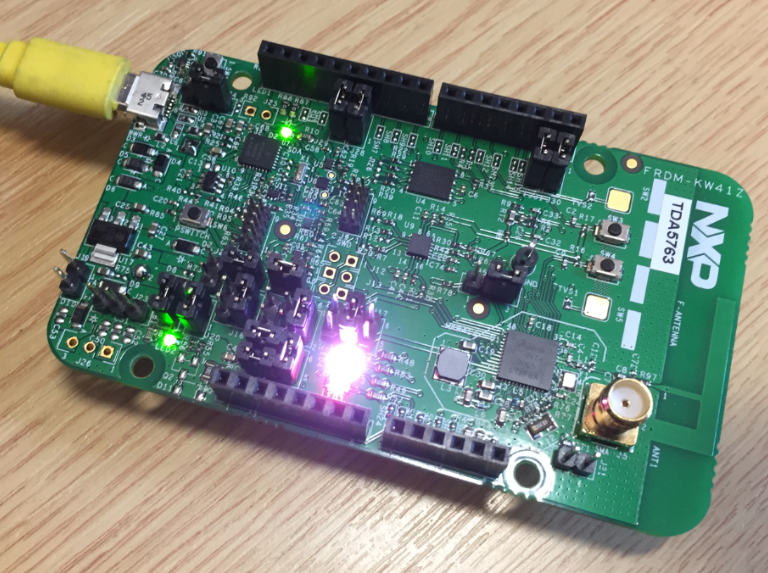
NXP FRDM-KW41Z Board

NXP FRDM-KW41Z Board

Continue reading

Using Eclipse with its local Version of Java Virtual Machine

Eclipse is probably the most used and de-facto standard IDE for any development for ARM Cortex or any other devices. It is very easy these days to construct an unlimited and unrestricted IDE (see “Breathing with Oxygen: DIY ARM Cortex-M C/C++ IDE and Toolchain with Eclipse Oxygen“). Up to the point that I can pack it into a .zip file and pass it around e.g. in a class room environment, so no installer at all is needed with the exception of the debug probe USB drivers. As Eclipse is using a Java Virtual Machine (VM), it is a good idea to bundle the VM with the IDE, and this article is about how to do this.

Eclipse Oxygen running with its own Java Virtual Machine

Eclipse Oxygen running with its own Java Virtual Machine

Continue reading

Breathing with Oxygen: DIY ARM Cortex-M C/C++ IDE and Toolchain with Eclipse Oxygen

Last month (June 2017), the latest version of Eclipse “Oxygen” has been released, and I have successfully used it in several embedded projects. Time to write a tutorial how to use it to build a custom Do-It-Yourself IDE for ARM Cortex-M development: simple, easy, unlimited and free of charge. While the DIY approach takes a few minutes more to install, it has the advantage that I have full control and I actually know what I have.

Eclipse Oxygen

Eclipse Oxygen

Continue reading

How to use Custom Library Names with GNU Linker and Eclipse

By default, the GNU Linker expects a very special naming scheme for the libraries: the library name has to be surrounded by “lib” and the “.a” extension:

lib<NAME>.a

But what if the library I want to use does not conform to that naming standard?

Non-conforming Library Naming

Non-conforming Library Naming

Continue reading

Tutorial: Makefile Projects with Eclipse

The benefit of an IDE like Eclipse is: it makes working with projects very easy, as generates make files and it takes and automatically manages the make file(s). But sometimes this might not be what I want because I need greater flexibility and control, or I want to use the same make files for my continues integration and automated testing system. In that case a hand crafted make file is the way to go.

One thing does not exclude the other: This article explains how to use make files with Eclipse with similar comfort as the managed build system in Eclipse, but with the unlimited power of make files:

Makefile Project with Eclipse

Makefile Project with Eclipse

Continue reading