Boost Windows 11 Dev Performance with Docker Volumes

I recently upgraded from Win10 to Win11. Windows 10 was not great for building performance compared to Linux. And I feel that with Windows 11 things got worse too.

Dev Container in VS Code uses docker-based environments. This enables me using a full-featured development environment, with isolated dependencies. This is especially very useful for development in the embedded systems space. There I have to use many different SDKs, toolchains and libraries. Using Dev Containers is super easy. But file I/O operations with building etc/is not that great.

The solution is to use a Docker Volume with VS Code and Dev Container:
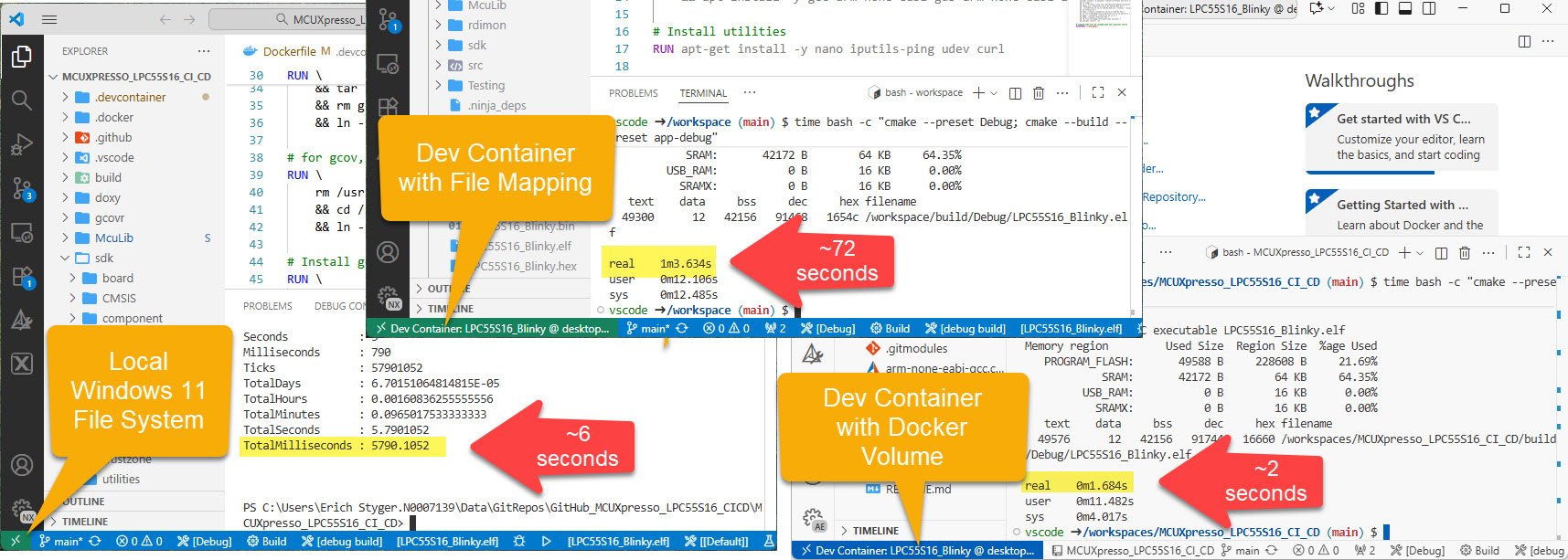
Build Performance Comparison
Continue reading

Optimizing CI/CD with RAM Target Applications

Usually, I run applications in the micro-controller FLASH memory. But for a CI/CD or testing environment that is not the best choice.

It is possible to have a ‘RAM target’, where the application is running in RAM instead of FLASH memory. This has the advantage not to ‘wear-out’ the FLASH memory. Plus loading and running in RAM is faster. This makes having RAM targets especially useful for testing.

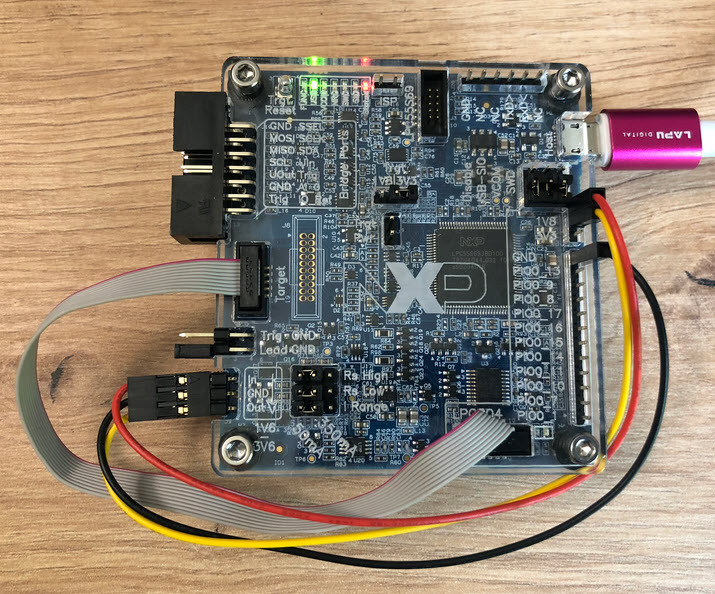
In this article I’m using the NXP LPC55S16-EVK board, but any other target or board is applicable.

NXP LPC55S16-EVK
NXP LPC55S16-EVK
Continue reading

Using Semihosting and File I/O in DevContainers

With Optimizing Embedded Development with VS Code and DevContainer I showed the benefits of using development containers. And with Remote Debugging with DevContainer and VS Code I explained ways use hardware debugging using that concept.

One topic is still open: how to use semihosting with file I/O using development container? The challenge here is that we need to work with two different file systems.

DevContainer Development with File I/O and Semihosting

In this article I show how semihosting file I/O can be used with DevContainer.

Continue reading

Sharing Standalone NXP SDK Projects in VS Code

The NXP SDK is git based which is great. If I create a project with VS code, it references the SDK cloned locally.

Standard NXP SDK Project in VS Code

A standalone project structure is needed if you want to easily share a project with your team. It’s also necessary for sharing inside a classroom environment. This article shows how to use an NXP SDK project in standalone mode.

Continue reading

GitLab Automated CI/CD Embedded Multi-Project Building using Docker

In CI/CD for Embedded with VS Code, Docker and GitHub Actions, I used GitHub to build a pipeline. This setup supports continuous integration within a CI/CD environment.

This time, let’s do a similar thing. But instead of GitHub, I use GitLab with VS Code. And I use it for a project where three different MCUs are used: the Raspberry Pi Pico-W, an Espressif ESP32 plus the NXP K22FX512 on the Sumo robot:

Raspberry Pi Pico-W, Espressif ESP32 and Robot with NXP K22FX512
Continue reading

Automated On-Target Testing with J-Run’s –args Feature

SEGGER has released a new version of their J-Link tools suite. That suite includes the J-Run utility which loads, executes and monitors the output of the target. Output can be with RTT (Real-Time Transfer) or semihosting. This makes it useful for automated tests with CMake and CTest:

CTest with J-Run

What has been added from the V7.98g release is the ability to send arguments to the running application using the --args command, for example with CMake/CTest:

set (RUNNER_CTEST_COMMAND "$ENV{SEGGER_PATH}/JRun" --verbose --device LPC55S16 --silent --rtt -if SWD)

add_test(
NAME Led_1
COMMAND ${RUNNER_CTEST_COMMAND} --args "Led_1" ${TEST_EXECUTABLE}
)

Like applications running on the host, I can now pass arguments to the running application. This is useful to set up the target, or to tell which kind of tests to run.

Continue reading

How to Use SystemView Data Plot Feature for Real-time Data Visualization

There is a new feature in the SEGGER SystemView: the ability to plot any data provided by the application, for example sensor data or any other useful data:

SEGGER SystemView with Data Plot
Continue reading

Low-Power Optimization Techniques for ARM Cortex-M Microcontrollers

Europe is currently facing an ‘Energy Crisis,’ and ‘Sustainability’ is a popular topic among companies. However, embedded engineers go beyond talking—they take action and make tangible changes in the world. With the increasing use of electronic devices, minimizing their energy and power consumption is crucial. Optimizing systems for deep low power or deep low energy is a challenging task. Nonetheless, as I will demonstrate in this article, it is possible to reduce energy consumption by a factor of 100 or more. This article provides a brief overview of the foundational concepts and then applies them step-by-step to an ARM Cortex microcontroller.

Measuring on-board LPC804 with MCU-Link Pro
Continue reading

How to make sure no floating point code is used

Float and double data types area a bad choice for embedded applications. At least in most applications, and can or should be avoided, even with hardware FPU support present.

But how can I be sure that no floating point operations are used?

wrapping float and double runtime routines

This article describes how to configure the GNU toolchain, so that no float or double operations are used, with the example of ARM Cortex-M. What I do? ‘Poisoning’ (!!!) the source code, force the gcc compiler to use software floating point operations and then catch them with the GNU linker :-).

Continue reading

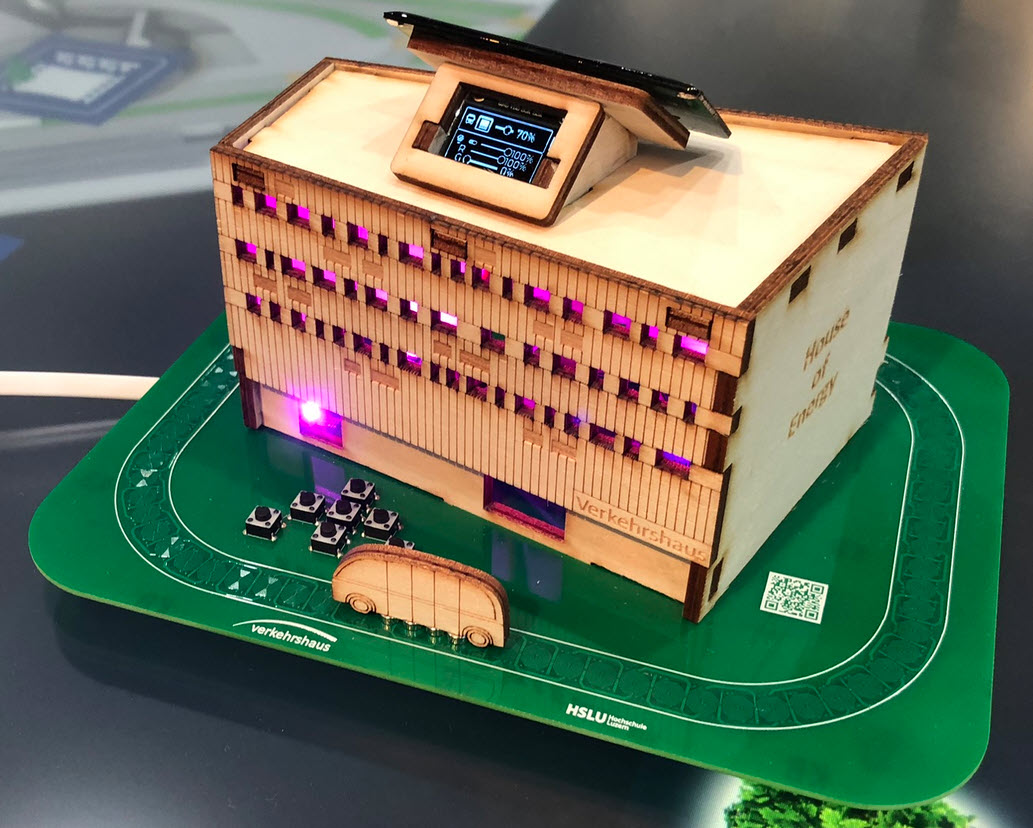
‘Experience Energy’ at the Verkehrshaus: The ‘House of Energy’ Construction Kit

The ‘Verkehrshaus der Schweiz‘, the ‘Swiss Museum of Transport’ is Switzerland’s most popular museum.

In April 2023, it opened up a new building and the ‘Experience Energy!’ exhibition. For the opening event we created a unique construction kit to explore energy: from harvesting to storing and up to distributing and using energy.

“House of Energy” at the Swiss Museum of Transport in Lucerne
Continue reading