Recovering OpenSDA Boards with Windows 10

Windows 8 and 10 have added a ‘feature’ to scan and index devices attached to the host machine. This means that bootloaders or MSD (Mass Storage Device) programming implementations on evaluation boards developed in the Windows 7 age might not be prepared for that. Up to the point that it can impact the bootloader as outlined in “Bricking and Recovering OpenSDA Boards in Windows 8 and 10“. So far one of the easiest way to get out that situation was to use a Windows 7 machine. But if you only have a Windows 10 machine available, this article describes the needed steps to update the bootloader with Windows 10 host machines.

OpenSDA LED
OpenSDA LED

Continue reading

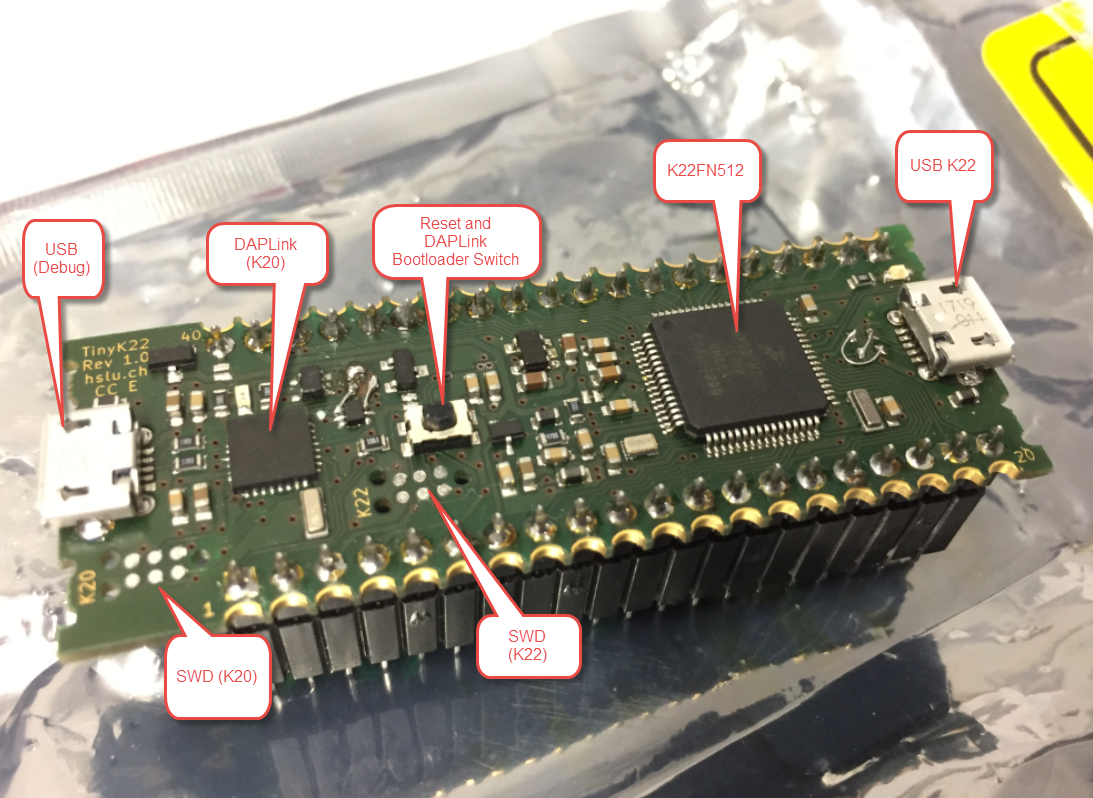
First tinyK22 Board with NXP K22FN512 ARM Cortex-M4F

The NXP Freedom boards are very popular. Many of them are inexpensive (less than $20), include a debug interface and can be easily extended with extra shields or boards. Especially the FRDM-KL25Z is very popular: I’m getting told because of Processor Expert and tutorials available on web sites like this one ;-).

Unfortunately there are no small or breadboard friendly Kinetis boards available. There is the NXP LPC800-DIP but with no onboard debugger and without Processor Expert support. We have the tinyK20, but projects tend to use more CPU power, FLASH and RAM space than what the tinyK20 board (50 MHz, 128 KByte FLASH, 16 KByte RAM) can provide. So we ended up designing the big brother of the first tinyK20: the tinyK22 with 120 MHz, 512 KByte of FLASH and 128 KByte of RAM.

tinyK22 Overview

tinyK22 Overview

Continue reading

Using a Custom Debug Perspective in Eclipse

The MCUXpresso IDE comes with a ‘Develop’ perspective which combines the usual C/C++ and the Debug perspective in one:

MCUXpresso Develop Perspective

MCUXpresso Develop Perspective

Continue reading

Adding a Delay to the ARM DAPLink Bootloader

The ARM mbed USB MSD bootloader which is used on many silicon vendor boards has a big problem: it is vulnerable to operating systems like Windows 10 which can brick your board (see “Bricking and Recovering OpenSDA Boards in Windows 8 and 10“). To recover the board, typically a JTAG/SWD programmer has to be used. I have described in articles (see links section) how to recover from that situation, including using an inofficial new bootloader which (mostly) solves the problem. The good news is that ARM (mbed) has released an official and fixed bootloader. The bad news is that this bootloader does not work on every board because of a timing issue: the bootloader mostly enters bootloader mode instated executing the application.

DAPLink in Bootloader Mode

DAPLink in Bootloader Mode

Continue reading

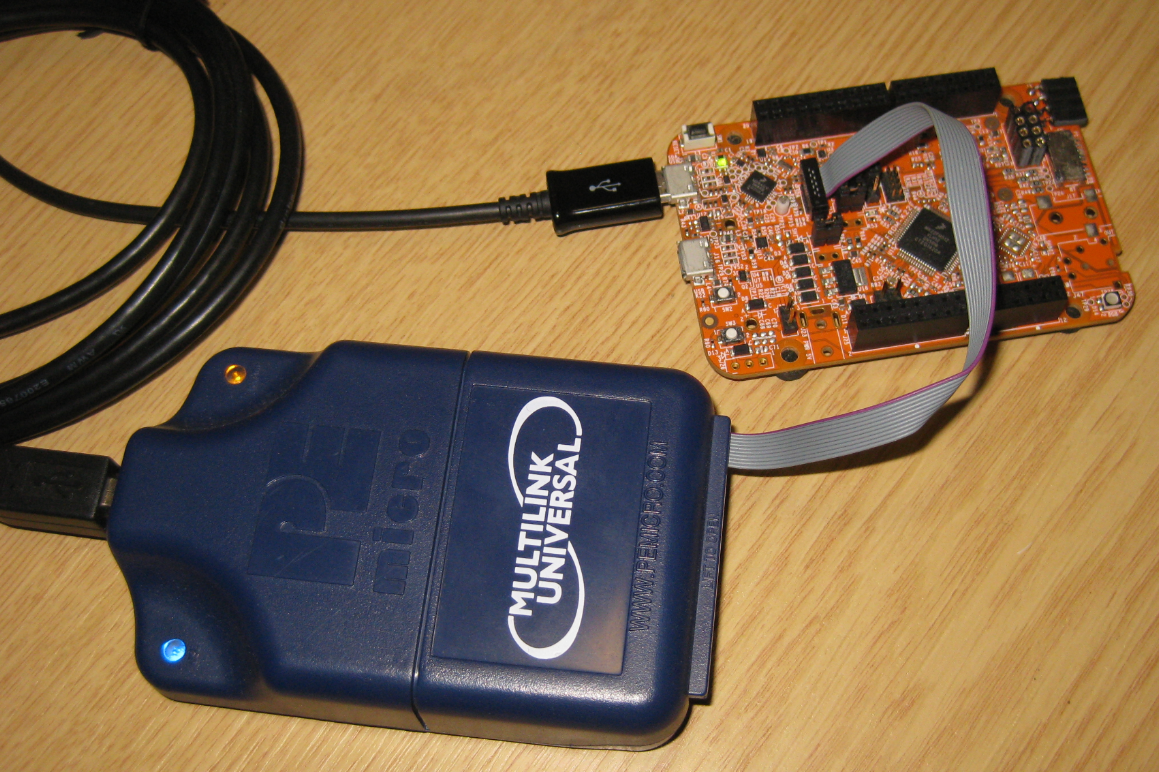
Recovering and Updating the NXP OpenSDA Bootloader with P&E Multilink and MCUXpresso IDE

Many of the NXP OpenSDA boot loaders are vulnerable to Windows 8.x or Windows 10: write accesses of Windows can confuse the factory bootloader and make the debug firmware and bootloader useless. In this post I show how to recover the bootloader using MCUXpresso IDE and the P&E Universal Multilink.

Using P&E Multilink Universal to restore the OpenSDA Bootloader on NXP FRDM-K22F Board

Using P&E Multilink Universal to restore the OpenSDA Bootloader on NXP FRDM-K22F Board

Continue reading

Troubleshooting Tips for FreeRTOS Thread Aware Debugging in Eclipse

FreeRTOS seems to get more and more popular, and I think as well because more and more debugger and Eclipse IDE vendors add dedicated debugging support for it.

FreeRTOS Threads in Eclipse

FreeRTOS Threads in Eclipse

Continue reading

Getting Started: ROM Bootloader on the NXP FRDM-KL03Z Board

A bootloader on a microcontroller is a very useful thing. It allows me to update the firmware in the field if necessary. There are many ways to use and make a bootloader (see “Serial Bootloader for the Freedom Board with Processor Expert“). But such a bootloader needs some space in FLASH, plus it needs to be programmed first on a blank device, so a JTAG programmer is needed. That’s why vendors have started including a ROM bootloader into their devices: the microcontroller comes out of the factory with a bootloader in FLASH. So instead writing my bootloader, I can use the one in the ROM.

FRDM-KL03Z with ROM Bootloader

FRDM-KL03Z with ROM Bootloader

And as with everything, there are pros and cons of that approach.

Continue reading

Reprogramming the Mikroelektronika Hexiwear Dockingstation

The Hexiwear docking station would have a nice feature: it has embedded a debug circuit (OpenSDA). That way I would not need an external debug probe to debug the Hexiwear. However, a debug probe is required to reprogram the docking station itself:

Repgrogramming the Mikroelektronika Docking Station

Repgrogramming the Mikroelektronika Docking Station

Continue reading

Bricking and Recovering OpenSDA Boards in Windows 8 and 10

Getting a board from a distributor like Farnell/Element14/Mouser (add your own distributor) means that chances are high that the default firmware on it is written years from now because the inventory has not been updated, or because boards are still produced with that original firmware (because of testing?). So what happens if I use board with a firmware developed pre-Windows 8/10 area?

Freshly Unboxed NXP FRDM-KL25Z Board

Freshly Unboxed NXP FRDM-KL25Z Board

It might work, but chances are high that the bootloader and firmware is not ready for the ‘modern age’, and as a result the board might be bricked. If you still have a Windows 7 machine around (I do!), you are lucky. If not, then you need to read this article….

Continue reading

Board Bring-Up Tips, GDB Logs and Traces in Eclipse

Sometimes things don’t go well, especially with bringing up a new board design. I always sweat blood that first minute when I try to connect with the debugger to a new design: Will it work? After the optical inspection, performing electrical tests (no shortcuts? voltage levels ok?) the inflection point is when I’m connecting the first time with the debugger to the new board: either it will properly connect and program the device (hurrah!) or it will fail and potentially difficult hours of investigations have to follow.

First PCB under Debug

First PCB under Debug

Continue reading