Tutorial: Catching Rogue Memory Accesses with Eclipse and GDB Watchpoints

Eclipse is great: it gives me the tools and capabilities to solve the really hard bugs to find. An example of that ‘hard’ category are ‘rogue’ memory accesses: something in the application is accessing an unwanted memory location and corrupts the data. This might be very sporadic, or takes a long while until it happens. With normal ‘stop-mode’ debugging (setting a normal breakpoint) and stepping usually won’t let me find that bug, as it might be coming from a pointer somewhere. Maybe from an interrupt routine. Or maybe an unitialized or corrupted pointer corrupts to my memory. Usually all what I know is the memory adddress of the data, maybe what is written, but not what or who is writing to that location.

In this article I’m using one of the ‘less-known’ debugging techniques available in Eclipse and CDT and how it works: watchpoints!

Watchpoint with Condition

Watchpoint with Condition

In this article I’m using one of the ‘less-known’ debugging techniques available in Eclipse and CDT and how it works: watchpoints!
Continue reading

i.MX RT1050 EVK vs. EVKB

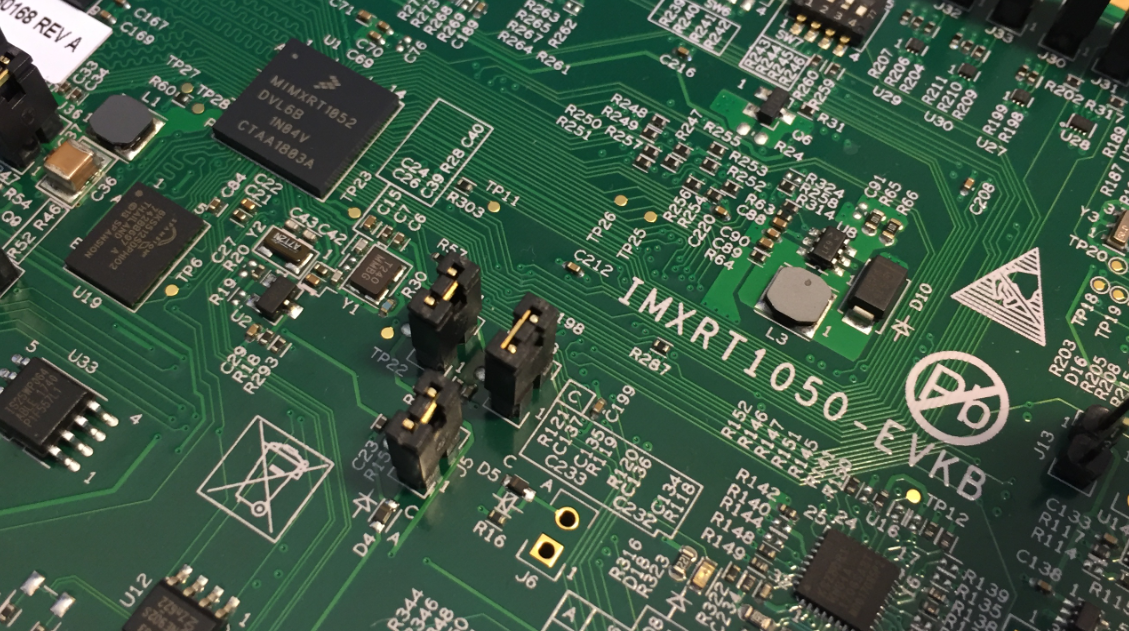
I noticed on Mouser.com that there is a new i.MX RT1050 board: the EVKB one. I have used the EVK (the one without the ‘B’) for several weeks (see “MCUXpresso IDE V10.1.0 with i.MX RT1052 Crossover Processor” and “Adding a Rocktech Capacitive Touch LCD to the NXP i.MX RT1052 EVK“). I needed anyway a second board, so I ordered that EVKB from Mouser, and after some delay and waiting it arrived on my desk. So far this boards seems to be a better one:

i.MX RT1050 EVKB Board

i.MX RT1050 EVKB Board

Continue reading

Tutorial: Using Runtime Statistics with Amazon FreeRTOS V10

FreeRTOS includes a nice feature to give me information about how much time every task is spending running on the system:

FreeRTOS Runtime Information

FreeRTOS Runtime Information

This tutorial explains that FreeRTOS Runtime Statistics feature and how it can be turned on and used.

Continue reading

Installing Darkest Theme with MCUXpresso IDE 10.2

Is BLACK the color of the season? My students really seem to love these ‘dark’ Eclipse themes. Well, I tried ‘dark’ themes in the past, but I have not been vey excited about it. Somehow I preferred more the ‘black on white background’ thing. But: I have now managed to install the ‘Darkest Dark’ Eclipse theme into the NXP MCUXpresso 10.2 IDE for my daily work, and I feel it hurts my eyes less? Maybe I’m getting older? Or could it really be that ‘dark’ look and feel?

Darkest Dark Theme with MCUXpresso IDE

Darkest Dark Theme with MCUXpresso IDE

Find out for yourself in the following article….

Continue reading

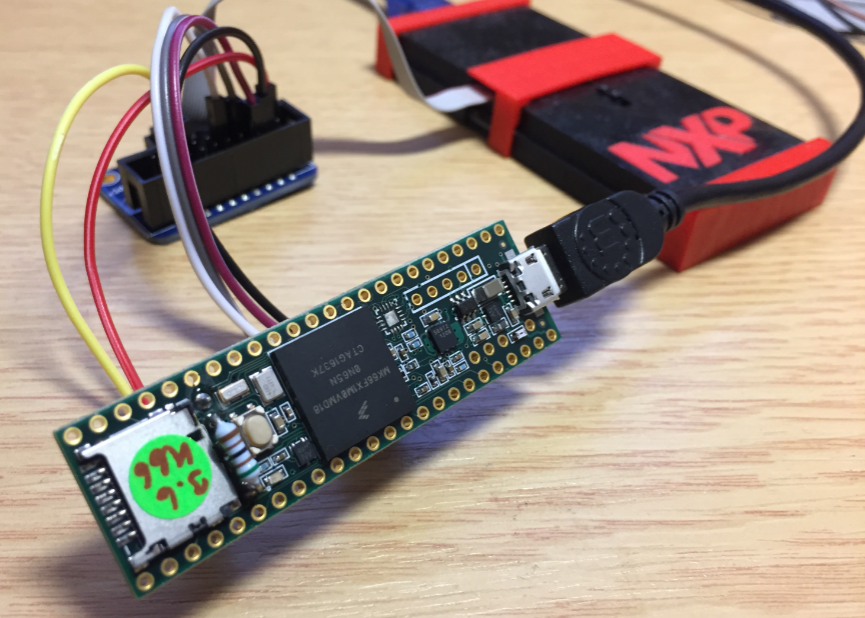
Debugging the Teensy 3.6 with Eclipse MCUXpresso IDE and CMSIS-DAP LPC-Link2

The Teensy boards are great, but as they are they are not really useful for real development, as they lack proper SWD debugging. In “Modifying the Teensy 3.5 and 3.6 for ARM SWD Debugging” I have found a way to get SWD debugging working, at that time with Kinetis Design Studio and the Segger J-Link. This article is about how debug the Teensy with free MCUXpresso IDE and the $20 NXP LPC-Link2 debug probe:

Teensy 3.6 with NXP LPC-Link2

Teensy 3.6 with NXP LPC-Link2

Continue reading

MCUXpresso IDE V10.1.0 with i.MX RT1052 Crossover Processor

In “Eclipse MCUXpresso IDE 10.1 with integrated MCUXpresso Configuration Tools” I mentioned that I wanted to try the i.MX RT1050 processor. Well, finally my ordered board from Mouser arrived, right on time for the week-end, so I had a chance to use that ARM Cortex-M7 running at 600 MHz :-).

i.MX RT1050 EVK

i.MX RT1050 EVK

Continue reading

Eclipse MCUXpresso IDE 10.1 with integrated MCUXpresso Configuration Tools

Back in March 2017, NXP had rolled the MCUXpresso IDE starting with Version 10.0.0. With the intent to unify the SDK, LPCXpresso, CodeWarrior, Kinetis Design Studio and Processor Expert into one unified and integrated set of tools. V10.0.0 was a good start. The MCUXpresso IDE V10.0.2 in July was more of a smaller update, and the Pin and Clock configuration tools were not integrated, no added tool for peripheral configuration.

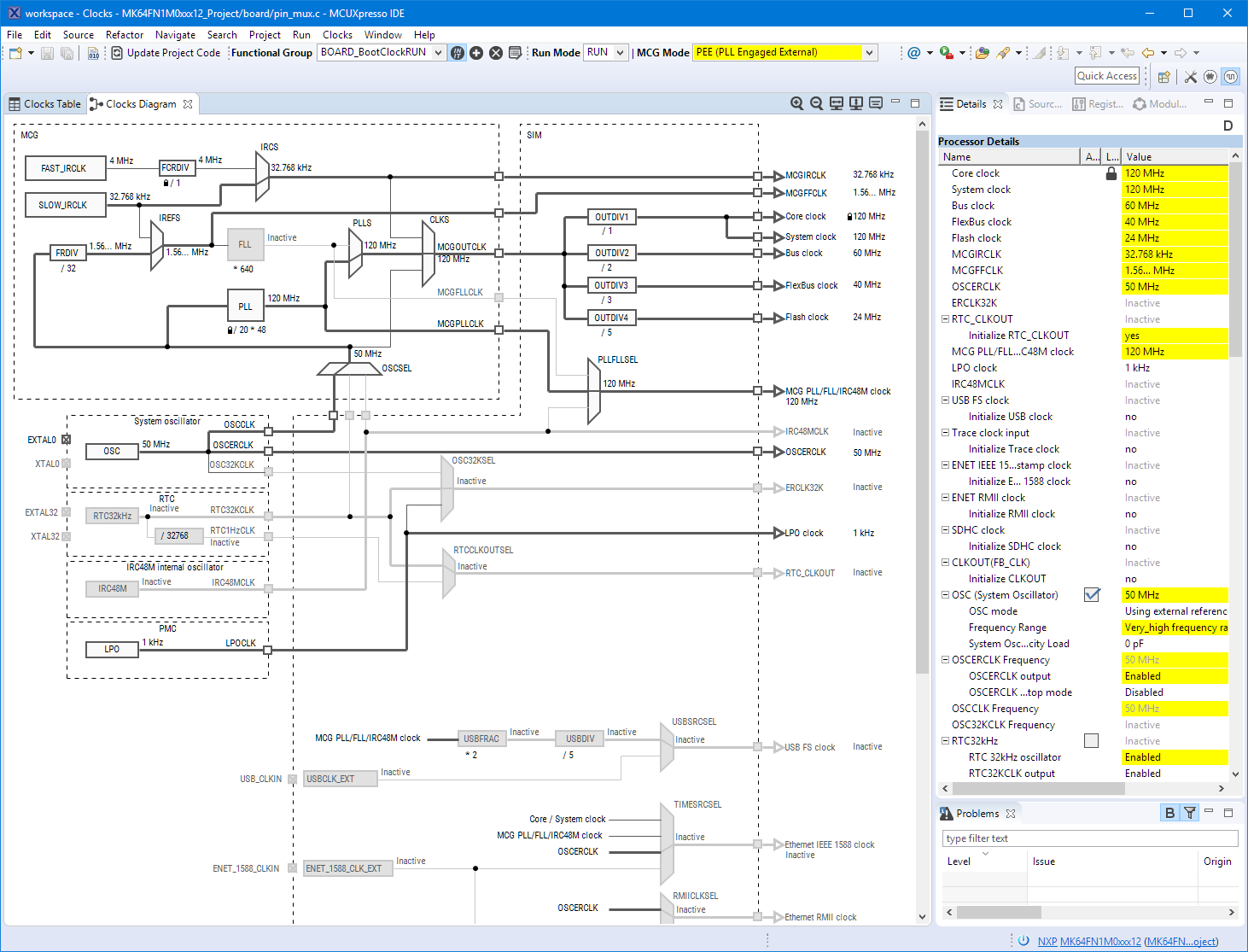
A week ago the MCUXpresso V10.1.0 has been released which shows where the journey is going: an free-of-charge and code size unlimited Eclipse based integrated set of tools to configure, build and debug Cortex-M (Kinetis, LPC and i.MX RT) microcontroller/processor based applications.

Clock Tool inside MCUXpresso IDE

Clock Tool inside MCUXpresso IDE

I have used it for a week, and although many things are still new, I thought I’m able to give an overview about what is new.

Continue reading

Using a Custom Debug Perspective in Eclipse

The MCUXpresso IDE comes with a ‘Develop’ perspective which combines the usual C/C++ and the Debug perspective in one:

MCUXpresso Develop Perspective

MCUXpresso Develop Perspective

Continue reading

Using Serial Terminal and COM Support in Eclipse Oxygen and Neon

Most of the time I’m using a dedicated terminal program like Termite or PuTTY to connect to a board using virtual or non-virtual COM port. Another way is to use the Eclipse built-in Terminal view: that way no extra program is needed to communicate with a real or virtual COM port to my target device:

Terminal Command Output

Terminal Command Output

Continue reading

MCUXpresso IDE v10.0.2 – Updated Eclipse based IDE for LPC and Kinetis

NXP has released an updated of their Eclipse based IDE for ARM Cortex-M (Kinetis and LPC) microcontroller: the version v10.0.2 build 411:

MCUXpresso v10.0.2 build 411

MCUXpresso v10.0.2 build 411

Continue reading