Constructing a Classroom IDE with Eclipse for ARM

For the next semester I will do things differently in my advanced embedded systems programming course (INTRO) at the University of Lucerne: Instead of using the Freescale provided CodeWarrior, we will use a DIY tool chain for ARM with Eclipse Kepler.

Eclipse Kepler Ready for Classroom Usage

Eclipse Kepler Ready for Classroom Usage

That way we we can offer students an open and convenient tool chain for their lab work, course assignments and own projects both at work and at home. So this post is about spending about 30 minutes to build your own tool chain which then can passed to students and coworkers so they have a complete toolchain installed in a few minutes.
Continue reading

Enhanced RNet Wireless Components and Communication Stack

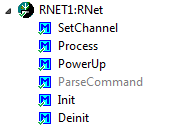
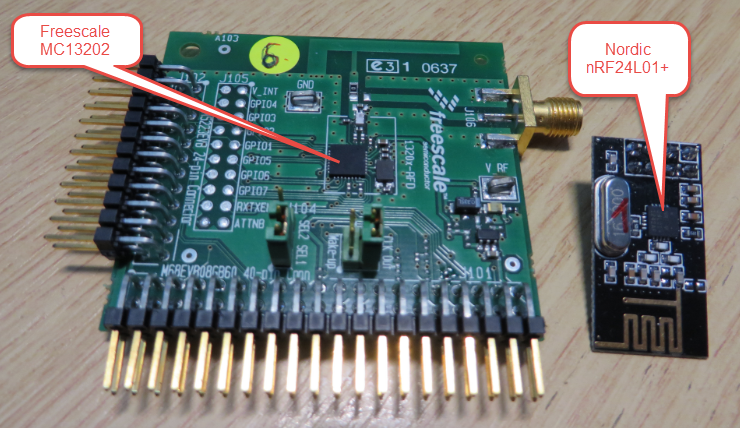
I’m using both the Freescale MC1320x and Nordic Semiconductor nRF24L01+ 2.4GHz in many projects. To make it even easier to use these transceivers in the RNet stack, I have updated it with several new functions.

MC13202 and nRF24L01+

MC13202 and nRF24L01+

Continue reading

JoyStick Shield with the FRDM Board

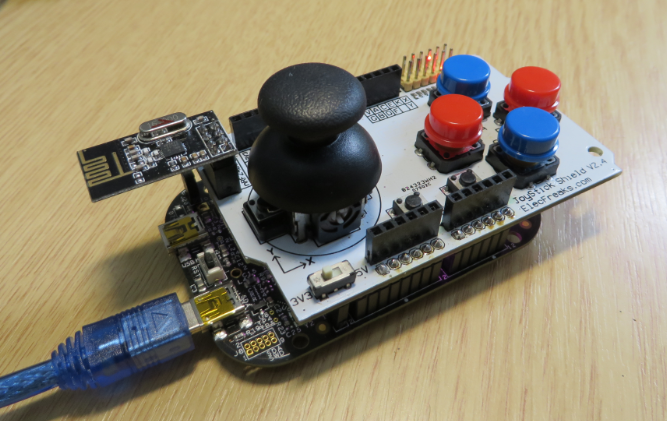
The latest addition to my set of Arduino shields is a true fun thing: The ElecFreaks.com JoyStick Shield πŸ™‚

ElecFreaks.com Joystick Board with FRDM-KL25Z and nRF24L01+

ElecFreaks.com Joystick Board with FRDM-KL25Z and nRF24L01+

Continue reading

FRDM with Arduino Ethernet Shield R3, Part 4: MinIni

I admit: my Ethernet Shield project got stuck because of too many urgent other priorities. I was not happy with the way the project was using configuration data from FLASH memory: I have now multiple ethernet shields in use, and configuring the IP address for each shield is a pain. I have not got DHCP working (yet), so why not using the SD card on the shield for configuration data? And right on time I received a tip from Marc about MinIni: perfect, exactly what I need!

Ethernet Shield with SD card

Ethernet Shield with SD card

Continue reading

Tutorial: User Interrupts with Processor Expert

I have been asked this question several times:

“How can I define my own interrupt vector with Processor Expert?”

So I think it deserves a short tutorial, if more than one person is asking this ;-).

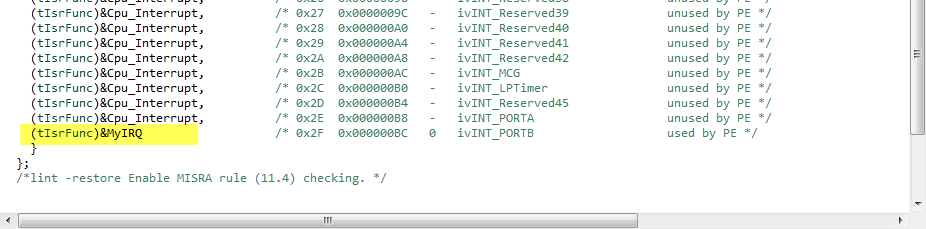
My user interrupt in the vector table

My user interrupt in the vector table

Continue reading

Processor Expert (Driver Suite/Plugins/KDS) V10.4 with new Component Inspector

There has been a lot of new Freescale releases recently around FTF, and I’m trying to catch up. For me as a Processor Expert Lover, it is good news that there is now the new version 10.4 available. And it comes in different ways:

Microcontrollers Driver Suite v10.4

Microcontrollers Driver Suite v10.4

Continue reading

The Zumo Bots at FTF 2014

I should have known it better, and I always teach my students that they should take the environment into account. And you know what? This time it was me who missed following that rule.

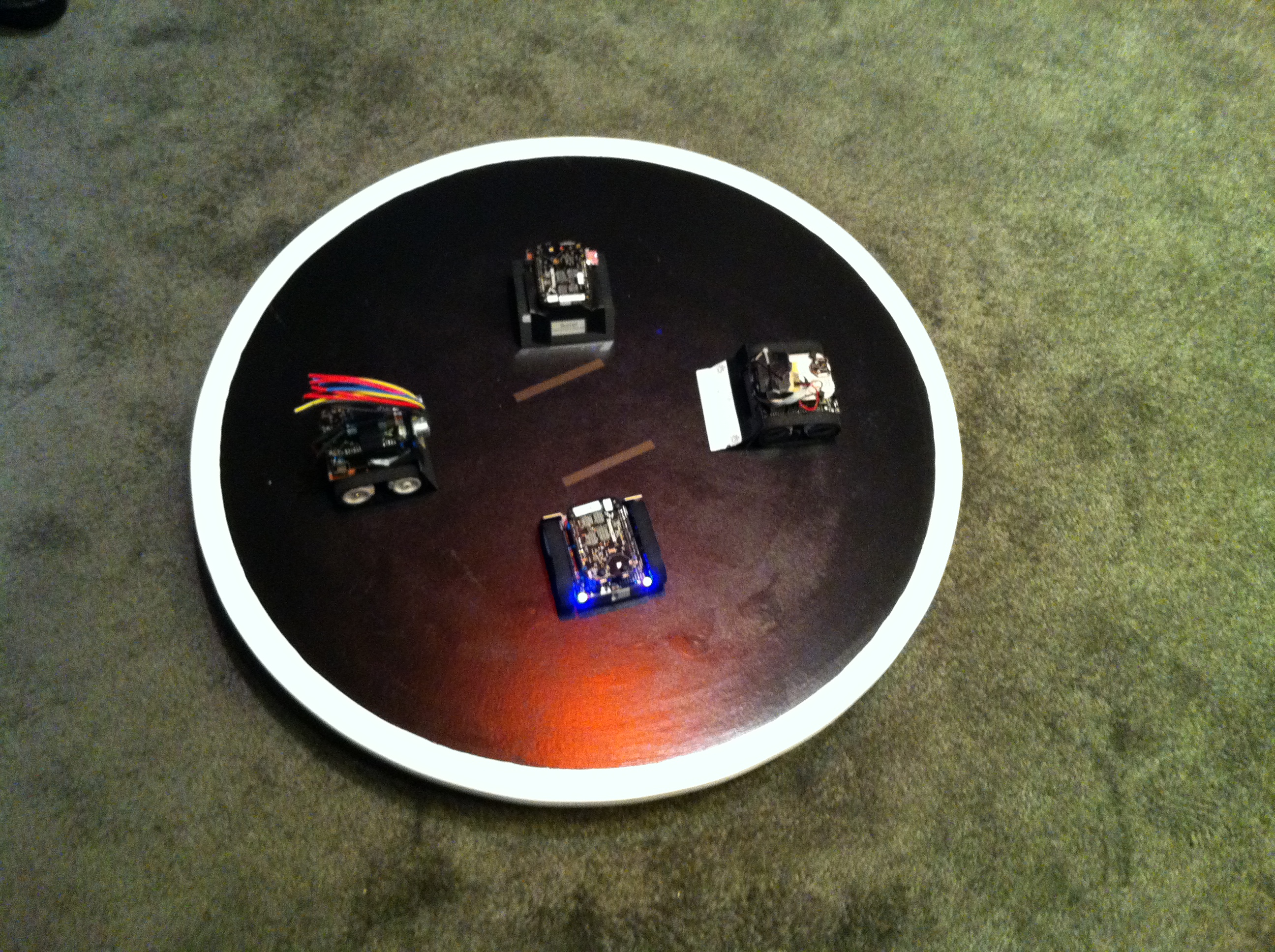
But from the beginning: For the Freescale Technology Forum (FTF) I brought 4 different Zumo Robots to show developing with the Freedom board and Processor Expert. Clark (thanks again, Clark!) has built and brought the Sumo Dojo, and I brought the bots:

Zumo Bots at FTF

Four Zumo Bots at FTF

Continue reading

Getting Bluetooth Working with JY-MCU BT_BOARD V1.06

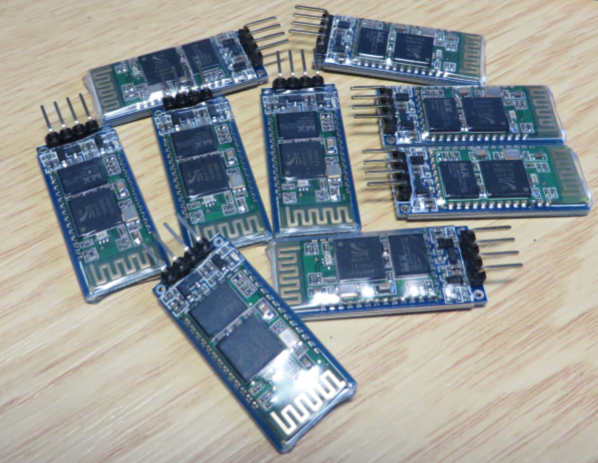
For my embedded course at the University of Lucerne of Applied Sciences and Arts I needed more Bluetooth modules for the Zumo/Sumo robots. I run out of stock as the modules are getting popular and are used in many student projects. So I ordered a handful more from DX/DealExtreme of the same HC-06 type/part number I already ordered a while back. I expected that they will work as the modules I had ordered from DX half a year ago. Was that naΓ―ve? Probably. Because they did *not* work, and caused me to reverse engineer the modules and to apply a hardware fix to get them working….

Set of JY-MCU Bluetooth Modules

Set of JY-MCU Bluetooth Modules

Continue reading

RNet Stack as Component, nRF24L01+ with Software SPI

The great thing with Processor Expert is: it writes the code for me :-). I’m using now the RNet wireless stack in more than 10 different projects, and keeping the projects up-to-date with the RNet stack sources in a traditional way gets harder and harder: IΒ  need to make sure the paths are pointing to the right place, and if I pass the project to somebody else, I have to make sure all the sources are packaged with that project. Processor Expert makes things simpler: it can generate the source files into my project, and I can easily configure it.

So instead to copy and support files by hand, I decided to package the RNet stack files into a Processor Expert component: all still normal C files, but easier to configure and distribute.

RNet Component

RNet Component

Continue reading

Generating Static FreeRTOS Source Code

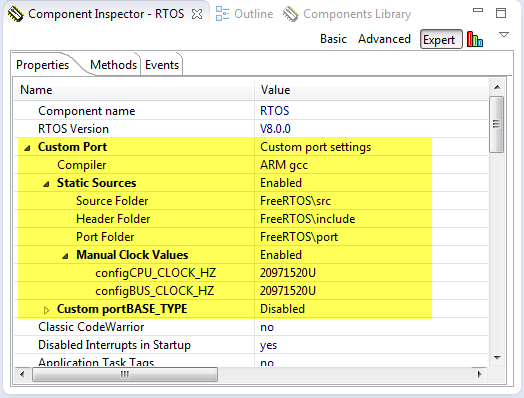
Using Processor Expert is an awesome tool: it generates source code for me, and I can can ‘dynamically’ tune my projects to my needs. Still, sometimes it is better or desirable to have a ‘normal’ or ‘static’ project. This is very well possible with Processor Expert (see “Sneaking from Processor Expert” or “Disable my Code Generation“): I can generate the code one time, and then use it without Processor Expert.

To make this even easier, I have added an option to the FreeRTOS Processor Expert component to generate ‘static’ code I can copy-paste to projects and tool chains which are either not supported by Processor Expert, or just for ‘static’ projects.

FreeRTOS Custom Port Settings

FreeRTOS Custom Port Settings

Continue reading