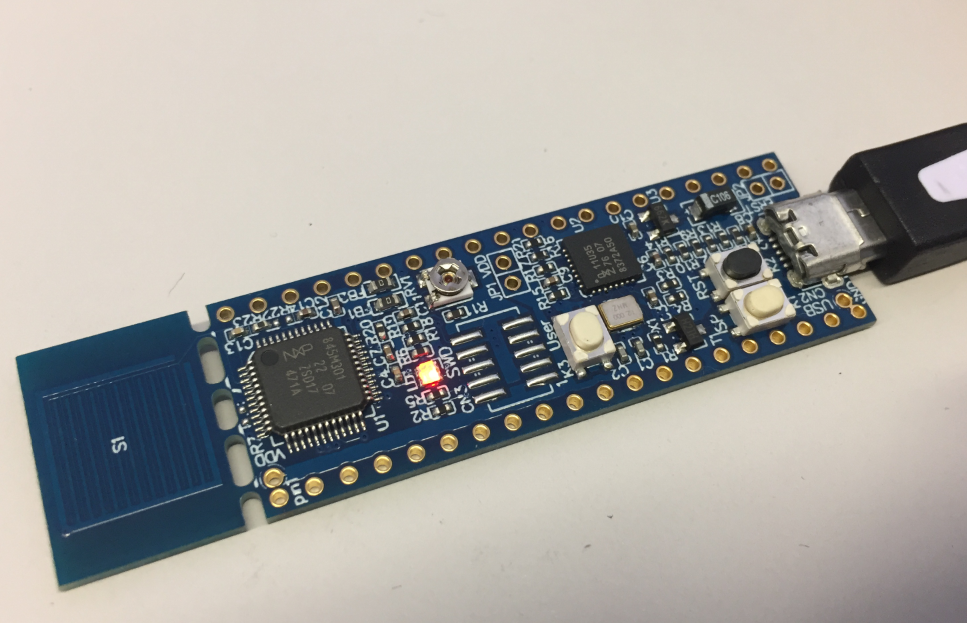
One great thing with that new NXP LPC845-BRK board is that it is possible to use it with any standard SWD/JTAG debugger, as it has the 10pin debug header present on the board. It is not populated by default, because the LPC845-BRK includes a CMSIS-DAP debug probe already. But if I want to use a SEGGER J-Link, a P&E Multilink or the NXP LPCLink2, this is certainly something to consider:
Tag Archives: Debugging
Unboxing the NXP LPC845-BRK Board
I really love tiny and bread board friendly boards, especially if they are very affordable and can be use with Eclipse based tools. So I was excited to see the NXP LPC845-BRK board to be available at Mouser, so I ended up ordering multiple boards right away. Why multiple? Because they only cost CHF 5.95 (around $6)!
Tutorial: Booting the NXP i.MX RT from Micro SD Card
It is a common thing to boot a Linux system (see the Raspberry Pi) from a micro SD card. It is not that common for a microcontroller. The NXP i.MX RT ARM Cortex-M7 fills that gap between these two worlds. No surprise that it features a ROM bootloader which can boot from a micro SD card.
FreeRTOS: how to End and Restart the Scheduler
Most host or desktop systems (say Linux, Mac or Windows) have a normal use case where you start the operating system say in the morning and shut it down in the evening, and then you leave the machine. Embedded Systems are different: they are not attended, and they are supposed to run ‘forever’. Not every embedded system needs to run an OS (or in that world: Real-Time Operating System or RTOS), but the same applies here: after the RTOS is started, it is not intended that it will shutdown and restart. To the extend that you won’t they support the ‘shutdown’ and ‘restart’ functionality at all. In case of gathering coverage information this would be really useful:
In the case of FreeRTOS: what if I really need to shutdown the RTOS and restart it again, as by default this is not supported. This is what this article is about …
GDB All-Stop and Non-Stop Mode with LinkServer
GDB supports a mode which allows the GDB debug client to read memory while the target is running. This allows features like ‘live variables’: that way I can see the variables refreshed and changing over time without halting the target. Another functionality which comes with that feature is to check stopped threads or to see all threads in the system.
Driver for VL53L0X Time-Of-Flight (ToF) Sensor and NXP K20DX128
I’m using the VL6180X ToF (Time-of-Flight) sensors successfully in different projects. The VL6180X is great, but only can measure distances up to 20 cm and in ‘extended mode’ up to 60 cm. For a project I need to go beyond that, so the logical choice is the VL53L0X which measures between 30 cm and 100 cm or up to 200 cm. For this project I’m using the VL53L0X breakout board from Adafruit, but similar products are available e.g. from Pololu.
Regaining Debug Access to NXP i.MX RT1064-EVK executing WFI
Working with low power modes can be challenging. It can severely affect debugging capabilities of a microprocessor or microcontroller. I ported a FreeRTOS application using the Tickless Idle Mode to the NXP i.MX RT1064 board, and all of a sudden, the board was unresponsive to any debugger connection. Luckily the board was not really bricked, but it took me while to find a way to recover it. So for when you end up in a situation with a ‘bricked’ i.MX RT1064 board, this article might be helpful for you to recover it.
Freelink LPC4322JET100 based Debug Circuit on NXP i.MX RT1064-EVK Board
As noticed in “First Steps with the NXP i.MX RT1064-EVK Board” there is a new LPC4322 based debug interface on the RT1064-EVK board.
First Steps with the NXP i.MX RT1064-EVK Board
I always reserve time between Christmas and New Year to get my hands on technology pieces which I might not have any time otherwise. Among different things I ordered the NXP i.MX RT1064-EVK board from Mouser.com, and it arrived right before Christmas. Time to have it unboxed and started….
New NXP MCUXpresso IDE V10.3.0 Release
Friday this week NXP has released a new version of their flagship IDE: the MCUXpresso IDE V10.3.0. The version number indicates an incremental update from the earlier V10.2.1, but there are many exciting features and new features which make me switch my lecture material to this new IDE for the next semester.