In “Seeed Studio Arch Mix NXP i.MX RT1052 Board” and “Debug and Execute Code from FLASH on the Seeed Arch Mix NXP i.MX RT1052 Board” I have used the NXP LPC-Link2 to debug the Seeed Arch Mix board with the NXP i.MX RT1052, because the SEGGER J-Link does not work out-of-the box with the i.MX RT using QSPI Flash. This article shows how the J-Link connection can be changed from HyperFlash to work with QSPI Flash.
Category Archives: Debugging
JTAG Debugging the ESP32 with FT2232 and OpenOCD
In “Eclipse JTAG Debugging the ESP32 with a SEGGER J-Link” I used a SEGGER J-Link to debug an ESP32 device with JTAG. I looked at using one of the FTDI FT2232HL development boards which are supported by OpenOCD. The FT2232HL is dual high-speed USB to UART/FIFO device, and similar FTDI devices are used on many boards as UART to USB converters. With OpenOCD these devices can be turned into inexpensive JTAG debug probes. This article shows how to use a $10 FTDI board as JTAG interface to program and debug the Espressif ESP32.
Stack Canaries with GCC: Checking for Stack Overflow at Runtime
Stack overflows are probably the number 1 enemy of embedded applications: a call to a a printf() monster likely will use too much stack space, resulting in overwritten memory and crashing applications. But stack memory is limited and expensive on these devices, so you don’t want to spend too much space for it. But for sure not to little too. Or bad things will happen.
The Eclipse based MCUXpresso IDE has a ‘Heap and Stack Usage’ view which can be used to monitor the stack usage and shows that a stack overflow happened:
But this is using the help of the debugger: how to catch stack overflows at runtime without the need of a debugger? There is an option in the GNU gcc compiler to help with this kind of situation, even if it was not originally intended for something different. Continue reading
Eclipse JTAG Debugging the ESP32 with a SEGGER J-Link
When Espressif released in 2014 their first WiFi ESP8266 transceiver, they took over at least the hobby market with their inexpensive wireless devices. Yet again, the successor ESP32 device is used in many projects. Rightfully there are many other industrial Wi-Fi solutions, but Espressif opened up the door for Wi-Fi in many low cost projects. Many projects use the ESP devices in an Arduino environment which basically means decent debugging except using printf() style which is … hmmm … better than nothing.
What is maybe not known to many ESP32 users: there *is* actually a way to use JTAG with the ESP32 devices :-). It requires some extra tools and setup, but with I have a decent Eclipse based way to debug the code. And this is what this article is about: how to use a SEGGER J-Link with Eclipse and OpenOCD for JTAG debugging the ESP32.
Restoring Default Firmware on Seeed Arch Mix NXP i.MX RT1052 Board
In my previous article “Debug and Execute Code from FLASH on the Seeed Arch Mix NXP i.MX RT1052 Board” I explained how to take complete control over the board and flash and debug a firmware. Of course this overwrites the one which comes by default shipped on the board. This article is about how to restore or update the original firmware.
Debug and Execute Code from FLASH on the Seeed Arch Mix NXP i.MX RT1052 Board
In my previous article “Seeed Studio Arch Mix NXP i.MX RT1052 Board” I described how I can use and debug the Seeed Arch Mix Board. But so far I only had things running in RAM. Ultimately I want to use the QSPI FLASH memory on the device with my firmware and running code on it. This article shows how to get from RAM execution to SPI FLASH in-place execution (XiP).
Seeed Studio Arch Mix NXP i.MX RT1052 Board
The Seeed Studio ‘Arch Mix’ board is a small and versatile development board with an NXP i.MX RT1052 on it, and it costs only $29.90. So I was not able to resist and just have ordered one so I can explore it.
Visualizing Global Variables while Target is Running with Eclipse and MCUXpresso IDE
By default, Eclipse provides ‘stop-mode-debugging’: in order to inspect the target code and data, I have to stop the target. But with the right extensions as present in the Eclipse based MCUXpresso IDE, it is possible to inspect the target even while it is running.
Black Magic Open Source Debug Probe for ARM with Eclipse and GDB
The ‘Black Magic Probe’ (or in short: BMP) is a very small and open source JTAG/SWD debug probe with a build-in GDB Server. I saw that probe referenced in different places, so I thought I try it out with a few of my NXP LPC and Kinetis boards:
New NXP MCUXpresso Eclipse IDE v11.0
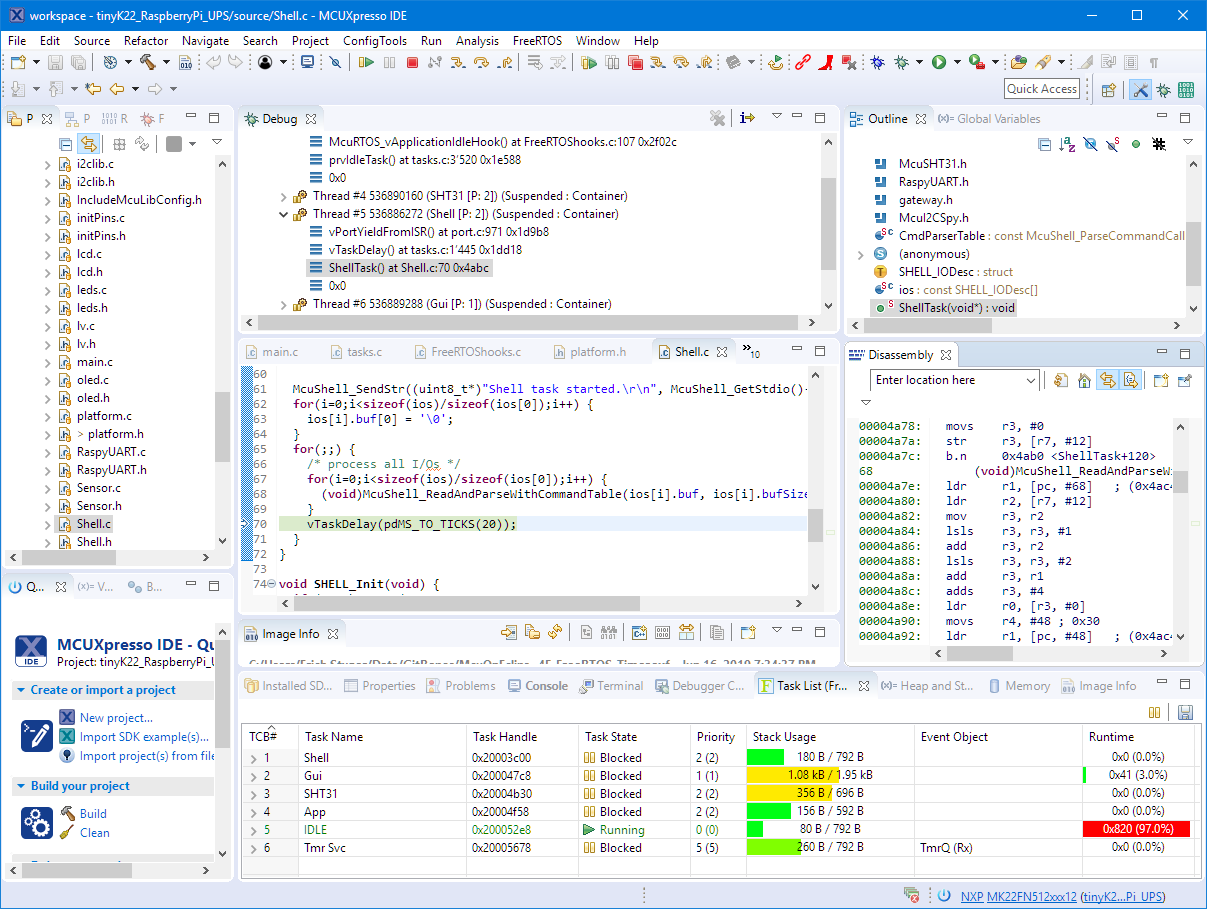
A few days ago NXP has released a new version of their Eclipse IDE flagship: the MCUXpresso IDE v11.0.
The previous v10.3.1 was released back in Feb 2019, and the 11.0 now in June this year matches up with the Fall university semester. I appreciate that the releases are about every 6 months, so this gives me time to use it in my university lecture material and lab work. I had the weekend for trying it out, and I’m very pleased.