Using CAN FD for Remote Hardware Debugging of Cortex-M Devices

Today’s projects and systems get more and more complex. Many systems include multiple MCUs, connected with a field bus or network, for example CAN. For example there can be up to 70 CAN nodes in modern cars. Such larger and connected systems are a challenge for debugging.

Traditional hardware debugging requires a hardware debug probe, connected with a dedicated SWD/JTAG debug cable to the target device. This needs dedicated pins on the target device plus physical access to the device itself. In many cases, this is not possible in the final product. The hardware debug probes, cables, pins and high speed signals are costly. And worse they can introduce new problems and are prone to interference.

If there is a field bus like CAN connecting all the MCUs, why not use it for hardware debugging? Hardware debugging meaning programming the FLASH memory, halt the MCU, inspect the memory and registers, and step through the code?
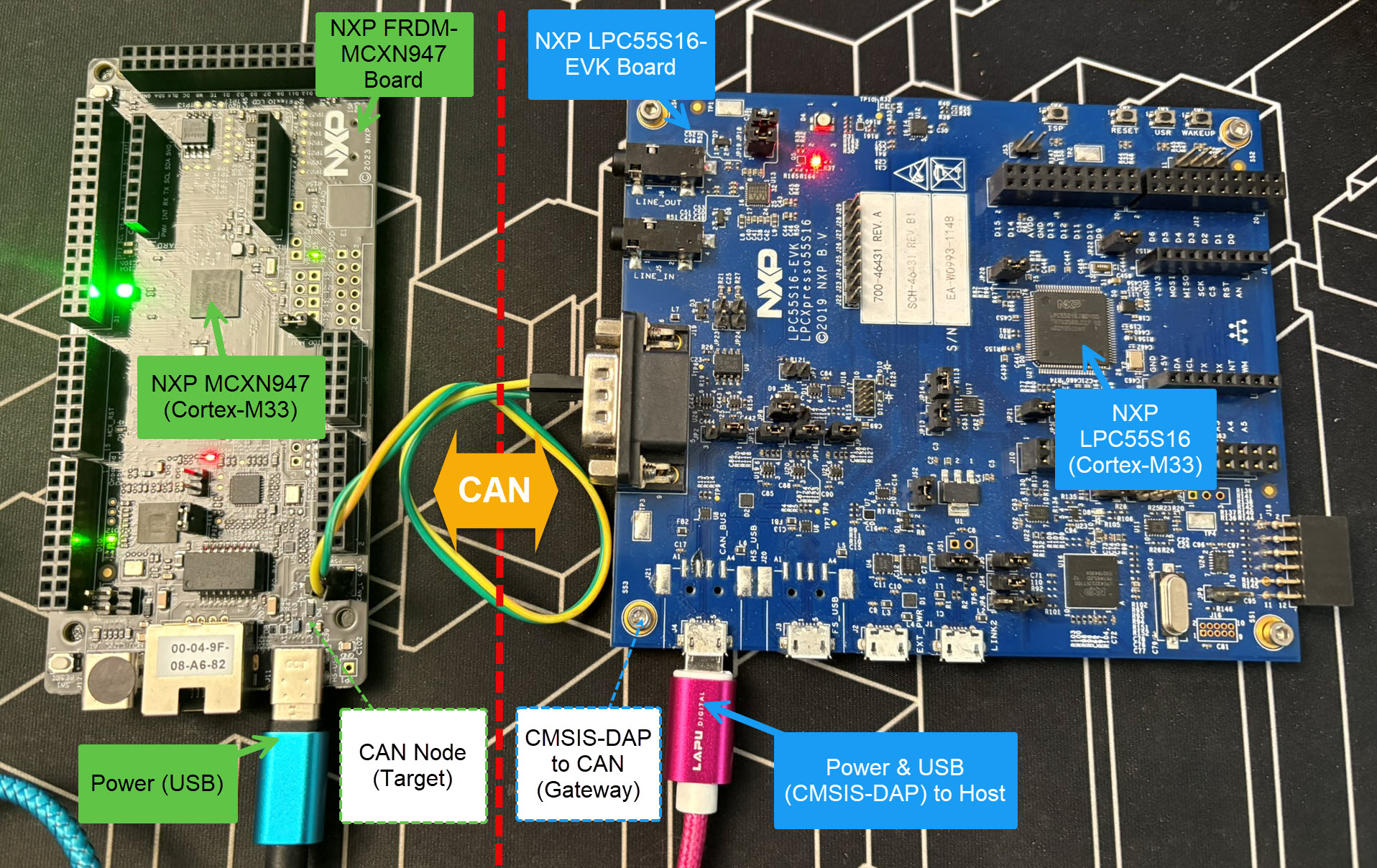
Cortex-M Hardware Debugging over CAN

Yes, we can! With the help of a rather unknown hardware feature on ARM Cortex-M devices. We can use the ARM DebugMonitor Interrupt to control and debug the target system. As we would use a JTAG/SWD connection. Instead, we use the CAN bus :-).

Continue reading
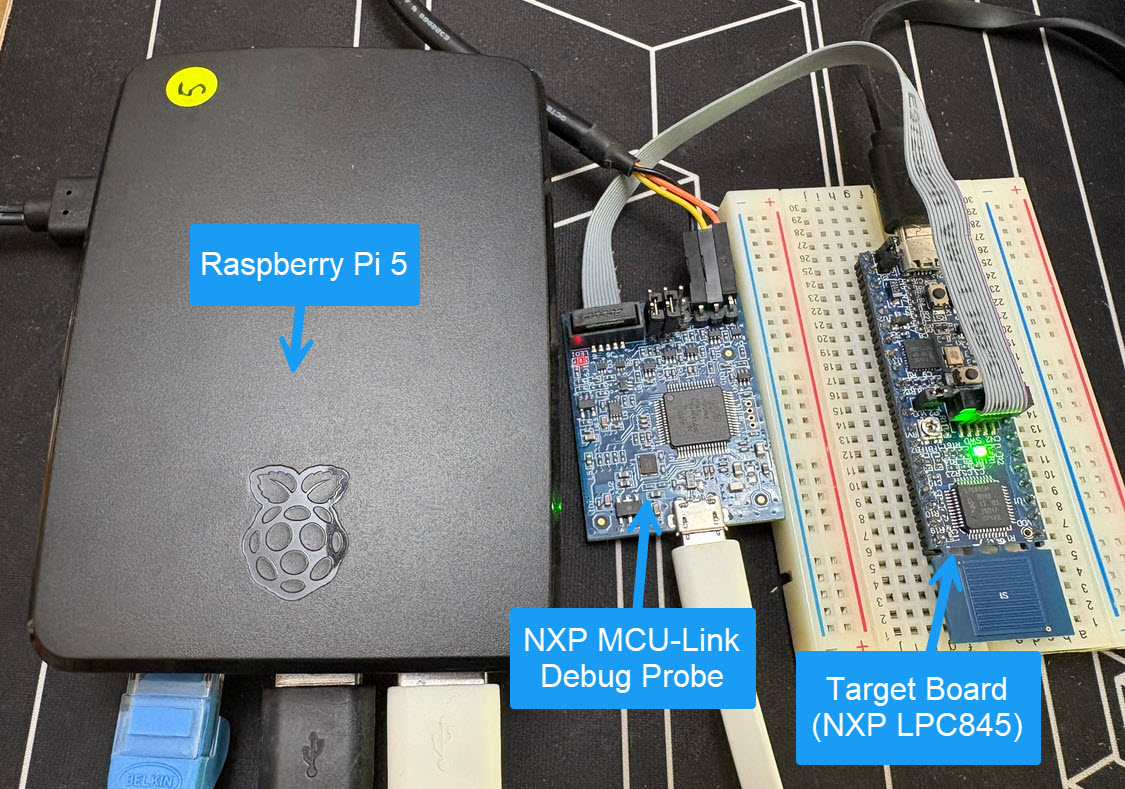
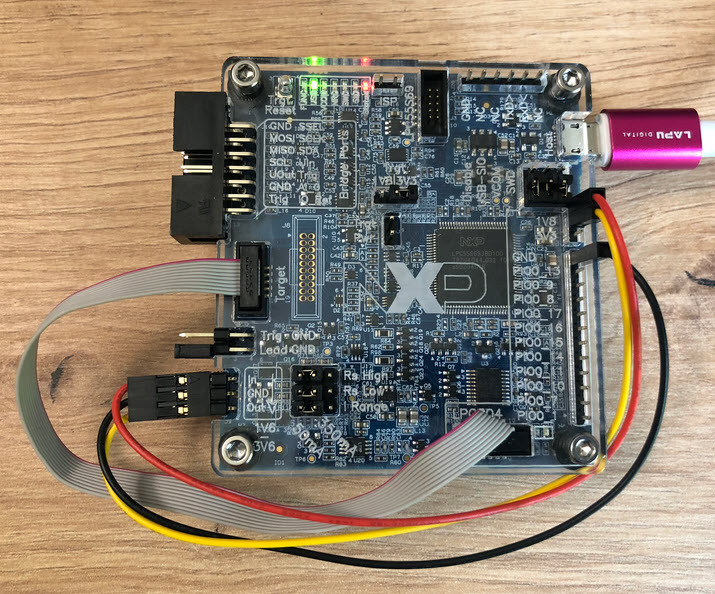
Using Raspberry Pi and MCU-Link for Remote Embedded Debugging

Remote debugging an embedded target is very useful: I don’t need a direct debug probe or USB cable connection. Instead, I’m using a network connection (wired or even wireless) over TCP/IP to talk to the debug probe and target. That way I can place the debug probe and target system away from my desk.

In Debugging ARM Cores with IP based Debug Probes and Eclipse I have used IP-based debug probes. This is a logical path, but expensive.

In Remote Debugging with USB based JTAG/SWD Debug Probes I showed how normal USB based debug probes can be used. This approach uses a remote host machine (e.g. desktop machine or notebook). This approach is still expensive, not scalable and the host machine needs a lot of space too.

So what if I use a Raspberry Pi instead? The RPi is small, inexpensive and ideal for such a task. Additionally, I can easily use it to build a test or debug farm. In this article, I show the use of the Raspberry Pi for remote debugging. A sub $20 or embedded target debug probe can be employed.

Raspberry Pi with NXP MCU-Link for Embedded Target Debugging
Continue reading

Workaround for FreeRTOS Runtime Counter Issues in VS Code

FreeRTOS has a great performance measurement feature built-in: Performance counters. At each context switch, the RTOS can do a bookkeeping of time spent in tasks. With this, it can estimate the runtime distribution between the tasks. A very useful feature to get a feeling what the tasks are doing.

But I noticed that with recent FreeRTOS versions, VS Code extension have issues showing the correct runtime counter values:

Unknown Runtime Counters in VS Code Extension (mcu-debug.rtos-views)
Continue reading

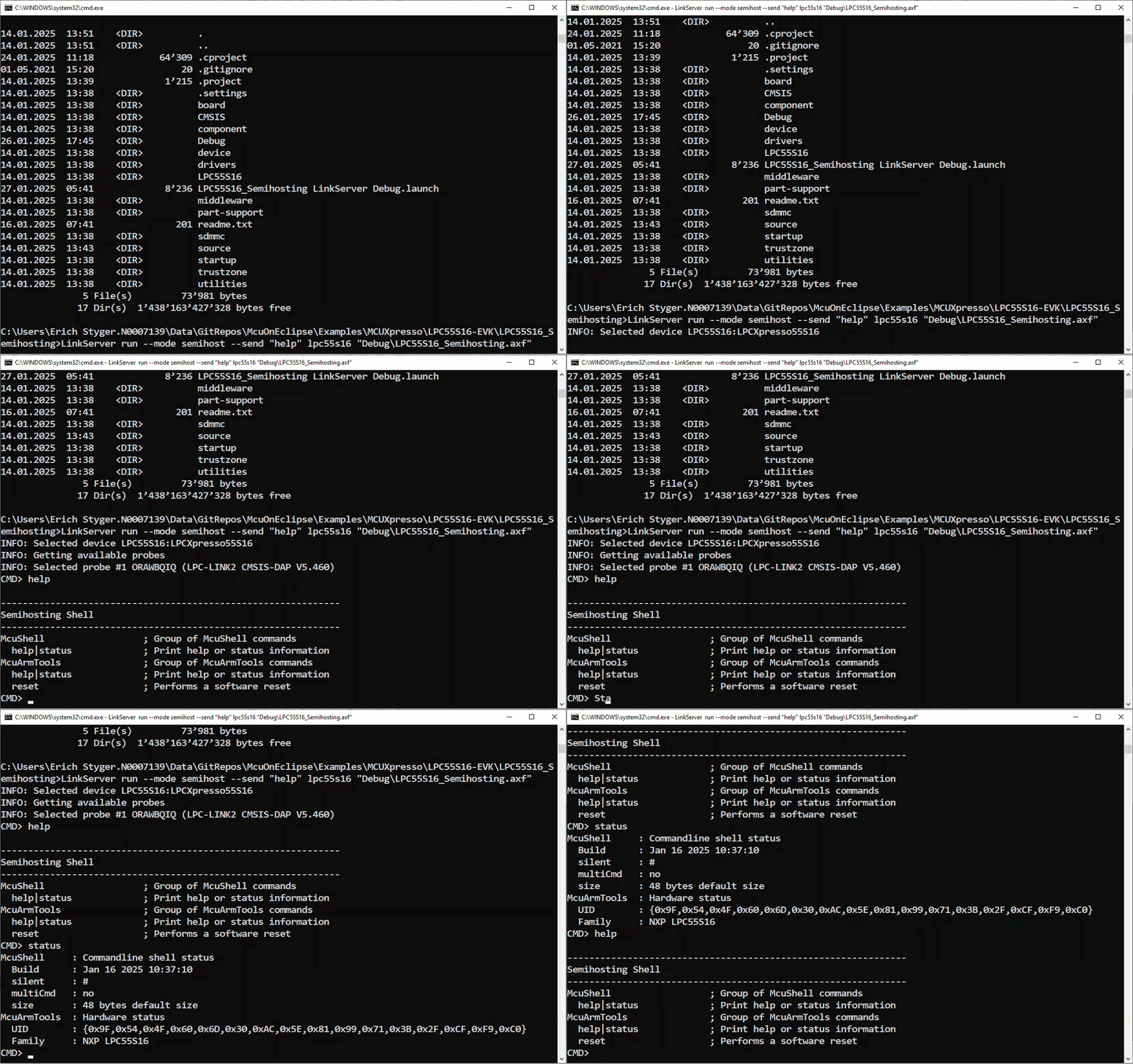
Standalone Semihosting Host-Target Console with CI/CD Runner and CMSIS-DAP

NXP has released a new LinkServer software. It includes an interesting feature. The LinkServer test runner has been extended with a Semihosting console. This is not only very useful for on-target testing. With the Semihosting console, I have a bidirectional communication channel with the target. And I do not need any hardware pins or to run a debug session. All what I need is the CMSIS-DAP connection with the NXP LinkServer runner to have a command line shell:

Target Console with Semihosting
Continue reading

GitLab Automated CI/CD Embedded Multi-Project Building using Docker

In CI/CD for Embedded with VS Code, Docker and GitHub Actions, I used GitHub to build a pipeline. This setup supports continuous integration within a CI/CD environment.

This time, let’s do a similar thing. But instead of GitHub, I use GitLab with VS Code. And I use it for a project where three different MCUs are used: the Raspberry Pi Pico-W, an Espressif ESP32 plus the NXP K22FX512 on the Sumo robot:

Raspberry Pi Pico-W, Espressif ESP32 and Robot with NXP K22FX512
Continue reading

Processor Expert Components: 24-Dec-2024 Release

The year 2024 is coming to its end, time for a Year-End-Processor-Expert-Component-Release.

Processor Expert Components in Eclipse (KDS)

Also, this is now the 10th anniversary of the releases on Sourceforge, starting with https://mcuoneclipse.com/2014/10/21/mcuoneclipse-releases-on-sourceforge/ back in 2014.

Continue reading

NXP LinkServer 24.9.75: New GUI for Flash Programming

NXP has released a new version of the LinkServer software. This is a utility for debugging and using scripting for a wide range of devices and debugging probes. It includes support for the MCU-Link, LPC-Link2, on-board and CMSIS-DAP based debug probes with the ‘LinkFlash’:

Programming with LinkFlash

With the new release, it includes a graphical user interface (GUI) for flash programming. It also includes erasing, verifying, recovery, and saving the memory to a file.

Continue reading

How to Use SystemView Data Plot Feature for Real-time Data Visualization

There is a new feature in the SEGGER SystemView: the ability to plot any data provided by the application, for example sensor data or any other useful data:

SEGGER SystemView with Data Plot
Continue reading

Customizable DIY RFID Business Card and Badge Holder with Victorinox Swiss Army Knife Tools

In case you are looking for an unusual business card, company badge or event badge holder, then this article is for you: A DIY RFID badge and business card with bling-bling addressable RGB LEDs to impress your customer, clients, friends at work or at a conference, packed with electronics. Plus it includes 10 original tools from Victorinox, the manufacturer of the Swiss Army Knife.

Complete Badge and Business Card Solution
Continue reading

Low-Power Optimization Techniques for ARM Cortex-M Microcontrollers

Europe is currently facing an ‘Energy Crisis,’ and ‘Sustainability’ is a popular topic among companies. However, embedded engineers go beyond talking—they take action and make tangible changes in the world. With the increasing use of electronic devices, minimizing their energy and power consumption is crucial. Optimizing systems for deep low power or deep low energy is a challenging task. Nonetheless, as I will demonstrate in this article, it is possible to reduce energy consumption by a factor of 100 or more. This article provides a brief overview of the foundational concepts and then applies them step-by-step to an ARM Cortex microcontroller.

Measuring on-board LPC804 with MCU-Link Pro
Continue reading