If a Cortex microcontroller is unresponsive to a debug connection for various reasons, then this trick might help to recover that device for you. All you need is a debug probe from PEMICRO and a utility.


If a Cortex microcontroller is unresponsive to a debug connection for various reasons, then this trick might help to recover that device for you. All you need is a debug probe from PEMICRO and a utility.
This is about one of my ‘long running projects’: I happily can report that the missing last piece has been installed after 16 months from the start of the project: the ‘3D-Printed-Supported-Driftwood-Bath-Tub-Shower-Gel-Holder’ 🙂 :

This is the ‘official finish’ of a complete bathroom renovation and remodeling. It has been a joint project with the help of friends, contractors, my family and my brother in law (who is an outstanding carpenter and cabinetmaker), plus the Ultimaker2 3D printer which contributed many ‘background and hidden’ features.

I invite you to a virtual time travel. I hope you enjoy it and get inspired….
Continue readingFor a research project we selected the NXP LPC55S16 but because it has due the silicon shortage it is not available probably for the next 52 weeks (yikes!) we can use the EVK Board.
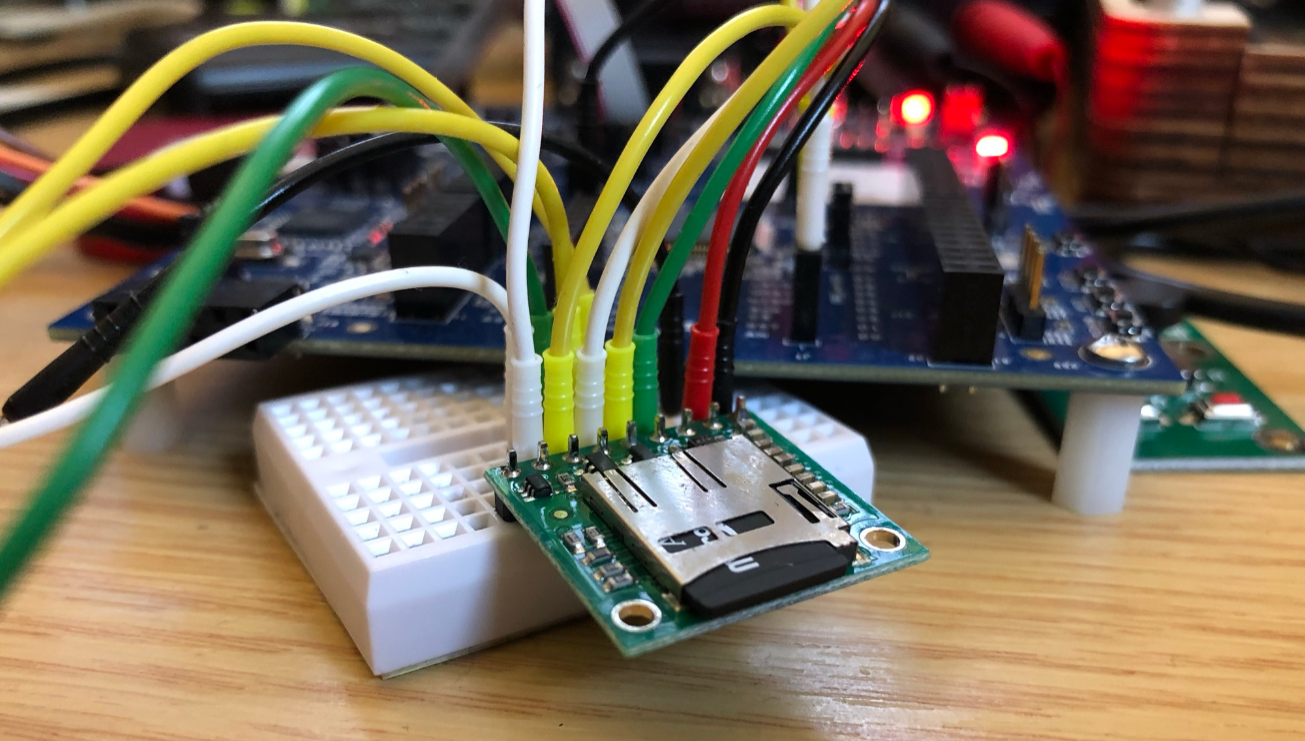
The FatFS file system from Elm Chan is the de-facto file system for many embedded systems. As such it comes integrated with silicon vendor SDKs like the NXP MCUXpresso SDK. The problem is that the SDK only has examples for things on the board, and because that board does not have a SD card socket, no example for using FatFS with an SDK card is provided :-(. So I had to create one, and you can get it from GitHub.
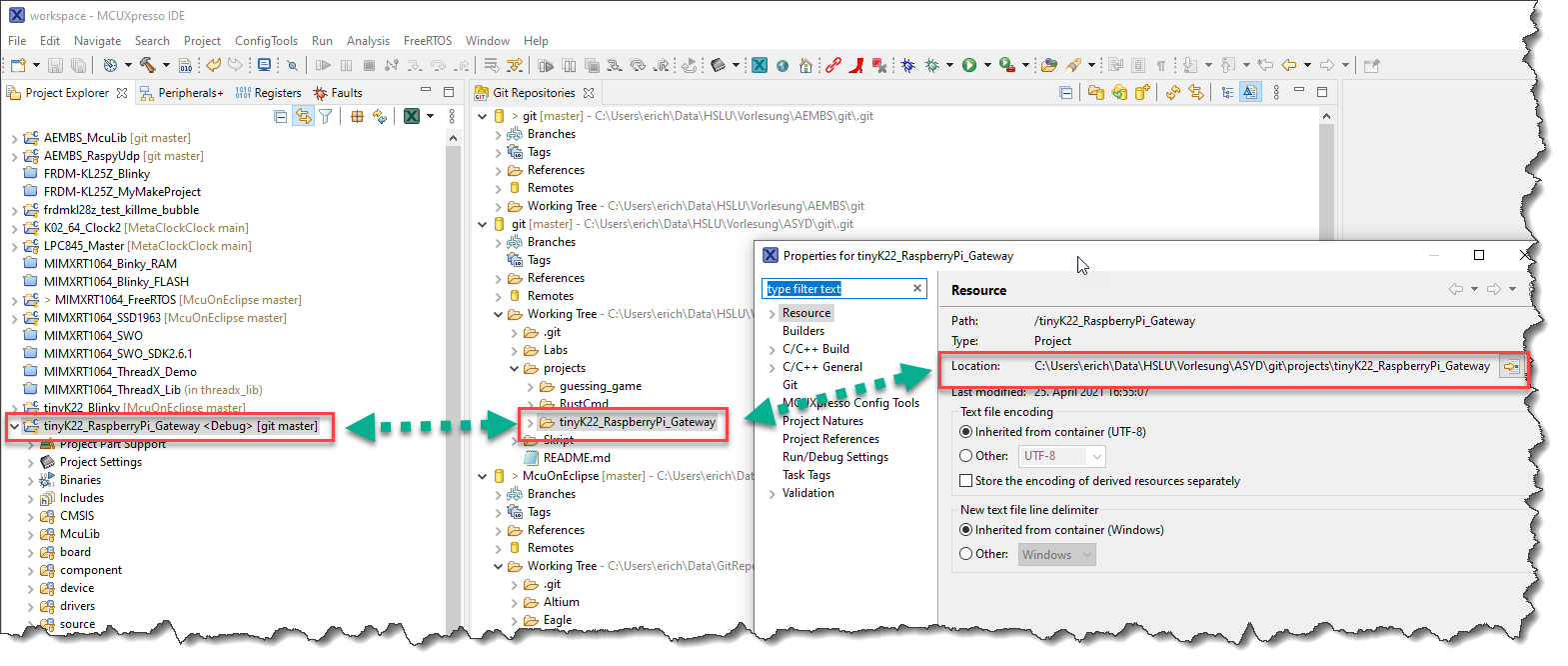
Continue readingThere are many ways to organize projects and workflows, and I would say Eclipse is flexible enough for everything. As I have been asked recently how I organize my projects, I’ll share it here.
The previous parts were about installation, project setup, building and debugging. This one is about defining the ‘tool kit’ so I can make use more of the CMake infrastructure in Visual Studio Code:

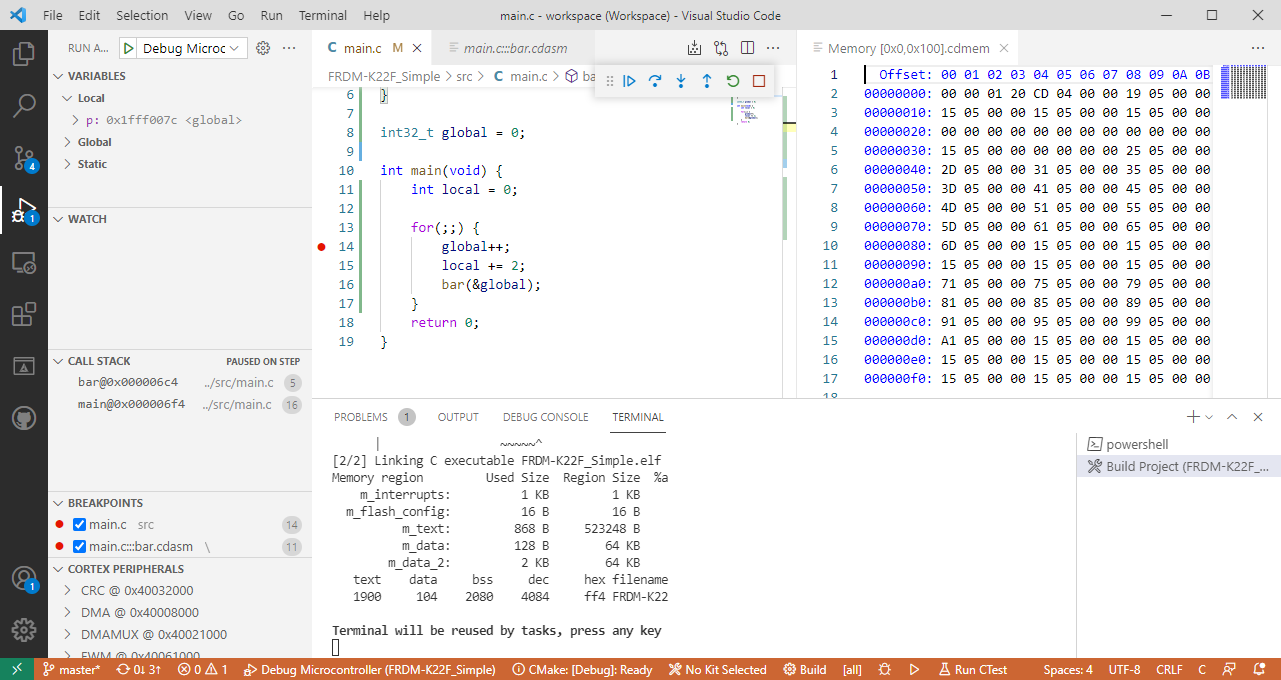
The previous parts were about installation, project setup and building. This one is about debugging an ARM Cortex-M Microcontroller with Visual Studio Code:
After all the technical posts, on a different topic: Spring finally has arrived in Switzerland!

This is the third part in a series to get up and running using the Microsoft Visual Studio Code for embedded development on ARM Cortex-M. So far we have installed the needed tools, created a project and are able to build it from the command line. Now it is about how execute directly scripts or the build from the IDE.

This is the second part of series or articles how to use the Microsoft Visual Studio Code for embedded development on ARM Cortex-M. In this part I’m going to show how to create and build a project using CMake running Make or Ninja as build system.

For a few months I’m learning and using Rust. I’m still learning, but I’m very impressed by the powerful and cool programming language, the vibrant ecosystem, the advanced concepts behind it and by the tools. With learning Rust I have been using the Visual Studio Code IDE and it works great for Rust. But I was wondering: could I use it for my ‘usual’ C/C++ development on ARM Cortex-M devices too? The answer is a clear ‘yes’, and this mini series of articles should get you up and running too.

 MCU on Eclipse