The latest release of the NXP LinkServer supports ARM 64bit (Debian) besides Windows, Linux and MacOS. With this, I can now develop on an NXP i.MX board. Plus, this enables an inexpensive way for automated on-target tests and CI/CD.
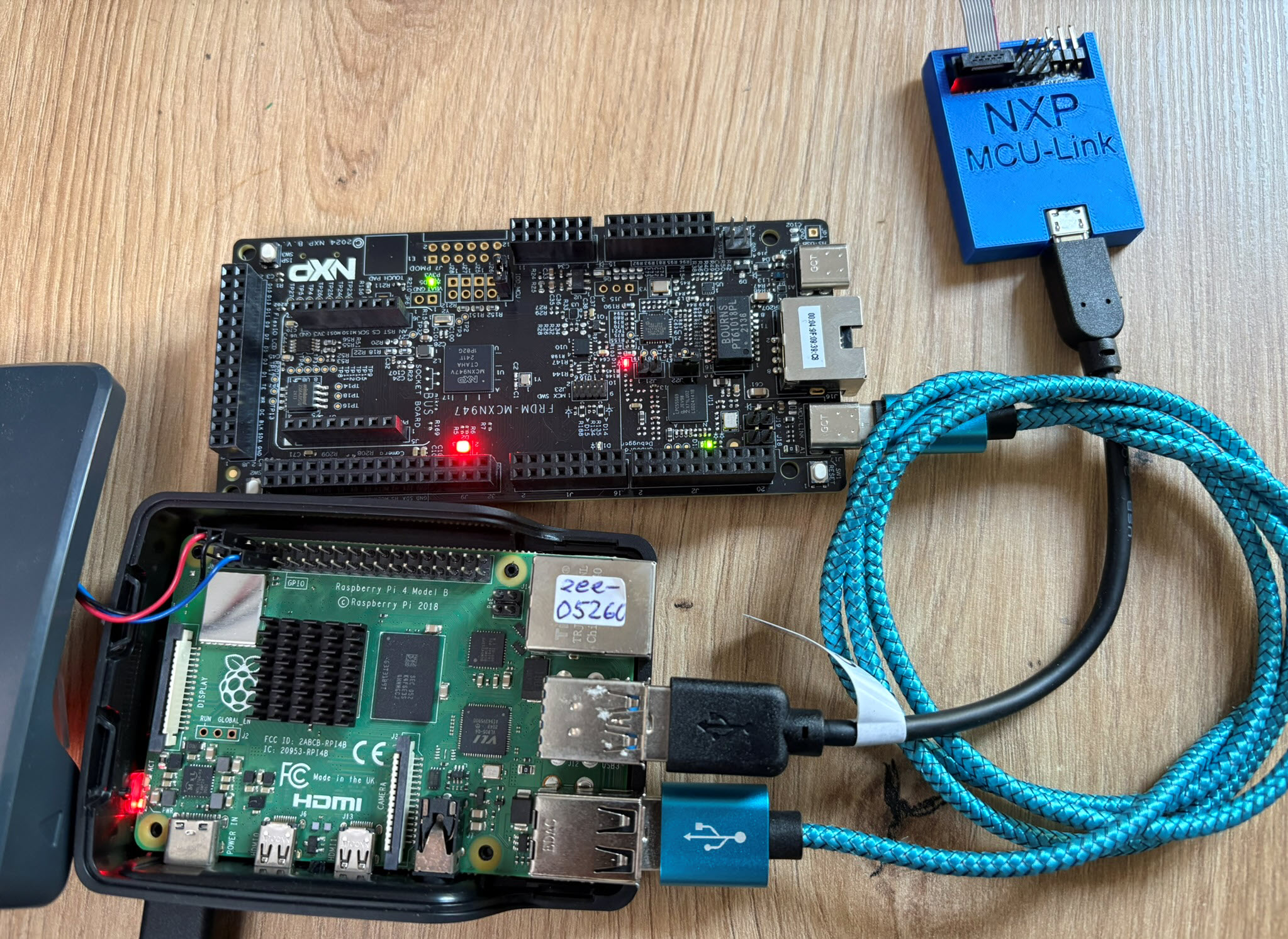

The latest release of the NXP LinkServer supports ARM 64bit (Debian) besides Windows, Linux and MacOS. With this, I can now develop on an NXP i.MX board. Plus, this enables an inexpensive way for automated on-target tests and CI/CD.
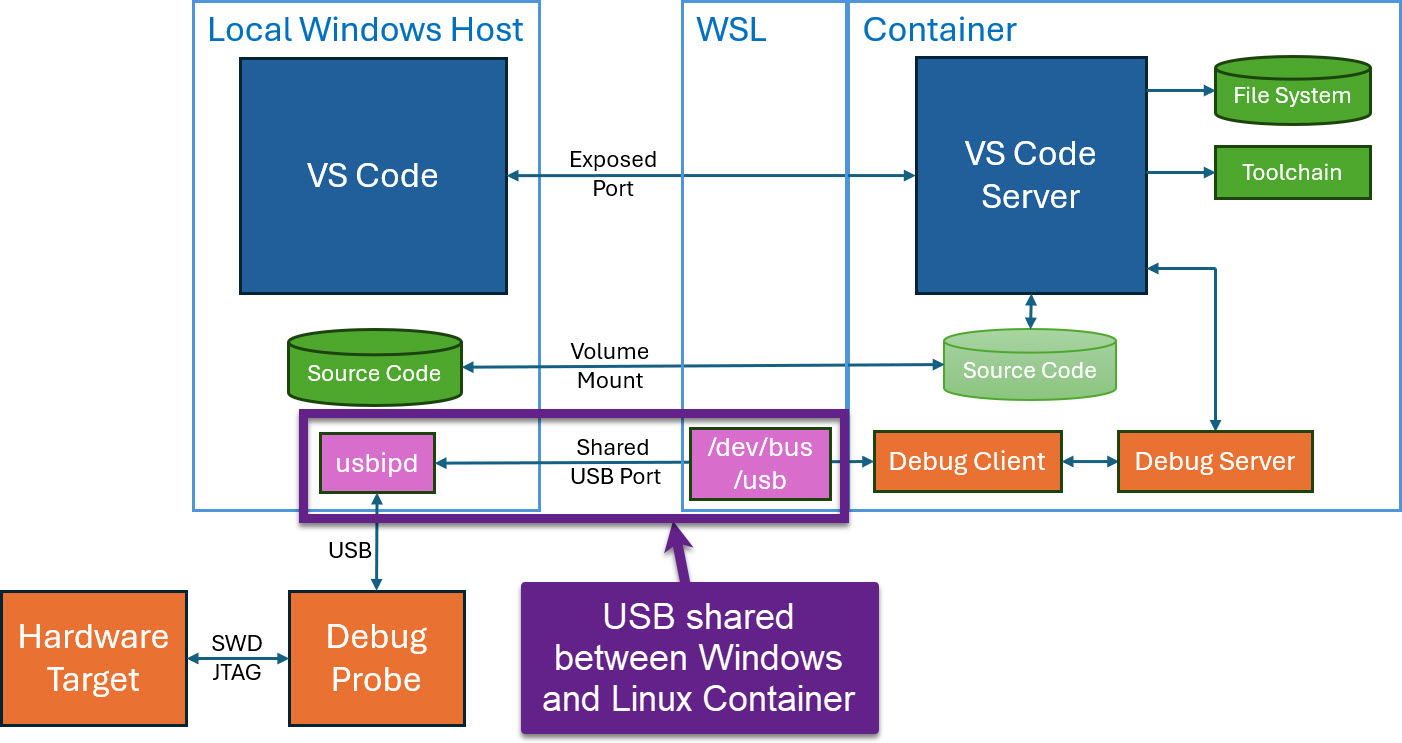
Docker or Development Container are great for isolation. And they work very well with things outside which are TCP/IP based. But most debug probes are USB only. Docker container don’t work well with USB. In Remote Debugging with DevContainer and VS Code, I showed how to use USB based debug probes. I demonstrated using them with an IP connection. In this article I show how Windows USB devices can be used from a container, with the help of usbipd.
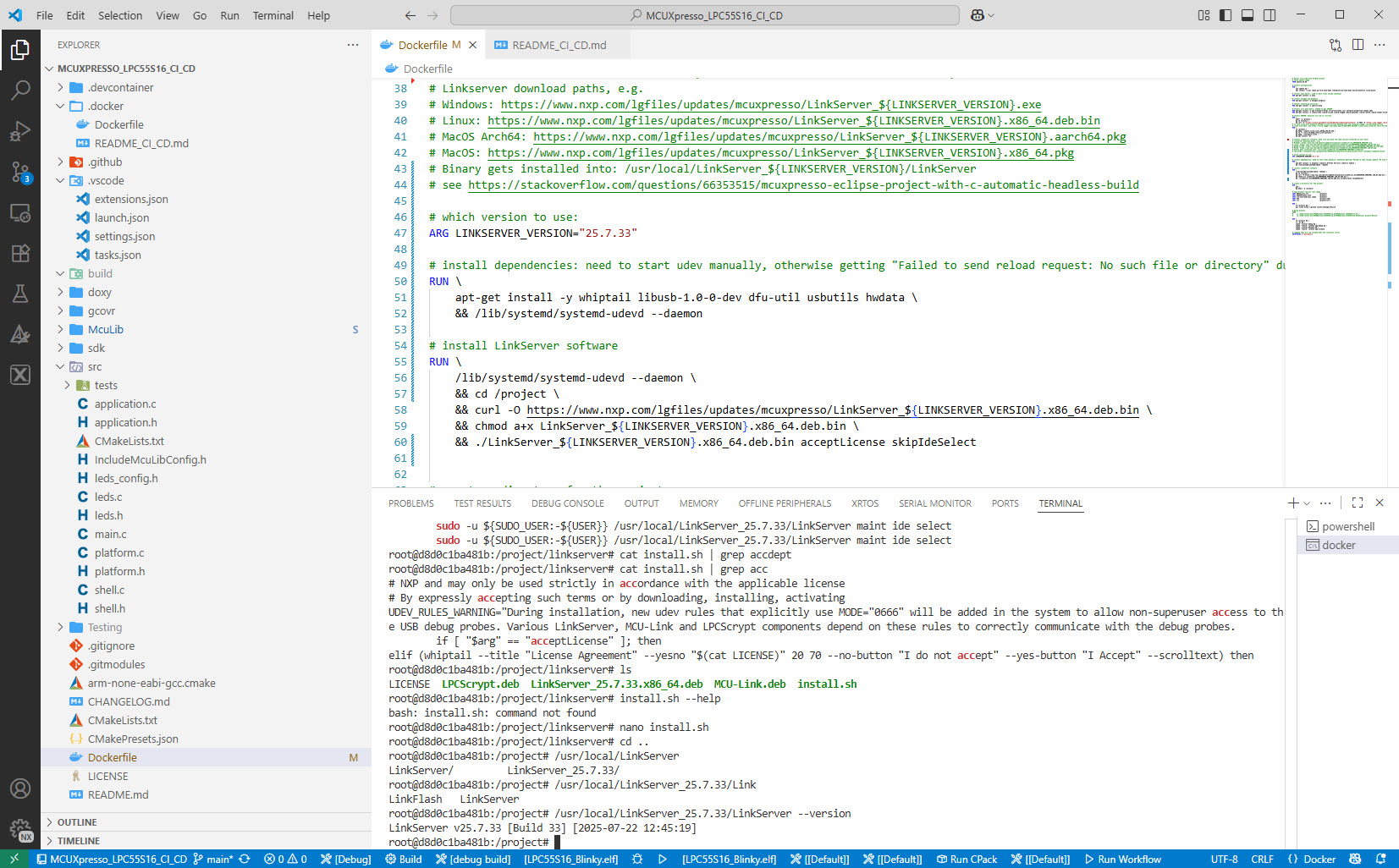
I’m shifting more and more of my CI/CD testing infrastructure using the LinkServer runner. One reason is the LinkServer runner can run the test on-target. It can also collect GNO gcov coverage information at the same time. LinkServer is a suite of software tools for launching and managing GDB servers for NXP debug probes.
I admit: my work laptop machine is running a Windows 10 OS by default. But this does not prevent me running Linux in a Virtual Machine (VM). Each host platform has its benefits, and I don’t feel biased to one or the other, but I have started using Ubuntu more and more, simply because I have worked more on Embedded Linux projects. While I have used mostly Windows with Eclipse for NXP LPC, Kinetis and i.MX platforms in the past, I started using Ubuntu too from last year with the NXP MCUXpresso SDK. I did not find much documentation about this on the web, so I thought it might be a good idea to write a tutorial about it. So here we go…

Building NXP MCUXpresso SDK on Linux Ubuntu
For everyone who wants to build a Do-It-Yourself toolchain for Kinetis on Linux, I recommend to read the following excellent post by Karibe:
Setting up Linux opensource build and debug tools for freescale freedom board FRDM-KL25Z
He describes how to get OpenOCD with CMSIS-DAP working with Eclipse on Ubuntu to debug the FRDM-KL25Z board.
Happy Linuxing 🙂
This is the first part of a multi-part tutorial on setting up a free and functional GNU gcc + Eclipse + debugger environment for use with the Freescale FRDM-KL25Z board.
In this first part, I’m showing how to install the GNU ARM tool chain to build a ‘blinking LED’ application for the FRDM-KL25Z. With 100% free tools 😉

Blinking Red RGB LED made with free tools
In my class a student wanted to run CodeWarrior MCU10.2 with Ubuntu 12.04 (Precise Pangolin) on a 64bit notebook. According to the Freescale Website, that version of Ubuntu is not supported. And indeed, if you install CodeWarrior and launch it, it does not work. The splash screen comes up, but then it aborts. Claiming in the workspace/.metadata/.log file that it cannot find the libswt-gtk-java and libxtst6 packages. Continue reading
 MCU on Eclipse