In “Tutorial: FreeRTOS 10.0.1 with NXP S32 Design Studio 2018.R1” I showed how to use a custom FreeRTOS with the S32 Design Studio (ARM). The OSIF (OS Interface) provides an operating system and services abstraction for the application which is used by other S32K SDK components:
Tag Archives: tool chains
Execute-Only Code with GNU and gcc
“There is no ‘S’ for Security in IoT” has indeed some truth. With all the connected devices around us, security of code should be a concern for every developer. “Preventing Reverse Engineering: Enabling Flash Security” shows how to prevent external read-out of critical code from device. What some microcontroller have built in is yet another feature: ‘Execute-Only-Sections‘ or ‘Execute-Only-Memory‘. What it means is that only instruction fetches are allowed in this area. No read access at all. Similar like ‘read-only’ ‘execute-only’ it means that code can be executed there, but no other access from that memory is allowed.
In this article I describe the challenges for a toolchain like the GNU gcc, and how to compile and link code for such an execute-only memory.
Creating Disassembly Listings with GNU Tools and Eclipse
In many cases it is very useful to see the generated assembly code produced by the compiler. One obvious way to see the assembly code is to use the Disassembly view in Eclipse:
But this requires a debug session. An easier way is to use command line options to generate the listing file(s).
GNU Link Time Optimization finds non-matching Declarations
By default, the GNU compiler (gcc) optimizes each compilation unit (source file) separately. This is effective, but misses the opportunity to optimize across compilation units. Here is where the Link Time Optimization (LTO, option -flto) can help out: with a global view it can optimize one step further.
The other positive side effect is that the linker can flag possible issues like the one below which are not visible to the compiler alone:
type of '__SP_INIT' does not match original declaration [enabled by default]
Listing Code and Data Size with GNU nm in Eclipse
The map file produced by the GNU linker includes lots of information, however it is very cryptic to read. In “Listing Code and Data Size for each Source File with GNU and Eclipse” I showed how the GNU size utility can be used to report the code and data size for each object file. The Eclipse based MCUXpresso IDE comes with another nice view which shows detailed information about code and data allocation:
Troubleshooting Tips: Failed Debugging with GDB
Three years ago I published “Debugging Failure: Check List and Hints” and unfortunately this article is one of the most popular ones: obviously debugging problems are very common. Debugging with GDB works usually fine, but if things are failing, then it can be hard to find the cause for it. Recently I have been asked to check some failures, so here are two more hints about what could go wrong…
Debugging the Teensy 3.6 with Eclipse MCUXpresso IDE and CMSIS-DAP LPC-Link2
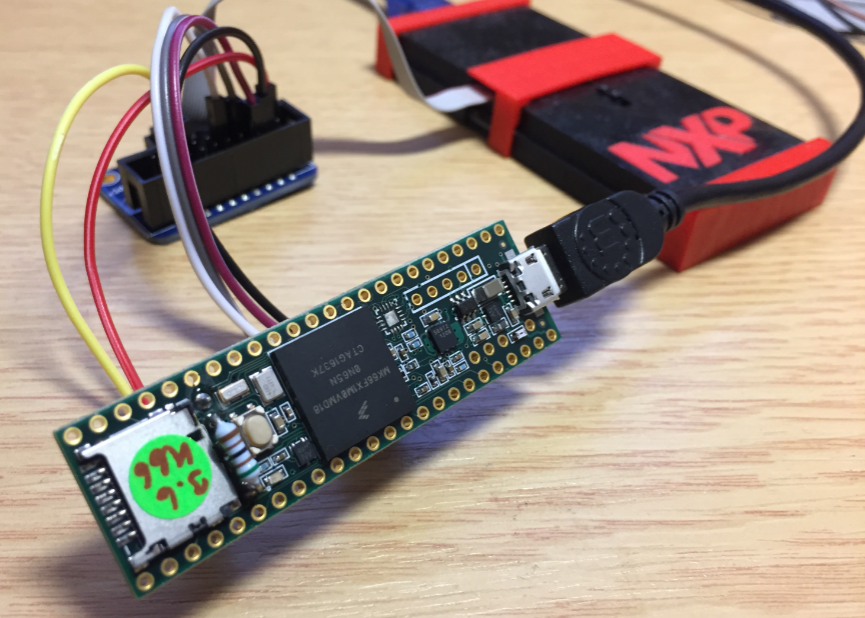
The Teensy boards are great, but as they are they are not really useful for real development, as they lack proper SWD debugging. In “Modifying the Teensy 3.5 and 3.6 for ARM SWD Debugging” I have found a way to get SWD debugging working, at that time with Kinetis Design Studio and the Segger J-Link. This article is about how debug the Teensy with free MCUXpresso IDE and the $20 NXP LPC-Link2 debug probe:
MCUXpresso IDE V10.1.0 with i.MX RT1052 Crossover Processor
In “Eclipse MCUXpresso IDE 10.1 with integrated MCUXpresso Configuration Tools” I mentioned that I wanted to try the i.MX RT1050 processor. Well, finally my ordered board from Mouser arrived, right on time for the week-end, so I had a chance to use that ARM Cortex-M7 running at 600 MHz :-).
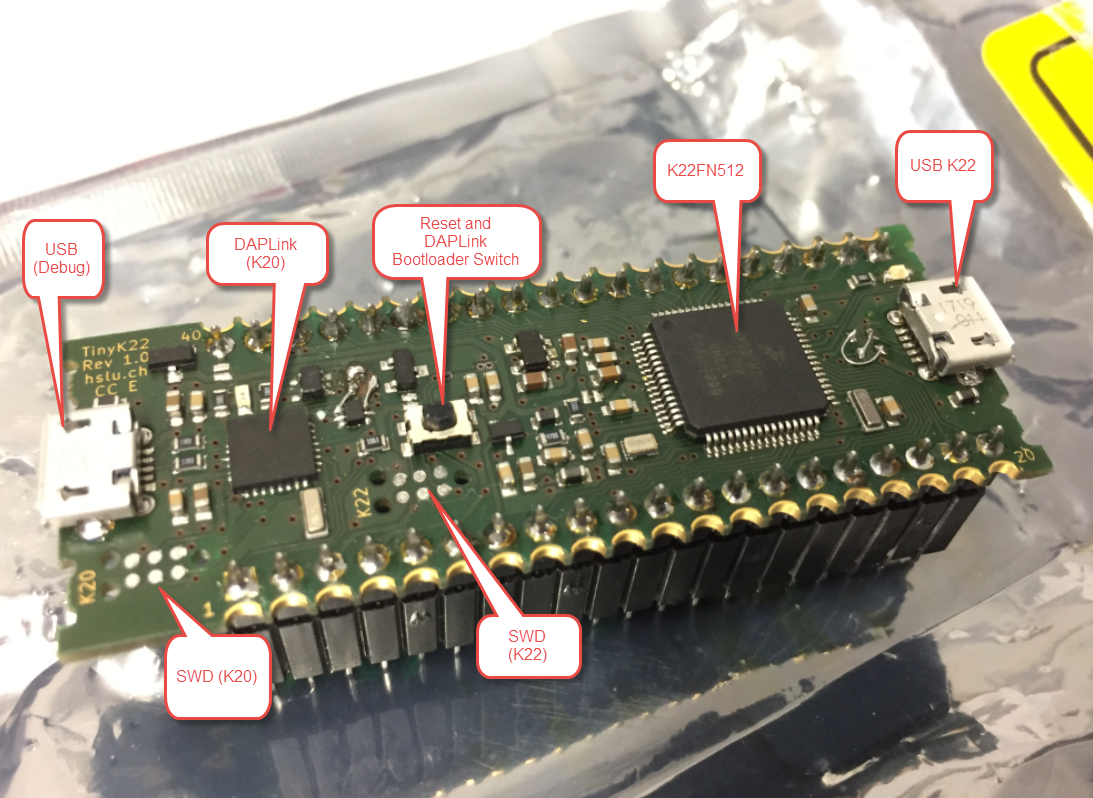
First tinyK22 Board with NXP K22FN512 ARM Cortex-M4F
The NXP Freedom boards are very popular. Many of them are inexpensive (less than $20), include a debug interface and can be easily extended with extra shields or boards. Especially the FRDM-KL25Z is very popular: I’m getting told because of Processor Expert and tutorials available on web sites like this one ;-).
Unfortunately there are no small or breadboard friendly Kinetis boards available. There is the NXP LPC800-DIP but with no onboard debugger and without Processor Expert support. We have the tinyK20, but projects tend to use more CPU power, FLASH and RAM space than what the tinyK20 board (50 MHz, 128 KByte FLASH, 16 KByte RAM) can provide. So we ended up designing the big brother of the first tinyK20: the tinyK22 with 120 MHz, 512 KByte of FLASH and 128 KByte of RAM.