MCUXpresso IDE: S-Record, Intel Hex and Binary Files

This is another article about the NXP MCUXpresso IDE (see “MCUXPresso IDE: Unified Eclipse IDE for NXPs ARM Cortex-M Microcontrollers“), this time it is about Post-build steps. Post-build steps are custom actions which can be executed after the build (or link phase), and are typically used to generate S-Record, Binary or Intel Hex files (see “S-Record, Intel Hex and Binary Files“).

Post Build Steps Details

Post Build Steps Details

Continue reading

Tutorial: Using Eclipse with NXP MCUXpresso SDK v2 and Processor Expert

To me, software and tools are by far more important than the microcontroller. Because the silicon is a ‘one time kind of thing’, where the software has to be maintained and working over a longer time. And at least my software usually needs to be ported to a new device, so portability and available software and tools are critical to me.

The combination of MCUXpresso SDK (formerly Kinetis SDK) and Processor Expert is unfortunately not supported by NXP. But I have found a way to get them work together in a nice way, and this article is about making that combination possible :-).

SDKv2 Project with Processor Expert

SDKv2 Project with Processor Expert which is supposed not to work together

Continue reading

Better FreeRTOS Debugging in Eclipse

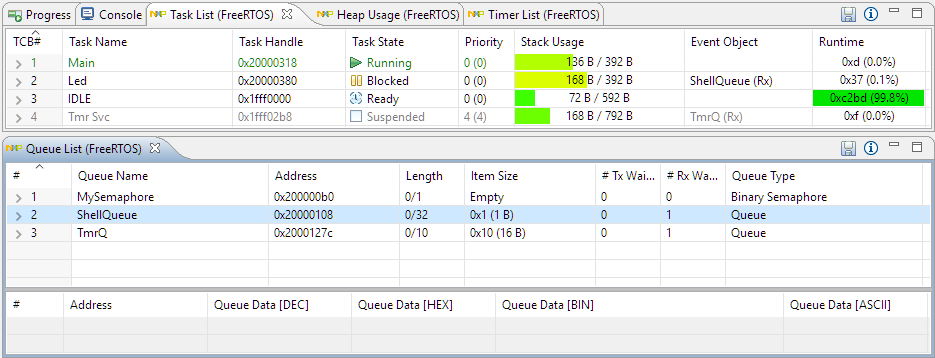
With debugging FreeRTOS applications in Eclipse, it is a big to have views available showing all the threads, queues, timers and heap memory allocation. One of the best Eclipse plugins are the one NXP provides for FreeRTOS: they are free of charge and give me pretty much everything I need. However, if you are not that familiar with FreeRTOS itself, here are a few tips to get more out of the plugins.

Better FreeRTOS Debugging in Eclipse

Better FreeRTOS Debugging in Eclipse

Continue reading

What is “Realtime Debugging”?

Questions from students or readers of my articles are a great source for all kind of articles. And here is the ‘question of this week’: “What is realtime debugging”?

It’s a good question because the topic of ‘realtime’ and ‘debugging’ was a topic in the lectures this week. So this question gives me the opportunity to combine the two things of ‘realtime’ and ‘debugging’, I love it :-).

Debugging Setup

Debugging Setup

Continue reading

Percepio FreeRTOS Tracealyzer Plugin for Eclipse

Good news for everyone using Eclipse, FreeRTOS and Percepio Tracealyzer: Percepio has released an Eclipse plugin which makes snapshot tracing very easy and convenient using the a GNU gdb debugger in Eclipse like Kinetis Design Studio:

Eclipse with Percepio Tracealizer

Eclipse with Percepio Tracealyzer

Continue reading

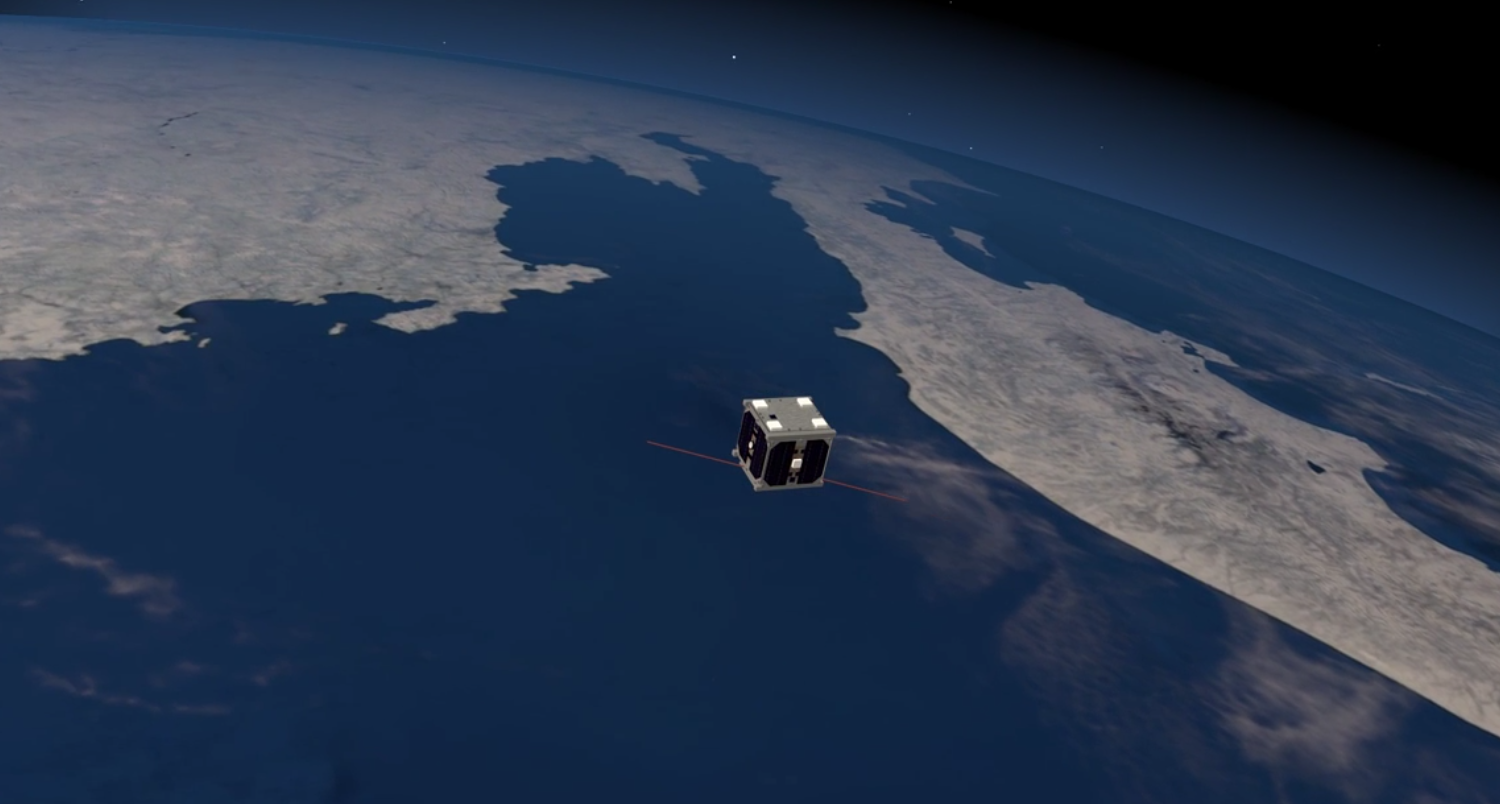
Sending a Satellit to Space: What could possibly go wrong?

Coming out of a project meeting Friday evening, the following wisdom came to my mind:

“The major difference between a thing that might go wrong and a thing that cannot possibly go wrong is that when a thing that cannot possibly go wrong goes wrong it usually turns out to be impossible to get at or repair.” – Anonymous

CubETH

Continue reading

Tips for Making Copy of Eclipse CDT Projects Easier

Instead creating a new project from scratch, often it is simpler to copy an existing Eclipse CDT project, then change it and go on.  To copy-past the a project in Eclipse:

  1. Select the project in the Project Explorer View (CTRL-C on Windows)

    Copy of a project

    Copy of a project

  2. Then paste it in the Project Explorer View (CTRL-V on Windows), and I can specify the new name:

    Paste of Project

    Paste of Project

However, to make that process simpler, a few things have to be done right in the ‘source’ project first.

Continue reading

Sous-Vide Cooking: Beef Sirloin Steak

I’m a big fan of ‘low-and-slow’ cooking, and that’s why I love my BBQ Smoker. That smoker is great for Ribs, Brisket or Pulled Pork. But it is not ideal for other pieces of meat. After doing some research, this weekend I tried something differently: “Sous-Vide”. The result is delicious: this is by far the best steak I’ve ever cooked :-).

Beef Sous Vide

Beef Sous Vide

Continue reading

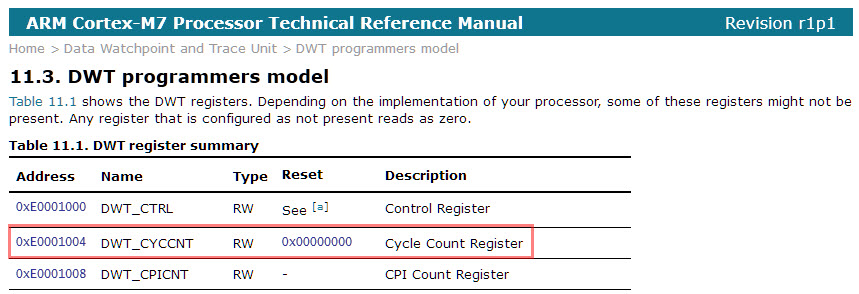
Cycle Counting on ARM Cortex-M with DWT

Some ARM Cortex-M have a DWT (Data Watchpoint and Trace) unit implemented, and it has a nice feature in that unit which counts the execution cycles. The DWT is usually implemented on most Cortex-M3, M4 and M7 devices, including e.g. the NXP Kinetis or LPC devices.

Continue reading