This tutorial goes through the steps how to create a blinking LED application, using Kinetis SDK and Processor Expert, using the TWR-KL43Z48M board from Freescale (now NXP):

twr-kl43z48m

This tutorial goes through the steps how to create a blinking LED application, using Kinetis SDK and Processor Expert, using the TWR-KL43Z48M board from Freescale (now NXP):
twr-kl43z48m
The first enclosure for the INTRO robot remote controller board (see “INTRO Robot Remote – First Production PCB“) is ready, and it is looking good:

Enclosure for the Remote Controller Board
A week ago I asked: what you would like to see next on this blog? Thank you all for your reaction and comments! To me, the result is interesting:

Poll Results
Time for a new major update of the McuOnEclipse components, with the fillowing main features and changes:

SourceForge
I’m using the Segger SystemView in many of my applications to get insights of the running application. A reader of my blog pointed me to the company ‘toem’ (http://toem.de/) based in Germany which offers powerful data viewer (‘impulse’) for Eclipse. I have tried this out, and it is really an amazing piece of technology with lots of potential. It allows me to view Segger SystemView data 🙂
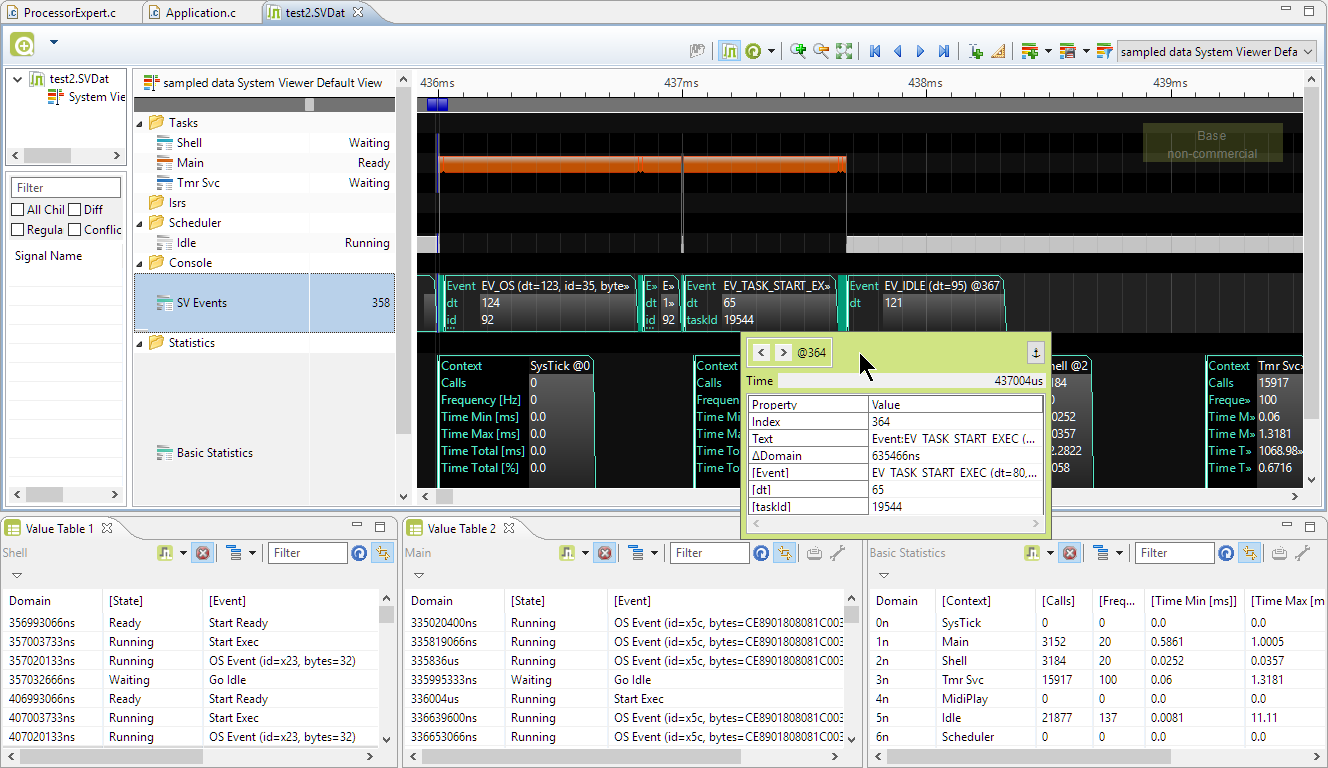
Segger SystemView Data in Eclipse
I’m using the NXP Pins tool (see “Tutorial: Muxing with the New NXP Pins Tool“) now in several projects, and I think it is time to share a few tips and tricks.

Pins Tool
So join me on a journey through the internals of the NXP Pins tool :-).
Breakout boards are great: they allow me to explore functions quickly, without to build my custom board: all what I need is some wires and ideally a bread board.

Adadfruit MicroSD Card Breakout Board
A bootloader shall be small and concise. I very much like bootloaders which do not need a ‘special’ program on the host, so I prefer a simple terminal for this. While porting my serial bootloader to the NXP FRDM-K64F board, I have found RealTerm which offers a lot of cool features:
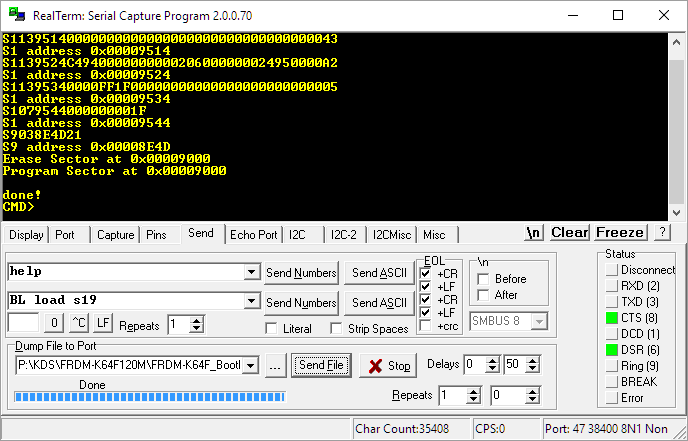
RealTerm
3.5″ Diskette Drives are not widely used any more: CDs, DVDs, memory/thumb drives and downloads from the web are the usual distribution method these days for software. Back a few years ago, software was distributed on one or many 3.5″ diskettes, and even before that time on 5 1/4″ floppy disk drives. So what to do with all these not-used-anymore hardware? Play music with it 🙂
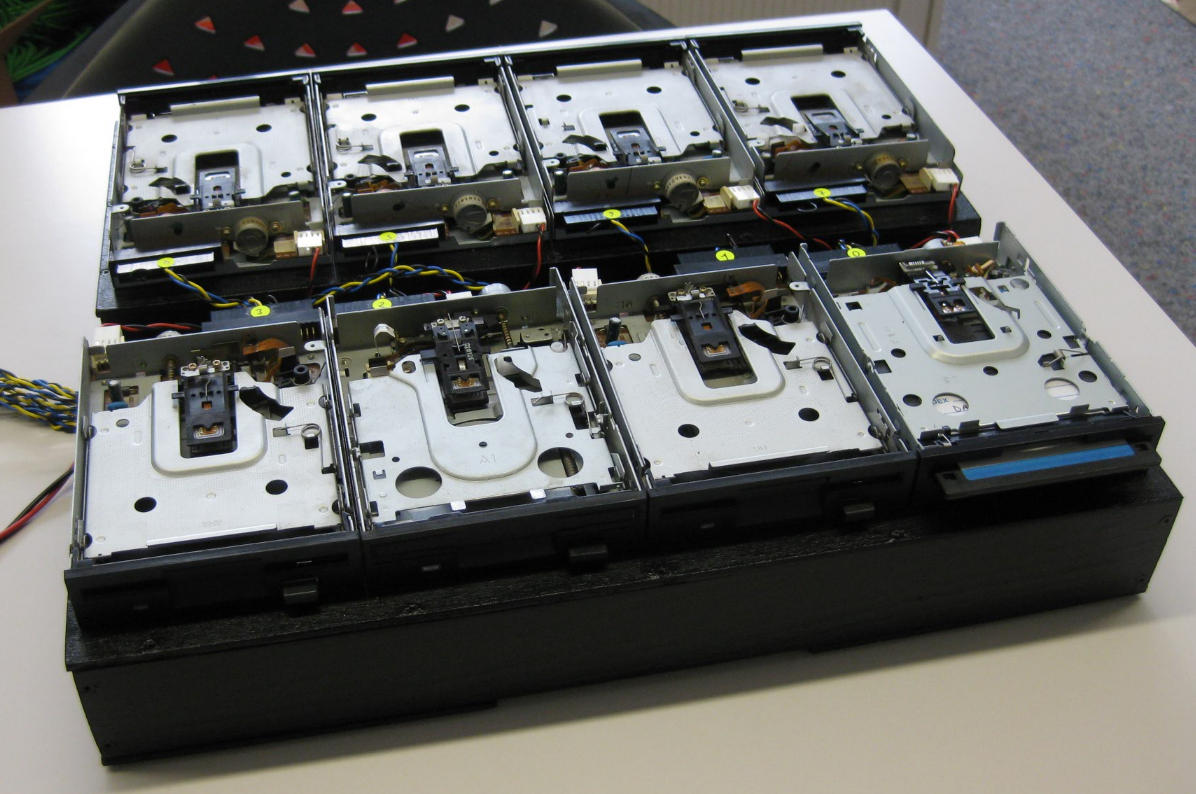
Floppy Music
My wife tells me that I have too many boards on my desk. That is only *partially* correct: there are many, but not *too* many. But I’m working on too many tasks, but that’s a different aspect :-). I’m using more and more the Kinetis SDK V2.0, and as a result of this I have multiple SDKs installed on my machine. Because with the SDK V2.0 I get a download for each device/board installed (see “First NXP Kinetis SDK Release: SDK V2.0 with Online On-Demand Package Builder“). So my list of SDK folders is growing, as shown with the ‘New SDK 2.x’ wizard in Kinetis Design Studio:
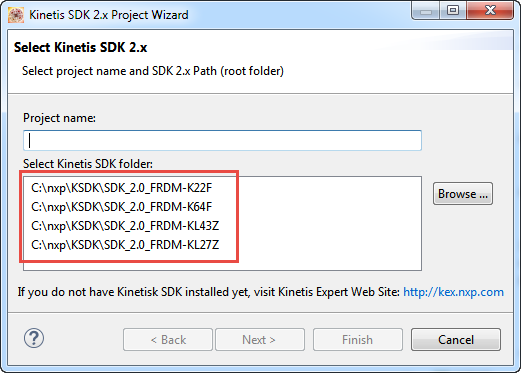
Multiple Kinetis SDKs
The same time, the amount of free disk space is reducing. What if I could combine all these SDK’s?
 MCU on Eclipse