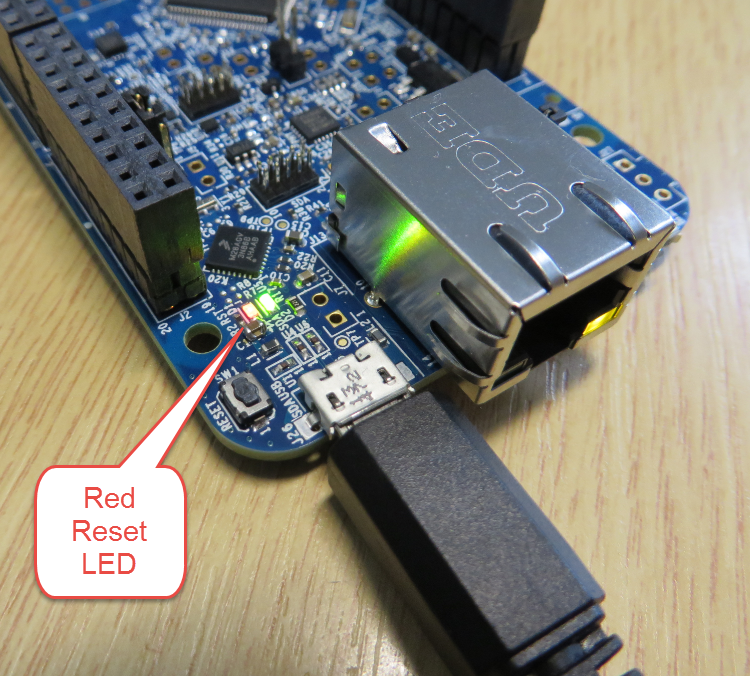
The mbed for FRDM-K64F firmware (http://mbed.org/handbook/Firmware-FRDM-K64F) has great potential. Unfortunately it seems that edges are still very rough: It happens very often that my FRDM-K64F board gets locked up :-(. I can see that the target CPU is constantly resetting: the red reset LED is always on:
Tag Archives: Debugging
Creating New Eclipse Debug Configuration
Eclipse is very powerful. To the point that you can do the same thing in multiple ways. I’m always learning new things, and recently I discovered a new way how to create a new launch or debug configuration.
So far I selected the item (e.g. GDB Hardware Debugging) and used the ‘New’ Icon:
FTF: FRDM-K64F, Kinetis Design Studio and Kinetis SDK
I’m attending the Freescale Technology Forum (FTF) in Dallas this year: As they say here: “everything is bigger in Texas”, that’s the motto of this conference ;-). The conference is packed, and I have a hard time to keep up with all the things going on. My focus is obviously everything around Eclipse and ARM microcontroller. The conference started yesterday afternoon with hands-on labs, and I was in the one were Freescale presented the new ‘Kinetis Design Studio’: a free of charge/unlimited Eclipse tool chain based on Eclipse Kepler, GCC and GDB. Freescale presented their new software library ‘Kinetis SDK’. And: There is a new Freedom board which gets handed out to the attendees: the FRDM-K64F :-).
Variable Debugging with Eclipse Kepler
The current Eclipse Kepler version comes with changes for debugging variables. I have students coming from the earlier Eclipse versions, so here are a few tips for dealing with variables in Eclipse Kepler.
Sharing Debug Configuration with Eclipse
Maybe you had this problem too: you shared a project with somebody, only to realize that your carefully crafted debug configuration was not shared?
Eclipse has the concept to store settings in the ‘framework’. The ‘framework’ is the Eclipse internal data, basically what is inside the .metadata folder of the workspace.
DIY Free Toolchain for Kinetis: Part 10 – Project Creation with GNU ARM Eclipse 2.1.1
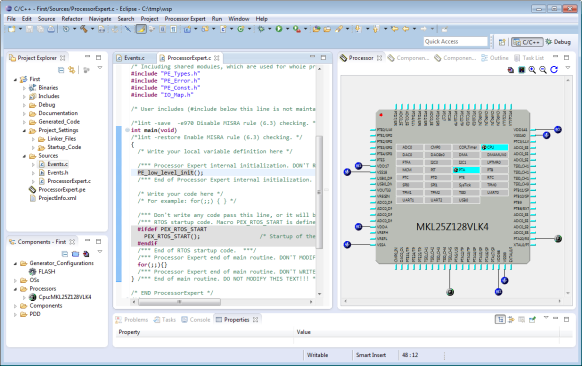
As mentioned in Part 9: There is a new GNU ARM Eclipse plugin 2.1.1, and this one makes project creation for Freescale devices easier than ever 🙂
- Native Kinetis-L project templates for FRDM-KL25Z and FRDM-KL46Z boards
- Easier than ever project creation for Processor Expert projects
DIY Free Toolchain for Kinetis: Part 9 – Express Setup in 8 Steps
On Monday the new semester starts, and yet again: we will do a Sumo thing :-). They can choose which tool chain they would like to use to develop their application for the ARM Cortex-M0+ used from Freescale. One option is to create a ‘Do-It-Yourself’ toolchain. Since the start of the series, things have evolved: there is a new GNU ARM tool chain available, Segger has updated their drivers, and most important the GNU ARM Eclipse plugin has been greatly extended to support Freescale parts and Processor Expert. So instead to read through all the previous tutorials, this one is about putting together a free tool chain less than 10 minutes (not counting the time to download around 500 MByte).
Debugging the same Project Multiple Times in Parallel with Eclipse
I have I project which I want to debug on multiple boards the same time. So how can I download and debug the same application to multiple boards/processors, and debug them all the same time from within the same workspace and Eclipse IDE?
This is a typical scenario I have with my RNet stack: the same application runs on multiple boards, and I want to debug all the boards with the same project with the same Eclipse. For example to wireless sensor nodes with the RNet nRF24L01+ stack as in the picture below:
DIY Free Toolchain for Kinetis: Part 7 – GNU ARM Eclipse Plugins
Tired by the tool chains provided by your silicon vendor? Do you want to use a free and open tool chain? Then you probably followed by “DIY Free Toolchain” series already. In “DIY Free Toolchain for Kinetis: Part 2 – Eclipse IDE” I used the standard GNU Eclipse plugins. As mentioned in above post, there is an even better and more powerful plugin available: the GNU ARM Eclipse plug-ins. There is a dedicated blog site which provides excellent documentation and direct access to new and frequent releases. And these days there is a true a Christmas gift for every Eclipse lover: the version 1.1.7 with the addition of J-Link debugger plugin :-).
New P&E OpenSDA Firmware v114
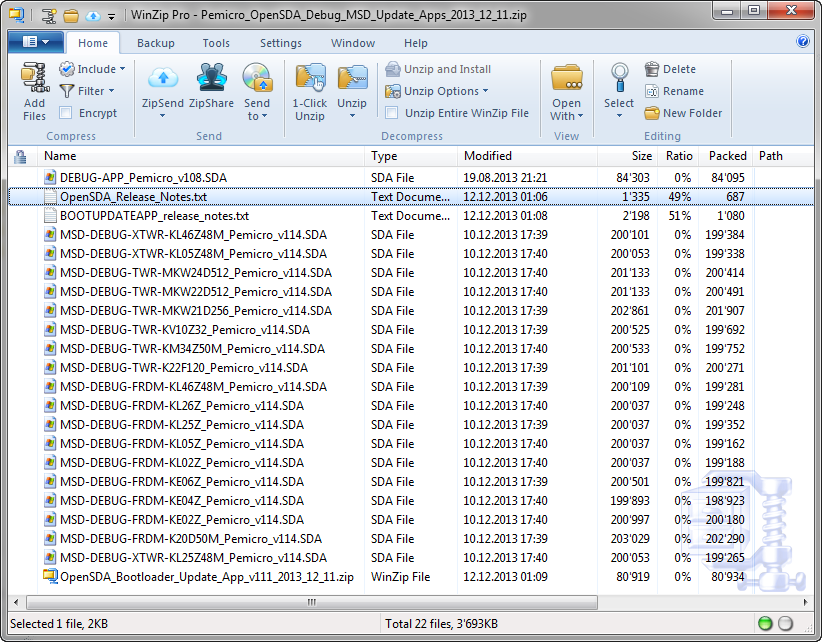
Good news for everyone having Windows 8.1: P&E has released Dec 11th 2013 a new FRDM board firmware which solves the bootloader issue found with Windows 8.1. The new firmware can download from https://www.pemicro.com/opensda/.