My Toradex i.MX7Dual module comes with a preflashed Linux distribution (see “Tutorial: First Steps with NXP i.MX7 and Toradex Colibri Board“). As with any other things, Linux gets updated from time to time, and Toradex publishes new firmware. In this article I’m documenting how I can update Linux in the external FLASH on that module.
Tutorial: Running FreeRTOS on NXP i.MX7Dual Cortex-M4F
In my previous article (see “Tutorial: First Steps with NXP i.MX7 and Toradex Colibri Board“) I have booted the i.MX7 on a Toradex CPU module. In this post I’m showing how to run a FreeRTOS application on that board.
Workaround for “Error in final launch sequence: Cannot execute this command without a live selected thread.”
Recently I have been running into the following error message in Eclipse when I started the GDB debugger:
Tutorial: First Steps with NXP i.MX7 and Toradex Colibri Board
I’m using in several projects different variants of Raspberry Pi boards: they are great and providing a lot of processing power. However, they are not suitable for any hard realtime systems. For a different class of projects I’m currently evaluating the NXP i.MX7 processors: the cool thing with these is that they have up to two ARM Cortex-A7 running at 1 GHz, plus a Cortex-M4 running at 200 MHz. And here things get really interesting: I can run a realtime application and FreeRTOS on that M4, while running Linux on the A7 :-).
Tutorial: Using Single Wire Output SWO with ARM Cortex-M and Eclipse
As a standard procedure, I add some console functionality to my embedded applications. That way I have a command line interface and can inspect and influence the target system. One interesting hardware feature of ARM Cortex-M is Single Wire Output (SWO): it allows to send out data (e.g. strings) over up to 32 different stimulus ports, over a single wire.
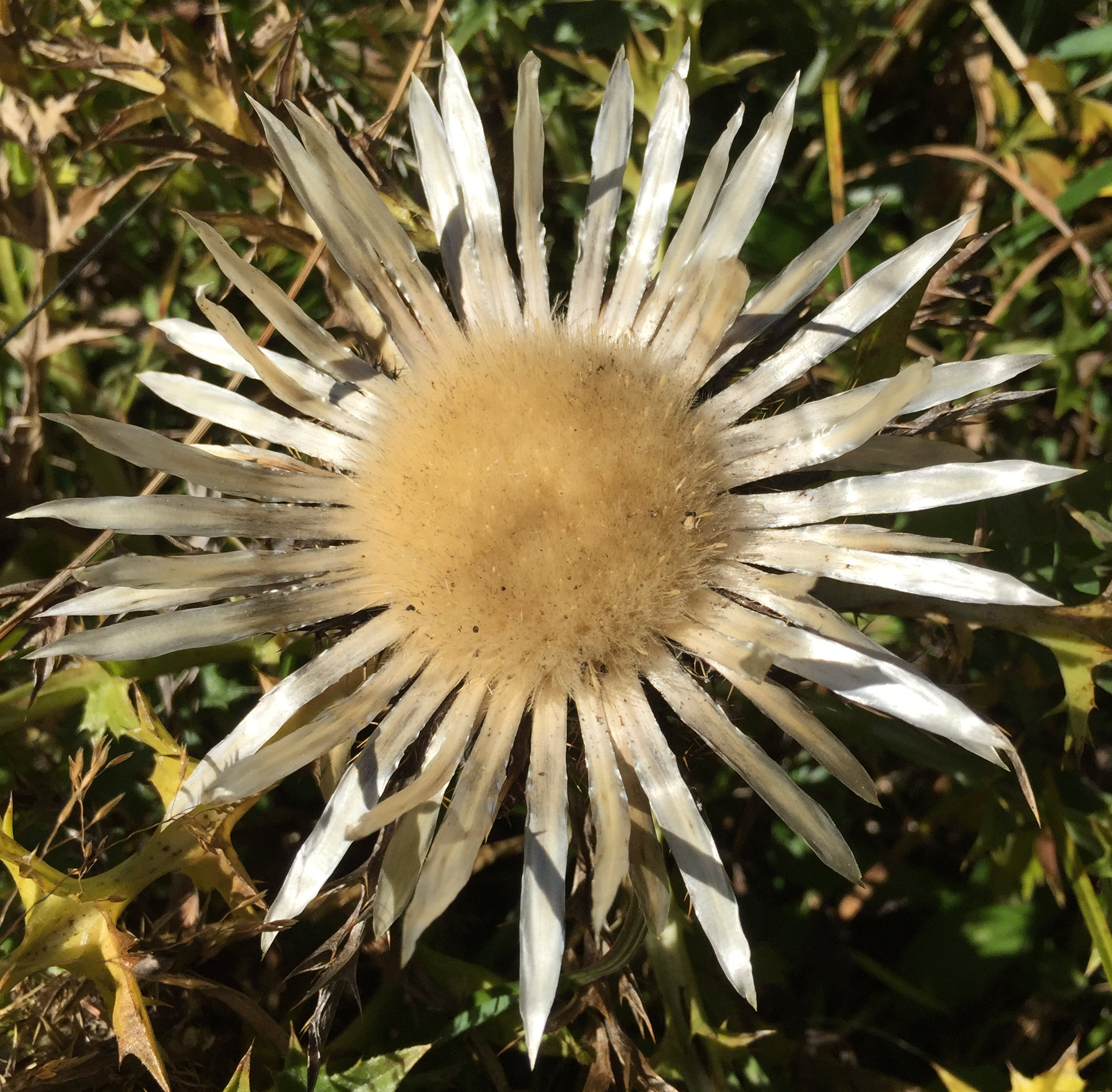
Carlina Acaulis – Silberdistel
Image
The Carlina Aucalis (we call it locally the “Silberdistel”) is native to alpine regions in central Europe. When all the other flowers disappear in fall time, the Silberdistel is worth a stop while hiking in higher alpine regions.
FreeRTOS Kernel Awareness with Ozone
In my first post about Segger Ozone (see “First Steps with Ozone and the Segger J-Link Trace Pro“) I missed the fact that it includes support for kernels like FreeRTOS. So here is how to show the FreeRTOS (or any other RTOS) threads with Ozone:
First Steps with Ozone and the Segger J-Link Trace Pro
From time to time I face some problems which are really hard to find. Mostly these kind of bugs are very timing sensitive and depend on interrupt execution order. Maybe a dangling pointer is overwriting memory, code is running wild, or some functions are not reentrant as they should be. For these kind of bugs, good tools are worth their weight in gold. The Percepio FreeRTOS+Trace and the Segger SystemView have helped me many times to narrow down such kind problems in my applications. Another ultimate tools is hardware trace: Now I have a Segger J-Trace Pro for ARM Cortex-M in my arsenal of bug extinguishing weapons on my desk:
Dear bugs, look what I have on my desk. Your hiding time is over! 🙂
Tutorial: RFID Tags with the NXP NFC Controller PN7120 and Eclipse
Playing with RFID and NFC is definitely fun :-), and they are everywhere! For a research project I’m exploring different RFID tags and solutions. I several types around for a long time, but never found the time to actually work on it, so last nightI thought I give it a try, and I have it working with GNU ARM and Eclipse, powered by the NXP FRDM-K64F board 🙂
Tutorial: Blinky with Kinetis SDK V1.3 and Processor Expert
This tutorial goes through the steps how to create a blinking LED application, using Kinetis SDK and Processor Expert, using the TWR-KL43Z48M board from Freescale (now NXP):