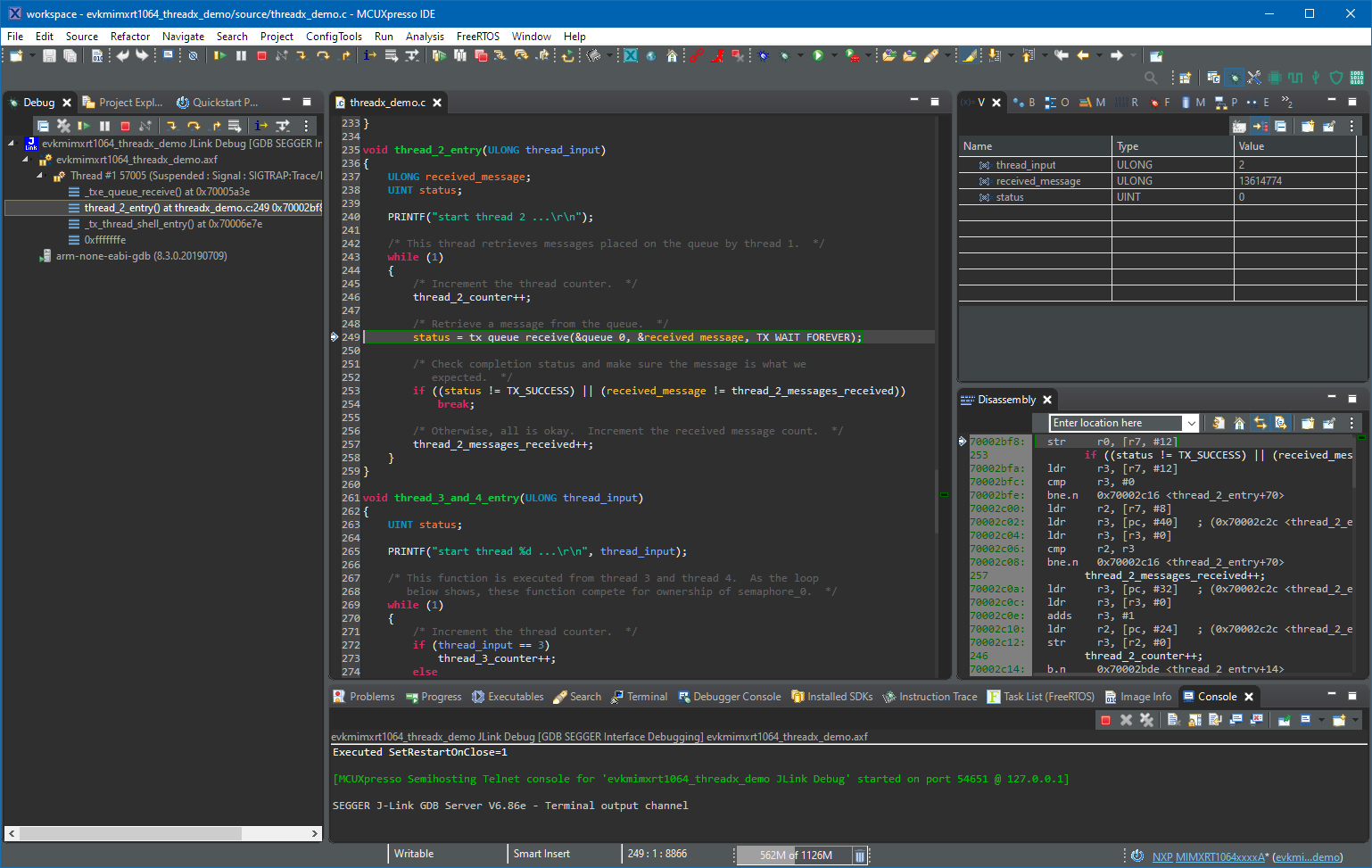
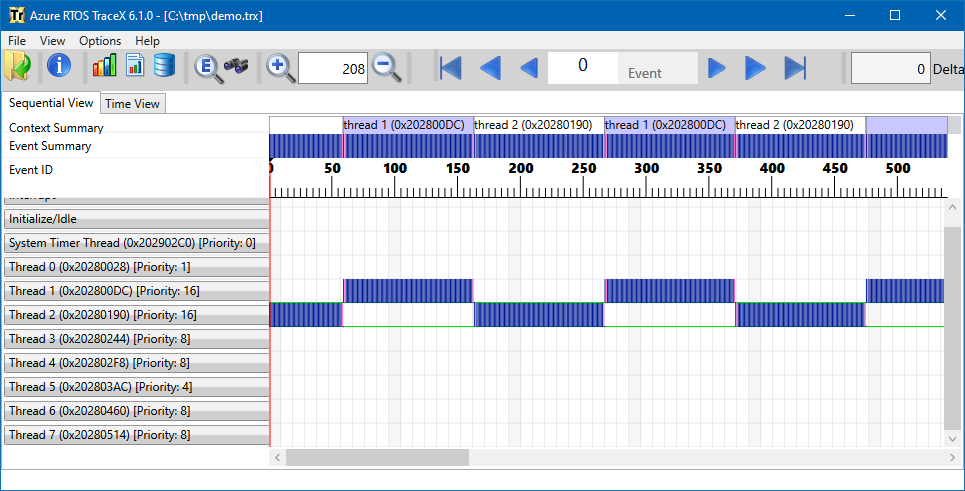
Having visibility and insights into a running system is highly valuable or critical: not only for optimizations but as well to verify the system design and behavior. In Getting Started with Microsoft Azure RTOS (aka ThreadX) I showed how to quickly run Azure RTOS. This article is about getting trace out of an ThreadX application and show it in TraceX.
Category Archives: SDK
Getting Started with Microsoft Azure RTOS (aka ThreadX)
If you are a regular reader of my articles, you probably know that I’m using FreeRTOS in most of my applications, for obvious reasons. But clearly this is not the only RTOS out there. After Microsoft had acquired Express Logic back in April 2019 things kept quite for a while. To me the crown jewel of Express Logic is the ThreadX RTOS. But recently Microsoft is pushing more and more the ‘Azure Sphere’ and trying to monetize the ‘IoT’ (I apologize for mentioning that overused acronym) application space and providing it now free for devices from selected partners which includes NXP now.
FreeRTOS V10.4.1 with SEGGER SystemView V3.12
Amazon has released in the past week the FreeRTOS version V10.4.0. Time to upgrade, actually the most recent version 10.4.1! The same time the SEGGER SystemView V3.12 was released back in April this year. No surprise: with the FreeRTOS changes they don’t work out of the box: but no worries, I have you covered and applied all the needed patches and changes to have them working again together: the latest FreeRTOS v10.4.x with Segger SystemView v3.12:
MCUXpresso IDE V11.2.0
At the university the end of a semester means that you have to get ready for the next semester. I always tend to use the latest and greatest tools for the labs. This week I received the notification that a new version of the Eclipse based MCUXpresso IDE is available, time to check it out for the next semester.
Disabling NMI (Non Maskable Interrupt) Pin
The NMI is a special interrupt on ARM Cortex-M architecture: as the name indicates, it cannot be ‘masked’ by the usual ‘disable interrupts’ flags (PRIMASK, BASEPRI), similar to the Reset signal.
Dealing with the reset signal is kind of obvious, and most designs and boards have it routed to a reset button or similar. The NMI is less obvious if you don’t pay attention to it: most ARM-Cortex implementations and boards have the NMI signal routed to a pin and are ‘hiding’ it in the schematics behind a normal GPIO pin or port: if you don’t pay attention to the NMI functionality, the board might not work as intended.
Behind the Canvas: Making of “60 Billion Lights”
As promised I’m going to share more details about the “60 Billion Lights” project. It is about a project to build a piece of electronics behind a 100×50 cm canvas to show animations or to display information like temperature, humidity, weather, time or just any arbitrary text.
Tutorial: Adding FreeRTOS to where there is no FreeRTOS
FreeRTOS is pretty much everywhere because it is so simple and universal, and it runs from the smallest to the biggest systems. But it still might be that for the microcontroller device you have selected there is no example or SDK support for it from your vendor of choice. In that case: no problem: I show how you could easily add FreeRTOS plus many more goodies to it.
“60 Billion Lights”: 2400 RGB LEDs and 120 Stepper Motors hiding behind Canvas Art
It is one thing to create something ‘cool’ or technically interesting. But it is a completely different story to convince your girlfriend, partner, wife, family (or whatever you can name it) to hang something on a wall in our house or office. Then it is not about technology: it is more about design and art. So here is my attempt to solve that challenge:
Implementing FreeRTOS Performance Counters on ARM Cortex-M
When using an RTOS like FreeRTOS, sooner or later you have to ask the question: how much time is spent in each task? The Eclipse based MCUXpresso IDE has a nice view showing exactly this kind of information:
For FreeRTOS (or that Task List view) to show that very useful information, the developer has to provide a helping hand so the RTOS can collect this information. This article shows how this can be done on an ARM Cortex-M.
DIY ‘Meta Clock’ with 24 Analog Clocks
Human since 1982 claims
“Human since 1982 have the copyright to works displaying digital time using a grid arrangement of analog clocks…”
I’m not a lawyer, but without obligations (imho) I have removed the content.
You can read more of the details here: Copyright Law for Makers and Educators
Thanks for understanding,
Erich