To switch between perspectives I can use the toolbar in Eclipse:

Eclipse Perspective Toolbar
But there must be another or better way to do this?

To switch between perspectives I can use the toolbar in Eclipse:
Eclipse Perspective Toolbar
But there must be another or better way to do this?
The tinyK22 board (see “tinyK22 Boards arrived“) gets rolled out at the Lucerne University of Applied Sciences and Arts, so I thought I write-up an article this weekend how to use that board with a Flash Resident Bootloader.
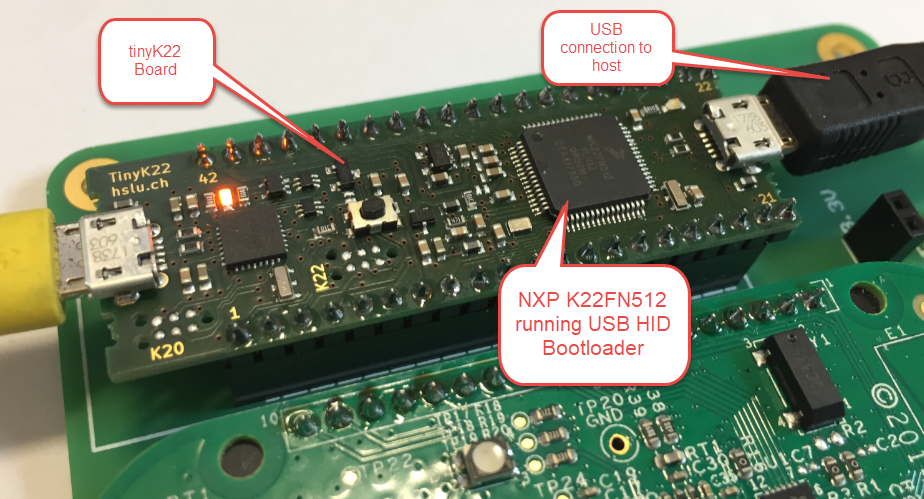
tinyK22 with USB HID Bootloader
“Amazon FreeRTOS – IoT operating system for microcontrollers”: The announcement of FreeRTOS V10.0.0 was one of the biggest news last week for me. Not only is there now a Version 10, the bigger news is that FreeRTOS is now part of Amazon. Wow! Now this explains why Richard Barry (the founder behind FreeRTOS) was kind of hiding away for about a year: he joined Amazon as a principal engineer about a year ago. I think we all have to wait and see what it means for FreeRTOS.

Amazon FreeRTOS (Source: Amazon Web Site)
Back in March 2017, NXP had rolled the MCUXpresso IDE starting with Version 10.0.0. With the intent to unify the SDK, LPCXpresso, CodeWarrior, Kinetis Design Studio and Processor Expert into one unified and integrated set of tools. V10.0.0 was a good start. The MCUXpresso IDE V10.0.2 in July was more of a smaller update, and the Pin and Clock configuration tools were not integrated, no added tool for peripheral configuration.
A week ago the MCUXpresso V10.1.0 has been released which shows where the journey is going: an free-of-charge and code size unlimited Eclipse based integrated set of tools to configure, build and debug Cortex-M (Kinetis, LPC and i.MX RT) microcontroller/processor based applications.
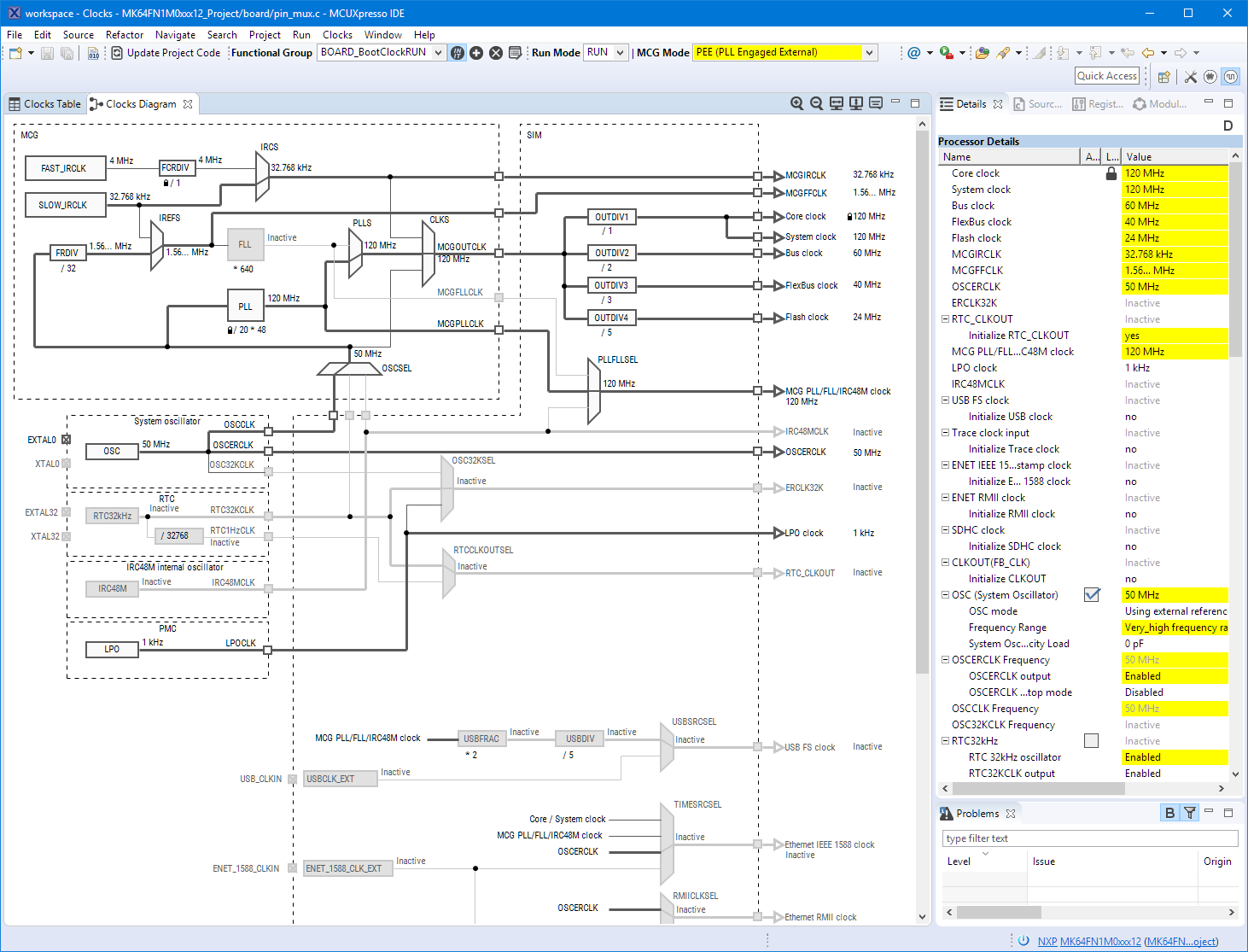
Clock Tool inside MCUXpresso IDE
I have used it for a week, and although many things are still new, I thought I’m able to give an overview about what is new.
I’m using many microcontroller in my projects. And a lot more are available out there in the ecosystem. Like many others, I tend to select what I am familiar with. But is this the correct approach to select the hardware and tools for a next project?

Microcontroller Boards
The ARM mbed USB MSD bootloader which is used on many silicon vendor boards has a big problem: it is vulnerable to operating systems like Windows 10 which can brick your board (see “Bricking and Recovering OpenSDA Boards in Windows 8 and 10“). To recover the board, typically a JTAG/SWD programmer has to be used. I have described in articles (see links section) how to recover from that situation, including using an inofficial new bootloader which (mostly) solves the problem. The good news is that ARM (mbed) has released an official and fixed bootloader. The bad news is that this bootloader does not work on every board because of a timing issue: the bootloader mostly enters bootloader mode instated executing the application.

DAPLink in Bootloader Mode
Kinetis Design Studio by default uses an older version of EmbSysRegView. This article explains how to upgrade to the latest and greatest version 0.2.6. And how it is possible to use the latest NXP update for the 0.2.4 version:
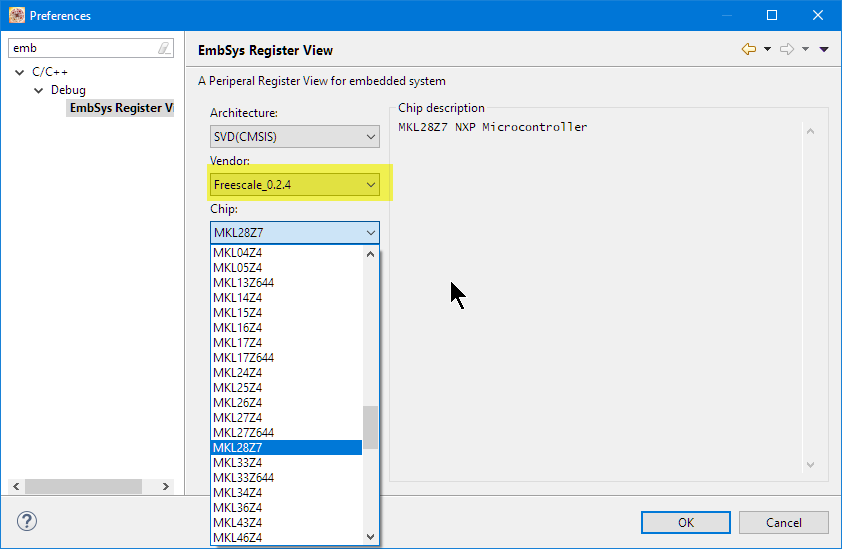
Installed Files in Eclipse
More and more these very-very-high-resolution (UHD, Ultra-High-Density) notebook displays show up in my class rooms.These displays have 3100×1800 or even more pixels, making it great for watching high-resolution videos or for playing games (maybe?). But such a high-resolution makes many tools including Eclipse very hard to use, because the toolbar icons get so tiny that they are really hard to hit with a mouse cursor on Windows:

Eclipse Icons with UHD Display
I’m pleased to announce that a new release of the McuOnEclipse components is available in SourceForge. In this release more ARM Cortex devices/vendors are supported with different SDKs, plus it comes with several FreeRTOS enhancements for debugging highly optimized code.

SourceForge
For several projects I’m using library projects: I build a library and then use that library in the other project. If I change something in a library, I want to run make both on the referenced libraries and rebuild my application if needed. If you don’t know how to do this, then read on… 🙂

Shared Library Projects
(… actually it means workign around known Eclipse CDT bug too….)
 MCU on Eclipse